
1. Introduction
Thank you for choosing the Katomi 700W Fog Machine with RGB Effect. This manual provides essential information for the safe and efficient operation of your device. Please read it thoroughly before use and retain it for future reference.
Safety Information
- Always ensure the machine is placed on a stable, non-slip surface.
- Use only high-quality, water-based fog liquid specifically designed for fog machines. Do not use flammable liquids.
- Do not operate the machine in poorly ventilated areas. Ensure adequate airflow.
- Keep the machine away from children, pets, and flammable materials.
- Do not touch the nozzle during operation or immediately after, as it can become very hot.
- Disconnect from power before cleaning, refilling, or performing any maintenance.
- This machine is designed for indoor use. Avoid exposure to rain or moisture.
2. Product Overview
The Katomi 700W Fog Machine with RGB Effect is designed to produce atmospheric fog with integrated multi-color LED lighting. It is suitable for various events and settings, enhancing visual effects.

Image 2.1: Katomi 700W Fog Machine and included accessories.
Key Features
- Dual Remote Controls: Includes both wired and wireless remote controls for flexible operation up to 10 meters.
- Dual Function Protection: Separate switches allow independent or simultaneous control of fog and light functions, enhancing safety and machine longevity.
- RGB Lighting Effect: Features 8 LEDs with 13 distinct color options (red, blue, green, and mixed colors like cyan, yellow, white) and adjustable speeds.
- Efficient Operation: A 0.3-liter fog liquid capacity provides approximately 60 minutes of continuous operation, suitable for areas of 40-60 square meters.
Package Contents
- 1 x Katomi 700W Fog Machine (fog liquid not included)
- 1 x Wired Remote Control (3 meters cable length)
- 1 x Power Cable
- 2 x Wireless Remote Controls
- 1 x Mounting Bracket with Screws

Image 2.2: Detailed view of the fog machine dimensions and all components included in the package.
3. Setup
- Unpack: Carefully remove the fog machine and all accessories from the packaging.
- Placement: Place the machine on a stable, flat, and heat-resistant surface. Ensure there is adequate space around the machine for ventilation and fog dispersion.
- Fill Liquid Tank: Unscrew the cap of the liquid tank and carefully pour appropriate fog fluid into the tank. Do not overfill. Ensure the liquid level is between the MIN and MAX indicators.
- Connect Remote Controls: If using the wired remote, plug its connector into the designated port on the back of the machine. For wireless operation, ensure the wireless remotes have functional batteries.
- Power Connection: Connect the power cable to the machine's power inlet, then plug the other end into a standard 230V AC power outlet.
- Preheating: Turn on the main power switch. The machine will begin to preheat. This process typically takes 3-5 minutes. The indicator light on the wired remote receiver will illuminate red when the machine is ready for operation.

Image 3.1: Example setup showing the wired remote control in use.
4. Operation
Power On/Off
Use the main power switch located on the unit to turn the machine on or off. Always ensure the machine is off and unplugged when not in use or during maintenance.
Fog Generation
Once the machine has completed its preheating cycle (indicated by the red light on the wired remote receiver), you can activate fog output:
- Wired Remote Control: Press and hold the button on the wired remote to produce fog. Release the button to stop.
- Wireless Remote Control: Use the dedicated fog button on the wireless remote to activate fog. The wireless remotes offer control within a 10-meter range.
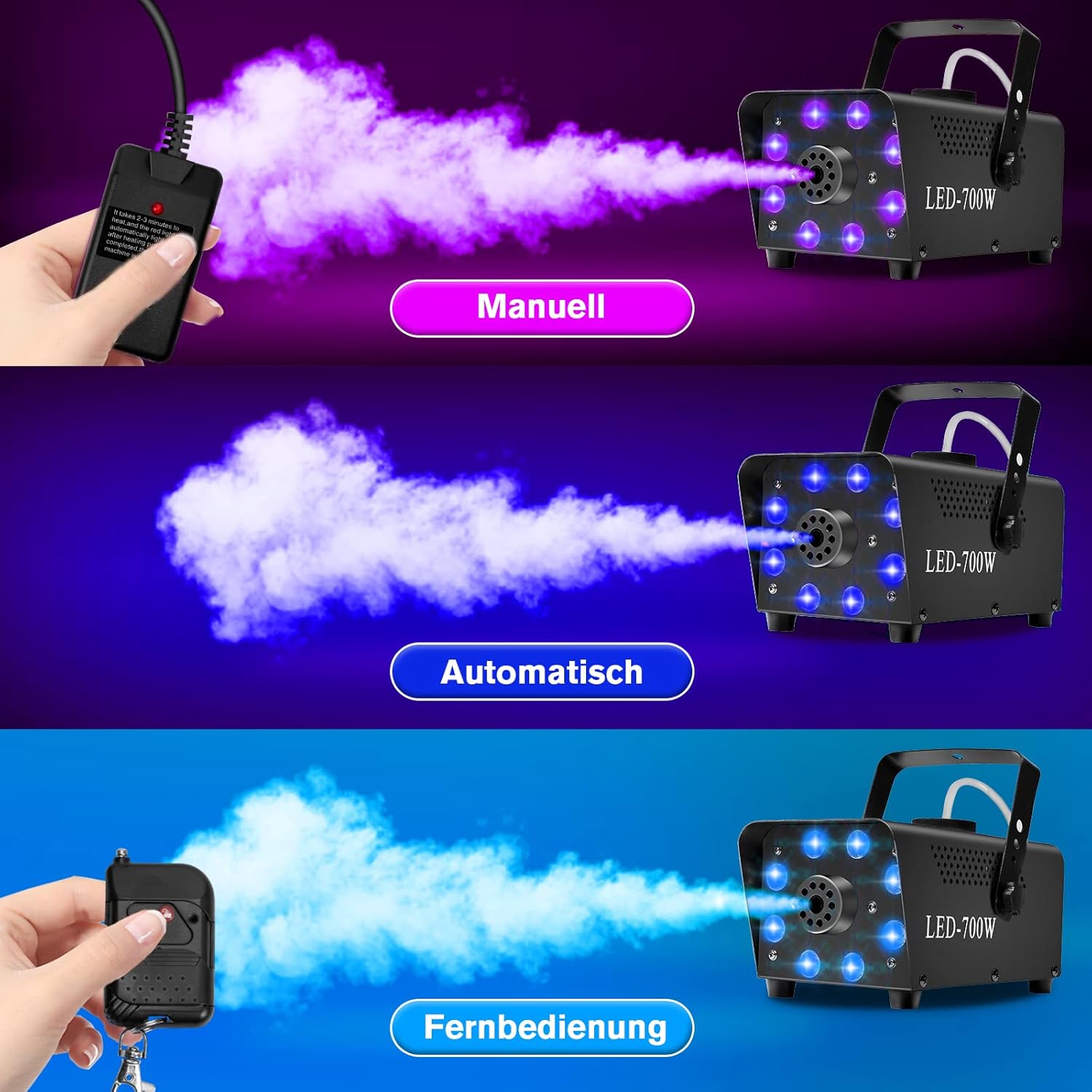
Image 4.1: Demonstrating manual, automatic, and wireless fog control modes.
RGB Lighting Effects
The integrated 8 LEDs provide a variety of color options and effects:
- Use the wireless remote control to select from 13 different colors, including red, blue, green, and mixed hues like cyan, yellow, and white.
- Adjust the speed of color changes or flashing effects using the remote.

Image 4.2: Examples of 13 different RGB LED light effects.
Automatic Mode
If your machine or remote has an 'Auto Fog' button, pressing it will initiate automatic fog generation after the preheating phase. The machine will cycle through fog production and reheating automatically.
Dual Function Protection
The machine is equipped with separate power switches for the fog function and the LED lighting. This allows you to operate both simultaneously or choose to use only the fog or only the lights, providing flexibility and protecting the internal components.
5. Maintenance
Proper maintenance ensures the longevity and optimal performance of your fog machine.
- Cool Down: After each use, allow the machine to cool down completely before handling or storing.
- Fog Liquid: Always use high-quality, water-based fog liquid. Using incorrect liquids can damage the pump and heater. Avoid running the machine dry, as this can also cause damage.
- Cleaning: To prevent clogs and ensure consistent performance, occasionally rinse the liquid tank with distilled water. Operate the machine with distilled water for a few minutes to flush the internal pump and heater coil.
- Storage: Store the fog machine in a cool, dry place, away from direct sunlight and extreme temperatures. Ensure the liquid tank is either empty or securely sealed to prevent spills.
6. Troubleshooting
If you encounter issues with your Katomi 700W Fog Machine, refer to the following common problems and solutions:
| Problem | Possible Cause | Solution |
|---|---|---|
| No fog output | Machine not preheated; low/empty fog liquid; remote control issue; clogged nozzle. | Ensure preheating is complete (red light on); refill fog liquid; check remote batteries/connection; perform cleaning cycle with distilled water. |
| Weak or inconsistent fog output | Insufficient preheating; low-quality fog liquid; partial clog. | Allow full preheating; use recommended fog liquid; perform cleaning cycle. |
| Machine not heating | Power supply issue; internal safety shutdown (overheating). | Check power connection; allow machine to cool down for several minutes before restarting. |
| LED lights not working | LED switch off; wireless remote battery dead. | Ensure LED switch is on; replace wireless remote batteries. |
If problems persist after attempting these solutions, please contact customer support.
7. Specifications
| Feature | Specification |
|---|---|
| Model Number | LEDUS-700 |
| Power | 700W |
| Voltage | 230 Volts |
| Power Source | AC Adapter |
| Dimensions (L x W x H) | 24 x 12 x 10 cm (approx. 9.4 x 4.7 x 3.9 inches) |
| Weight | 2.1 kg (approx. 4.6 lbs) |
| Material | Iron |
| Liquid Capacity | 0.3 Liters |
| Coverage Area | 40-60 square meters |
| LEDs | 8 LEDs |
| LED Colors | 13 (Red, Blue, Green, Cyan, Yellow, White, etc.) |
| Wireless Remote Range | Up to 10 meters |
8. Warranty and Support
The Katomi 700W Fog Machine is covered by a manufacturer's warranty against defects in materials and workmanship. For specific warranty terms, duration, and to initiate a warranty claim, please refer to the documentation provided at the time of purchase or contact your retailer directly.
For technical support, troubleshooting assistance beyond this manual, or inquiries about replacement parts, please contact the seller or Katomi customer service. Please have your model number (LEDUS-700) and proof of purchase ready when contacting support.
