
1. Introduction
This instruction manual provides essential information for the safe and effective use of your BCXY replacement battery, model CS-PAS920BL, compatible with the Pax A920 device and IS900 battery part number. Please read this manual thoroughly before installation and operation to ensure optimal performance and safety.
2. Safety Information and Warnings
Your safety is paramount. Please adhere to the following warnings and precautions:
- DO NOT attempt to disassemble, open, or service the battery pack.
- Replace only with the battery pack designated for this product (Pax A920 / IS900).
- DO NOT crush, puncture, short external contacts, or dispose of in fire or water.
- DO NOT store above 60°C (140°F).
- A new battery pack must be fully charged before initial use.
- Read all instructions in the operating guide of your device before using the battery.
- Dispose of used batteries according to local regulations.
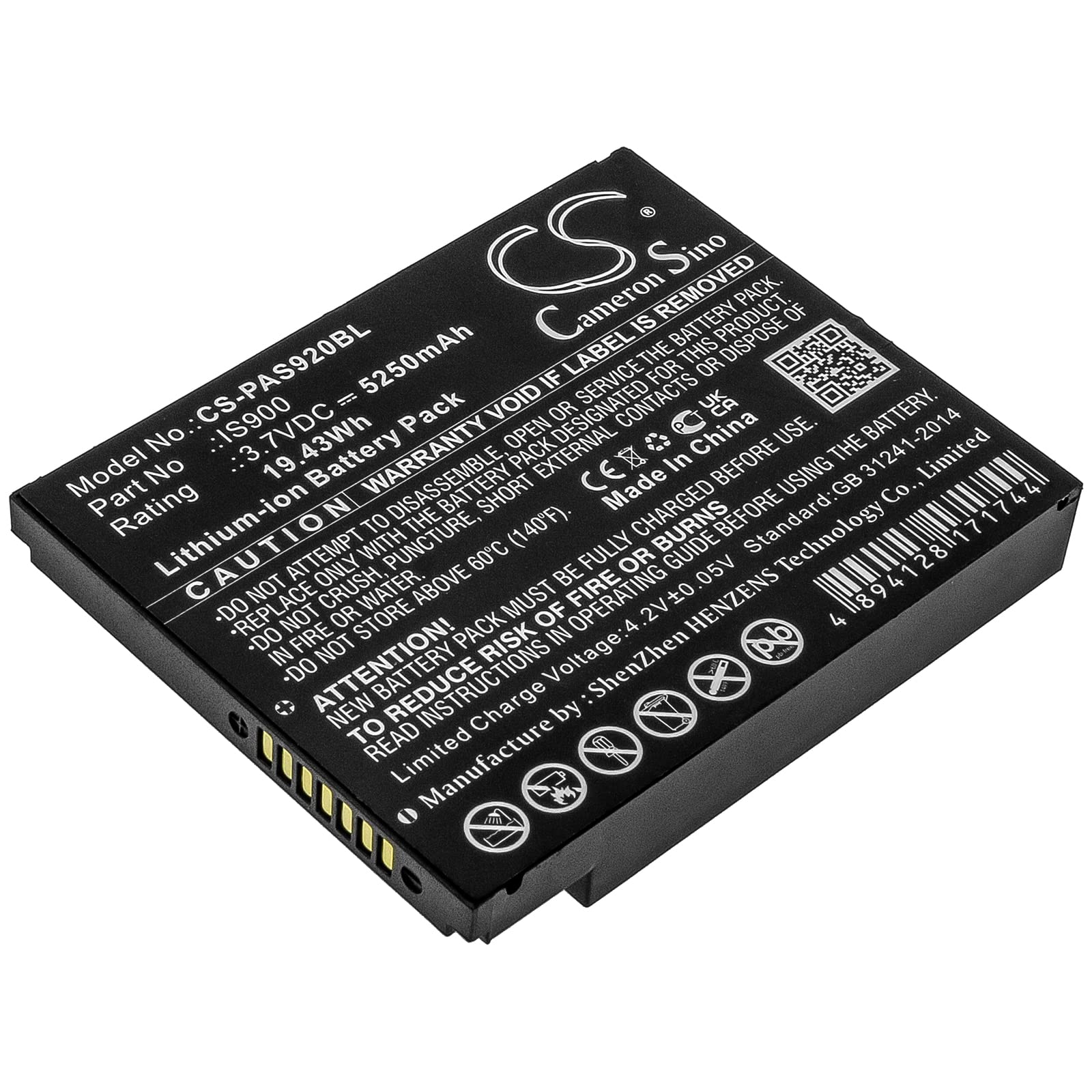
Image: Detailed view of the battery label, highlighting safety warnings and specifications.
3. Product Overview
The BCXY replacement battery is a high-quality Lithium-Ion battery designed to meet the power requirements of your Pax A920 device.
Key Features:
- Compatible Model: Pax A920
- Compatible Battery Part Number: IS900
- Model No.: CS-PAS920BL
- Rating: 3.7VDC, 5250mAh, 19.43Wh
- Certifications: ISO9001, RoHS, CE, UN38.3, MSDS
- Built-in protection against overcharge, over-discharge, over-voltage, and short circuits.

Image: Top view of the replacement battery.
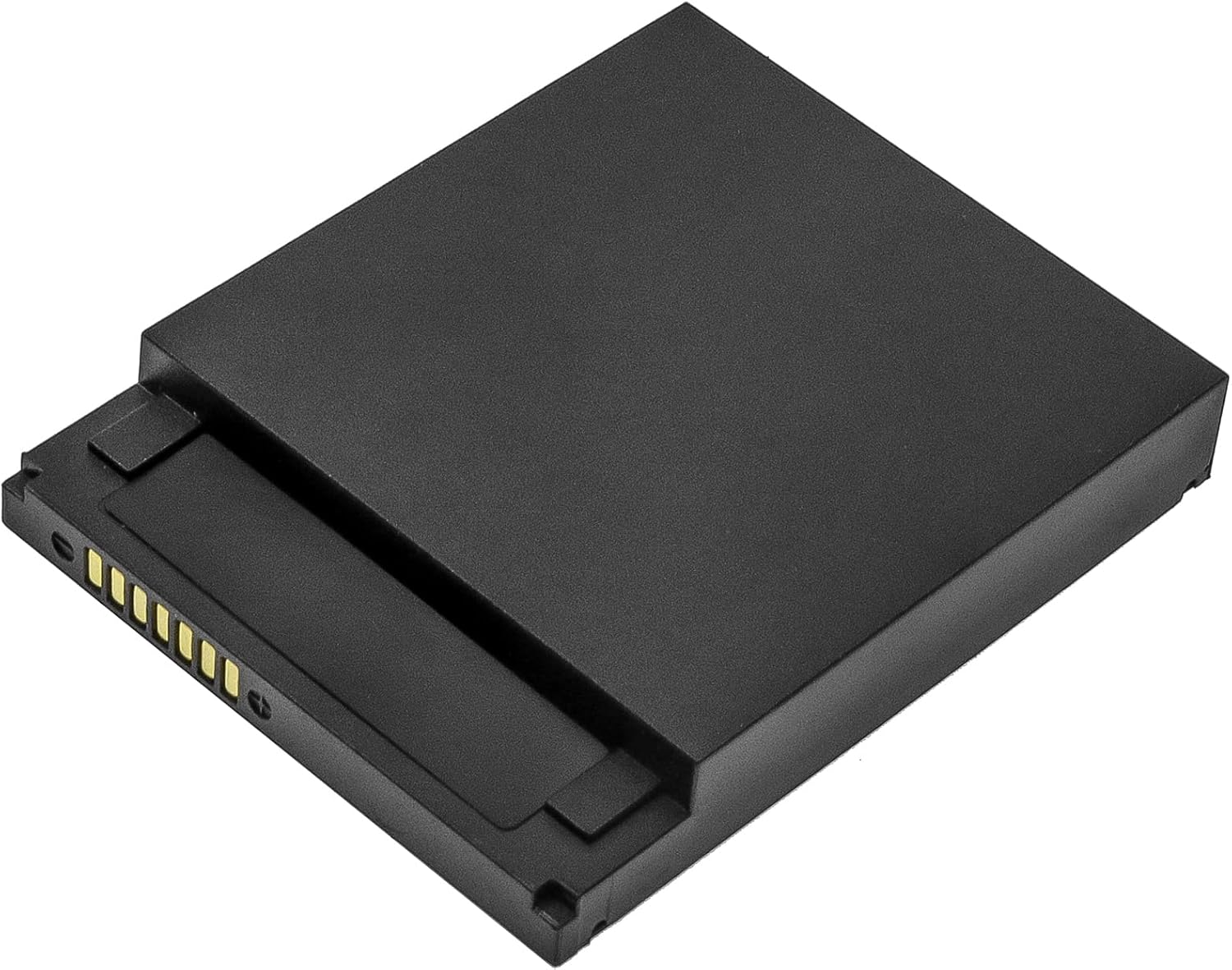
Image: Side view of the battery, showing the electrical contact pins.

Image: The replacement battery positioned next to a Pax A920 terminal for scale and compatibility reference.
4. Setup and Installation
Follow these general steps to install the replacement battery. Refer to your Pax A920 device's user manual for specific instructions on opening the battery compartment.
- Power Off Device: Ensure your Pax A920 device is completely powered off and disconnected from any power sources.
- Locate Battery Compartment: Identify and open the battery compartment cover on your Pax A920 device. This usually involves sliding a latch or unscrewing a panel.
- Remove Old Battery: Carefully remove the old battery from the compartment. Note its orientation.
- Insert New Battery: Insert the new BCXY replacement battery (model CS-PAS920BL) into the compartment, ensuring the contacts align correctly with the device's terminals. Do not force the battery.
- Secure Compartment: Close and secure the battery compartment cover.
- Initial Charge: Connect your Pax A920 device to its charger and allow the new battery to fully charge before its first use.
5. Operating Instructions
Once installed and fully charged, the battery operates as the primary power source for your Pax A920 device.
- Charging: Use only the original or certified charger provided with your Pax A920 device. Avoid using unapproved chargers.
- First Use: It is recommended to fully charge the battery before its first use to calibrate the battery meter.
- Normal Use: The battery will power your device during normal operation. Monitor the device's battery indicator for charge levels.
- Discharging: Avoid completely draining the battery frequently, as this can reduce its overall lifespan.
6. Maintenance and Storage
Proper maintenance and storage will extend the life of your battery.
- Temperature: Store the battery in a cool, dry place, away from direct sunlight and extreme temperatures (below 0°C / 32°F or above 40°C / 104°F). Do not store above 60°C (140°F).
- Charge Level for Storage: If storing the battery for an extended period, ensure it is charged to approximately 50-60% capacity. Avoid storing a fully charged or completely depleted battery.
- Regular Charging: For long-term storage, it is advisable to recharge the battery to 50-60% every 3-6 months to prevent deep discharge.
- Cleaning: Keep battery contacts clean and free from dust or debris. Use a dry, soft cloth if cleaning is necessary.
7. Troubleshooting
If you encounter issues with your battery, consider the following common troubleshooting steps:
- Battery Not Charging:
- Ensure the charger and charging cable are properly connected and functional.
- Verify that the power outlet is working.
- Check for any debris or damage to the charging port on the device or battery contacts.
- Try restarting the device.
- Device Not Powering On:
- Ensure the battery is correctly installed and fully charged.
- Confirm the battery contacts are clean and making proper connection.
- If possible, test with another known good battery (if available) to rule out device issues.
- Shortened Battery Life:
- Review your device usage; high-power applications or continuous use can drain the battery faster.
- Ensure the battery is being charged fully each cycle.
- Avoid exposing the device and battery to extreme temperatures.
If these steps do not resolve the issue, please contact customer support for further assistance.
8. Specifications
| Attribute | Specification |
|---|---|
| Model Number | CS-PAS920BL |
| Part Number | IS900 |
| Battery Type | Lithium-Ion |
| Voltage | 3.7V |
| Capacity | 5250mAh |
| Watt-hour | 19.43Wh |
| Dimensions (L x W x H) | 74.45 x 59.82 x 12.1mm (2.93 x 2.36 x 0.48 inches) |
| Weight | 123.2g (4.3 ounces) |
| Manufacturer | BCXY / Shenzhen HENZENS Technology Co., Limited |
| Certifications | ISO9001, RoHS, CE, UN38.3, MSDS |
9. Warranty and Support
The BCXY replacement battery is manufactured under strict quality control standards and holds certifications including ISO9001, RoHS, CE, UN38.3, and MSDS, ensuring quality and safety.
For warranty information, technical support, or further inquiries, please visit the manufacturer's official website or contact your retailer.
Manufacturer's Website: http://www.cameronsino.com