Introduction
Thank you for choosing the INLIFE Robot Vacuum MT-720A. This manual provides important information on the safe use, operation, and maintenance of your robot vacuum cleaner. Please read this manual thoroughly before using the product and keep it for future reference.
Safety Instructions
To reduce the risk of injury or damage, read and follow all safety precautions when setting up, using, and maintaining your robot vacuum.
- This appliance can be used by children aged 8 years and above and persons with reduced physical, sensory or mental capabilities or lack of experience and knowledge if they have been given supervision or instruction concerning use of the appliance in a safe way and understand the hazards involved.
- Children should be supervised to ensure that they do not play with the appliance.
- Cleaning and user maintenance shall not be made by children without supervision.
- Only use the original power adapter provided by the manufacturer.
- Do not use the robot vacuum in wet environments or near water.
- Before use, remove any loose items from the floor such as power cords, small objects, or curtains that could get tangled in the brushes.
- Do not use the robot vacuum to pick up large debris, liquids, burning or smoking objects.
- Ensure the charging dock is placed against a wall on a level surface.
Package Contents
Verify that all components are present and in good condition:
- INLIFE Robot Vacuum MT-720A
- Charging Dock
- Power Adapter
- Side Brushes (2 pairs)
- HEPA Filter (pre-installed)
- Cleaning Tool
- User Manual
- Remote Control (optional, if included)
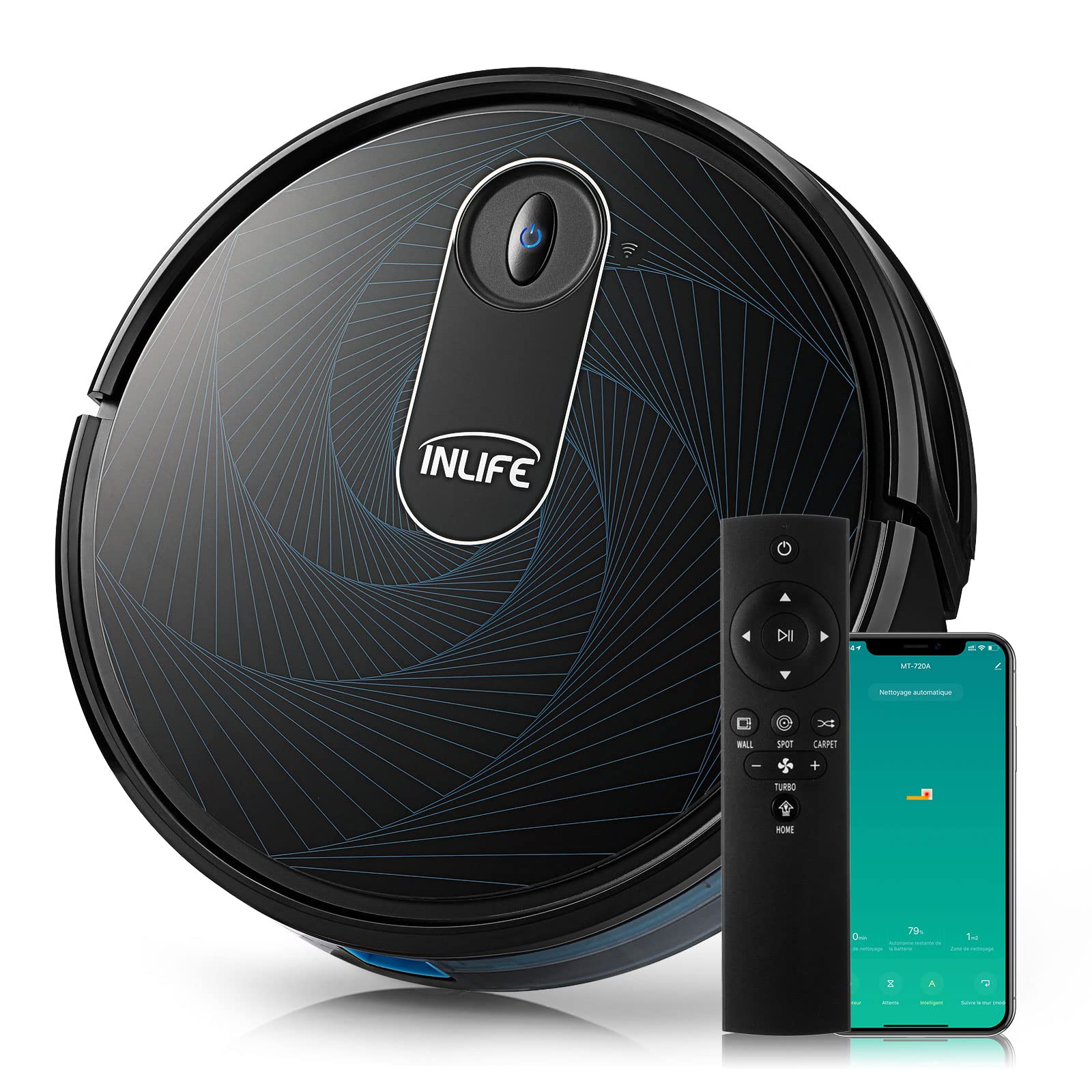
Image: The INLIFE Robot Vacuum MT-720A with its charging dock, power adapter, side brushes, and cleaning tool.
Product Overview
Robot Vacuum Components
- Top Panel: Power/Clean button, Wi-Fi indicator.
- Front Bumper: Obstacle detection sensors.
- Dustbin: Located at the rear, easily removable for emptying.
- Bottom Panel: Driving wheels, side brushes, main brush, cliff sensors, charging contacts.

Image: A detailed diagram illustrating the various components of the INLIFE Robot Vacuum MT-720A, including its top panel controls, dustbin, and underside features like brushes and wheels.
Charging Dock
The charging dock provides power to recharge the robot vacuum's battery. It features charging contacts and a power indicator light.

Image: The INLIFE Robot Vacuum MT-720A positioned on its charging dock, illustrating how it connects for recharging.
Setup
1. Install Side Brushes
Press the side brushes onto the square posts at the bottom of the robot until they click into place. Ensure they are securely attached.
2. Place the Charging Dock
Place the charging dock against a wall in an open, uncluttered area. Ensure there is at least 0.5 meters (1.6 feet) of clear space on either side of the dock and 1.5 meters (4.9 feet) in front of it. Connect the power adapter to the dock and plug it into a wall outlet.
3. Initial Charge
Place the robot vacuum onto the charging dock, ensuring the charging contacts on the robot align with those on the dock. The robot will begin charging automatically. For first-time use, charge the robot for at least 6 hours to ensure optimal battery performance.
4. Wi-Fi Connection (Optional)
To use the INLIFE app and smart home integration (Amazon Echo, Google Assistant), download the INLIFE app from your app store. Follow the in-app instructions to connect your robot vacuum to your home Wi-Fi network. This typically involves pressing and holding the Wi-Fi button on the robot until it enters pairing mode.
Operating the Robot Vacuum
Starting a Cleaning Cycle
- Manual Start: Press the Power/Clean button on the robot's top panel once. The robot will start cleaning in Auto mode.
- App Control: Open the INLIFE app and select the desired cleaning mode (Auto, Spot, Edge) or schedule a cleaning.
- Voice Control: If connected to Amazon Echo or Google Assistant, use voice commands such as "Alexa, tell INLIFE to start cleaning" or "Hey Google, ask INLIFE to clean."
Pausing/Resuming Cleaning
Press the Power/Clean button on the robot or use the app to pause a cleaning cycle. Press it again to resume.
Returning to Charging Dock
When the battery is low, the robot will automatically return to its charging dock. You can also manually send it back by pressing the Home button on the app or remote control (if applicable).
Cleaning Modes
- Auto Mode: The robot cleans in a systematic pattern, adjusting to different floor types and obstacles.
- Spot Mode: The robot cleans a specific area more intensely, ideal for concentrated dirt.
- Edge Mode: The robot cleans along walls and furniture edges.
Suction Power Adjustment
The robot features 3 adjustable suction speeds. These can typically be changed via the INLIFE app or remote control to suit different cleaning needs and floor types.
Maintenance
Regular maintenance ensures optimal performance and extends the lifespan of your robot vacuum.
Emptying the Dustbin (After Each Use)
- Press the dustbin release button and pull out the dustbin.
- Open the dustbin cover and empty its contents into a trash bin.
- Close the dustbin cover and reinsert it into the robot until it clicks.

Image: Steps demonstrating how to remove, empty, and reinsert the dustbin of the INLIFE Robot Vacuum MT-720A.
Cleaning the Filter (Weekly)
Remove the HEPA filter from the dustbin. Tap it gently to remove dust. Do not wash the HEPA filter with water; it can be brushed clean with the provided cleaning tool. Replace the filter every 3-6 months depending on usage.
Cleaning Side Brushes (Monthly)
Remove the side brushes by pulling them upwards. Remove any hair or debris wrapped around them. If brushes are damaged or worn, replace them with new ones.
Cleaning Main Brush (Monthly)
- Flip the robot over. Press the release tabs to remove the main brush guard.
- Lift out the main brush.
- Use the cleaning tool to cut and remove any hair or debris tangled around the brush.
- Reinsert the main brush and secure the guard.

Image: A user demonstrating the process of removing and cleaning the main brush of the INLIFE Robot Vacuum MT-720A using the provided cleaning tool.
Cleaning Sensors and Charging Contacts (Monthly)
Wipe the cliff sensors (located on the bottom) and charging contacts (on the robot and dock) with a clean, dry cloth. This ensures proper navigation and charging.
Troubleshooting
| Problem | Possible Cause | Solution |
|---|---|---|
| Robot does not turn on. | Battery is low or depleted. | Place the robot on the charging dock and ensure it is charging. Allow several hours for a full charge. |
| Robot cannot find charging dock. | Dock is obstructed or too far. | Ensure the charging dock is in an open area with no obstructions. Manually place the robot on the dock. |
| Suction power is weak. | Dustbin is full or filter is clogged. | Empty the dustbin and clean the HEPA filter. Check for blockages in the main brush or suction inlet. |
| Robot gets stuck frequently. | Loose cables, small objects, or high thresholds. | Clear the cleaning area of obstacles. Use virtual boundaries if available (via app) to restrict access to problem areas. |
| Wi-Fi connection fails. | Incorrect Wi-Fi password, router issues, or robot too far from router. | Ensure correct Wi-Fi password. Restart your router and the robot. Move the robot closer to the router during setup. |
Specifications
| Feature | Detail |
|---|---|
| Model | MT-720A |
| Brand | INLIFE |
| Suction Power | Up to 2600PA (3 adjustable speeds) |
| Battery Life | Up to 90 minutes |
| Filter Type | HEPA |
| Noise Level | 60 Decibels |
| Compatible Devices | Amazon Echo, Google Assistant |
| Control Type | App Control (iOS, Android), Remote Control (optional), Voice Control |
| Surface Recommendation | Tiles, Wood, Carpet |
| Voltage | 240 Volts |
Warranty and Support
INLIFE products are designed and manufactured to the highest quality standards. For detailed warranty information, please refer to the warranty card included in your package or visit the official INLIFE website. If you encounter any issues or have questions regarding your robot vacuum, please contact INLIFE customer support.
Customer Support:
- Website: www.inlife.com (Example link, please refer to actual product documentation for correct URL)
- Email: support@inlife.com (Example email, please refer to actual product documentation for correct contact)


