1. Product Overview
The JieruiDeng LT500 is a wireless keyboard and mouse combo designed for efficient and comfortable use with various devices. It features a full-size keyboard with a built-in phone holder, a smart volume control knob, and a quiet, ergonomic mouse. This combo utilizes 2.4GHz wireless technology for a stable connection and is rechargeable for convenience.

Image 1.1: The JieruiDeng LT500 wireless keyboard and mouse combo in light-green, shown with a computer monitor and a smartphone in the integrated holder.
2. Package Contents
Please check the package for the following items:
- Wireless Keyboard (1 unit)
- Wireless Mouse (1 unit)
- Charging Cable (1 unit)
- USB Receiver (1 unit, typically stored inside the mouse)
- User Manual (1 unit)
3. Setup Instructions
Follow these steps to set up your JieruiDeng LT500 wireless keyboard and mouse combo:
- Locate the USB Receiver: The 2.4GHz USB nano receiver is typically stored in a compartment within the mouse. Open the battery cover or a designated slot on the mouse to retrieve it.
- Insert the USB Receiver: Plug the USB receiver into an available USB port on your computer, laptop, or compatible device.
- Power On:
- For the keyboard: Locate the power switch, usually on the back or side, and slide it to the "ON" position.
- For the mouse: Locate the power switch on the bottom of the mouse and slide it to the "ON" position.
- Automatic Connection: The keyboard and mouse should automatically connect to your device. No additional drivers or software are required.
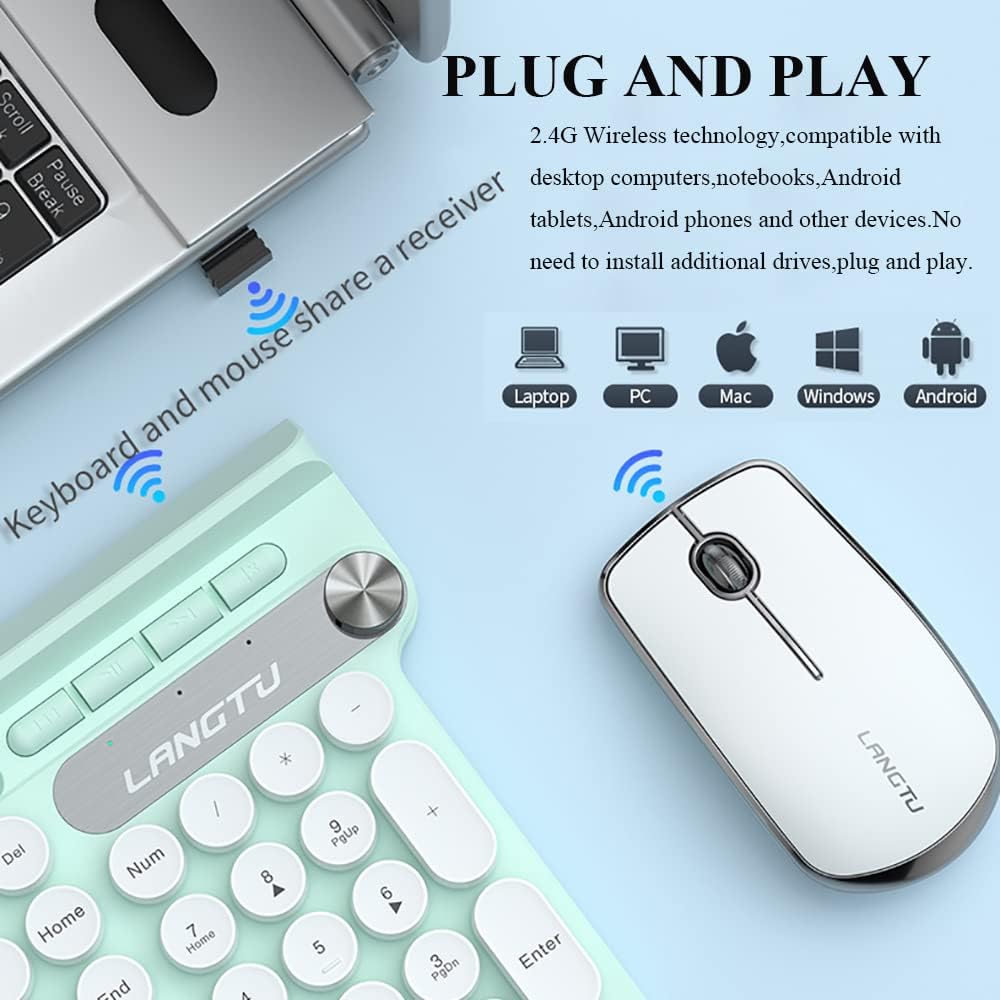
Image 3.1: Illustration of the 2.4G wireless technology and USB receiver for plug-and-play connectivity with various devices.

Image 3.2: The bottom of the wireless mouse, highlighting the 2.4G wireless receiver storage slot and the power switch.
4. Operating Instructions
4.1 Keyboard Functions
- Full-Size Layout: The keyboard features a standard US QWERTY layout with a dedicated number pad for comprehensive input.
- Multimedia Hotkeys: Utilize the function keys (F1-F12) in combination with the Fn key to access multimedia controls such as play/pause, volume adjustment, web browsing, and email shortcuts. Refer to the key legends for specific functions.
- Smart Volume Knob: The integrated smart knob allows for quick and easy control of your computer's volume. Rotate the knob to adjust volume up or down.
- Integrated Phone Holder: The U-shaped holder design at the top of the keyboard can accommodate smartphones, tablets, and other devices. Place your device horizontally or vertically for convenient viewing while working or for entertainment.

Image 4.1: Detail of the keyboard's volume control knob and the round, "punk" style keycaps with clear characters.

Image 4.2: The keyboard demonstrating its mobile phone holder design with a smartphone positioned for easy viewing.
4.2 Mouse Functions
- Noiseless Clicking: The mouse is designed for quiet operation, minimizing click sounds to avoid disturbance in quiet environments.
- DPI Adjustment: The mouse offers 3 adjustable DPI (Dots Per Inch) settings to change cursor sensitivity. Press the DPI button (usually located near the scroll wheel) to cycle through the available sensitivities to match your preference.
5. Key Features
- Ergonomic Design: Both the keyboard and mouse are designed with an ergonomic form factor to promote comfortable use and reduce strain during extended periods.
- Smart Power Saving: The combo features a built-in rechargeable lithium battery and smart sleep technology. After a period of inactivity, the devices will enter sleep mode to conserve battery power, extending usage time.
- Rechargeable Battery: The keyboard and mouse are equipped with rechargeable batteries. Use the provided charging cable to recharge them when the battery is low. A full charge typically provides approximately one week of use and about 30 days of standby time.
- Splash-Proof Design: The keyboard features a splash-proof hydrophobic surface and an anti-short circuit design. In case of accidental spills, the keyboard is designed to continue functioning normally after air-drying.
- Lightweight and Portable: The compact and wireless design makes the combo easy to transport, suitable for travel or moving between workstations.
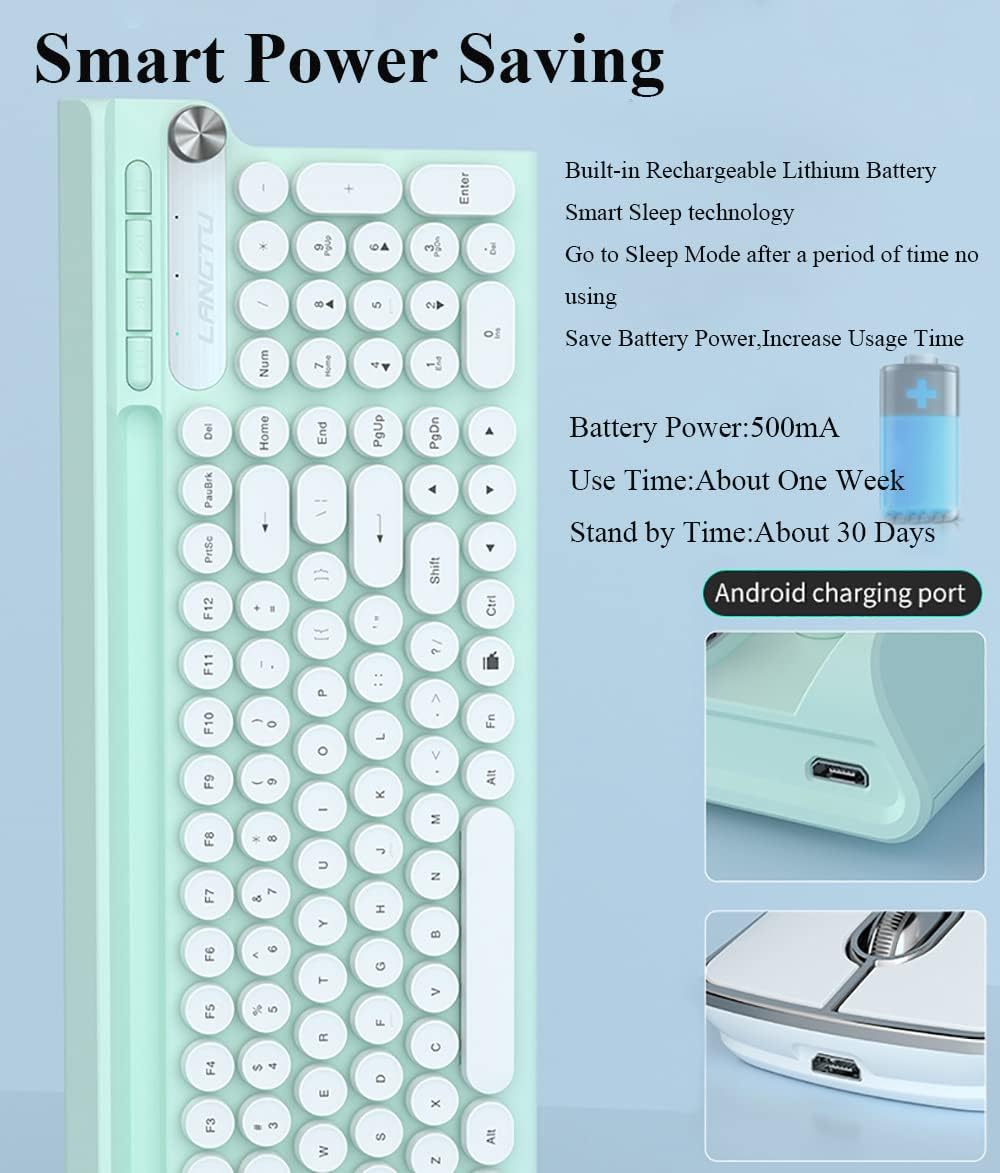
Image 5.1: The keyboard showcasing its smart power saving capabilities, built-in rechargeable battery, and Android charging port.

Image 5.2: An illustration emphasizing the ergonomic design of the keyboard and mouse, conforming to human hand structure for comfortable typing.

Image 5.3: Visual representation of the combo's lightweight and portable nature, button mute design for quiet operation, and dustproof/waterproof capabilities.
6. Maintenance
- Cleaning: Use a soft, dry cloth to wipe down the surfaces of the keyboard and mouse. For stubborn dirt, a slightly damp cloth can be used, ensuring no liquid enters the device.
- Charging: Recharge the devices when the battery indicator shows low power. Avoid overcharging for extended periods.
- Storage: When not in use for a long time, turn off both the keyboard and mouse to conserve battery life. Store them in a cool, dry place.
- Spill Management: While the keyboard is splash-proof, it is not fully waterproof. In case of liquid spills, immediately disconnect the device, turn it off, and allow it to air dry completely before attempting to use it again.
7. Troubleshooting
| Problem | Possible Cause | Solution |
|---|---|---|
| Keyboard/Mouse not responding |
|
|
| Lagging or intermittent connection |
|
|
| Mouse cursor moves erratically |
|
|
8. Specifications
| Model Number | LT500 |
| Connectivity | 2.4GHz Wireless (USB Receiver) |
| Keyboard Dimensions | 41 cm x 16.5 cm x 2 cm (16.14" x 6.5" x 0.79") |
| Mouse Dimensions | 11.5 cm x 6.5 cm x 3 cm (4.53" x 2.56" x 1.18") |
| Item Weight | Approximately 500g (1.1 lbs) for the combo |
| Battery Capacity | 500mA (Built-in rechargeable lithium battery) |
| Estimated Use Time | About one week (per charge) |
| Estimated Standby Time | About 30 days |
| DPI Settings (Mouse) | 3 adjustable levels |
| Compatibility | Windows 2000/ME/XP/7/8/10/Android, Chromebooks, PC, Laptops, Microsoft Surface series, Smart TV. Supports OTG for mobile phones. |
9. Warranty and Support
JieruiDeng products undergo strict quality tests. If you encounter any questions or require assistance with your LT500 Wireless Keyboard and Mouse Combo, please contact our customer support team. We are committed to providing effective solutions.
For support, please refer to the contact information provided on the product packaging or the official JieruiDeng website.