
Introduction
This instruction manual provides essential information for the safe and effective use of your Estink Lead-Free Pyrography and Soldering Pen Tip Set. This set includes a variety of tips designed for pyrography, soldering, and engraving applications, along with engraving boards and an adapter for compatibility with suitable tools. Please read this manual thoroughly before use and retain it for future reference.
Product Components
The Estink Pyrography and Soldering Pen Tip Set includes the following items:
- 53 x Pyrography Pen Tips (various shapes and sizes)
- 2 x Engraving Boards (stencils for letters, numbers, and symbols)
- 1 x Adapter
- 1 x Storage Box
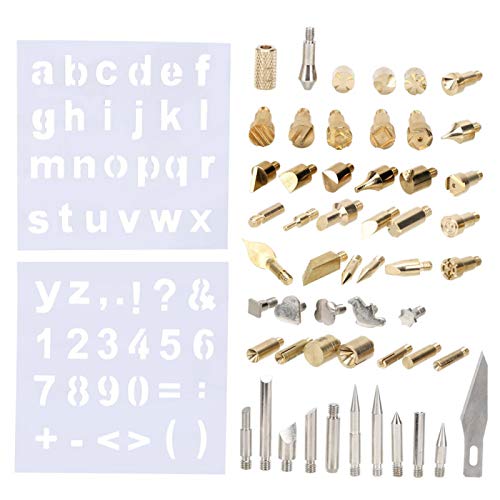
Image: Overview of the Estink Pyrography and Soldering Pen Tip Set, showing the clear storage box containing various tips and stencils, with a crafting activity in the background.
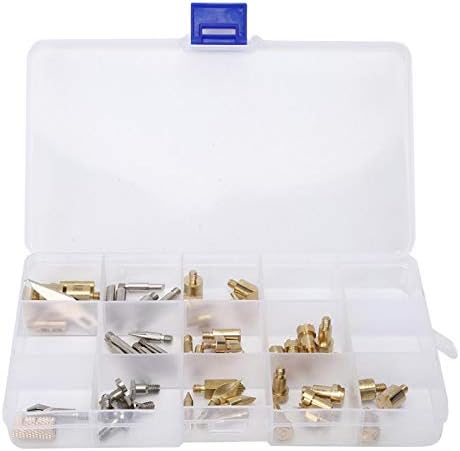
Image: The open storage box, displaying the wide assortment of pyrography and soldering tips organized in compartments.
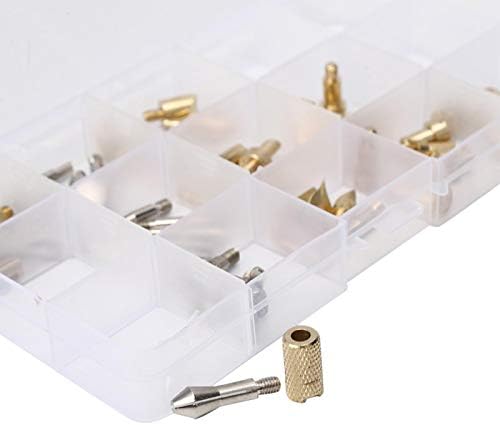
Image: A detailed view of one of the pointed pyrography tips alongside the threaded adapter, used for attaching tips to a compatible tool.
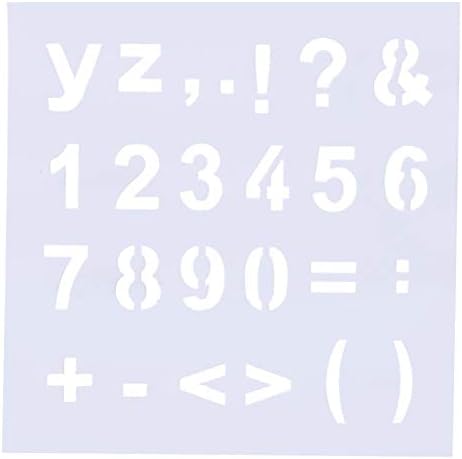
Image: One of the included engraving boards, featuring numbers and various symbols for precise crafting.
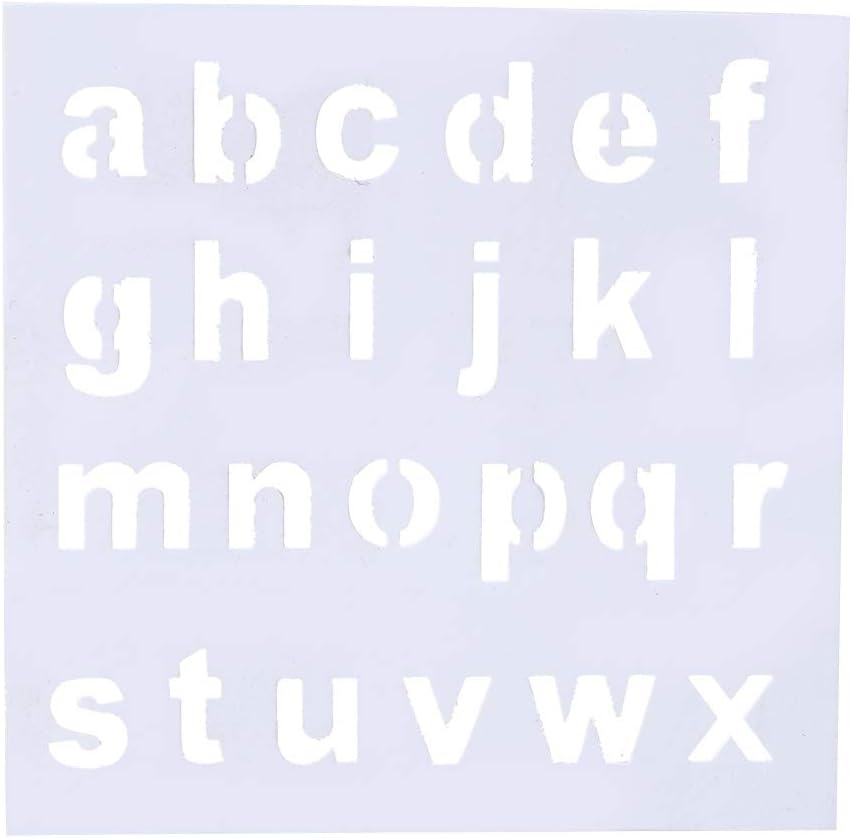
Image: The second engraving board, providing lowercase English alphabet letters for creative projects.
Setup Instructions
These tips are designed for use with compatible pyrography pens or soldering irons (not included). Ensure your tool is turned off and cooled before attaching or changing tips.
- Select the Appropriate Tip: Choose a tip from the set that matches your desired application (e.g., fine point for detail, broad tip for shading, soldering tip for electrical work).
- Attach the Adapter (if necessary): If your pyrography pen or soldering iron requires an adapter for these tips, securely screw the adapter onto the tool's heating element.
- Install the Tip: Carefully screw the selected tip into the adapter or directly into the compatible tool's heating element. Ensure it is firmly seated but do not overtighten.
- Verify Connection: Double-check that the tip is securely attached before powering on your tool. A loose tip can lead to poor performance or safety hazards.
Safety Note: Always handle tips with care, especially when hot. Use heat-resistant gloves or pliers if changing tips on a warm tool. Ensure adequate ventilation when working with pyrography or soldering tools.
Operating Instructions
Once the tip is securely installed and your tool is powered on and heated to the appropriate temperature, you can begin your work. The specific operating technique will vary depending on whether you are performing pyrography, soldering, or engraving.
For Pyrography (Wood Burning):
- Prepare your wood surface by sanding it smooth.
- Sketch your design lightly with a pencil or use the included engraving boards (stencils) to trace patterns.
- Allow your pyrography pen to reach its working temperature.
- Gently touch the heated tip to the wood surface. Experiment with different pressures and speeds to achieve varying shades and line thicknesses.
- Work in a well-ventilated area to avoid inhaling smoke.
For Soldering:
- Ensure the components to be soldered are clean and free of oxidation.
- Heat the joint (not the solder) with the soldering iron tip.
- Apply solder to the heated joint, allowing it to flow evenly. Do not apply solder directly to the iron tip.
- Remove the soldering iron and allow the joint to cool naturally without disturbance.
For Engraving:
- These tips can be used for engraving on various materials, depending on the compatibility of your tool.
- Use the engraving boards as guides for precise lettering and numbering.
- Apply steady, controlled pressure to create desired marks.
Important: Always wear appropriate personal protective equipment (PPE) such as safety glasses and heat-resistant gloves when operating heated tools. Keep flammable materials away from the work area.
Maintenance and Storage
Cleaning Tips:
- Pyrography Tips: After use, allow tips to cool. Gently wipe off any carbon buildup with a soft cloth or fine-grit sandpaper. Avoid harsh abrasives that can damage the tip surface.
- Soldering Tips: Wipe the tip with a damp sponge or brass wool after each use to remove excess solder and flux residue. Tin the tip with a small amount of fresh solder before storing to prevent oxidation.
Storage:
The set includes a dedicated storage box. After cleaning and ensuring all tips are cool, return them to their respective compartments in the storage box. This prevents loss, protects the tips from damage, and keeps them organized for future use. Store the box in a dry, safe place away from children.
Troubleshooting
This section addresses common issues related to the tips themselves. For issues with your pyrography pen or soldering iron, refer to its specific instruction manual.
| Problem | Possible Cause | Solution |
|---|---|---|
| Tip not heating properly. | Loose connection to the tool or adapter. | Ensure the tip is securely screwed into the adapter/tool. Check the tool's power supply. |
| Poor pyrography/soldering results. | Tip is dirty or oxidized. Incorrect temperature setting on the tool. | Clean the tip as described in the Maintenance section. Adjust the tool's temperature if applicable. |
| Tip appears damaged or worn. | Normal wear and tear or improper handling. | Replace the tip with a new one from the set. Ensure proper cleaning and storage to prolong tip life. |
Specifications
| Feature | Detail |
|---|---|
| Brand | Estink |
| Model Number | Estink1zug8o3twc590 |
| Material | Copper (Lead-Free) |
| Package Dimensions | 16.6 x 10.5 x 2.4 cm |
| Item Weight | 200 g |
| Contents | 53 x Pyrography Pen Tips, 2 x Engraving Boards, 1 x Adapter, 1 x Storage Box |
Warranty Information
Specific warranty information for this product is not available in the provided data. Please refer to the retailer or manufacturer's website for details regarding warranty coverage and terms.
Customer Support
For technical assistance or inquiries regarding your Estink Pyrography and Soldering Pen Tip Set, please contact the retailer where the product was purchased or visit the official Estink brand store on Amazon: Estink Brand Store.