
JVC XS-N518PB
JVC XS-N518PB Trolley Speaker User Manual
Battery Powered Trolley Speaker with Wireless Microphone
1. Introduction
The JVC XS-N518PB is a powerful, battery-powered trolley speaker designed for portable audio entertainment. It delivers a PMPO 1600 Watts of sound, making it suitable for various events and gatherings. This speaker features integrated lighting, a wireless microphone for vocal performances, and seamless Bluetooth connectivity for streaming from smart devices. Its trolley design and built-in rechargeable battery ensure portability and extended use.
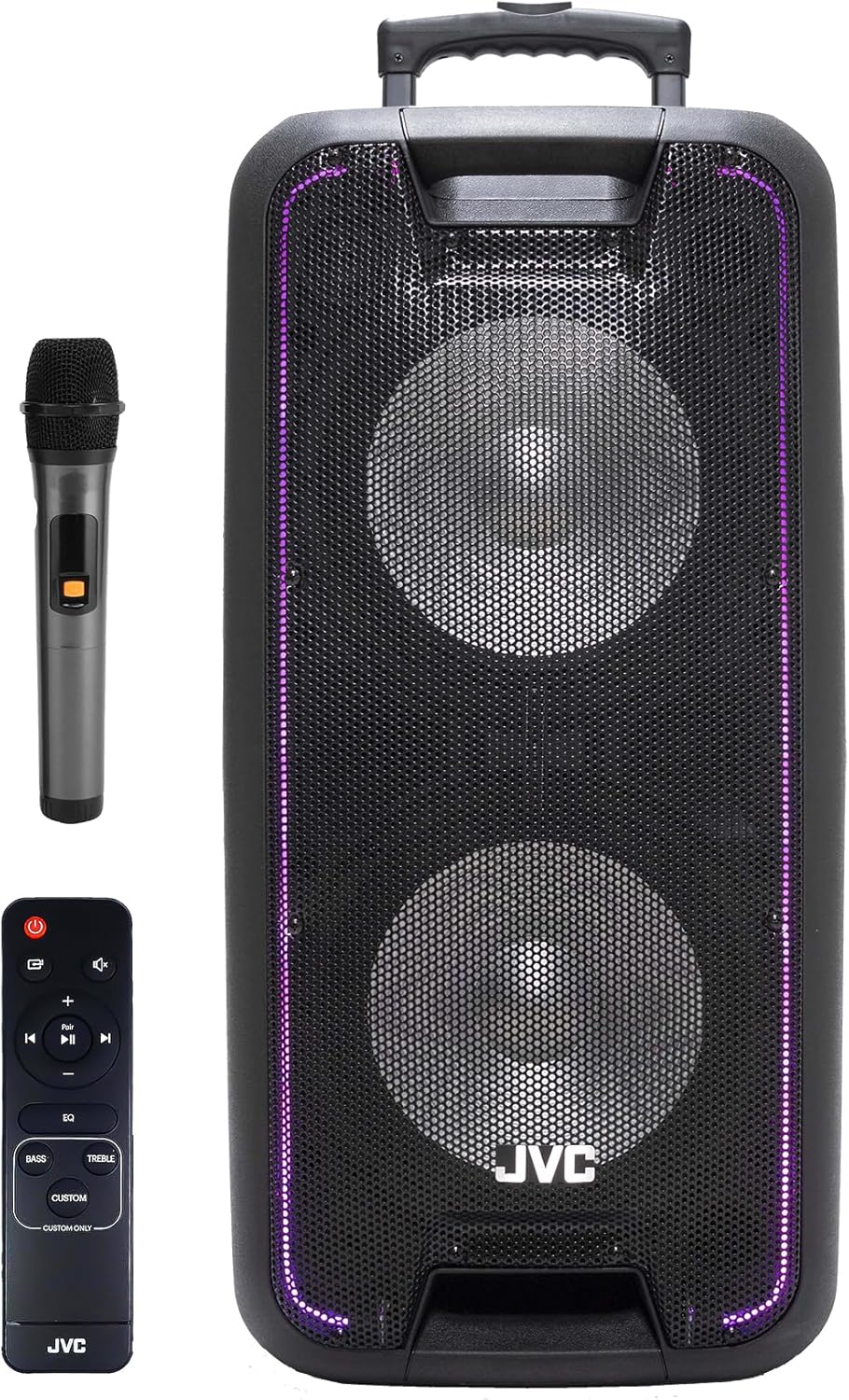
Figure 1.1: JVC XS-N518PB Trolley Speaker, showing the main unit, wireless microphone, and remote control.
2. Important Safety Information
Please read all safety instructions carefully before using the JVC XS-N518PB speaker. Keep this manual for future reference.
- Power Source: Use only the specified power adapter for charging. Ensure the voltage matches the speaker's requirements.
- Water and Moisture: Do not expose the speaker to rain, moisture, or any liquids. Avoid placing objects filled with liquids, such as vases, on the speaker.
- Ventilation: Do not block any ventilation openings. Ensure adequate space around the speaker for proper airflow to prevent overheating.
- Heat: Keep the speaker away from heat sources such as radiators, heat registers, stoves, or other apparatus (including amplifiers) that produce heat.
- Cleaning: Unplug the speaker from the power outlet before cleaning. Use a dry cloth for cleaning. Do not use liquid cleaners or aerosol cleaners.
- Servicing: Do not attempt to service this product yourself. Refer all servicing to qualified service personnel. Servicing is required when the apparatus has been damaged in any way, such as power-supply cord or plug is damaged, liquid has been spilled or objects have fallen into the apparatus, the apparatus has been exposed to rain or moisture, does not operate normally, or has been dropped.
- Battery Safety: The speaker contains a built-in rechargeable battery. Do not expose the battery to excessive heat, direct sunlight, or fire. Dispose of batteries according to local regulations.
- Microphone Usage: Avoid pointing the microphone directly at the speaker to prevent feedback.
3. Package Contents
Verify that all items listed below are included in your package:
- JVC XS-N518PB Trolley Speaker
- Wireless Microphone
- Remote Control
- Power Adapter/Charging Cable
- User Manual (this document)
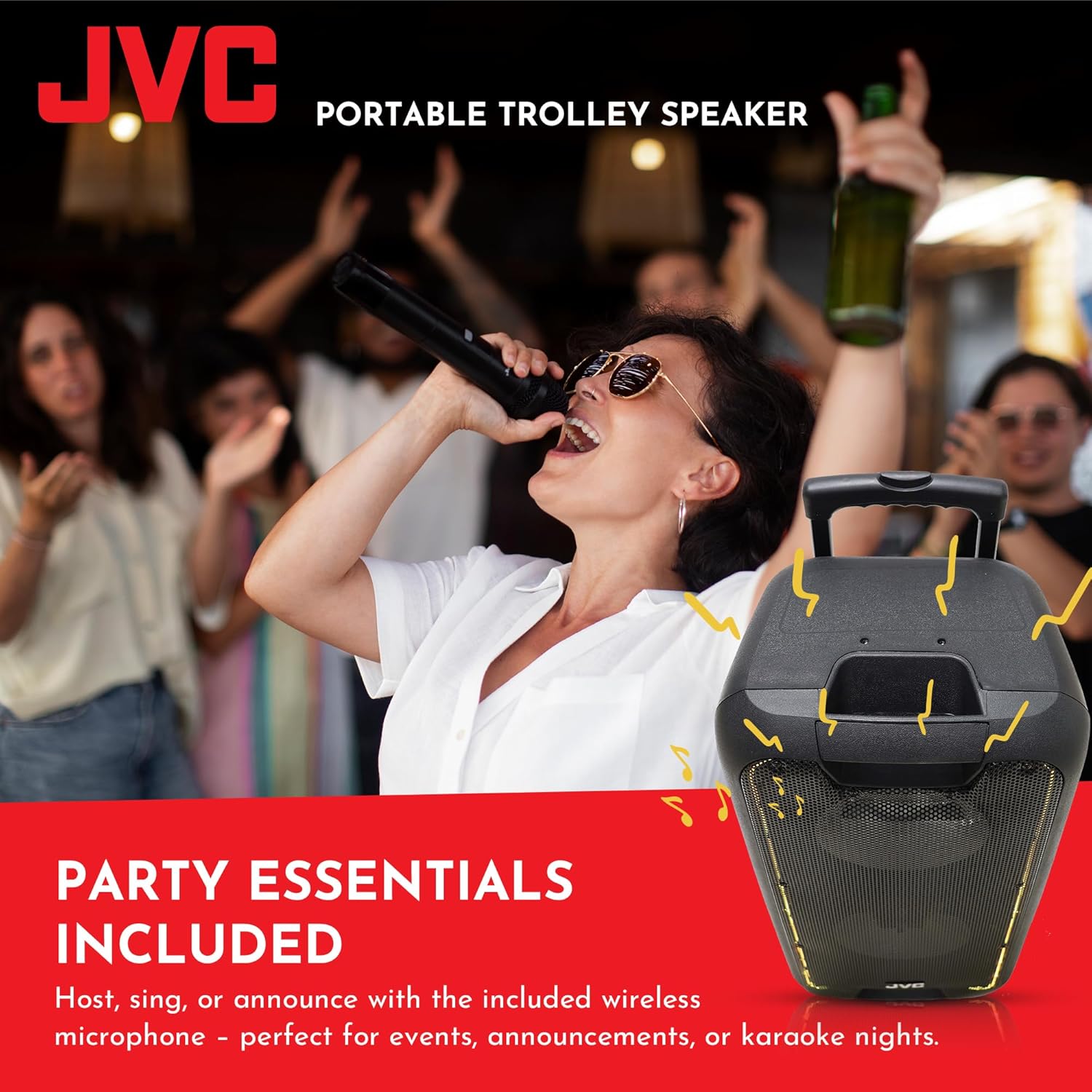
Figure 3.1: The included wireless microphone is essential for vocal performances and announcements.
4. Product Features and Components
The JVC XS-N518PB speaker is equipped with several features for enhanced audio experience and portability.
4.1 Key Features
- High Power Output: 1600 Watts PMPO for robust sound.
- Portable Design: Integrated trolley handle and wheels for easy transport.
- Built-in Rechargeable Battery: For extended wireless operation.
- Wireless Microphone: Included for karaoke, announcements, and vocal performances.
- Bluetooth Connectivity: Seamless wireless audio streaming.
- Multiple Inputs: USB, AUX, Guitar Input, Mic Input, SD Card slot.
- FM Radio: Built-in tuner for radio listening.
- TWS Function: Connect two XS-N518PB speakers for true wireless stereo sound.
- LED Lighting: Dynamic lighting effects to enhance the party atmosphere.
- Remote Control: For convenient operation from a distance.
- 5-Band Graphic Equalizer: For fine-tuning audio output.

Figure 4.1: The trolley design with built-in rechargeable battery allows for easy portability and use anywhere.
4.2 Control Panel and Ports
Familiarize yourself with the control panel and various input/output ports located on the speaker's rear panel.

Figure 4.2: Rear panel showing connectivity options including TF.CARD, SD CARD, USB, Mode, REC, REP, PREV, SCAN, NEXT, and various input jacks.
- USB Port: For playing audio from USB flash drives.
- TF.CARD/SD CARD Slot: For playing audio from TF or SD memory cards.
- Mode Button: Switches between input modes (Bluetooth, USB, SD, AUX, FM).
- REC Button: Initiates recording (requires a connected storage device).
- REP Button: Repeats current track or playlist.
- PREV/NEXT Buttons: Navigates between tracks or radio stations.
- SCAN Button: Scans for FM radio stations.
- Play/Pause Button: Controls playback.
- AUX In: 3.5mm input for connecting external audio devices.
- Mic Input: 6.35mm input for wired microphones.
- Guitar Input: 6.35mm input for connecting a guitar.
- Volume Knobs: Master volume, microphone volume, echo, bass, treble.
- Power Switch: Turns the speaker on/off.
- Charging Port: For connecting the power adapter.

Figure 4.3: The speaker's control panel and remote allow for precise sound adjustments, including a 5-band graphic equalizer.
5. Setup
5.1 Initial Charging
Before first use, fully charge the speaker's built-in battery. Connect the provided power adapter to the speaker's charging port and plug it into a suitable power outlet. The charging indicator light will illuminate. Once fully charged, the indicator may change color or turn off. Disconnect the charger when charging is complete.
5.2 Powering On/Off
Locate the Power Switch on the rear panel of the speaker. Flip the switch to the "ON" position to power on the speaker. To power off, flip the switch to the "OFF" position.
5.3 Positioning the Speaker
Place the speaker on a stable, flat surface. For optimal sound dispersion, position it in an open area, away from walls or corners that might muffle the sound. The trolley design allows for easy movement to your desired location.
6. Operating Instructions
6.1 Mode Selection
Press the MODE button on the control panel or remote control to cycle through available input modes: Bluetooth, USB, SD Card, AUX, and FM Radio. The display will indicate the current mode.
6.2 Bluetooth Connection
- Turn on the speaker and select Bluetooth mode using the MODE button. The speaker will enter pairing mode, indicated by a flashing Bluetooth icon or audible prompt.
- Enable Bluetooth on your smartphone, tablet, or other Bluetooth-compatible device.
- Search for "JVC XS-N518PB" (or similar name) in your device's Bluetooth settings.
- Select the speaker from the list to pair. Once connected, you will hear a confirmation sound, and the Bluetooth indicator will stop flashing.
- You can now stream audio wirelessly from your device to the speaker.
6.3 USB/SD Card Playback
- Insert a USB flash drive or SD/TF card containing MP3 audio files into the respective port.
- The speaker will automatically switch to USB or SD mode and begin playing audio. If not, press the MODE button to select the correct source.
- Use the PREV, NEXT, and Play/Pause buttons to control playback.
6.4 AUX Input
- Connect an external audio device (e.g., MP3 player, laptop) to the speaker's AUX In port using a 3.5mm audio cable (not included).
- Press the MODE button to select AUX mode.
- Audio from your connected device will now play through the speaker. Control playback from your external device.
6.5 FM Radio Operation
- Press the MODE button to select FM Radio mode.
- Press the SCAN button to automatically scan and save available FM radio stations.
- Use the PREV and NEXT buttons to navigate between saved stations.
6.6 Microphone and Guitar Inputs
- Connect the wireless microphone receiver (if applicable) or a wired microphone to the Mic Input.
- Connect a guitar to the Guitar Input.
- Adjust the dedicated microphone volume and echo controls on the speaker's control panel for desired vocal effects.
6.7 True Wireless Stereo (TWS) Function
The TWS function allows you to connect two JVC XS-N518PB speakers together for a true stereo sound experience.
- Ensure both speakers are powered on and in Bluetooth mode, but not connected to any device.
- On one of the speakers (this will be the primary speaker), press and hold the TWS button (if available, or a combination of buttons as per specific model instructions, typically the Play/Pause button).
- The primary speaker will search for and connect to the secondary speaker. A confirmation sound will indicate successful pairing.
- Once paired, connect your Bluetooth device to the primary speaker as described in section 6.2. Audio will now play in stereo through both speakers.

Figure 6.1: The TWS function enables pairing two speakers for an immersive stereo audio experience.
6.8 LED Lighting Control
The speaker features dynamic LED lighting. Depending on the model, there may be a dedicated button on the control panel or remote to turn the lights on/off or cycle through different lighting modes.
7. Maintenance
7.1 Cleaning
Always unplug the speaker from the power outlet before cleaning. Use a soft, dry, lint-free cloth to wipe the exterior surfaces of the speaker. Do not use abrasive cleaners, waxes, or solvents as they may damage the finish. Avoid getting moisture into any openings.
7.2 Storage
When not in use for extended periods, store the speaker in a cool, dry place, away from direct sunlight and extreme temperatures. It is recommended to charge the battery periodically (e.g., every 3-6 months) to maintain its lifespan, even if not in use.
8. Troubleshooting
If you encounter issues with your JVC XS-N518PB speaker, refer to the following common problems and solutions:
| Problem | Possible Cause | Solution |
|---|---|---|
| No power/Speaker does not turn on. | Battery is depleted; Power adapter not connected or faulty; Power switch is off. | Charge the speaker's battery; Ensure power adapter is securely connected and working; Flip the power switch to "ON". |
| No sound. | Volume is too low; Incorrect input mode selected; Device not connected properly (Bluetooth, AUX, USB/SD); Microphone/Guitar volume low. | Increase master volume and source device volume; Press MODE button to select correct input; Re-pair Bluetooth, re-connect cables/USB/SD; Adjust microphone/guitar volume knobs. |
| Bluetooth pairing fails. | Speaker not in pairing mode; Device too far; Interference; Speaker already connected to another device. | Ensure speaker is in Bluetooth pairing mode; Move device closer to speaker; Avoid strong electromagnetic interference; Disconnect from other devices and try again. |
| Microphone feedback (howling). | Microphone too close to speaker; Microphone volume too high. | Move microphone further away from the speaker; Reduce microphone volume. |
| USB/SD card not playing. | Incorrect file format; Corrupted files; USB/SD card not inserted correctly. | Ensure files are in supported format (e.g., MP3); Try another USB/SD card; Re-insert the USB/SD card firmly. |
9. Specifications
| Feature | Detail |
|---|---|
| Model Number | XS-N518PB |
| Brand | JVC |
| Power Output | 1600 Watts PMPO |
| Connectivity | Bluetooth, USB, AUX, SD Card, FM Radio |
| Inputs | Mic Input, Guitar Input |
| Battery | Built-in Rechargeable Battery |
| Dimensions (H x W x D) | Approx. 70 cm x 33 cm x 21 cm (based on product image) |
| Weight | 14.5 kg |
| Special Features | TWS Function, LED Lighting, Remote Control, 5-Band Graphic Equalizer, Trolley Design |

Figure 9.1: Approximate product dimensions of the JVC XS-N518PB speaker.
10. Warranty and Support
10.1 Product Warranty
The JVC XS-N518PB speaker comes with a 1-Year Manufacturer's Warranty from the date of purchase. This warranty covers manufacturing defects and workmanship under normal use. It does not cover damage caused by misuse, accidents, unauthorized modifications, or normal wear and tear. Please retain your proof of purchase for warranty claims.
10.2 Customer Support
For technical assistance, troubleshooting beyond this manual, or warranty inquiries, please contact JVC customer support. Refer to the contact information provided on the product packaging or the official JVC website for your region.
Related Documents - XS-N518PB
 |
JVC XS-N1112BA, XS-N1112RA Speaker System - Instruction Manual Comprehensive instruction manual for the JVC XS-N1112BA and XS-N1112RA speaker systems, detailing safety precautions, setup, operation, maintenance, and technical specifications. |
 |
JVC XS-N319PBA Bluetooth Trolley Speaker User Manual User manual for the JVC XS-N319PBA Bluetooth Trolley Speaker, detailing safety instructions, panel controls, operation modes (Bluetooth, FM, Auxiliary, USB/microSD), microphone usage, charging, app control, and technical specifications. |
 |
JVC XS-N1129 Waterproof Bluetooth Speaker User Manual User manual for the JVC XS-N1129AA, XS-N1129DA, and XS-N1129GA waterproof Bluetooth speakers. Includes setup, operation, troubleshooting, and safety information. |
 |
Bosch MIC IP 7100i Series Quick Installation Guide Concise guide for installing Bosch MIC IP ultra 7100i, MIC IP starlight 7100i, and MIC inteox 7100i cameras, covering components, pre-configuration, physical installation, connections, and software setup. |
 |
Aidapt VG798 Height Adjustable Trolley Trolley: Fixing and Maintenance Instructions This document provides detailed instructions for the assembly, height adjustment, cleaning, and maintenance of the Aidapt VG798 Height Adjustable Trolley Trolley. It includes important safety information and product specifications. |
 |
Anolis Lyrae XS SC/MC User Manual: Installation, Control, and Technical Guide Comprehensive user manual for Anolis Lyrae XS SC and Lyrae XS MC LED lighting fixtures. Includes installation, control options, technical specifications, safety instructions, and DMX protocol details. |
Ask a question about this manual
Ask about setup, troubleshooting, compatibility, parts, safety, or missing instructions. Manuals+ will review the question and use this page’s manual context to help answer it.