1. Introduction
This manual provides essential information for the safe and efficient operation of your Samsung MS23A3513AK/TL 23L Solo Microwave Oven. Please read these instructions thoroughly before using the appliance and retain them for future reference.

Image 1.1: Front view of the Samsung MS23A3513AK/TL Solo Microwave Oven.
2. Important Safety Information
To reduce the risk of fire, electric shock, injury to persons, or exposure to excessive microwave energy when using your appliance, follow basic precautions, including the following:
- Read all instructions before using the appliance.
- Do not operate the oven if it is damaged or malfunctioning.
- Ensure proper grounding. Connect only to properly grounded outlets.
- Do not heat sealed containers, as they may explode.
- Do not use corrosive chemicals or vapors in this appliance.
- Always use microwave-safe cookware.
- Liquids heated in a microwave oven can boil over unexpectedly. Exercise caution when removing containers.
- The appliance is not intended for use by persons (including children) with reduced physical, sensory, or mental capabilities, or lack of experience and knowledge, unless they have been given supervision or instruction.
- The Child Safety Lock feature prevents accidental operation. Refer to the 'Operating Instructions' section for activation.

Image 2.1: The Child Safety Lock feature enhances safety during operation.
3. What's in the Box
Upon unpacking, ensure all items are present and undamaged:
- 1 Unit Solo Microwave Oven
- 1 Unit Glass Turntable
- 1 Wire Rack (for specific cooking needs, e.g., elevating dishes)
- 1 Quick Guide Label
4. Setup and Installation
4.1 Placement
- Place the microwave oven on a flat, stable surface capable of supporting its weight.
- Ensure adequate ventilation. Maintain a minimum clearance of 10 cm (4 inches) at the rear, 20 cm (8 inches) at the top, and 5 cm (2 inches) on the sides.
- Keep the oven away from heat sources and strong magnetic fields.
4.2 Turntable Installation
- Place the turntable ring on the cavity floor.
- Position the glass turntable securely on top of the turntable ring. Ensure it sits properly in the center.
4.3 Power Connection
Plug the power cord into a grounded electrical outlet. The oven requires a 230 Volts, 50 Hz power supply.

Image 4.1: Microwave oven dimensions: 48.90 cm (W) x 27.50 cm (H) x 37.40 cm (D).
5. Operating Instructions
The microwave features a Tact Button Control Panel, which is sensitive to touch and easy to clean.

Image 5.1: Control panel with LED display and various function buttons.
5.1 Basic Microwave Cooking
- Place food in a microwave-safe container on the glass turntable.
- Close the oven door.
- Press the MICROWAVE button.
- Use the number pad or the +/- buttons to set the desired cooking time.
- Press START to begin cooking.
5.2 Auto Cook Programs
The oven includes 20 pre-programmed auto cook menus, including Indian recipes, for convenient cooking.
- Place food in the oven.
- Press the AUTO COOK button.
- Select the desired menu number using the number pad or +/- buttons.
- Press START. The oven will automatically set the cooking time and power level.
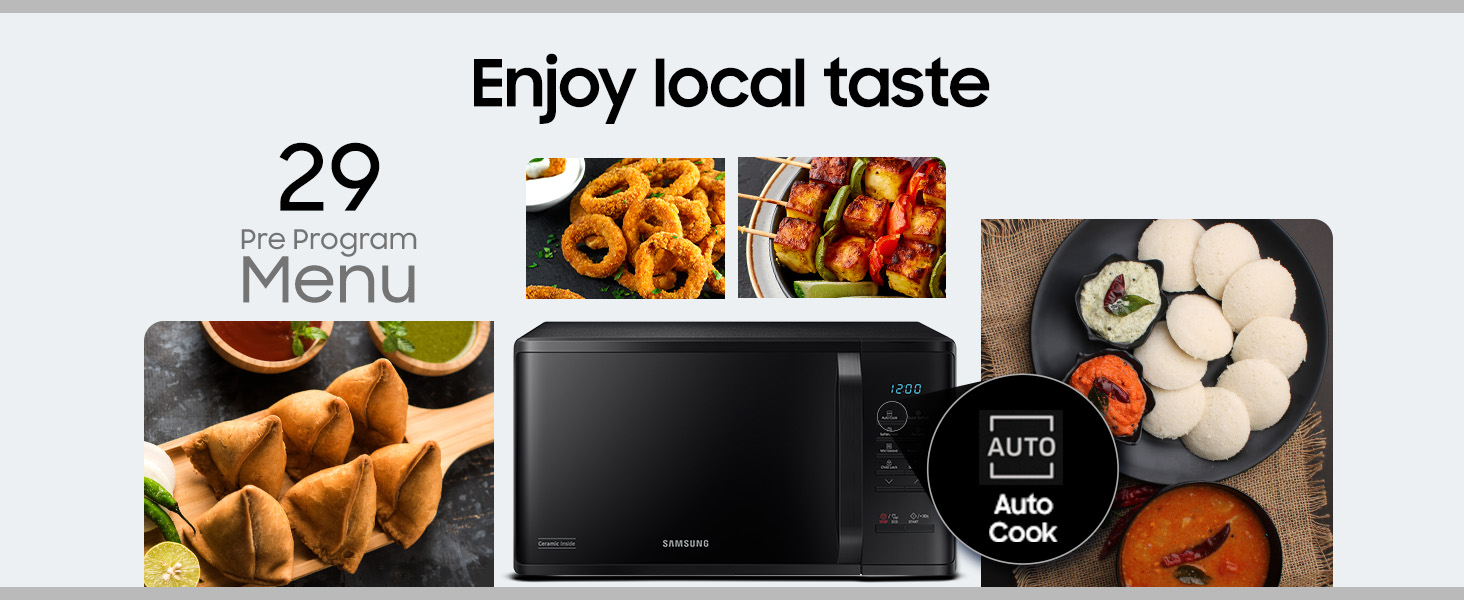
Image 5.2: The Auto Cook menu offers pre-programmed settings for various dishes.
5.3 Quick Defrost
This feature allows for fast and even thawing of food.
- Place the frozen food in the oven.
- Press the QUICK DEFROST button.
- Select the food type and weight using the number pad or +/- buttons.
- Press START.
5.4 Soften/Melt Options
Use this function to soften or melt items like butter, chocolate, or cheese.
- Place the item in a microwave-safe dish.
- Press the SOFTEN/MELT button.
- Select the desired option (e.g., butter, chocolate) and quantity.
- Press START.
5.5 30 Sec+
This function adds 30 seconds of cooking time at full power with each press. It can also be used to start cooking quickly.
- To add time during cooking, press 30 Sec+.
- To start cooking immediately for 30 seconds, press 30 Sec+ when the oven is in standby mode.
5.6 Memory Function
The memory function allows you to save your favorite cooking settings for quick access.
- Set your desired cooking time and power level.
- Press and hold the MEMORY button until the setting is saved.
- To recall a saved setting, press the MEMORY button and then START.
5.7 Deodorization
This feature helps to remove odors from the oven cavity.
- Ensure the oven is empty.
- Press the DEODORIZATION button.
- Press START to activate the deodorization cycle.
5.8 Child Safety Lock
To prevent accidental use, especially by children.
- To activate: Press and hold the CHILD LOCK button for 3 seconds. A lock indicator will appear on the display.
- To deactivate: Press and hold the CHILD LOCK button again for 3 seconds. The lock indicator will disappear.
5.9 Eco Mode
Reduces standby energy consumption.
- Press the ECO MODE button to activate or deactivate.
- When activated, the display brightness may reduce, and certain functions might enter a low-power state.
5.10 Sound On/Off
Allows for silent operation.
- Press the SOUND ON/OFF button to toggle the audible alerts.
6. Maintenance and Cleaning
Regular cleaning helps maintain the performance and longevity of your microwave oven. The ceramic enamel cavity is designed to be scratch-resistant, anti-bacterial, and easy to clean.

Image 6.1: The Ceramic Enamel Cavity is designed for easy cleaning and durability.
6.1 Interior Cleaning
- Wipe the interior with a soft cloth dampened with mild detergent and water after each use.
- For stubborn food splatters, place a bowl of water with lemon slices inside and microwave for 2-3 minutes. The steam will loosen the residue, making it easier to wipe clean.
- Remove the glass turntable and turntable ring for separate cleaning with warm, soapy water.
6.2 Exterior Cleaning
- Wipe the exterior surfaces with a soft, damp cloth. Avoid abrasive cleaners or scouring pads.
- Clean the control panel gently with a soft, dry cloth.
6.3 Odor Removal
Use the Deodorization function as described in section 5.7 to keep the interior fresh.
7. Troubleshooting
If you encounter issues, refer to the following common problems and solutions:
| Problem | Possible Cause | Solution |
|---|---|---|
| Oven does not start | Power cord unplugged; Door not closed properly; Child Safety Lock activated; Blown fuse/tripped circuit breaker. | Ensure power cord is securely plugged in; Close door firmly; Deactivate Child Safety Lock; Check household fuse/circuit breaker. |
| Food not heating evenly | Food not stirred/rotated; Incorrect power level/cooking time; Turntable not rotating. | Stir or rotate food during cooking; Adjust power level and time; Ensure turntable and ring are correctly placed and free of obstructions. |
| Unusual noises during operation | Turntable not correctly seated; Foreign object in cavity. | Re-seat turntable and ring; Check for and remove any foreign objects. |
| Oven light not working | Bulb needs replacement. | Contact customer service for bulb replacement. |
| Display shows error code | Internal malfunction. | Unplug the oven for 1 minute, then plug it back in. If the error persists, contact customer support. |
If the problem persists after attempting these solutions, please contact Samsung customer support.
8. Specifications
| Feature | Detail |
|---|---|
| Brand | Samsung |
| Model | MS23A3513AK/TL |
| Capacity | 23 Litres |
| Installation Type | Freestanding |
| Oven Type | Solo Microwave Oven |
| Special Features | Clock, 30 sec. Plus, Deodorization, Child Safety Lock, Memory, Sound on/off, Eco Mode, Quick Defrost, Auto Programs, Auto Cook |
| Control Panel | Tact Button Control Panel |
| Color | Black |
| Voltage | 230 Volts |
| Wattage (Output Power) | 800 Watts |
| Energy Consumption | 1150 Watts |
| Defrost System | Quick Defrost |
| Cavity Material | Ceramic Enamel |
| Outer Body Dimensions (WxHxD) | 489mm x 275mm x 374mm |
| Inner Cavity Dimensions (WxHxD) | 330mm x 211mm x 324mm |
| Turntable Diameter | 288mm |
| Item Weight | 12 kg |
| Country of Origin | Malaysia |
9. Warranty and Support
9.1 Warranty Information
- Product Warranty: 1 Year comprehensive warranty on the product.
- Ceramic Enamel Cavity Warranty: 10 Years warranty on the Ceramic Enamel Cavity.
- Warranty can be availed using the seller invoice. Terms and conditions apply.
9.2 Customer Support
For service, support, or warranty claims, please contact Samsung customer care:
- Toll-Free Number: 1800 40 7267864 (1800 40 SAMSUNG)
- Importer: Samsung India Electronics Pvt. Ltd. 6th Floor, DLF Centre, Sansad Marg, New Delhi-110001


