1. Important Safety Instructions
Please read all instructions carefully before using the Eureka NEW500 Cordless Wet Dry Vacuum Cleaner. Retain this manual for future reference.
- General Warning: When using the vacuum cleaner, the floor brush may become clogged by hair and debris.
- Maintenance Recommendation: We recommend cleaning the roller brush and the belt every 2 weeks.
- Risk of Malfunction: Long-term failure to clean these components may lead to malfunction, or even risk of smoke and belt breakage.
2. Product Overview and Components
The Eureka NEW500 is an all-in-one cordless wet dry vacuum cleaner designed for multi-surface cleaning. It vacuums and mops simultaneously, offering efficient cleaning for various floor types.
What's in the Box:
- Eureka NEW500 Cordless Hard Floor Vacuum Mop Cleaner
- 1 Accessory Holder
- 1 Roller Brush
- 1 Cleaning Brush
- 1 Adaptor
- 1 Bottle of Cleaning Solution
- 1 Recharging Base
- 1 Filter Assembly

Image: All components of the Eureka NEW500, including the main unit, charging base, cleaning solution, roller brush, cleaning brush, and filter.
3. Setup and Assembly
The Eureka NEW500 requires minimal assembly before first use. Ensure all components listed in Section 2 are present.
- Handle Assembly: Insert the handle into the main body of the vacuum until it clicks securely into place.
- Charging Base Placement: Place the recharging base on a flat, stable surface near a power outlet.
- Initial Charge: Place the vacuum cleaner on the recharging base. Ensure the adaptor is connected to the base and plugged into a power outlet. Allow the unit to fully charge before first use. The LED display will indicate charging status.

Image: The fully assembled Eureka NEW500 vacuum cleaner alongside its accessories, including the cleaning solution and charging base.
4. Operating Instructions
Filling the Water Tanks:
- The NEW500 features an XL two-tank system: a 750ml clean water tank and a 600ml dirty water tank.
- Always fill the clean water tank with fresh water and the recommended Eureka cleaning solution.
- The dirty water tank collects soiled water and debris separately, ensuring you always clean with fresh solution.

Image: The Eureka NEW500 highlighting its separate clean water tank (750ml) and dirty water tank (750ml, note: product description states 600ml for dirty water tank, image states 750ml).
Powering On and Cleaning:
- Press the power button to turn on the unit.
- The Smart Sensor Technology automatically detects dirt levels and adjusts suction power and water flow for optimal cleaning on various surfaces and conditions.
- The vacuum and mop functions operate simultaneously, allowing for one-step cleaning.
- Intelligent voice prompts provide real-time status updates and guidance during operation.

Image: A person operating the Eureka NEW500, demonstrating its ability to vacuum and mop in a single step on a hard floor.

Image: Close-up of the Eureka NEW500's display indicating 'Quick Pick' mode, signifying automatic dirt detection and real-time status updates.

Image: The Eureka NEW500 displaying a voice prompt indicating 'Clean water tank is empty' and 'Dirty water tank is full', illustrating its intelligent voice guidance system.
Battery Life:
- The supercharged lithium-ion battery provides up to 35 minutes of effective run time on a full charge.
- Recharge the unit on the charging base when the battery is low.
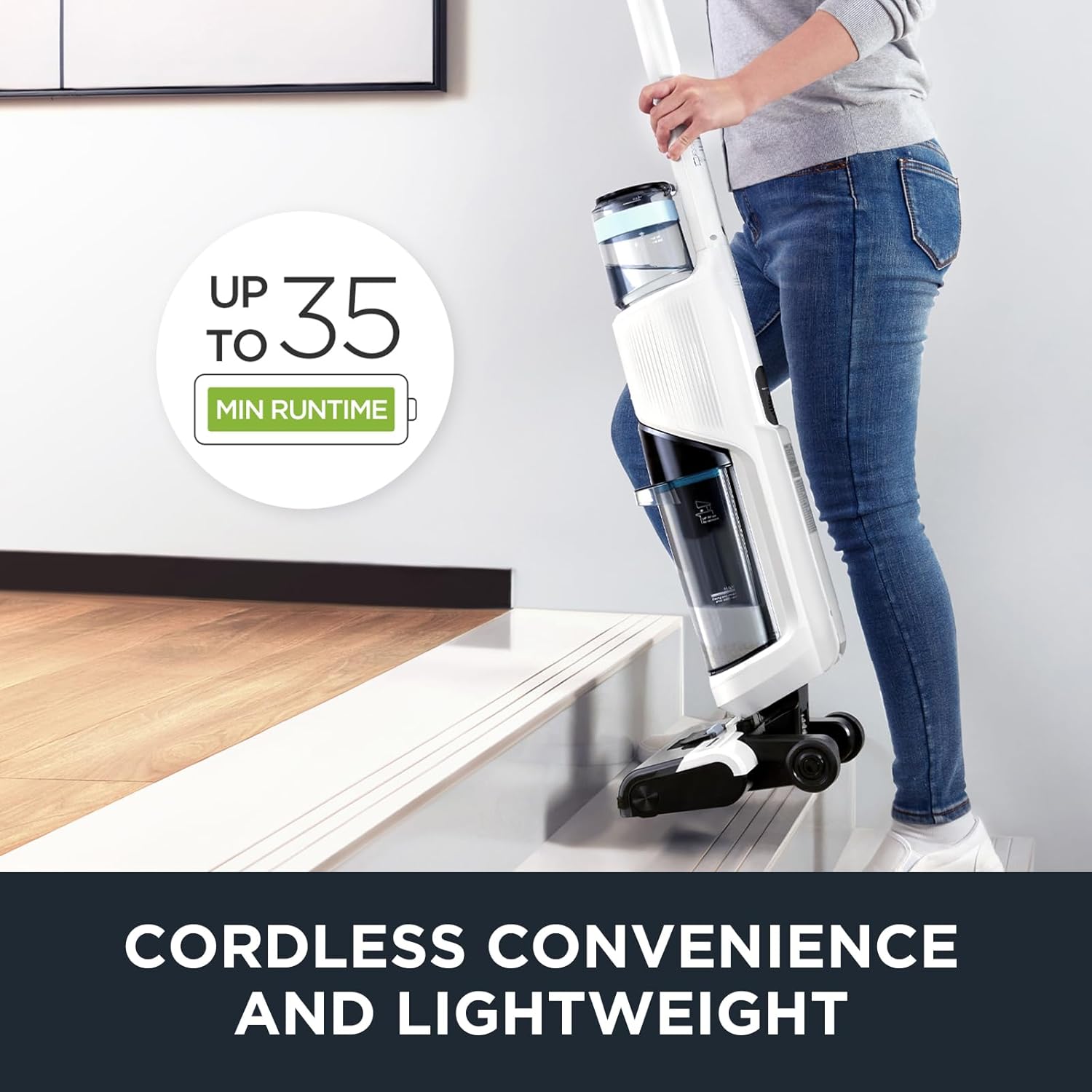
Image: A person carrying the Eureka NEW500 up a set of stairs, emphasizing its cordless and lightweight design for easy maneuverability.
5. Maintenance
Regular maintenance ensures optimal performance and extends the lifespan of your Eureka NEW500.
Self-Cleaning System:
- The NEW500 features an auto-clean function for the roller brush.
- To activate, place the vacuum on its recharging base and step on the pedal. This initiates a self-cleaning cycle for fast and mess-free maintenance.
- This system helps prevent the need to manually touch a dirty roller.

Image: A close-up view of the Eureka NEW500's brush roll being cleaned by the self-cleaning function while on its base.
Regular Cleaning:
- Roller Brush and Belt: It is recommended to clean the roller brush and the belt every 2 weeks to prevent clogging from hair and debris.
- Dirty Water Tank: Empty and rinse the dirty water tank after each use to prevent odors and maintain hygiene.
- Filter Assembly: Clean or replace the filter assembly as needed to ensure optimal suction and air quality.
6. Troubleshooting
This section provides general guidance for common issues. For more detailed troubleshooting, refer to the full user manual PDF or contact customer support.
- Reduced Suction/Cleaning Performance: Check the roller brush and belt for clogs (hair, debris) and clean them. Ensure the dirty water tank is not full and the filter is clean.
- Unit Not Powering On: Verify the unit is fully charged. Ensure the charging base and adaptor are properly connected to a working power outlet.
- Voice Prompts Not Functioning: Check the unit's settings for voice prompt activation. Ensure the volume is not set to minimum.
- Water Leaking: Ensure both clean and dirty water tanks are correctly seated and sealed. Check for any cracks or damage to the tanks.
7. Specifications
| Feature | Specification |
|---|---|
| Brand | Eureka |
| Model Name | NEW500 |
| Special Features | Auto Clean roller, Automatic Dirt Detection, LED Display, Voice Prompts, Cordless, Vacuum and Wash, XL Two Tank System |
| Filter Type | Foam |
| Power Source | Battery Powered (Lithium-Ion) |
| Clean Water Tank Capacity | 750 Milliliters |
| Dirty Water Tank Capacity | 600 Milliliters |
| Wattage | 150 watts |
| Recommended Uses | Indoor Cleaning |
| Form Factor | Upright |
| Color | White |
| Product Dimensions | 11.4"L x 10.2"W x 47.2"H |
| Noise Level | 80 dB |
| Battery Life | 35 minutes |
| Item Weight | 11 pounds |
| UPC | 810040948107 |
8. Warranty and Support
Warranty Information:
Eureka provides the following limited warranties for the NEW500:
- Vacuum Cleaner: 2-year limited warranty.
- Battery: 12-month limited warranty.
These warranties cover manufacturer defects. Please refer to the complete warranty documentation for full terms and conditions.
Customer Support:
For any questions, assistance, or warranty claims, please contact Eureka customer service:
- Phone: 1-800-282-2886
- Online User Manual (PDF): Download PDF Manual


