1. Overview
The Manfrotto Street Slim Photography Backpack is designed for photographers requiring a versatile and protective carrying solution for their gear. It offers a convertible design, allowing it to function as both a dedicated camera bag and an everyday backpack. Key features include multiple access points, removable padded inserts, and water-repellent materials.
Key Features:
- Convertible Design: Easily transforms from a camera bag to an everyday backpack by removing internal inserts.
- Dual Access: Features both front and rear access to the main compartment for convenience and security.
- Removable Camera Insert: Padded compartment with Manfrotto M-Guard Protection System for a mirrorless or DSLR camera, 2-3 lenses, and accessories.
- Removable Laptop Sleeve: Dedicated padded sleeve for laptops up to 14 inches, usable independently.
- External Attachment Points: Side webbing and pockets for tripods, water bottles, or additional pouches.
- Comfortable Carry: Padded shoulder straps and back panel for ergonomic support.
- Water-Repellent Material: Protects contents from moisture and light rain.
2. Setup and Configuration
The Manfrotto Street Slim Photography Backpack offers flexible configuration options to suit your needs.
2.1. Camera Compartment Setup
- Accessing the Camera Insert: The main camera compartment is located at the bottom of the backpack. It can be accessed from the front or the rear of the bag.
- Configuring Dividers: The removable camera insert contains adjustable padded dividers. Arrange these dividers to securely fit your camera body, lenses, and other small accessories. The M-Guard Protection System ensures shock absorption.
- Interchangeable Access: The camera insert can be oriented to allow access from either the front or the rear zippered opening of the backpack. Choose the orientation that best suits your workflow for quick access or enhanced security.
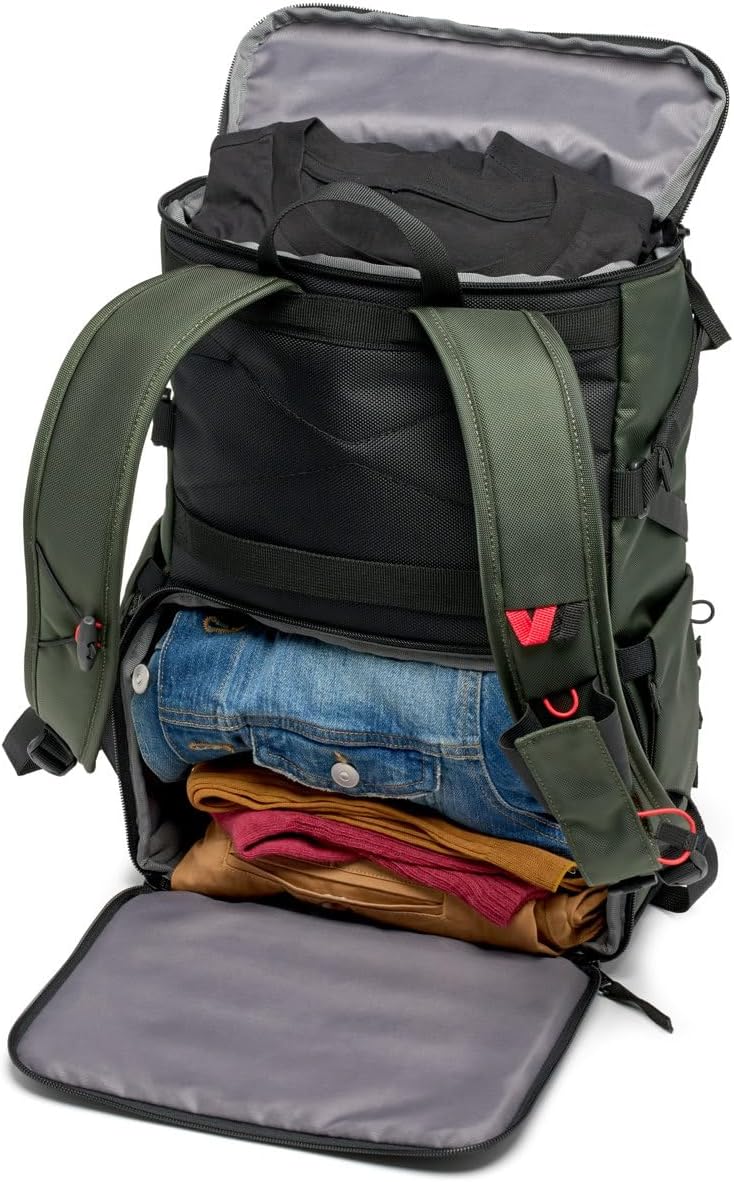
Figure 1: Configurable camera compartment with padded dividers.
2.2. Laptop Sleeve Integration
- Inserting the Sleeve: The dedicated padded laptop sleeve is designed to fit into the main upper compartment of the backpack.
- Securing the Sleeve: The sleeve features toggle pieces and elastic loops that can be used to secure it within the backpack, preventing movement.
- Independent Use: The laptop sleeve can be removed and used separately to carry your laptop or tablet (up to 14 inches) when you don't need the full backpack.

Figure 2: Removable padded laptop sleeve.
3. Operating the Backpack
Understanding the various access points and features will enhance your experience with the backpack.
3.1. Main Compartment Access
- Top Roll-Top Access: The upper section of the backpack features a roll-top closure, providing a large opening for personal effects, clothing, or additional gear. This section can expand to maximize space.
- Front/Rear Camera Access: The lower camera compartment can be accessed via a zippered opening on either the front or the rear of the backpack, depending on how the internal insert is oriented.
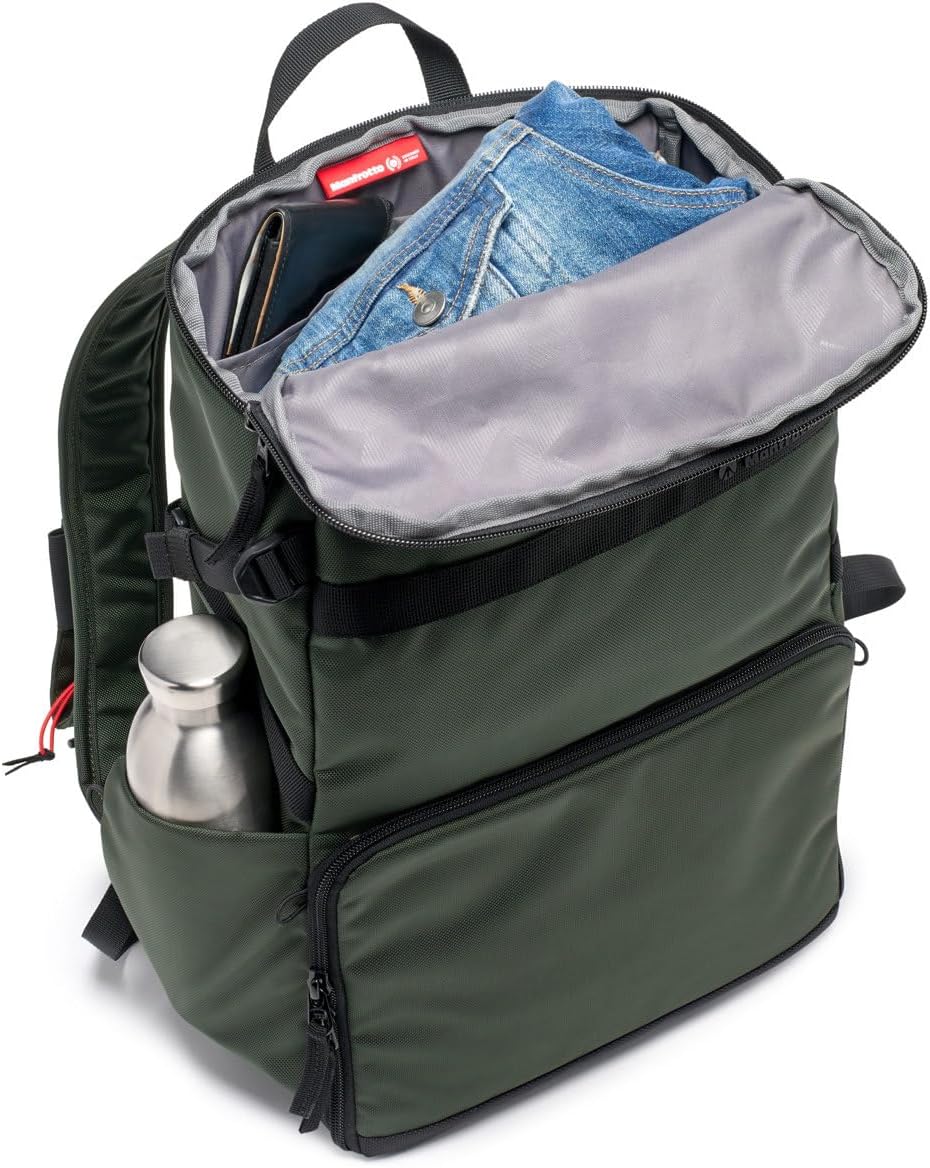
Figure 3: Top compartment for personal items.
3.2. External Attachments
- Side Pockets and Webbing: Both sides of the backpack feature elasticated pockets and webbing straps. These are ideal for securing a compact tripod, a water bottle, or other accessories.
- Luggage Pass-Through: A strap on the back panel allows the backpack to be securely attached to the handle of rolling luggage, making it convenient for travel.
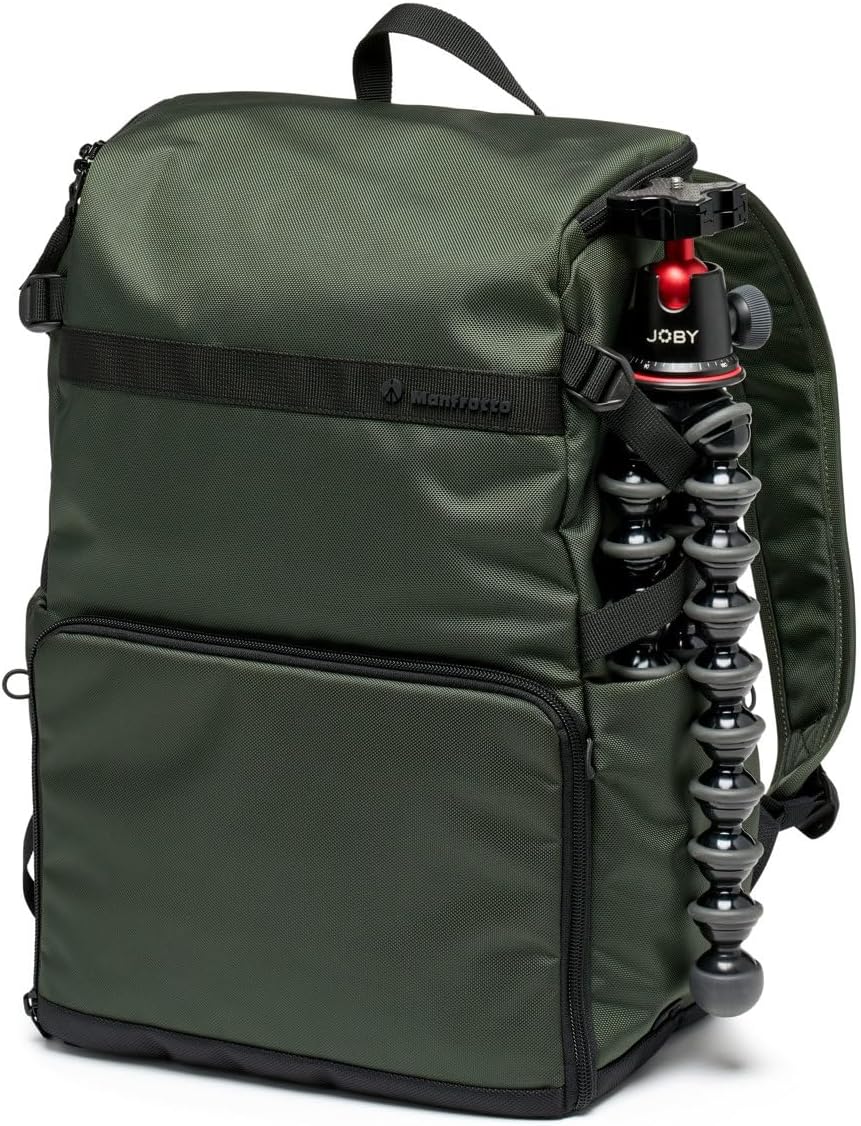
Figure 4: Side attachment for a tripod.

Figure 5: Backpack attached to rolling luggage.
3.3. Carrying Comfort
- Padded Shoulder Straps: Adjust the shoulder straps for a comfortable fit. The padding helps distribute weight evenly.
- Padded Back Panel: The back panel is padded to provide comfort and airflow during extended wear.
- Carry Handle: A sturdy top handle allows for easy hand-carrying when not worn as a backpack.
4. Maintenance
Proper care will extend the life and performance of your Manfrotto Street Slim Photography Backpack.
- Cleaning: For general cleaning, wipe the exterior with a damp cloth and mild soap. Do not machine wash or tumble dry.
- Drying: Allow the backpack to air dry completely before storing, especially if it has been exposed to rain or moisture.
- Storage: Store the backpack in a cool, dry place away from direct sunlight when not in use.
- Zipper Care: Keep zippers clean and free of debris. Lubricate with a zipper lubricant if they become stiff.
5. Troubleshooting
Here are solutions to common issues you might encounter:
- Limited Space: If you find space is limited, ensure the removable laptop sleeve and camera insert are configured optimally. Consider removing the laptop sleeve if not needed to free up additional space in the main compartment.
- Uncomfortable Fit: Adjust both shoulder straps evenly to distribute weight. Ensure the backpack sits high on your back. The padded back panel should rest comfortably against your body.
- Difficulty Accessing Gear: Verify the orientation of your camera insert. If you prefer front access, ensure the insert is positioned accordingly.
- Zippers Sticking: Clean any visible dirt or debris from the zipper teeth. Apply a small amount of zipper lubricant or a graphite pencil to the teeth to improve smoothness.
6. Specifications
| Feature | Detail |
|---|---|
| Model Number | MB MS2-BP |
| Product Dimensions (L x W x H) | 11.42 x 7.09 x 16.93 inches (29 x 18 x 43 cm) |
| Item Weight | 2 pounds |
| Laptop Compatibility | Up to 14 inches (25 x 1 x 35 cm) |
| Material | Water-repellent fabric |
| Color | Green |
7. Warranty and Support
For detailed warranty information, please refer to the official Manfrotto website or the warranty card included with your purchase. For product support, frequently asked questions, or to contact customer service, please visit the Manfrotto Store on Amazon or the official Manfrotto support channels.


