
1. Introduction
This manual provides comprehensive instructions for the Ajazz K685T Wireless 60% Mechanical Keyboard. It covers setup, operation, maintenance, and troubleshooting to ensure optimal performance and longevity of your device. The K685T features multi-mode connectivity (Bluetooth, 2.4G wireless, USB wired), RGB backlighting, N-Key rollover, and hot-swappable switches.

Image: The Ajazz K685T mechanical keyboard, showcasing its compact 68-key layout and vibrant RGB backlighting.
2. Package Contents
Please verify that all items are present in the package:
- Ajazz K685T Mechanical Keyboard
- USB-C to USB-A Cable (for wired connection and charging)
- 2.4G USB Receiver
- User Manual (this document)
- Keycap Puller
- Switch Puller
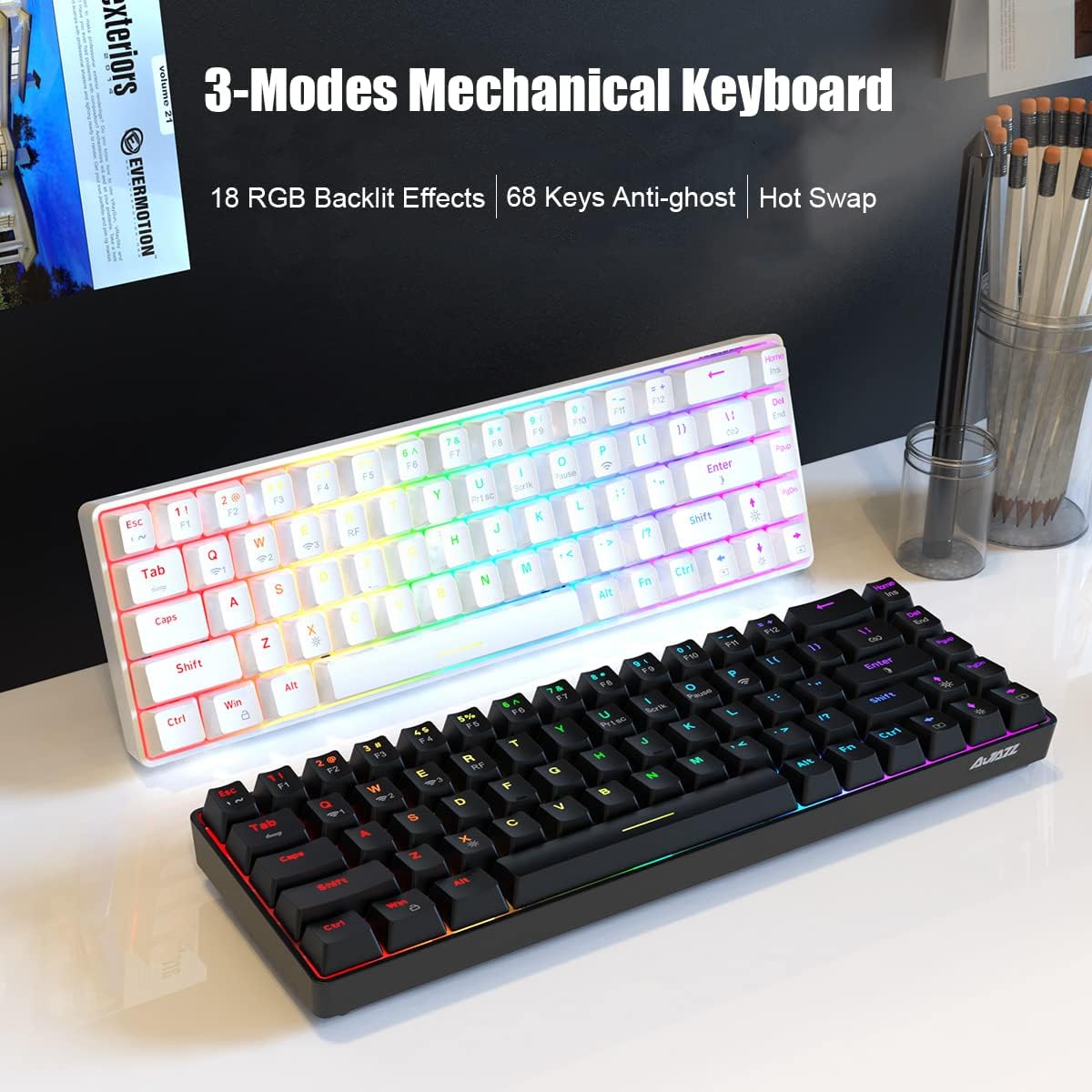
Image: The Ajazz K685T keyboard alongside a single red mechanical switch, highlighting its hot-swappable capability.
3. Setup and Connection
The Ajazz K685T keyboard supports three connection modes: Bluetooth, 2.4G wireless, and USB wired.
3.1 Charging the Keyboard
Before initial use, it is recommended to fully charge the keyboard. Connect the provided USB-C cable to the keyboard's USB-C port and the other end to a USB power source (e.g., computer USB port, USB wall adapter). The keyboard is equipped with a 1900mAh high-capacity lithium battery.
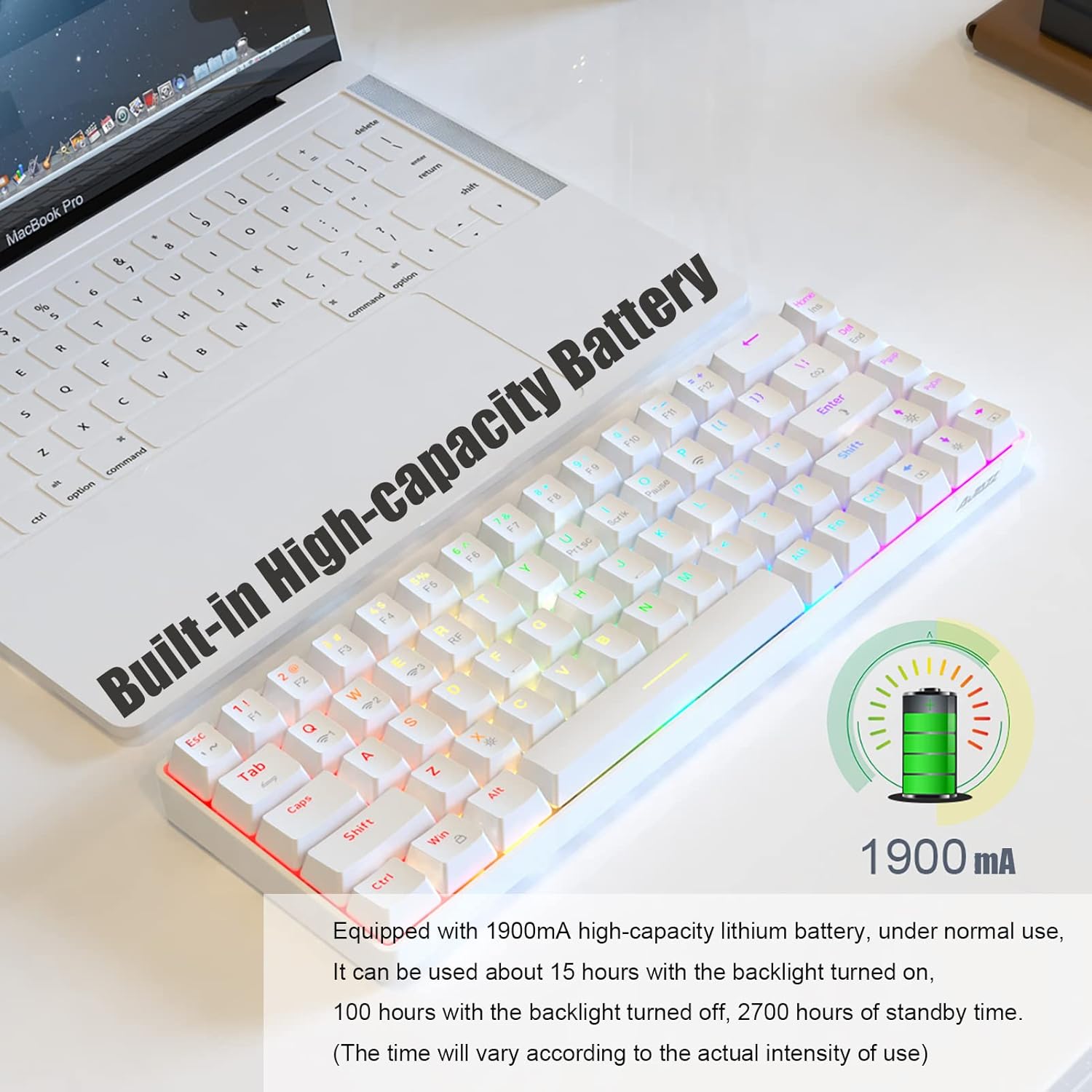
Image: A white Ajazz K685T keyboard with an overlay indicating a built-in 1900mAh high-capacity battery.
3.2 Connection Modes
Switch between wired and wireless modes using Fn + Tab.

Image: A visual representation of the three connection modes: Bluetooth, 2.4G wireless, and USB wired, with the keyboard shown below.
3.2.1 Bluetooth Mode
Ideal for mobile devices, tablets, and laptops without available USB ports. The keyboard can memorize up to 3 Bluetooth devices.
- Press Fn + Q, Fn + W, or Fn + E to select a Bluetooth channel.
- The indicator light will flash, indicating pairing mode.
- On your device, search for "AJAZZ K685T" in the Bluetooth settings and connect.
- Once connected, the indicator light will stop flashing.
3.2.2 2.4G Wireless Mode
Suitable for PCs and laptops, providing a tidy desktop without cables. Requires a USB port for the receiver.
- Insert the 2.4G USB receiver into an available USB port on your computer.
- Press Fn + R to activate 2.4G mode.
- The keyboard should automatically connect to the receiver.
3.2.3 USB Wired Mode
Offers responsive and fast performance, and simultaneously charges the keyboard. Requires a USB port.
- Connect the USB-C cable to the keyboard and the USB-A end to your computer's USB port.
- Press Fn + Tab to switch to wired mode.
- The keyboard will be recognized as a standard USB keyboard.
4. Operating Instructions
4.1 Switching Between Memorized Devices
The keyboard can memorize up to 5 devices (3 Bluetooth, 1 2.4G, 1 wired). To switch between them:
- For Bluetooth devices: Press Fn + Q, Fn + W, or Fn + E.
- For 2.4G wireless: Press Fn + R.
- For wired mode: Press Fn + Tab.
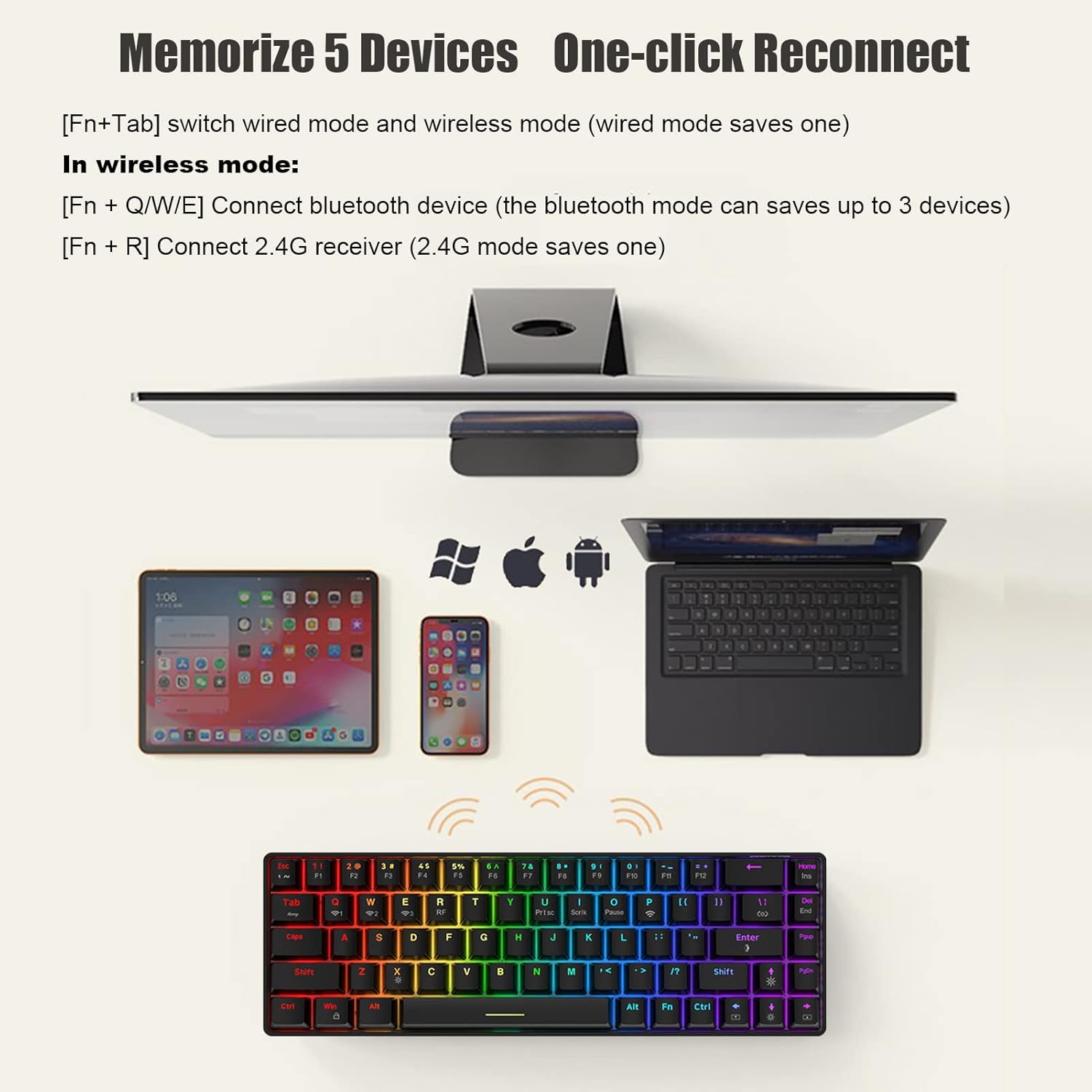
Image: The Ajazz K685T keyboard shown with various devices (tablet, smartphone, laptop) it can connect to, illustrating its multi-device memory feature.
4.2 Backlight Settings
The K685T features RGB backlighting with 18 effects. Adjustments are made using Fn key combinations:
- Fn + |: Switch between 18 kinds of backlight effects.
- Fn + Enter: Adjust the light color (RGB and 7 monochrome lights).
- Fn + ↑↓: Adjust backlight brightness (5 levels). The Caps Key and WIN key indicator will flash when adjusted to the darkest/brightest.
- Fn + ←→: Decrease/Increase the speed of backlight effects (5 levels). The Caps Key and WIN key indicator will flash when adjusted to the slowest/fastest.
- Fn + X: Turn the backlight on or off. In wireless mode, the backlight is initially off by default.
- Fn + Win: Lock the WIN key.
- Fn + Left CRTL: The Left Ctrl key lights up in white, and the key functions are in gray fonts (F1-F12, ~/Ins/End/Prtsc/Scrlk/Pause). Press Fn + Left CRTL again to return to normal RGB backlight.
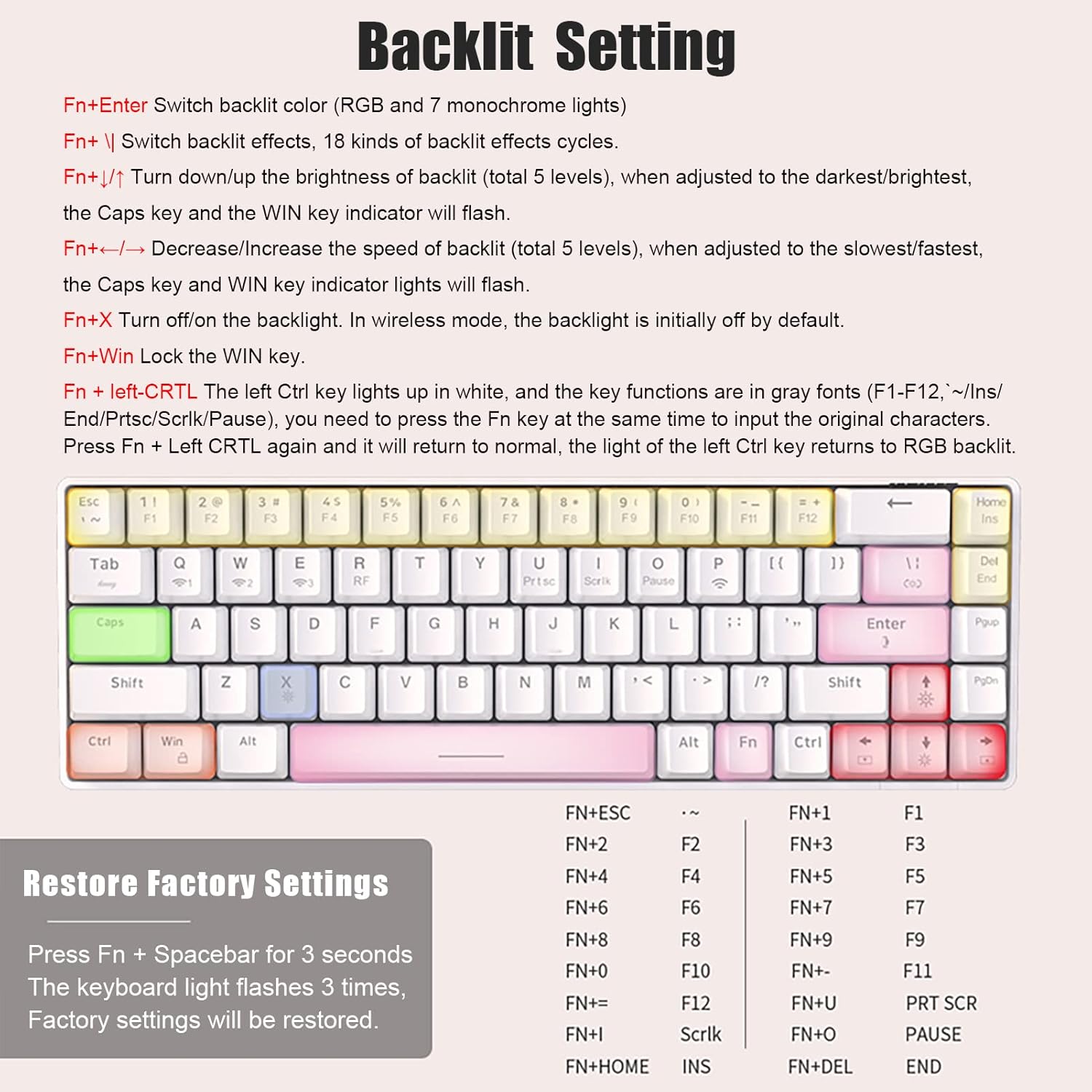
Image: A detailed diagram of the Ajazz K685T keyboard, illustrating the various key combinations for adjusting backlight settings and effects.
4.3 Hot-Swappable Switches
The K685T supports hot-swappable switches, allowing users to change switches without soldering. This keyboard is only compatible with 3-pin switches.
- To remove a keycap, use the provided keycap puller.
- To remove a switch, use the provided switch puller, gently gripping the top and bottom clips of the switch and pulling upwards.
- To install a new switch, align the pins with the holes on the PCB and press down firmly until it clicks into place. Ensure pins are not bent.
4.4 Function Key Combinations
The compact 68-key layout integrates full-size keyboard functions via the Fn key:
| Combination | Function |
|---|---|
| Fn + 1 | F1 |
| Fn + 2 | F2 |
| Fn + 3 | F3 |
| Fn + 4 | F4 |
| Fn + 5 | F5 |
| Fn + 6 | F6 |
| Fn + 7 | F7 |
| Fn + 8 | F8 |
| Fn + 9 | F9 |
| Fn + 0 | F10 |
| Fn + - | F11 |
| Fn + = | F12 |
| Fn + Prtsc | Print Screen |
| Fn + Scrlk | Scroll Lock |
| Fn + Pause | Pause Break |
| Fn + Ins | Insert |
| Fn + End | End |
5. Maintenance
Proper maintenance ensures the longevity and performance of your keyboard:
- Cleaning: Use a soft, dry cloth to wipe the keyboard surface. For deeper cleaning, remove keycaps and use compressed air to clear debris from between switches.
- Storage: Store the keyboard in a cool, dry place away from direct sunlight and extreme temperatures.
- Battery Care: Avoid fully discharging the battery frequently. For long-term storage, charge the battery to about 50% to preserve its health.
- Liquid Exposure: Avoid spilling liquids on the keyboard. If accidental spillage occurs, immediately disconnect the keyboard and allow it to dry completely before re-using.
6. Troubleshooting
If you encounter issues with your Ajazz K685T keyboard, refer to the following common solutions:
- Keyboard not responding:
- Ensure the keyboard is charged.
- Verify the correct connection mode (Fn + Tab for wired/wireless, Fn + Q/W/E/R for wireless channels).
- For 2.4G mode, ensure the USB receiver is properly inserted.
- For Bluetooth mode, ensure Bluetooth is enabled on your device and the keyboard is paired. Try re-pairing if necessary.
- Try connecting via USB wired mode to check if the keyboard functions.
- Backlight not working or stuck:
- Press Fn + X to toggle the backlight on/off.
- Adjust brightness with Fn + ↑↓.
- Try switching backlight effects with Fn + |.
- Keys not registering or double-typing:
- Ensure the switches are fully seated if you have hot-swapped them.
- Clean any debris around the affected key.
- Consider replacing the switch if it's faulty (due to hot-swap feature).
- Battery draining quickly:
- Reduce backlight brightness or turn it off (Fn + X).
- Ensure the keyboard enters power-saving mode (backlight off after 1 min, sleep after 30 min of inactivity).
- Factory Reset:
If issues persist, perform a factory reset. Press and hold Fn + Spacebar for 3 seconds. The keyboard lights will flash 3 times, indicating that factory settings have been restored.
7. Specifications
Detailed technical specifications for the Ajazz K685T Mechanical Keyboard:
| Feature | Detail |
|---|---|
| Brand | AJAZZ |
| Model | K685T |
| Connection Method | Bluetooth, 2.4Ghz wireless, USB wired |
| Product Dimensions | 311 x 102 x 35 mm (12.24 x 4.02 x 1.38 inches) |
| Product Weight | 580 grams (1.74 pounds) |
| Backlit Effect | RGB backlit, 18 effects in total |
| Number of Keys | 68 keys |
| Compatible With | Windows, Mac, iOS, Android |
| Battery Capacity | 1900mAh Lithium Ion |
| Hot-Swap Compatibility | 3-pin switches only |

Image: The Ajazz K685T keyboard with an overlay displaying its product parameters, including dimensions and key features.
8. Warranty and Support
For warranty information and technical support, please contact Ajazz customer service through their official website or the retailer from whom you purchased the product. Please retain your proof of purchase for warranty claims.
For further assistance, you may visit the Ajazz store on Amazon: Ajazz Store


