
1. Introduction and Overview
The Fms 1/6 Jimny LJ10 RC Crawler is an officially licensed, highly detailed remote control vehicle designed for hobby enthusiasts. This model accurately reproduces the body details of the original Jimny LJ10, featuring a realistic interior with soft rubber seats, a linkage steering wheel, dashboard, buttons, manual gearshift, and foot pedal set. Equipped with a powerful electronic system and robust chassis, it offers excellent performance across various terrains.

Figure 1: The Fms 1/6 Jimny LJ10 RC Crawler, showcasing its detailed exterior and robust design.
Key features include a 550 brushed motor, 40A waterproof ESC, and a 4-channel receiver for powerful and stable operation. The non-load-bearing chassis, metal beams, and front and rear leaf spring suspensions enhance its stability and off-road capability. A 2.4GHz ANT transmitter provides quick-responsive, interference-free control up to 80m. The vehicle also features an LED lighting system with default headlights and reserved positions for turn signals and taillights, along with operable parts like a tiltable windshield, safety bar, and tailgate.
2. What's in the Box
- Fms 1/6 Jimny LJ10 RC Crawler (fully assembled)
- 4-Ch 2.4GHz Transmitter
- Instruction Manual
- Tools and accessories (e.g., wheel wrench, screwdriver, spare parts - specific items may vary)
Note: Battery and charger are NOT included and must be purchased separately.
3. Setup
3.1 Battery Installation (Vehicle)
- Carefully remove the vehicle's body by unlatching the front hood clips and lifting the body shell. The body is typically held by magnetic mounts and hinges at the rear.
- Locate the battery compartment, usually secured with a strap.
- Insert a compatible 2S Li-ion battery (2000mAh recommended) into the compartment and secure it with the strap.
- Connect the battery to the ESC (Electronic Speed Controller) using the appropriate connector.
- Reattach the vehicle body, ensuring the hood clips are securely fastened.
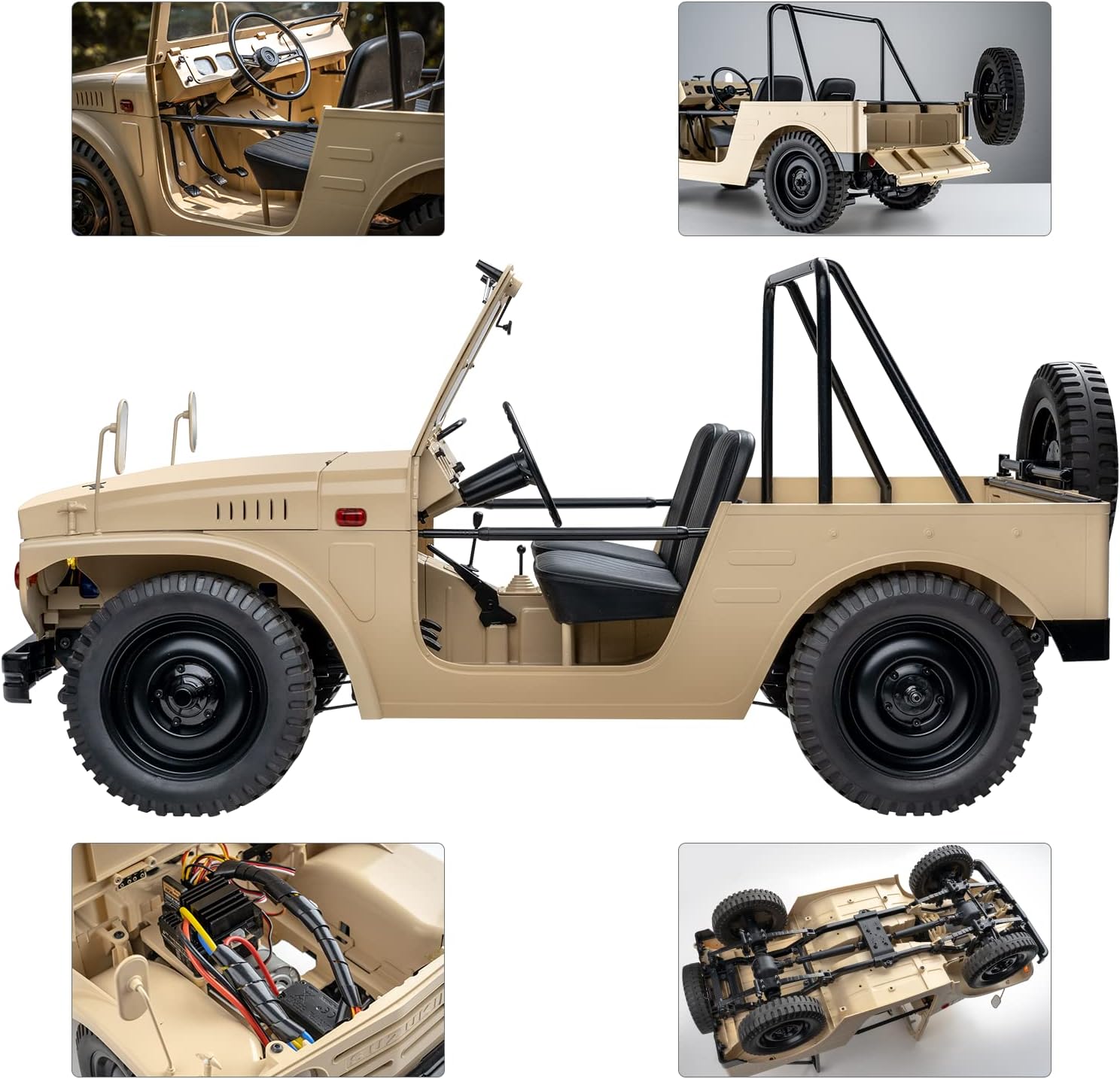
Figure 2: Vehicle with body lifted, showing the battery compartment and electronic components.
3.2 Transmitter Battery Installation
- Open the battery compartment on the back of the 2.4GHz transmitter.
- Insert 2 AA batteries (not included), observing correct polarity.
- Close the battery compartment securely.
3.3 Binding the Transmitter and Receiver
The transmitter and receiver are typically pre-bound from the factory. If re-binding is necessary, refer to the detailed instructions in the included user manual for your specific transmitter model.
4. Operating Instructions
4.1 Basic Controls
- Power On: Turn on the transmitter first, then the vehicle's power switch (usually located near the battery/ESC).
- Forward/Reverse: Use the throttle trigger on the transmitter. Pull back for forward motion, push forward for reverse.
- Steering: Use the steering wheel on the transmitter. Turn left to steer left, turn right to steer right.
- LED Lights: The headlights are always on by default when the vehicle is powered on.
- Operable Parts: The windshield, safety bar, and tailgate can be tilted down manually, mimicking the real vehicle.
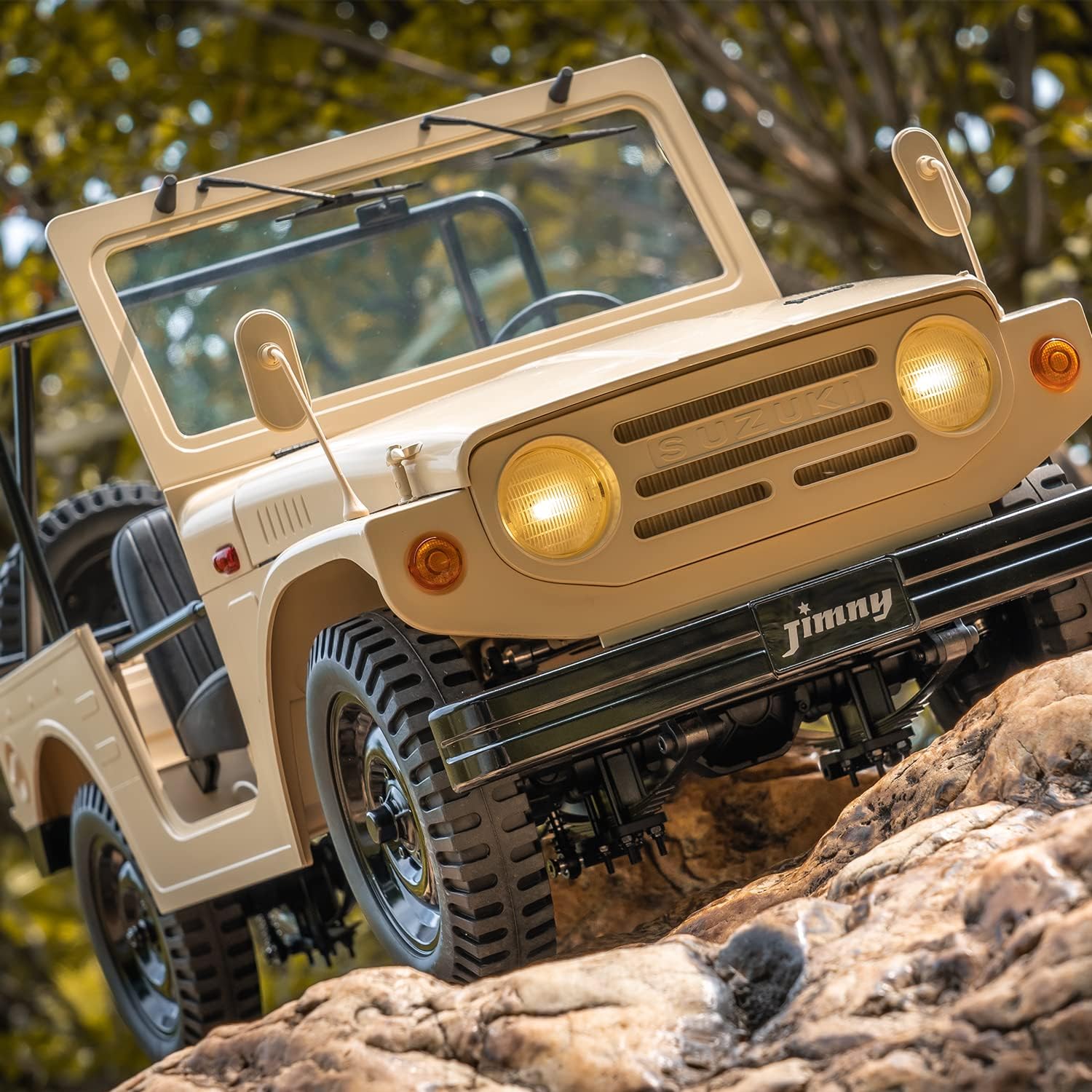
Figure 3: The Jimny LJ10 RC Crawler demonstrating its off-road capability.
4.2 Driving Tips
- Start with slow, controlled movements to get a feel for the vehicle's handling.
- Utilize the vehicle's high articulation and 4WD system for climbing over obstacles.
- Avoid prolonged full-throttle operation, especially on rough terrain, to prevent overheating.
- Always operate your RC crawler in a safe and responsible manner, away from people, pets, and property.
Video 1: Fms 1/6 Suzuki Jimny 4WD Crawler with LED Lights. This video demonstrates the crawler's movement and functional LED lights.
5. Maintenance
5.1 Cleaning
- After each use, especially in dusty or muddy conditions, clean the vehicle to remove dirt and debris.
- Use a soft brush or compressed air to clean crevices and moving parts.
- Wipe down the body with a damp cloth. Avoid using harsh chemicals.
5.2 Battery Care
- Always use a charger compatible with Li-ion batteries.
- Do not overcharge or over-discharge batteries.
- Store batteries in a cool, dry place away from direct sunlight and extreme temperatures.
- Disconnect the battery from the vehicle when not in use.
5.3 General Inspection
- Regularly check all screws and fasteners for tightness.
- Inspect tires for wear and tear.
- Ensure all wiring connections are secure and free from damage.
6. Troubleshooting
| Problem | Possible Cause | Solution |
|---|---|---|
| Vehicle does not power on | Dead battery; Loose battery connection; Vehicle power switch off | Charge battery; Secure connection; Turn vehicle power switch on |
| No response from transmitter | Transmitter batteries dead; Not bound to receiver; Transmitter power switch off | Replace transmitter batteries; Re-bind transmitter/receiver; Turn transmitter power switch on |
| Vehicle moves slowly or inconsistently | Low battery; Obstruction in drivetrain; Motor/ESC issue | Charge battery; Check for debris; Contact support if issue persists |
7. Specifications
- Model Number: FMS10602
- Scale: 1/6
- Product Dimensions: 21.5 x 9.2 x 10.5 inches
- Item Weight: 10.98 pounds
- Motor: 550 Brushed Motor
- ESC: 40A Waterproof ESC
- Transmitter: 4-Ch 2.4GHz ANT
- Max Speed: 15 KM/H
- Recommended Age: 14+ years (Manufacturer recommended age 0-2 years is likely a misprint for toy safety, actual hobby grade RC is for older users)
8. Warranty and Support
For warranty information, technical support, or replacement parts, please refer to the contact details provided in your product packaging or visit the official Fms website. Keep your purchase receipt as proof of purchase for any warranty claims.


