
1. Introduction
Thank you for choosing the Tribit StormBox Blast Portable Speaker. This manual provides essential information for setting up, operating, and maintaining your speaker. Please read it thoroughly to ensure optimal performance and longevity of your device.
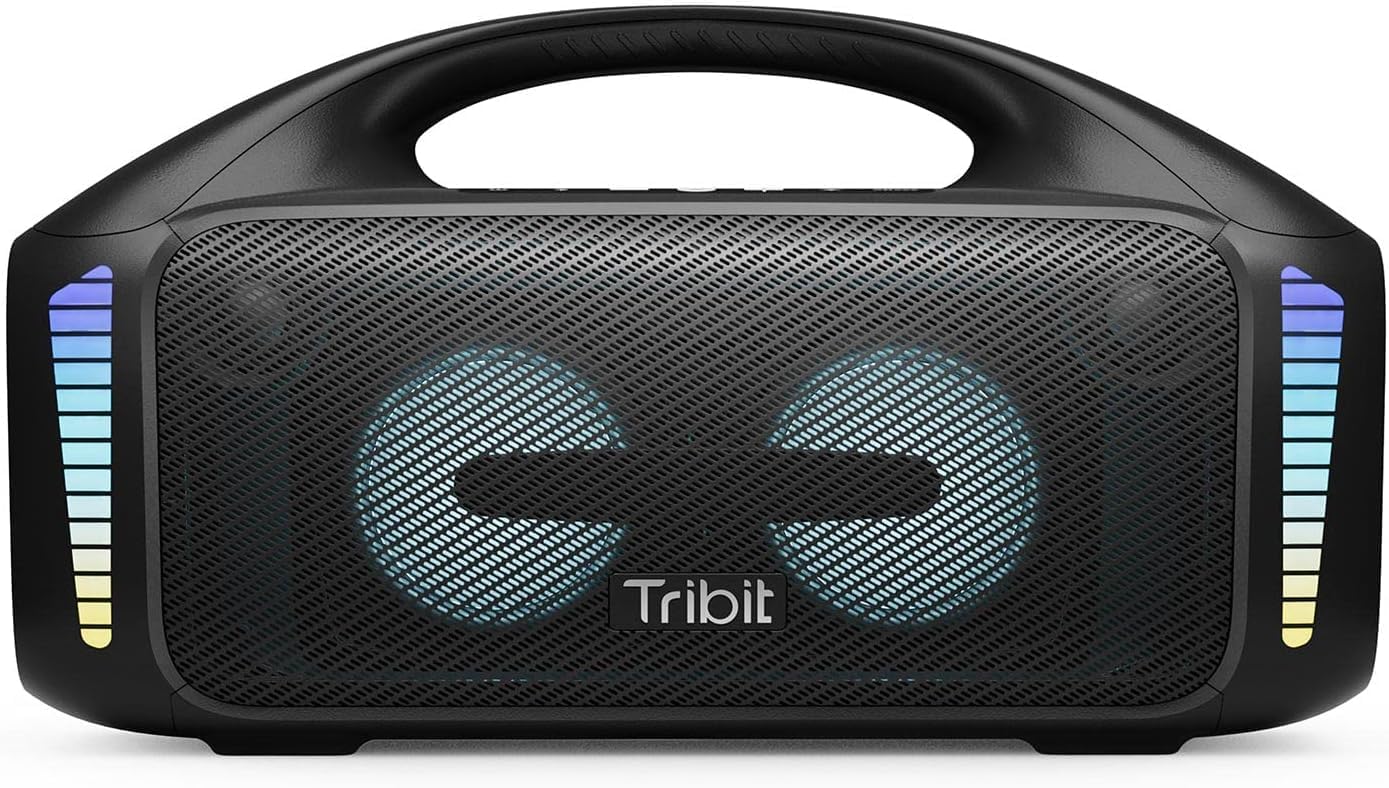
The Tribit StormBox Blast, a powerful portable speaker with integrated LED lights.
2. What's in the Box
- Tribit StormBox Blast Speaker x1
- Power Cable x1
- User Manual x1
3. Product Overview
3.1. Buttons and Controls

Overview of the control panel on the Tribit StormBox Blast.
- Power On/Off Button: Press and hold to power the speaker on or off.
- Bluetooth Button: Press to enter Bluetooth pairing mode.
- Volume Down (-): Decrease playback volume.
- Multi-function Button (Circle): Play/Pause music, answer/end calls.
- Volume Up (+): Increase playback volume.
- Light Adjustment Button: Cycle through LED light modes.
- XBass Effect Switch: Activate or deactivate the XBass sound enhancement.
3.2. Ports and Indicators

Rear panel of the speaker with charging and auxiliary input ports.
- USB-C Charging Port: For charging the speaker.
- USB-A Output Port: For using the speaker as a power bank.
- AUX Input: For wired audio connection.
- Battery Indicator Lights: Show current battery level.
4. Setup
4.1. Initial Charge
Before first use, fully charge your Tribit StormBox Blast. Connect the provided power cable to the USB-C charging port on the speaker and plug it into a power outlet. The battery indicator lights will show charging progress and turn solid when fully charged.
4.2. Powering On/Off
Press and hold the Power On/Off button for 2 seconds to turn the speaker on or off. A sound prompt will indicate the power status.
5. Operating Instructions
5.1. Bluetooth Pairing
- Turn on the Tribit StormBox Blast. It will automatically enter Bluetooth pairing mode, indicated by a flashing blue LED.
- On your device (smartphone, tablet, etc.), enable Bluetooth and search for available devices.
- Select "Tribit StormBox Blast" from the list. Once connected, the LED will turn solid blue, and you will hear a confirmation sound.
- If pairing fails, clear the Bluetooth history on your device and try again.
5.2. Music Playback
- Press the Multi-function Button to play or pause music.
- Press the Volume Up (+) or Volume Down (-) buttons to adjust the volume.
- For next track, double-press the Multi-function Button.
- For previous track, triple-press the Multi-function Button.
5.3. XBass Technology

Internal view highlighting the speaker's drivers and XBass technology for enhanced bass.
The Tribit StormBox Blast features XBass technology for a deeper, richer bass experience. Press the XBass Effect Switch button on the top panel to toggle this feature on or off. When XBass is active, you will notice a significant boost in low-frequency sound.
5.4. LED Light Modes
The speaker is equipped with 32 LED lights that sync to the beat of your music. Press the Light Adjustment Button to cycle through different lighting modes or to turn the lights off. Experiment with the modes to find your preferred visual experience.
5.5. True Wireless Stereo (TWS) Pairing
If you have two Tribit StormBox Blast speakers, you can pair them together for a true wireless stereo experience, providing a wider soundstage and more immersive audio.
- Ensure both speakers are powered on and not connected to any other Bluetooth device.
- On one speaker, press and hold the Bluetooth button for 5 seconds until you hear a prompt indicating TWS pairing mode.
- The second speaker will automatically connect. Once connected, both speakers will play audio in stereo.
- Connect your device to one of the paired speakers via Bluetooth.
6. Tribit App

The Tribit app interface for customizing sound and settings.
Enhance your experience by downloading the Tribit App from your device's app store. The app allows you to:
- Customize EQ modes to tailor the sound to your preferences.
- Control LED light settings.
- Update speaker firmware.
- Access additional features and controls.
7. Charging and Power Bank Function
7.1. Battery Life

The speaker offers extended playtime, ideal for outdoor use.
The Tribit StormBox Blast provides up to 30 hours of playtime on a single charge, depending on volume level and LED light usage. For optimal battery life, it is recommended to fully charge the speaker before extended use.
7.2. Power Bank Function
The speaker can also function as a power bank to charge your other devices. Connect your device to the USB-A output port on the back of the speaker using a compatible charging cable. This feature is useful for charging smartphones or other small electronics on the go.
8. Waterproofing (IPX7)

The speaker's IPX7 waterproof rating makes it suitable for poolside or beach use.
The Tribit StormBox Blast is IPX7 waterproof, meaning it can be submerged in water up to 1 meter (3.3 feet) for up to 30 minutes. This makes it suitable for use by the pool, at the beach, or in rainy conditions. Ensure all port covers are securely closed before exposing the speaker to water.
9. Maintenance
- Clean the speaker with a soft, damp cloth. Do not use harsh chemicals or abrasive materials.
- Store the speaker in a cool, dry place when not in use.
- Avoid exposing the speaker to extreme temperatures or direct sunlight for prolonged periods.
- Do not attempt to disassemble or repair the speaker yourself, as this will void the warranty.
10. Troubleshooting
| Problem | Possible Cause | Solution |
|---|---|---|
| Speaker does not turn on | Low battery; Power button not pressed long enough | Charge the speaker; Press and hold the power button for 2 seconds |
| No sound | Volume too low; Device not connected; Incorrect input source | Increase volume on speaker and device; Re-pair Bluetooth; Check AUX cable connection |
| Bluetooth connection unstable/disconnects | Device too far; Obstructions; Interference | Move device closer to speaker (within 150 ft); Remove obstructions; Avoid strong Wi-Fi signals |
| Cannot pair two speakers for TWS | Speakers already connected to other devices; Incorrect pairing procedure | Ensure both speakers are disconnected from other devices; Follow TWS pairing steps carefully |
11. Specifications

Physical dimensions of the Tribit StormBox Blast.
| Feature | Detail |
|---|---|
| Model Name | StormBox Blast |
| Model Number | BTS52 |
| Speaker Type | Subwoofer |
| Speaker Maximum Output Power | 90 Watts |
| Connectivity Technology | Bluetooth 5.3, Auxiliary, USB |
| Wireless Communication Range | Up to 30 meters (150 feet) |
| Water Resistance Level | IPX7 (Waterproof) |
| Battery Life | Up to 30 Hours (varies with usage) |
| Charging Time | Approximately 4.5 hours |
| Product Dimensions | 6.41"D x 15.9"W x 8.89"H |
| Item Weight | 12.01 Pounds |
| Included Components | Speaker, Power Cable, User Manual |
12. Warranty and Support
The Tribit StormBox Blast comes with a full warranty. For detailed warranty information, product support, or technical assistance, please visit the official Tribit website or contact their customer service. Keep your purchase receipt as proof of purchase for warranty claims.
Tribit Official Website: www.tribit.com


