1. Important Safety Instructions
Please read all instructions carefully before using the appliance. Keep this manual for future reference. Ensure the vacuum cleaner is used only as described in this manual. Do not use with damaged cord or plug. Do not use to pick up water or wet materials. Keep hair, loose clothing, fingers, and all parts of the body away from openings and moving parts. Use only manufacturer's recommended attachments.
2. Product Overview
The kalado KCV01 Cordless Vacuum Cleaner is designed for versatile and efficient cleaning across various surfaces.

The kalado KCV01 Cordless Vacuum Cleaner, showcasing its main unit and various included accessories.
Key Features:
- 250W Brushless Motor: Offers 26KPa suction with three working modes (Low: 12KPa for 40 mins, Medium: 19KPa for 20 mins, High: 26KPa for 14 mins).
- Lightweight & Self-standing: Weighs only 5 pounds and can stand upright for convenient storage and use.
- LED Display Screen: Provides real-time information on battery life, power settings, and error alerts.
- 6-in-1 Multifunctionality: Easily converts to a handheld vacuum with various accessories for cleaning cars, high places, and tight corners.
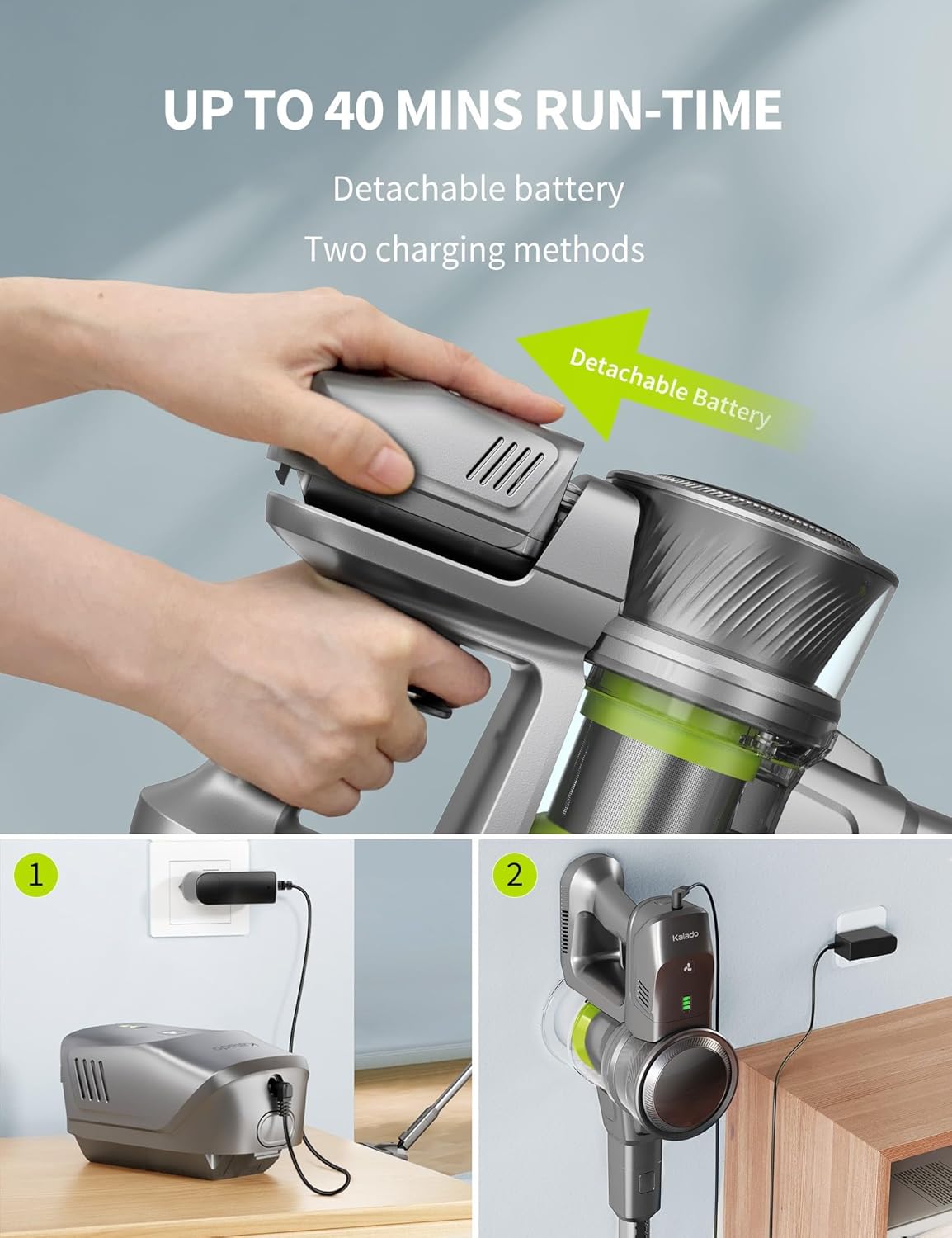
- Detachable Battery: Equipped with 7*2200mAh batteries, offering quick 4-hour charging. Replacement batteries can extend lifespan.

Illustration of the vacuum's powerful suction on hard floors, demonstrating its effectiveness on various debris types.
The smart LED display screen provides clear visual feedback on the vacuum's status, including battery level and suction mode.
3. Setup & Assembly
The kalado KCV01 is designed for easy assembly. Follow these steps to get your vacuum ready for use:
- Attach the Extension Tube: Insert the extension tube into the main motor unit until it clicks securely into place.
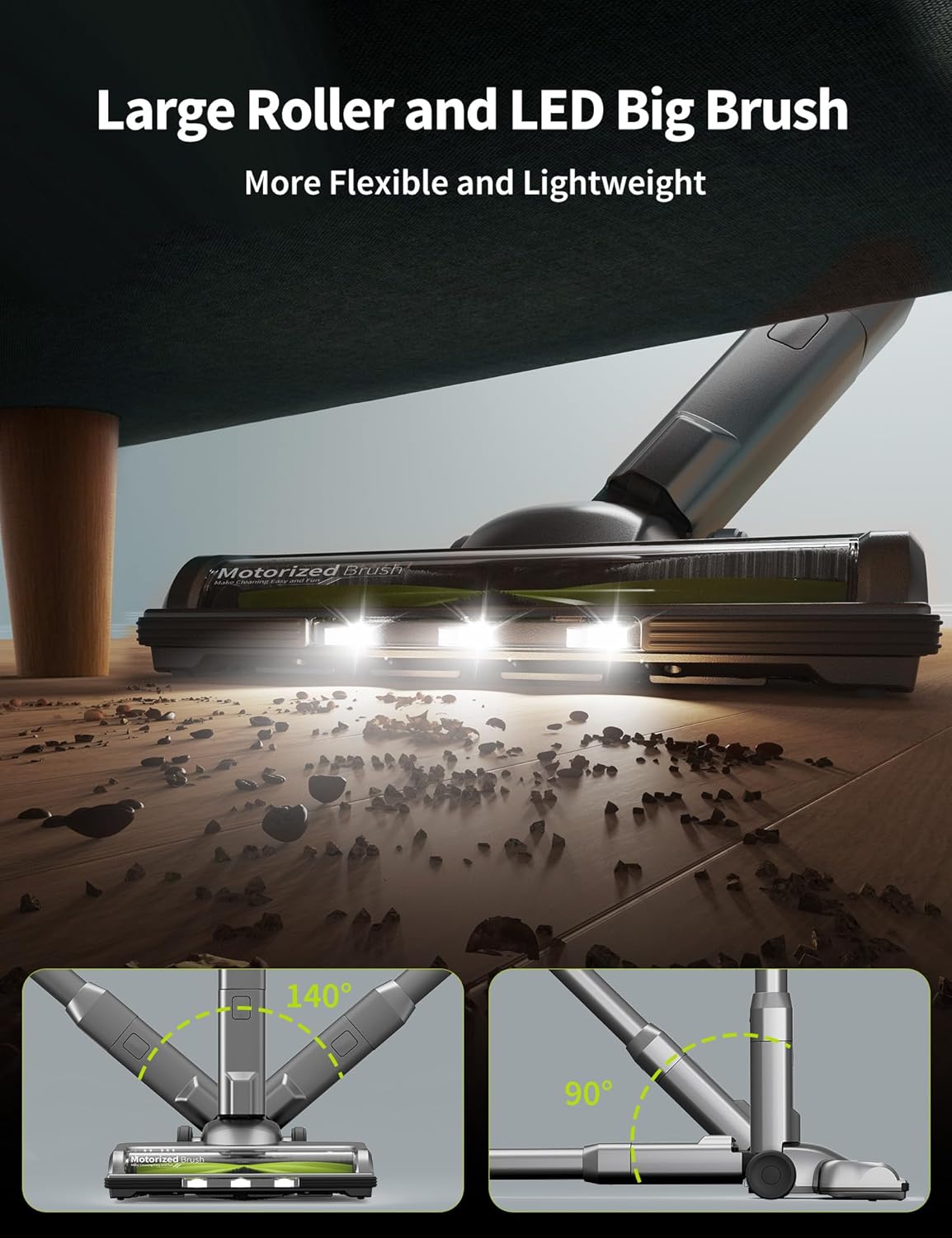
- Connect the Floor Brush: Attach the motorized floor brush to the other end of the extension tube, ensuring it clicks into position.
- Insert the Battery: Slide the detachable battery into the designated slot on the main motor unit until it locks.
- Attach Accessories: For specialized cleaning tasks, attach the desired accessory (e.g., crevice tool, brush tool) directly to the main motor unit or the extension tube.
Official kalado video demonstrating the initial installation and assembly process of the vacuum cleaner.
4. Operating Instructions
Your kalado Cordless Vacuum Cleaner offers flexible cleaning options for various needs.
Power Modes & Runtime:
- Low Mode (12KPa): Ideal for light dust and debris, offering up to 40 minutes of runtime.
- Medium Mode (19KPa): Suitable for everyday cleaning, providing up to 20 minutes of runtime.
- High Mode (26KPa): For stubborn dirt and deep cleaning, with up to 14 minutes of runtime.
Adjust suction power using the button on the LED display. The vacuum is suitable for hard floors, carpets, and pet hair. Its self-standing design allows for convenient pauses during cleaning.
Official kalado video demonstrating the vacuum cleaner's performance on various surfaces and its different power modes.

The lightweight and self-standing design of the kalado vacuum cleaner makes it easy to use and store, as shown in a home setting.
5. Maintenance & Care
Regular maintenance ensures optimal performance and extends the lifespan of your kalado vacuum cleaner.
Dustbin Emptying:
The vacuum features a one-click dust release mechanism for easy and hygienic emptying. Simply press the release button to dispose of collected debris.
Filter Cleaning:
The HEPA filter is washable. Regularly remove and rinse the filter under running water. Ensure it is completely dry before reinserting to maintain suction efficiency.
Roller Brush Maintenance:
Periodically check the roller brush for tangled hair or debris. Use the provided cleaning tool to remove any obstructions and ensure smooth operation.
Battery Charging:
Connect the charger to the detachable battery. A full charge takes approximately 4 hours. The LED display will indicate charging status.
The detachable battery offers flexible charging options, either directly or while attached to the vacuum unit.
6. Troubleshooting
If you encounter any issues with your kalado Cordless Vacuum Cleaner, refer to the following common problems and solutions:
- No Power/Short Runtime: Ensure the battery is fully charged. Check if the charger is properly connected. Consider purchasing a replacement battery if the existing one no longer holds a charge.
- Low Suction: Empty the dustbin. Clean or replace the HEPA filter. Check the extension tube and floor brush for any blockages.
- Unusual Noise: Inspect the roller brush for any foreign objects or tangled hair. Ensure all parts are securely assembled.
- LED Display Error: Refer to the specific error code or indicator on the LED display for detailed troubleshooting steps in the full user manual.
7. Specifications
| Feature | Specification |
|---|---|
| Brand | kalado |
| Model Name | Cordless Vacuum Cleaner (KCV01) |
| Motor Horsepower | 250 Watts |
| Maximum Suction | 26KPa |
| Power Modes | 3 (Low, Medium, High) |
| Battery Capacity | 7*2200mAh Lithium Metal |
| Runtime | Up to 40 minutes (Low mode) |
| Charging Time | 4 Hours |
| Filter Type | Washable HEPA Filter |
| Dustbin Capacity | 1.5 Liters |
| Noise Level | <65 dB |
| Item Weight | 5 pounds (main unit) / 8.2 pounds (packaged) |
| Product Dimensions | 14.56"L x 8.66"W x 4.72"H |
8. Warranty & Support
All kalado products come with a 120-day standard warranty, starting from the original shipping date. This warranty covers all items and conditions identified in the original manufacturer's warranty. Please note that loss, theft, water damage, and customer abuse are not covered.
For further support, questions, or warranty claims, please visit the official kalado store or contact customer service via the details provided on the product packaging or the brand's website.
Visit the kalado Store for more information and products.


