
Introduction
The Satechi 165W USB C 4-Port GaN Charging Station is a high-performance power solution designed to efficiently charge multiple USB-C devices simultaneously. Utilizing advanced GaN (Gallium Nitride) technology, this charging station offers a compact design with superior power delivery and thermal efficiency. It is ideal for charging laptops, tablets, smartphones, and other USB-C powered devices at home, in the office, or while traveling.
What's Included
Upon unboxing your Satechi 165W USB C 4-Port GaN Charging Station, please verify that all the following components are present:
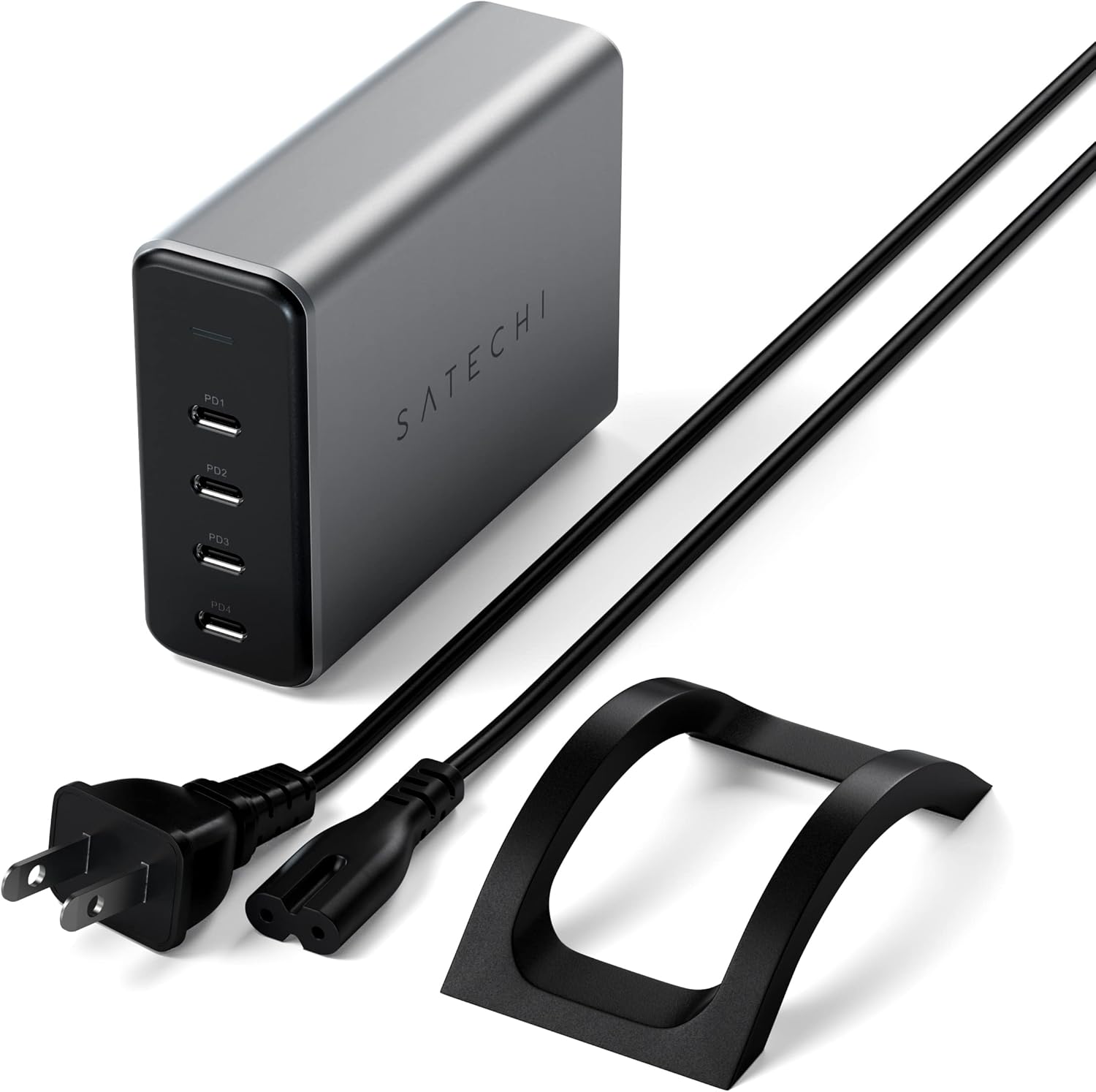
- 165W USB C GaN PD Charging Station
- Detachable AC Power Cable
- Vertical Stand
- User Manual
Product Overview
Features
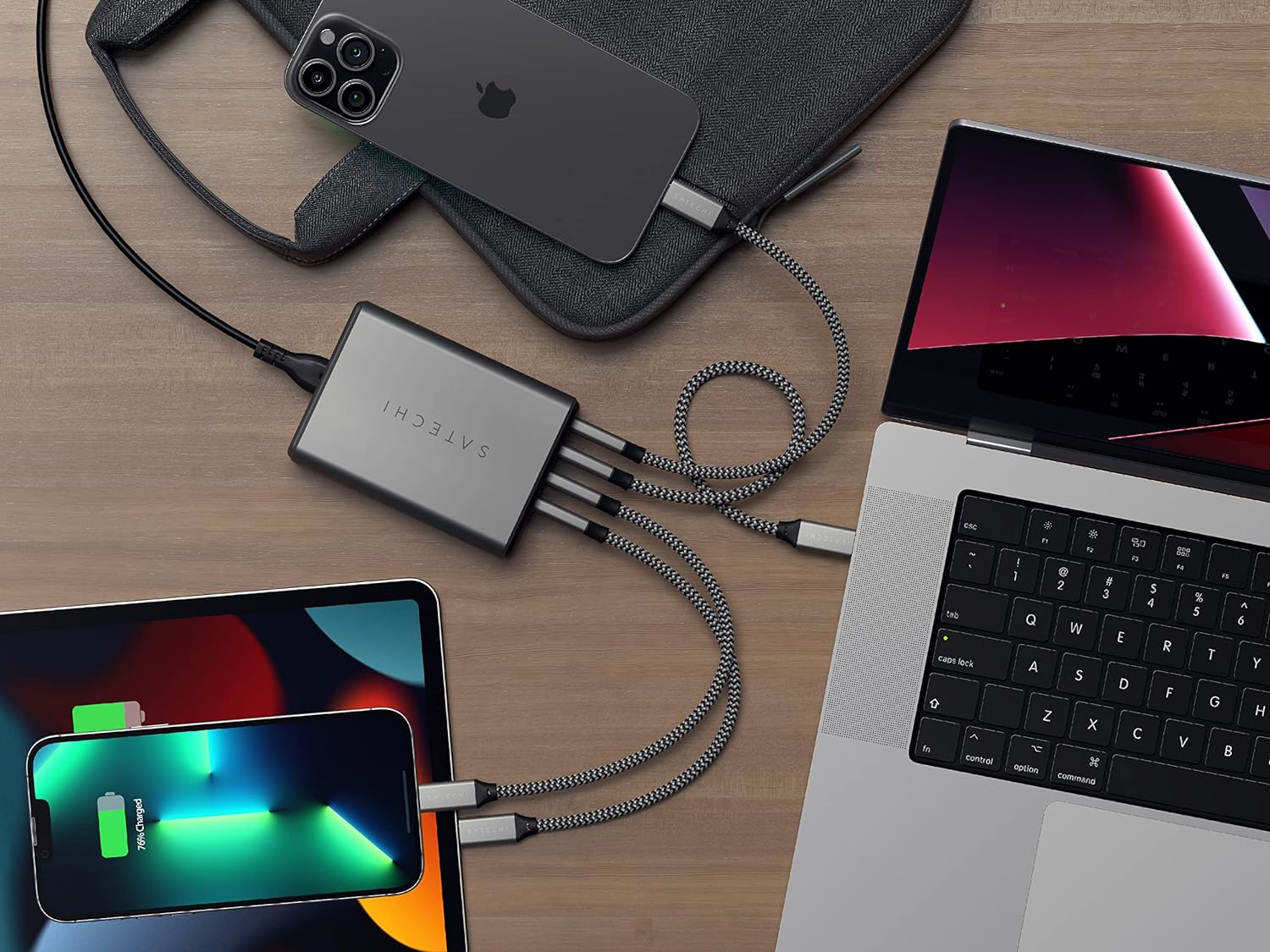
- Multi-Device Fast Charging: Equipped with four USB-C PD ports, each capable of flexible power distribution to accommodate various devices simultaneously, delivering up to 165W total output.
- Safety Certified: CE and ETL certified, ensuring device safety with over-current protection and maintaining an optimal operating temperature around 40°C.
- GaN Technology: Utilizes Gallium Nitride technology for faster charging speeds and improved power efficiency compared to traditional silicon-based chargers.
- On-the-Go Convenience: Designed for both home and travel use, offering a practical and portable solution for powering a wide range of devices.
Components
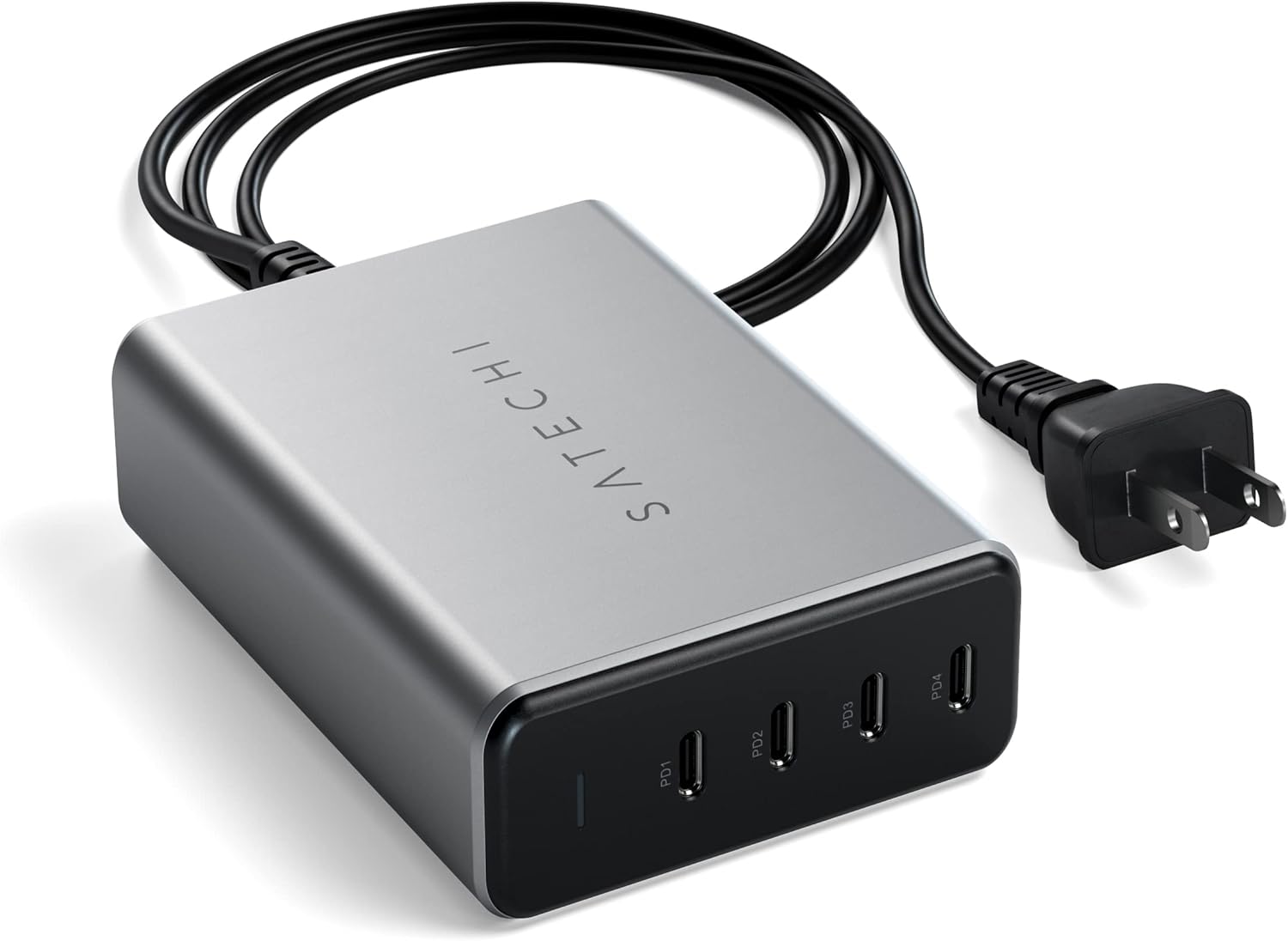
The charging station features a sleek, space gray aluminum casing with a black front panel housing the four USB-C Power Delivery (PD) ports and an LED indicator.


Setup
Connecting the Power Adapter
- Connect the detachable AC power cable to the power input port on the back of the Satechi 165W USB C 4-Port GaN Charging Station.
- Plug the other end of the AC power cable into a standard wall outlet.
- The LED indicator on the front of the charging station will illuminate, indicating it is powered on and ready for use.
Using the Vertical Stand
The included vertical stand allows for upright placement of the charging station, optimizing desk space and cable management. Simply slide the charging station into the stand's groove until it is securely seated.
Operating Instructions
Power Distribution
The Satechi 165W USB C 4-Port GaN Charging Station intelligently distributes power across its four ports based on the connected devices' power requirements. The total output is 165W. Here's a general guide to power distribution:
- Single Port Usage: A single port can deliver up to 100W, ideal for charging power-hungry laptops like MacBook Pro models.
- Two Ports Used: Power is distributed, for example, one port at 100W and another at 60W, or two ports at 60W each, depending on the specific ports and devices.
- Three Ports Used: Power can be distributed as 100W, 30W, 30W, or 60W, 60W, 45W, or 60W, 60W, 30W.
- Four Ports Used: Power is distributed across all four ports, typically as 60W, 45W, 30W, 30W, or 45W, 45W, 30W, 30W, ensuring all devices receive adequate power.
For optimal charging, use certified USB-C charging cables (sold separately) that support the required power delivery levels for your devices.
Device Compatibility
The Satechi 165W USB C 4-Port GaN Charging Station is broadly compatible with a wide range of USB-C powered devices, including but not limited to:
- Laptops: MacBook Air/Pro M4/M3/M2/M1, Windows laptops (e.g., Dell XPS, Microsoft Surface, Lenovo Yoga).
- Tablets: iPad Air/Pro M4/M3/M2/M1, iPad Mini 7th gen, iPad 11th gen, Android tablets.
- Smartphones: iPhone 16 Pro Max/16 Pro/16/16 Plus, iPhone 15 Pro Max/15 Pro/15/15 Plus, iPhone 14 Pro Max/14 Pro/14/14 Plus, iPhone 13 Pro Max/13 Pro/13/13 Mini, iPhone 12 Pro Max/12 Pro/12/12 Mini, iPhone 11 Pro Max/11 Pro/11, XS Max/XS/XR/X, Galaxy S25/S24 series, Pixel 9 series.
- Other Devices: Apple Watch, AirPods/Pro, Powerbanks, Game Consoles (e.g., Nintendo Switch), USB-C Keyboards, USB-C Mice.
Safety Information
Your Satechi 165W USB C 4-Port GaN Charging Station is designed with multiple safety features to protect your devices and ensure reliable operation. Please observe the following:
- Certifications: The charger is CE and ETL certified, meeting stringent safety standards.
- Over-Current Protection: Prevents damage to connected devices from excessive current.
- Over-Heat Protection: Monitors and regulates the internal temperature to prevent overheating. The unit is designed to operate at a normal temperature of approximately 40°C.
- Short Circuit Protection: Safeguards against electrical shorts.
- Anti-Static: Designed to minimize static discharge.
- Do not expose the charging station to water, moisture, or extreme temperatures.
- Avoid dropping or subjecting the device to strong impacts.
- Do not attempt to disassemble or repair the unit yourself. Refer to qualified service personnel.
Maintenance
To ensure the longevity and optimal performance of your Satechi 165W USB C 4-Port GaN Charging Station, follow these simple maintenance guidelines:
- Cleaning: Disconnect the charger from the power outlet and all devices before cleaning. Use a soft, dry, lint-free cloth to wipe the surface. Do not use liquid cleaners or aerosol sprays.
- Storage: When not in use for extended periods, store the charging station in a cool, dry place away from direct sunlight and extreme temperatures.
- Cable Care: Avoid bending or crimping the power cable excessively. Ensure cables are not under tension when connected.
Troubleshooting
If you encounter issues with your Satechi 165W USB C 4-Port GaN Charging Station, please refer to the following common troubleshooting steps:
| Problem | Possible Cause | Solution |
|---|---|---|
| Device not charging or charging slowly. | Loose cable connection; insufficient power for device; faulty cable; device issue. | Ensure all cables are securely connected. Verify the device's power requirements are within the charger's output capabilities. Try a different USB-C cable. Test with another device. |
| LED indicator is off. | No power supply. | Check if the AC power cable is firmly plugged into both the charger and the wall outlet. Try a different wall outlet. |
| Charger feels warm. | Normal operation; heavy load. | It is normal for the charger to feel warm during operation, especially under heavy load. The operating temperature is designed to be around 40°C. If it feels excessively hot, disconnect immediately and contact support. |
Specifications
| Attribute | Detail |
|---|---|
| Product Dimensions | 3.93 x 1.22 x 2.8 inches |
| Item Weight | 12.1 ounces |
| Model Number | ST-UC165GM |
| Brand | Satechi |
| Connector Type | USB Type C |
| Input Voltage | 240 Volts (AC) |
| Amperage | 5 Amps |
| Total USB Ports | 4 |
| Color | Space Gray |
Warranty and Support
Warranty Information
Satechi products, including the 165W USB C 4-Port GaN Charging Station, are covered by a 2-year limited warranty. This warranty protects against defects in materials and workmanship under normal use. Please retain your proof of purchase for warranty claims.
Customer Support
For further assistance, technical support, or warranty inquiries, please visit the official Satechi website or contact their customer support team. Detailed contact information can typically be found on the Satechi website's support section.
Online resources such as FAQs and troubleshooting guides may also be available on the manufacturer's support pages.


