
ARMODD Roundz 3 Rose
ARMODD Roundz 3 Smartwatch User Manual
Brand: ARMODD | Model: Roundz 3
1. Introduction
Welcome to the user manual for your new ARMODD Roundz 3 Smartwatch. This guide provides detailed instructions on how to set up, operate, and maintain your device, ensuring you get the most out of its features. Please read this manual carefully before using the smartwatch.
The ARMODD Roundz 3 is an elegant round smartwatch designed for both men and women, featuring a full touch screen and compatibility with iOS and Android devices. It offers a range of health and fitness tracking capabilities, along with smart notifications to keep you connected.
2. Safety Information
To ensure safe and proper use of your ARMODD Roundz 3 Smartwatch, please observe the following safety guidelines:
- Do not attempt to disassemble, repair, or modify the device. This may void the warranty and cause damage.
- Keep the device away from extreme temperatures, direct sunlight, and high humidity.
- Avoid exposing the device to strong impacts or vibrations.
- Use only the provided or approved charging cable. Improper charging may lead to fire or explosion.
- Consult a medical professional before starting any new exercise regimen or if you have pre-existing health conditions, especially if relying on the watch's health monitoring features. The health data provided by the watch is for reference only and should not be used for medical diagnosis or treatment.
- If you experience skin irritation or discomfort from wearing the watch, discontinue use and consult a doctor.
- Dispose of the device and its battery responsibly according to local regulations. Do not dispose of it with household waste.
3. Package Contents
Please check the box for the following items:
- ARMODD Roundz 3 Smartwatch
- Charging Cable
- User Manual (this document)
If any items are missing or damaged, please contact your retailer or ARMODD customer support.
4. Setup
4.1 Charging the Smartwatch
Before first use, fully charge your ARMODD Roundz 3 Smartwatch. Connect the charging cable to the charging contacts on the back of the watch and plug the USB end into a power adapter (not included) or a computer's USB port.
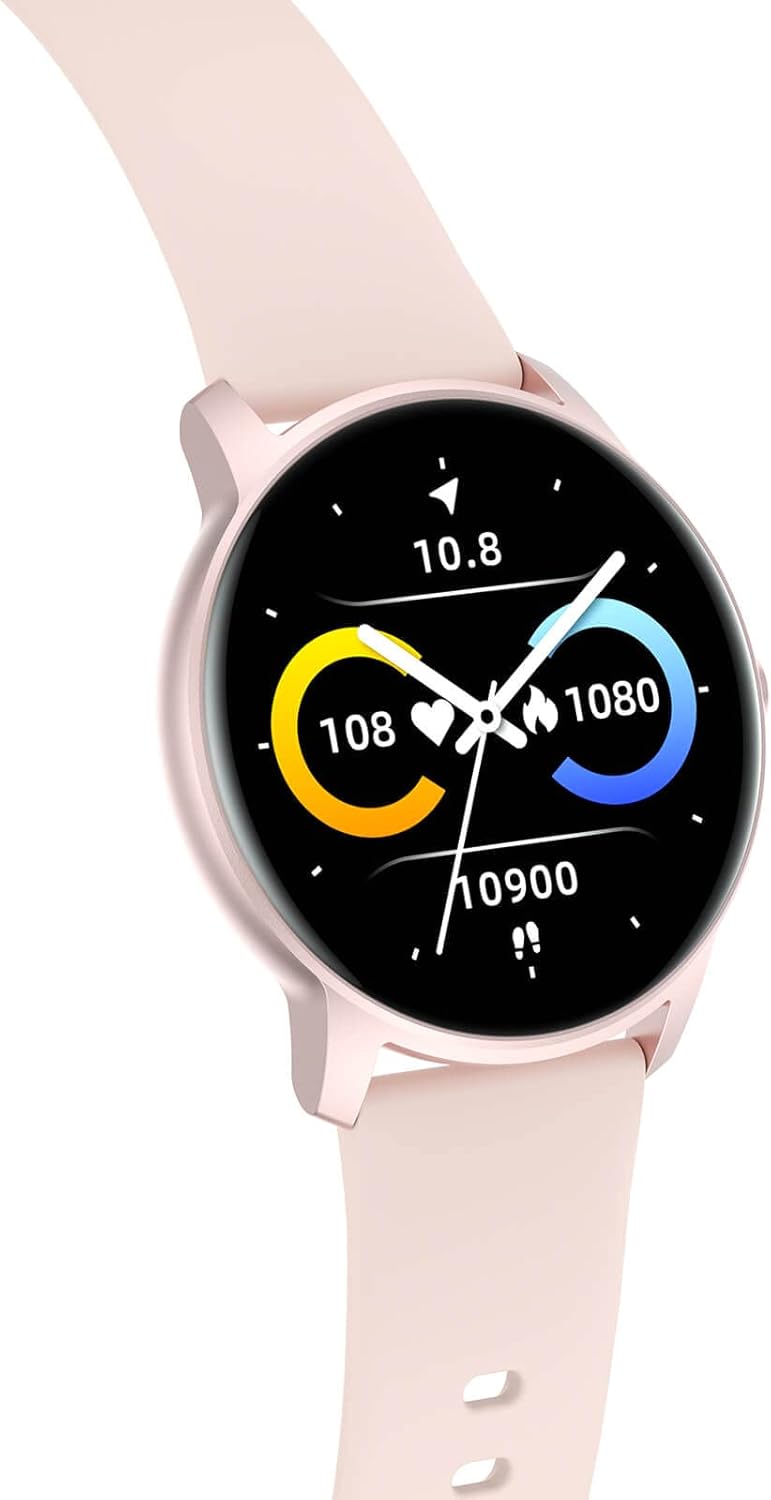
Image: Rear view of the ARMODD Roundz 3 Smartwatch, highlighting the charging contacts and health sensors.
The watch display will show the charging status. A full charge typically takes about 2 hours.
4.2 Powering On/Off
- Power On: Press and hold the side button until the ARMODD logo appears.
- Power Off: From the watch face, swipe down to access quick settings, then tap the power icon, or navigate to Settings > System > Power Off. Confirm your choice.
4.3 App Installation and Pairing
To unlock the full potential of your smartwatch, download the companion app on your smartphone. Search for "ARMODD Fit" (or similar, as the app name is not specified, I'll use a generic but plausible name) in the App Store (iOS) or Google Play Store (Android).
- Download and install the app on your smartphone.
- Ensure Bluetooth is enabled on your smartphone.
- Open the app and follow the on-screen instructions to create an account or log in.
- In the app, navigate to "Device" or "Add Device" and select your ARMODD Roundz 3 from the list of available devices. The watch's Bluetooth name might be "ARMODD Roundz 3" or a similar identifier.
- Confirm the pairing request on both your smartphone and the smartwatch.
Once successfully paired, the watch will synchronize time and data with your phone.
5. Operating Your Smartwatch
5.1 Navigating the Touchscreen
The ARMODD Roundz 3 features a full touch display for intuitive navigation:
- Swipe Up: Access notifications.
- Swipe Down: Access quick settings (e.g., brightness, battery, DND mode).
- Swipe Left/Right: Cycle through main functions/widgets (e.g., activity data, heart rate, weather).
- Tap: Select an item or enter a menu.
- Press Side Button: Return to the watch face or wake the screen.

Image: The ARMODD Roundz 3 Smartwatch showcasing its round full touch display with various health metrics.
5.2 Basic Functions
- Time and Date: Automatically synchronized with your paired smartphone.
- Wrist-Turn Activation: Raise your wrist to automatically illuminate the screen. This feature can be enabled/disabled in the app or watch settings.

Image: The ARMODD Roundz 3 Smartwatch showing the current time, date, step count, and battery level on its display.
6. Key Features
6.1 Health and Fitness Tracking
The ARMODD Roundz 3 is equipped with advanced sensors to monitor your health and activity:
- Step Counter & Calorie Burn: Tracks your daily steps and estimates calories burned.
- Heart Rate Monitoring: Measures your heart rate in real-time. You can set it to monitor at regular intervals via the app.
- Blood Pressure & Blood Oxygen (SpO2): Provides indicative measurements of blood pressure and blood oxygen saturation. Note: These measurements are for reference only and should not be used for medical purposes.
- Customized Sports Activities: Supports various sports modes to track your workouts, including walking, running, cycling, and more.

Image: A woman engaged in exercise, with the ARMODD Roundz 3 Smartwatch displaying data from one of its multiple sport modes, such as heart rate and duration.

Image: The ARMODD Roundz 3 Smartwatch showing real-time data during a cycling activity, including distance, calories, and heart rate.
6.2 Customizable Watch Faces
Personalize your smartwatch with a variety of watch faces:
- Pre-set Watch Faces: Choose from 5 pre-installed watch faces directly on the device.
- Custom Photo Watch Face: Upload your own photo through the companion app to create a unique watch face.

Image: A collage of different watch face options available for the ARMODD Roundz 3 Smartwatch, including a customizable photo option.
6.3 Smart Notifications
Stay informed with notifications delivered directly to your wrist:
- Receive alerts for incoming calls, SMS messages, emails, and messages from various applications (e.g., WhatsApp, Facebook, Instagram).
- Manage which app notifications you receive through the companion app settings.

Image: The ARMODD Roundz 3 Smartwatch displaying a message notification on its screen, with icons for various social media apps visible on the side.
6.4 Bluetooth Music Control
Control music playback on your smartphone directly from your smartwatch:
- Play, pause, skip tracks, and adjust volume for music playing on your paired smartphone.

Image: A woman enjoying music, with the ARMODD Roundz 3 Smartwatch displaying its music player control interface on the screen.
7. Maintenance
Proper maintenance will extend the life of your ARMODD Roundz 3 Smartwatch:
- Cleaning: Wipe the watch and strap regularly with a soft, damp cloth. Avoid using harsh chemicals or abrasive materials. Ensure the charging contacts are clean and dry before charging.
- Charging: Do not leave the watch charging for extended periods after it is fully charged.
- Storage: If storing the watch for a long time, charge it to about 50% and store it in a cool, dry place. Recharge it every few months to prevent battery degradation.
- Software Updates: Periodically check the companion app for available software updates. Updates can improve performance, add new features, and fix bugs.
8. Troubleshooting
If you encounter issues with your smartwatch, try the following solutions:
| Problem | Possible Solution |
|---|---|
| Watch does not turn on. | Ensure the watch is fully charged. Connect it to the charger for at least 30 minutes. |
| Cannot pair with smartphone. |
|
| Notifications are not received. |
|
| Inaccurate health data. |
|
| Screen is unresponsive. | Restart the watch by pressing and holding the side button until it powers off, then power it back on. |
If the problem persists, please contact ARMODD customer support for further assistance.
9. Specifications
| Feature | Detail |
|---|---|
| Brand | ARMODD |
| Model Name | Roundz 3 Rose |
| Color | Rose |
| Screen Size | 1.28 Inches |
| Form Factor | Round |
| Connectivity | Bluetooth |
| Special Features | Time display, Pedometer, Sedentary reminder, Heart Rate Monitor, Blood Pressure Monitor, Blood Oxygen Monitor, Notifications, Music Control |
| Battery | 1 Lithium-ion (included), Rechargeable |
| Release Date | April 14, 2022 |
10. Warranty and Support
ARMODD is committed to providing quality products. For warranty information, please refer to the warranty card included with your purchase or visit the official ARMODD website. Specific details regarding spare parts availability and guaranteed software updates are not provided in the product information.
For technical support, troubleshooting assistance, or any other inquiries, please contact ARMODD customer service through their official website or the contact information provided by your retailer. When contacting support, please have your product model (ARMODD Roundz 3) and purchase details ready.
Related documentsRoundz 3 Rose


Ask a question about this manual
Ask about setup, troubleshooting, compatibility, parts, safety, or missing instructions. Manuals+ will review the question and use this page’s manual context to help answer it.