
Introduction
This manual provides instructions for the PureGear Kickstand 15W Magnetic Wireless Charging Pad. This device is designed to provide fast wireless charging for compatible smartphones and accessories, featuring magnetic attachment for MagSafe-enabled devices and a built-in kickstand for hands-free viewing.
Package Contents
- 15W Fast Magnetic Wireless Charging Pad
- 20W USB-C Fast Wall Adapter
- User Manual
Setup Instructions
- Connect the Charging Pad: Insert the USB-C connector of the charging pad into the 20W USB-C Fast Wall Adapter.
- Connect to Power: Plug the 20W USB-C Fast Wall Adapter into a standard wall outlet.
- The charging pad is now ready for use.

Operating Instructions
- Magnetic Attachment (MagSafe Compatible Devices): Align your MagSafe-compatible iPhone (12 series and newer) or MagSafe-compatible case with the charging pad. The magnets will automatically align the device for optimal charging.
- Qi-Enabled Devices: Place your Qi-enabled device (e.g., Samsung Galaxy, AirPods) centrally on the charging pad. Ensure proper alignment for charging to initiate.
- Using the Kickstand: The charging pad features a built-in kickstand. Extend the kickstand to prop up your device horizontally for hands-free viewing while charging.


Device Compatibility
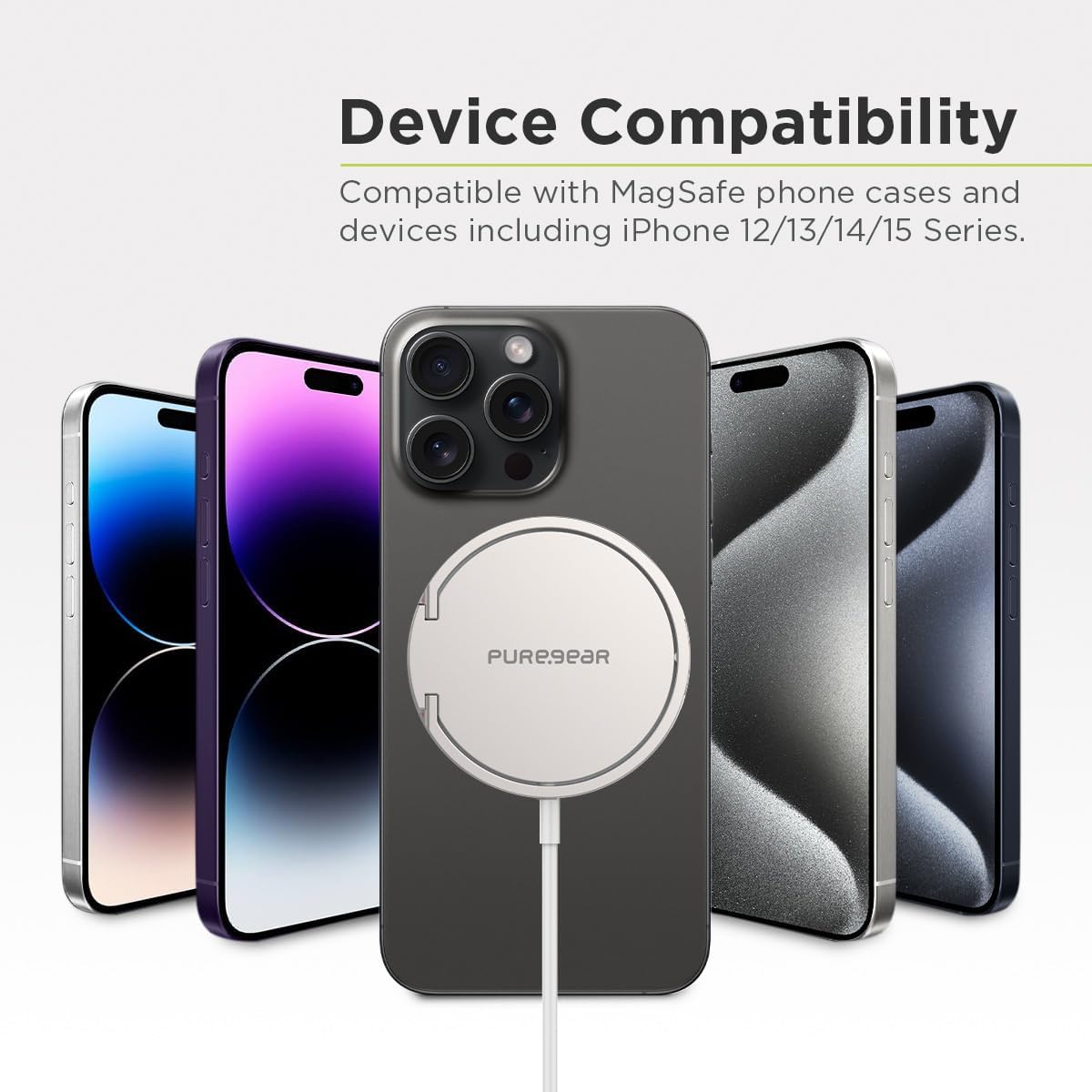
The PureGear Kickstand 15W Magnetic Wireless Charging Pad is compatible with a wide range of devices:
- MagSafe Compatible: Apple iPhone 15 Pro Max, 15 Pro, 15 Plus, 15, 14 Pro Max, 14 Pro, 14 Plus, 14, 13 Pro Max, 13 Pro, 13, 13 mini, 12 Pro Max, 12 Pro, 12, 12 mini. Also compatible with MagSafe cases.
- Qi-Enabled Devices: Most Qi wireless enabled devices, including Apple AirPods, iPhone 11/11 Pro/11 Pro Max/XS MAX/XS/XR/X, iPhone 8/8 Plus, Samsung Galaxy S24 Ultra, S24 Plus, S24, S23 Ultra, S23 Plus, S23, S23 FE, S22 Ultra, S22 Plus, S22, S21, S21+, S21 Ultra, S20, S20+, S20 Ultra, Galaxy Note 10+, Note 10, Note 9, Note 8, Galaxy S10+, S10, S10E, Galaxy S9+, S9, Galaxy S8+, S8.
- Case Friendly: The built-in magnet will attach and charge through most slim cases, including MagSafe cases.
Special Features
- 15W Fast Wireless Charging: Supports up to 15 watts of fast charging power for compatible devices. The included 20W USB-C Fast Wall Adapter ensures optimal power delivery.
- Built-in Kickstand: Allows you to conveniently prop up your phone horizontally for hands-free viewing of videos or video calls while charging.
- MagSafe Compatibility: Designed for seamless magnetic attachment to Apple iPhone 12 series and newer, as well as MagSafe-compatible cases, ensuring perfect alignment for efficient charging.
- Case Friendly: The magnetic connection and wireless charging function effectively through most slim protective cases.

Troubleshooting
- Device Not Charging:
- Ensure the charging pad is securely connected to the wall adapter and the adapter is plugged into a live power outlet.
- Verify your device is Qi-enabled or MagSafe-compatible.
- Adjust the placement of your device on the charging pad to ensure proper alignment with the charging coil.
- If using a phone case, ensure it is not excessively thick (over 3mm) or contains metal, which can interfere with wireless charging.
- Slow Charging:
- Confirm you are using the included 20W USB-C Fast Wall Adapter. Using a lower-wattage adapter may result in slower charging speeds.
- Ensure your device supports 15W fast wireless charging.
- Avoid using your device extensively while it is charging, as this can slow down the charging process.
- Device or Charger Overheating:
- Some warmth during wireless charging is normal. However, if the device or charger becomes excessively hot, discontinue use immediately.
- Ensure there are no foreign objects between your device and the charging pad.
- Remove your phone case to see if it improves heat dissipation.
Specifications
| Feature | Detail |
|---|---|
| Model Number | 63869PG |
| Brand | PureGear |
| Wireless Output | Up to 15W |
| Included Adapter | 20W USB-C Fast Wall Adapter |
| Connector Type | USB-C (on charging pad) |
| Input Voltage | 9 Volts |
| Amperage | 1.67 Amps |
| Total USB Ports | 1 (on adapter) |
| Color | Silver |
| Item Weight | 2.4 ounces |
| Package Dimensions | 5.63 x 2.72 x 1.46 inches |
Maintenance
- Cleaning: Disconnect the charging pad from power before cleaning. Use a soft, dry, lint-free cloth to wipe the surface. Do not use harsh chemicals or abrasive materials.
- Storage: Store the charging pad in a cool, dry place away from direct sunlight and extreme temperatures.
- Handling: Avoid dropping the device or subjecting it to strong impacts.
Warranty and Support
This PureGear product comes with a Lifetime Warranty. Additionally, a 30-day money-back guarantee is offered. For warranty claims, technical support, or any product-related inquiries, please contact PureGear customer service through their official website or the retailer where the product was purchased.
For more information, visit the PureGear Store on Amazon.
