
Introduction
This manual provides comprehensive instructions for the realme Buds Air 3 Wireless Earbuds (Model: RMA2105). It covers setup, operation, maintenance, and troubleshooting to ensure optimal performance and longevity of your device. The realme Buds Air 3 feature advanced Active Noise Cancellation, a powerful 10mm Dynamic Bass Boost Driver, extended playtime, and IPX5 water resistance.

Image: The realme Buds Air 3 earbuds are shown inside their open white charging case, with a small green indicator light visible.
Product Overview
The realme Buds Air 3 are designed for an immersive audio experience with key features including:
- Powerful 42dB Active Noise Cancellation (ANC): Dual microphones (feedforward and feedback) work to eliminate ambient noise, providing a quiet listening environment.
- Transparency Mode: Allows you to hear your surroundings clearly without removing the earbuds, useful for conversations or awareness.
- 88ms Super Low Latency: Optimized for gaming, reducing audio delay for a more synchronized experience.
- 10mm LCP Bass Boost Dynamic Driver: Delivers rich, accurate audio with enhanced bass.
- Up to 30 Hours Playtime: Combined battery life of earbuds and charging case in normal mode.
- IPX5 Water Resistance: Protects against splashes and sweat, suitable for workouts and light rain.
- Dual AI Mic Noise Cancellation for Calls: Reduces background noise during phone calls for clearer communication.
- Dual Device Connection: Seamlessly switch between two paired devices, such as a smartphone and a tablet.
- Intuitive Touch Controls: Manage playback, calls, and modes directly from the earbuds.
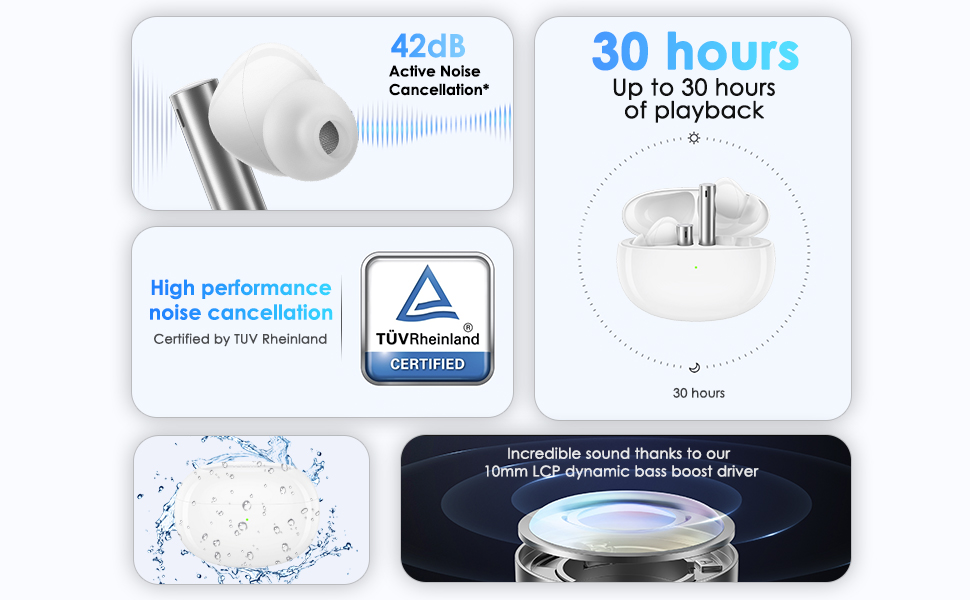
Image: A collage highlighting the main features: 42dB Active Noise Cancellation, 30 hours of playback, TUV Rheinland certification, IPX5 water resistance, and the 10mm LCP dynamic bass boost driver.
Setup
1. Initial Charging
Before first use, fully charge the realme Buds Air 3 and their charging case.
- Place both earbuds into the charging case.
- Connect the charging case to a power source using a compatible USB-C cable.
- The indicator light on the case will show charging status. A full charge is indicated when the light remains solid green.
- A 10-minute charge provides approximately 100 minutes of listening time.
2. Bluetooth Pairing
To connect your realme Buds Air 3 to a device:
- Ensure the earbuds are in the charging case and the lid is open.
- Press and hold the function button on the charging case for 3 seconds until the indicator light flashes white, indicating pairing mode.
- On your device (smartphone, tablet, laptop), enable Bluetooth and search for available devices.
- Select "realme Buds Air 3" from the list of found devices to complete the pairing process.
- Once connected, the indicator light will turn solid green.
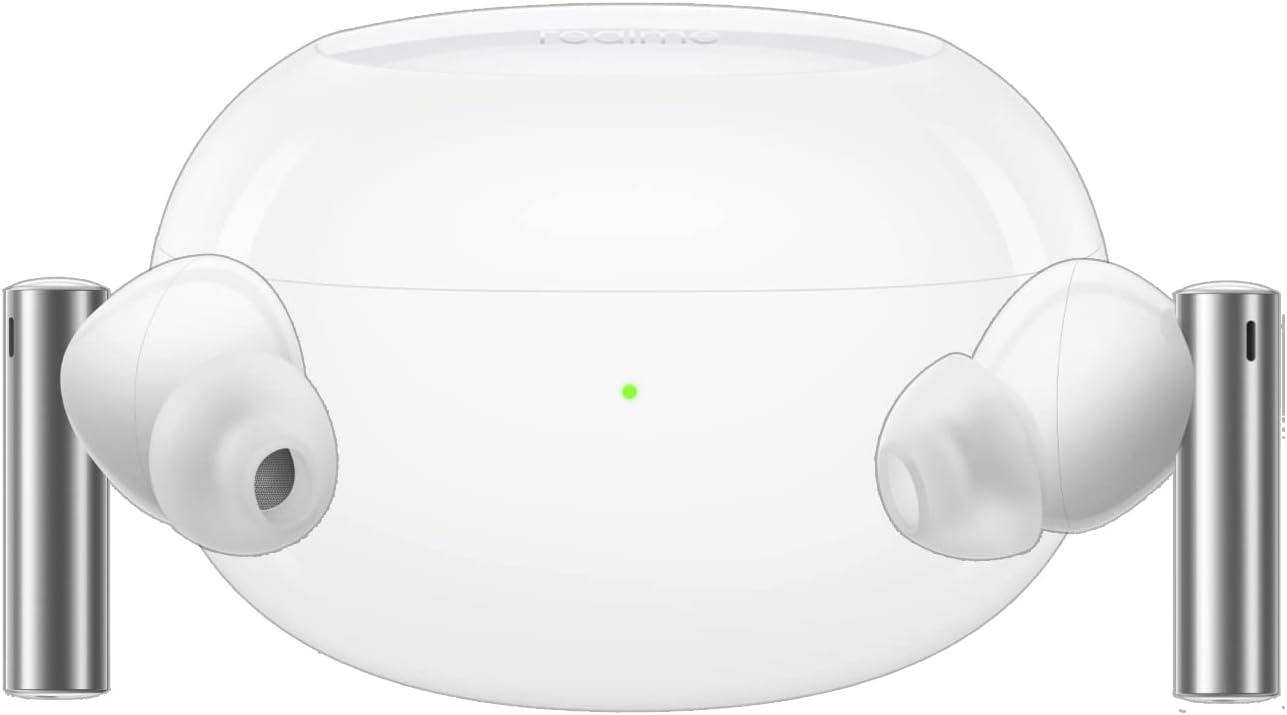
Image: The realme Buds Air 3 earbuds are shown outside their charging case, ready for use or pairing.
3. realme Link App (Android Only)
For enhanced customization and features, download the realme Link App.
- The app allows you to personalize touch functions, switch between ANC modes (strong/mild), update firmware, and more.
- Note: The realme Link App is not compatible with iOS systems.
- Download the app from the official realme website or scan the QR code provided in the product packaging.
- Official download link: realme Link App Download

Image: A smartphone displaying the realme Link App interface, showing earbud battery levels and sound settings, alongside a QR code for app download.
Operating Instructions
Wearing the Earbuds
Gently insert the earbuds into your ear canals. Rotate them slightly to find a comfortable and secure fit. Ensure the ear tips form a good seal for optimal sound quality and noise cancellation.
Touch Controls
The realme Buds Air 3 feature intuitive touch controls on each earbud.
| Action | Function |
|---|---|
| Double-tap (either earbud) | Play/Pause music, Answer/End call |
| Triple-tap (either earbud) | Skip to next track |
| Long press (either earbud) | Switch between Noise Cancelling and Transparency Mode |
| Long press (both earbuds simultaneously) | Enter/Exit Game Mode (88ms low latency) |
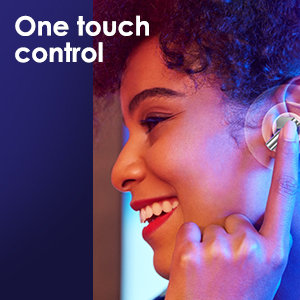
Image: A person touching the side of an earbud, illustrating the touch control functionality.
Active Noise Cancellation (ANC) and Transparency Mode
The realme Buds Air 3 offer powerful noise cancellation and a transparency mode for different listening scenarios.
- Active Noise Cancellation: Reduces external noise by up to 42dB, ideal for noisy environments.
- Transparency Mode: Amplifies ambient sounds, allowing you to hear your surroundings without removing the earbuds.
- Switch between these modes by long-pressing either earbud.

Image: A split image showing an earbud with a graphic indicating 42dB Active Noise Cancellation, and a person wearing the earbuds with text indicating "Transparency Mode" and "Talk all you want with them on."
Dual Device Connection
The earbuds can be simultaneously connected to two devices. This allows for seamless switching between audio sources. For example, you can watch a video on your tablet and automatically switch to your phone when a call comes in.
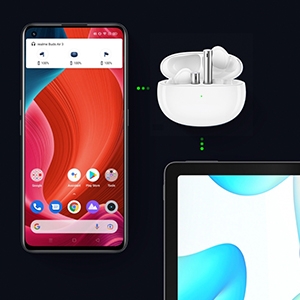
Image: A visual representation of the realme Buds Air 3 simultaneously connected to a smartphone and a tablet, demonstrating the dual device connection feature.
Maintenance
Cleaning
- Regularly clean the earbuds and charging case with a soft, dry, lint-free cloth.
- Remove ear tips and clean them with mild soap and water, then dry thoroughly before reattaching.
- Use a cotton swab or a small, soft brush to gently clean the charging contacts on both the earbuds and the case.
- Avoid using abrasive materials, alcohol, or chemical cleaners.
Water Resistance (IPX5)
The realme Buds Air 3 are rated IPX5 for water resistance, meaning they are protected against low-pressure water jets from any direction.
- This rating makes them suitable for exercise and light rain.
- Do not submerge the earbuds in water or expose them to high-pressure water jets.
- Ensure the earbuds and charging case are dry before placing them back in the case to charge.
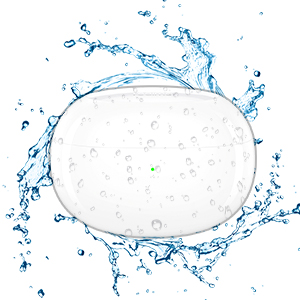
Image: The realme Buds Air 3 charging case is depicted with water droplets splashing around it, illustrating its IPX5 water resistance rating.
Storage
Store the earbuds in their charging case when not in use to protect them and keep them charged. Store in a cool, dry place away from extreme temperatures.
Troubleshooting
If you encounter issues with your realme Buds Air 3, try the following solutions:
- Earbuds not pairing/connecting:
- Ensure earbuds are charged.
- Turn off and on Bluetooth on your device.
- Place earbuds in case, close lid, then open and try pairing again.
- Forget "realme Buds Air 3" from your device's Bluetooth settings and re-pair.
- No sound or low volume:
- Check device volume and earbud volume.
- Ensure earbuds are properly seated in your ears for a good seal.
- Clean any debris from the earbud mesh.
- Try playing audio from a different application or device.
- Noise Cancellation not effective:
- Ensure earbuds are properly fitted and sealed in your ear canal.
- Check that ANC mode is activated (long press earbud).
- Update earbud firmware via the realme Link App.
- Call quality issues:
- Ensure earbuds are clean, especially the microphone areas.
- Move closer to your connected device to avoid interference.
- Check for firmware updates via the realme Link App.
- Resetting the Earbuds:
If issues persist, you may need to reset the earbuds to factory settings. Refer to the realme Link App or realme's official support website for specific reset instructions, as this process can vary.
Specifications
| Feature | Detail |
|---|---|
| Model Name | relame buds |
| Item Model Number | RMA2105 |
| Connectivity Technology | Wireless (Bluetooth) |
| Audio Driver Type | 10mm LCP Dynamic Bass Boost Driver |
| Noise Control | 42dB Active Noise Cancellation |
| Special Features | Transparency Mode, 88ms Super Low Latency, Dual AI Mic Noise Cancellation, Dual Device Connection |
| Battery Life (Earbuds + Case) | Up to 30 Hours (Normal Mode) |
| Charging Time | 10 minutes charge for 100 minutes listening |
| Water Resistance Level | IPX5 Water Resistant |
| Control Method | Touch Control |
| Item Weight | 0.06 Kilograms (2.01 ounces) |
| Product Dimensions | 4 x 3 x 1 inches |
| Included Components | Charging Station |
| Compatible Devices | Smartphones, Tablets, Laptops, Desktops |
Warranty and Support
For detailed warranty information, please refer to the warranty card included with your product or visit the official realme support website.
The realme Link App (for Android devices) provides access to firmware updates and personalized settings, which can help maintain optimal performance.
For further assistance or technical support, please contact realme customer service through their official channels.