
Introduction
This manual provides detailed instructions for the safe and effective use of your Ink Permanent Lancer Wireless Rotary Tattoo Pen Machine, model WQP-015. Designed for both beginners and experienced tattoo artists, this machine offers precision control, reliable performance, and enhanced portability with its wireless design.
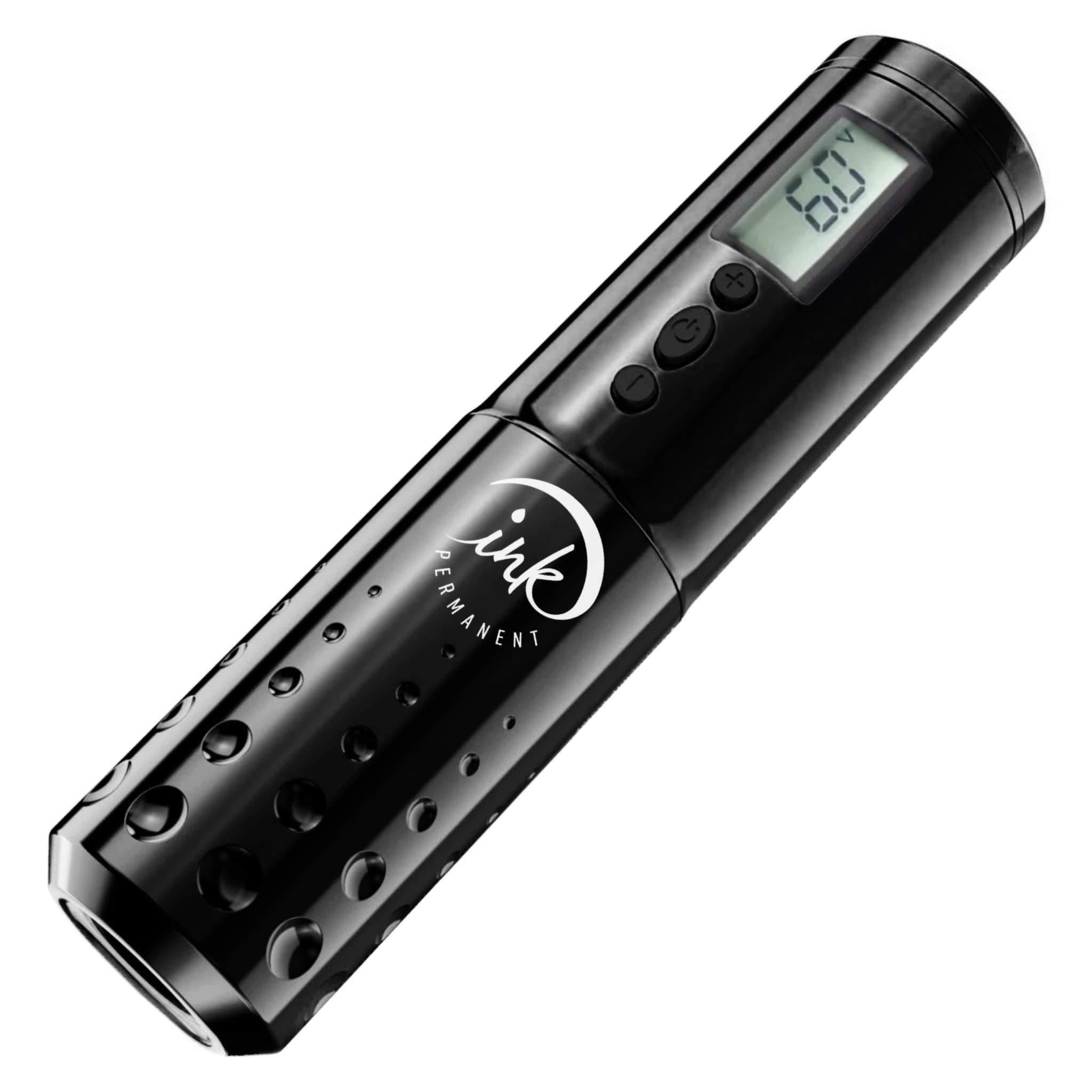
Image: The Ink Permanent Lancer Wireless Rotary Tattoo Pen Machine, featuring a sleek black design with an LED display and control buttons.
Package Contents
Verify that all items listed below are included in your package:
- Ink Permanent Lancer Wireless Rotary Tattoo Pen Machine (WQP-015)
- 2 x Replaceable 1900mAh Batteries
- Battery Charger with Digital LED Display
- USB Charging Cable
- Adjustable Grip(s)

Image: The complete kit for the Ink Permanent Lancer Tattoo Pen, including the pen, two batteries, a charger, and a USB cable, presented in its packaging.
Setup Instructions
1. Charging the Batteries
Before initial use, fully charge both 1900mAh batteries. Charging typically takes 2 to 3 hours per battery.
- Connect the USB charging cable to the battery charger and a suitable USB power adapter (not included).
- Insert the batteries into the charging slots of the charger. Ensure correct polarity (+/-).
- The digital LED display on the charger will indicate the charging status. Once fully charged, remove the batteries.

Image: The battery charger with two batteries inserted, showing the digital LED display.
2. Inserting the Battery into the Pen
To power the tattoo pen, insert one of the charged batteries.
- Unscrew the bottom section of the tattoo pen to reveal the battery compartment.
- Insert a fully charged 1900mAh battery, ensuring the positive (+) end faces towards the top of the pen.
- Carefully screw the bottom section back onto the pen until secure.

Image: A hand inserting a battery into the Ink Permanent Lancer Tattoo Pen, demonstrating the correct orientation.
3. Attaching the Grip and Needle Cartridge
The Lancer pen uses universal cartridge needles.
- Ensure the grip is securely attached to the pen body.
- Gently push your desired cartridge needle into the front opening of the grip until it clicks into place.
- To remove, twist the cartridge slightly and pull it out.

Image: A close-up of the adjustable grip on the Ink Permanent Lancer Tattoo Pen, showing its textured surface.
Operating Instructions
1. Power On/Off and Voltage Adjustment
The Lancer pen features an intuitive LED display and control buttons.
- Power On: Press and hold the power button (center button) for a few seconds until the LED display illuminates. The display will show the current operating voltage.
- Voltage Adjustment: Use the '+' and '-' buttons to adjust the voltage in 0.1V increments. The recommended operating voltage range is typically 5V-12V, but adjust according to your preference and needle type.
- Power Off: Press and hold the power button again for a few seconds until the display turns off.

Image: A detailed view of the Ink Permanent Lancer Tattoo Pen's LED display showing voltage and the power and adjustment buttons.
2. Adjusting Needle Length (Stroke)
The needle length can be adjusted from 0mm up to 4mm.
- To adjust the needle length, simply twist the grip of the tattoo pen.
- Twist clockwise to decrease the needle protrusion and counter-clockwise to increase it.
3. Battery Life and Usage
Each 1900mAh battery provides approximately 8-12 hours of tattooing time, depending on the voltage used and the demands of the work. The inclusion of two replaceable batteries allows for continuous operation by swapping a depleted battery with a fully charged one.
Maintenance
1. Cleaning
Proper cleaning is essential for hygiene and longevity of your machine.
- Always disconnect the power and remove the battery before cleaning.
- Wipe the exterior of the machine with a clean, damp cloth. For sterilization, use an appropriate disinfectant spray or wipe.
- Do not immerse the machine in water or any cleaning solutions.
- Ensure all parts are completely dry before reassembling or storing.
2. Battery Care
To maximize battery lifespan:
- Avoid fully discharging the batteries regularly.
- Store batteries in a cool, dry place when not in use.
- Do not expose batteries to extreme temperatures.
Troubleshooting
| Problem | Possible Cause | Solution |
|---|---|---|
| Machine does not turn on. | Battery is not inserted correctly or is depleted. | Ensure battery is inserted with correct polarity. Replace with a fully charged battery. |
| Voltage display is erratic. | Loose battery connection or low battery. | Check battery connection. Charge or replace battery. |
| Needle does not move or moves weakly. | Low voltage setting, faulty cartridge, or motor issue. | Increase voltage. Replace cartridge. If problem persists, contact support. |
| Battery not charging. | Faulty USB cable, charger, or power adapter. | Try a different USB cable, charger, or power adapter. Ensure batteries are inserted correctly. |
Specifications
| Feature | Detail |
|---|---|
| Model | WQP-015 |
| Brand | Ink Permanent |
| Type | Wireless Rotary Tattoo Pen Machine |
| Battery Capacity | 1900mAh (x2 replaceable batteries) |
| Operating Voltage | Adjustable with 0.1V increments |
| RPM | 10V; 12000 rpm |
| Stroke Length | 3.5mm |
| Adjustable Needle Length | 0mm up to 4mm (via grip twist) |
| Charging Time | 2-3 hours for full charge |
| Working Time (per battery) | 8-12 hours |
| Display | Digital LED |
Warranty and Support
No specific warranty information is provided in this manual. For details regarding warranty coverage, returns, or technical support, please refer to the product packaging, your purchase receipt, or contact Ink Permanent customer service directly.
You can also visit the official Ink Permanent Store for more information and contact options.