
1. Introduction
Thank you for choosing the SENSSUN Bluetooth Bathroom Scale. This smart scale is designed to provide comprehensive insights into your body composition, helping you track your health and fitness journey. It measures not only body weight but also analyzes various other body metrics, syncing data seamlessly with compatible fitness applications via Bluetooth. Please read this manual carefully before use to ensure proper operation and to maximize the benefits of your new scale.
2. Important Safety Information
- Always use the scale on a hard, flat surface. Using it on soft surfaces like carpet may affect accuracy.
- The scale's surface is made of tempered glass. Ensure it is dry before stepping on it to prevent slipping.
- Do not jump on the scale or use it for purposes other than weighing.
- Keep the scale away from water and extreme temperatures.
- This scale is for household use only and should not be used for medical diagnosis or treatment. Consult a healthcare professional for medical advice.
- Individuals with pacemakers or other internal medical devices should not use this product as it uses Bio-electrical Impedance Analysis (BIA) technology.
- Keep batteries out of reach of children.
3. Package Contents
Please check the box for the following items:
- SENSSUN Bluetooth Bathroom Scale (Model IF1131D)
- 3 x AAA Batteries
- User Manual (this document)
4. Product Overview
The SENSSUN Bluetooth Bathroom Scale features a sleek design with a tempered glass platform and an integrated LED display. It is equipped with high-precision sensors and four electrode areas for accurate body composition analysis.
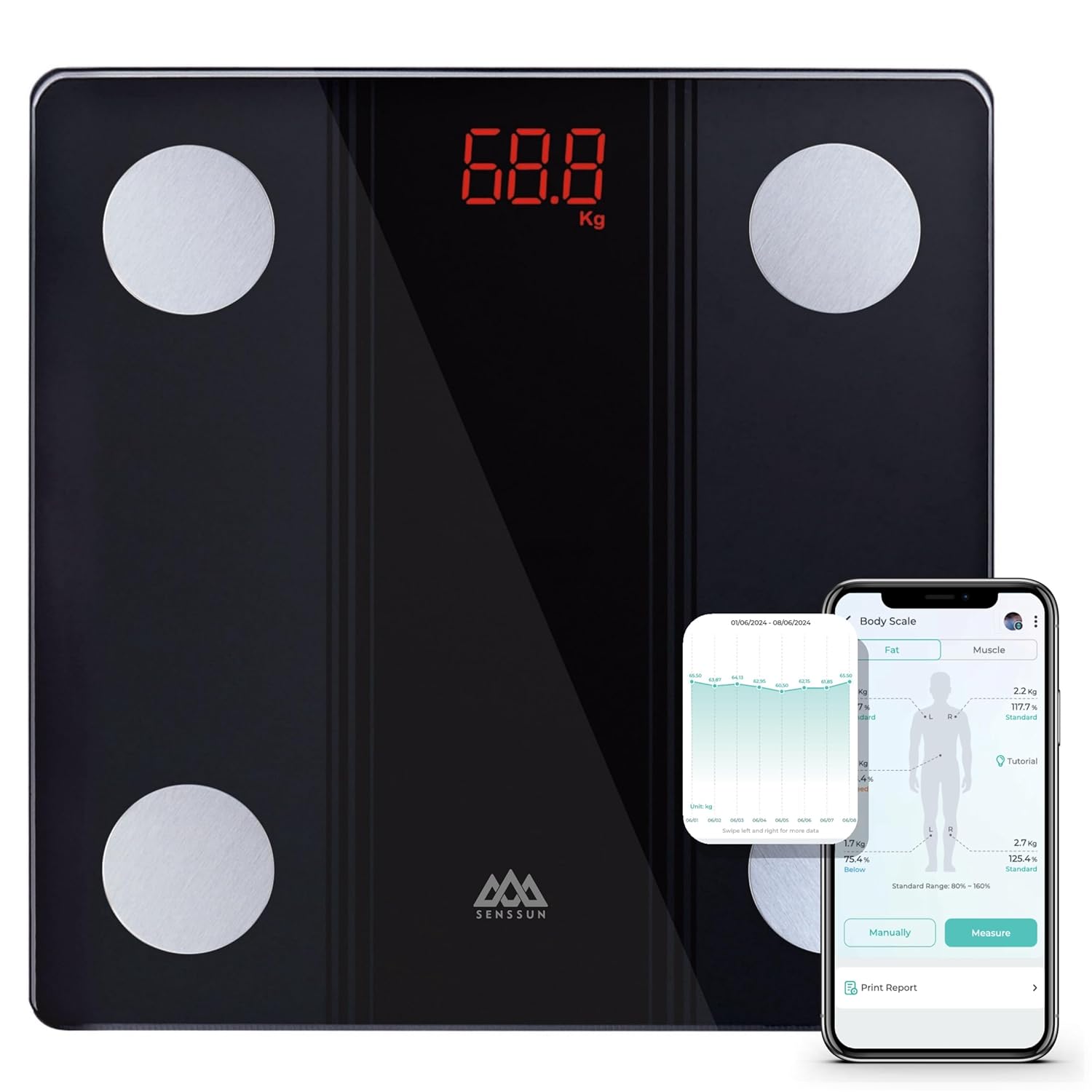
The SENSSUN Bluetooth Bathroom Scale, displaying weight on its LED screen, alongside a smartphone showing the 'MovingLife' app interface with body composition data.

Detailed views of the scale's safety features: rounded corners for user protection, anti-slip feet for stability, and a clear LED display for easy reading.
5. Setup Guide
5.1 Battery Installation
- Open the battery compartment on the back of the scale.
- Insert the 3 AAA batteries, ensuring correct polarity (+/-).
- Close the battery compartment securely.

An illustration showing the dimensions of the SENSSUN Bluetooth Bathroom Scale (26cm x 26cm x 2cm) and indicating it requires 3 AAA batteries.
5.2 App Download and Bluetooth Pairing
- Download the 'MovingLife' health app from the Apple App Store (for iOS 7.0 or higher) or Google Play Store (for Android 4.3 or higher).
- Enable Bluetooth on your smartphone.
- Open the 'MovingLife' app and create your user profile.
- Step onto the scale barefoot. The scale will automatically turn on and attempt to connect via Bluetooth.
- Follow the in-app instructions to pair the scale with your device. Once paired, your measurements will sync automatically to the app.
6. Operating Instructions
6.1 Taking a Measurement
- Place the scale on a hard, flat surface.
- Ensure your feet are clean and dry.
- Step onto the scale barefoot, placing your feet on the electrode areas. Stand still until the weight reading stabilizes on the LED display.
- If the app is open and Bluetooth is enabled on your phone, the scale will automatically transmit your body composition data to your 'MovingLife' app profile.
6.2 Viewing Data in the App
The 'MovingLife' app provides a detailed overview of your body composition data. You can view daily, weekly, monthly, and yearly trends for various metrics. The app also supports syncing with other fitness applications like Apple Health, Google Fit, and Fitbit.

The scale's ability to sync data with popular fitness applications such as iMoni Health, Fitbit, Google Fit, and Apple Health, enabling comprehensive health tracking.

A graphical representation from the 'MovingLife' app, demonstrating how users can track their progress for Body Weight, BMI, and Body Fat over daily, monthly, or yearly periods.
6.3 Multiple Users and Auto-Recognition
The 'MovingLife' app supports an unlimited number of users. Each user can create their own profile, and the scale features auto-recognition to identify individual users based on their weight history. This ensures that personal data remains private and is tracked accurately for each family member.

The scale supports an unlimited number of users with individual profiles and features auto-recognition, ensuring privacy and personalized data tracking for each family member.
7. Understanding Body Composition Measurements
The SENSSUN scale, in conjunction with the 'MovingLife' app, analyzes a comprehensive set of body composition metrics. These measurements provide a holistic view of your health beyond just body weight.

A visual representation of the 17 body composition measurements provided by the scale, including Weight, BMI, Fat, Protein Rate, Muscle Reserve Capacity, Water Rate, Heart Rate, Cardiac Index, Subcutaneous Fat Amount, Basic Metabolism, Active Metabolism, Inorganic Salts, Lean Body Mass, Visceral Fat Index, Muscle Rate, Skeletal Muscle Rate, and Bone Rate.
The scale provides the following measurements:
- Weight: Your total body mass.
- BMI (Body Mass Index): A measure of body fat based on height and weight.
- Body Fat: The percentage of fat in your body.
- Protein Rate: The percentage of protein in your body.
- Muscle Reserve Capacity: An indicator of your body's muscle reserves.
- Water Rate: The percentage of water in your body.
- Heart Rate: Your heart beats per minute.
- Cardiac Index: A measure of cardiac performance.
- Subcutaneous Fat Amount: Fat stored directly under the skin.
- Basic Metabolism: The minimum energy required to maintain vital functions at rest.
- Active Metabolism: Energy expended during physical activity.
- Inorganic Salts: The amount of essential minerals in your body.
- Lean Body Mass: The total weight of your body minus all the fat.
- Visceral Fat Index: Fat stored around the organs in the abdomen.
- Muscle Rate: The percentage of muscle in your body.
- Skeletal Muscle Rate: The percentage of skeletal muscle in your body.
- Bone Rate: The percentage of bone mass in your body.
8. Maintenance
8.1 Cleaning
To clean the scale, wipe the surface with a damp cloth and a mild detergent. Do not use abrasive cleaners or immerse the scale in water. Ensure the scale is completely dry before storage or next use.
8.2 Storage
Store the scale in a cool, dry place, away from direct sunlight and extreme temperatures. Avoid placing heavy objects on the scale when not in use.
9. Troubleshooting
- Scale not turning on: Check if the batteries are correctly installed and not depleted. Replace batteries if necessary.
- Bluetooth connection issues: Ensure Bluetooth is enabled on your smartphone and the 'MovingLife' app is open. Try restarting your phone and the app. Make sure the scale is within range of your phone.
- Inaccurate readings: Ensure the scale is on a hard, flat surface. Step on the scale barefoot and stand still. Ensure your feet are clean and dry. If issues persist, try recalibrating by stepping on and off the scale quickly to zero it out.
- No body composition data in app: Ensure you are stepping on the scale barefoot, with your feet making contact with all four electrode areas. The app must be open and connected via Bluetooth during measurement.
10. Specifications
| Model Number | IF1131D |
| Brand | SENSSUN |
| Weight Limit | 150 kg (330 lbs) |
| Readout Accuracy | 0.1 kg (0.2 lbs) |
| Platform Material | Tempered Glass |
| Display Type | LED |
| Dimensions | 26 x 26 x 2 cm (approx.) |
| Power Source | 3 x AAA Batteries (included) |
| Connectivity | Bluetooth 4.0 |
| Compatible OS | Android 4.3 or higher, iOS 7.0 or higher |
11. Warranty Information
SENSSUN products are manufactured with high-quality standards. For specific warranty details, please refer to the warranty card included with your purchase or contact the retailer where the product was acquired. Keep your proof of purchase for any warranty claims.
12. Customer Support
If you encounter any issues or have questions regarding your SENSSUN Bluetooth Bathroom Scale, please contact the customer support team of your retailer or visit the official SENSSUN website for assistance. Please have your model number (IF1131D) and purchase details ready when contacting support.


