1. Important Safety Instructions
Please read all instructions carefully before using the appliance and retain them for future reference. Failure to follow these instructions may result in electric shock, fire, or serious injury.
1.1 General Safety
- Do not touch hot surfaces. Use handles or knobs.
- Always use oven mitts or gloves when handling hot items from the oven.
- Ensure proper ventilation around the appliance. Do not block any ventilation openings.
- This appliance is for household use only. Do not use outdoors.
- Close supervision is necessary when any appliance is used by or near children.
1.2 Electrical Safety
- Ensure the voltage of the appliance matches your local power supply before connecting.
- Do not immerse the power cord, plug, or the appliance itself in water or other liquids.
- Unplug from the outlet when not in use and before cleaning.
- Do not operate any appliance with a damaged cord or plug.
1.3 Usage Safety
- Do not place paper, cardboard, plastic, or other flammable materials inside the oven.
- Exercise extreme caution when removing trays or disposing of hot grease.
- Do not store any materials, other than manufacturer's recommended accessories, in this oven when not in use.
- Always ensure the water tank is filled before using steam functions.
2. Product Overview
The Joydeem JD-S40T is an 8-in-1 multifunctional countertop appliance designed to simplify your cooking experience. It combines various cooking methods into a single unit, offering versatility and convenience.
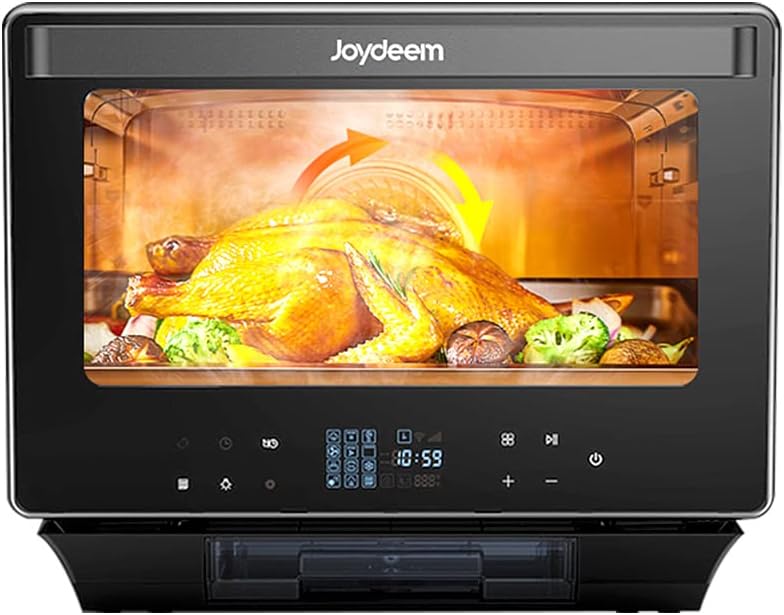
Figure 2.1: Front view of the Joydeem JD-S40T 8-in-1 Multifunctional Steam Oven.
2.1 Key Functions
This appliance offers 8 primary functions and several auxiliary functions:
- Quick Steaming: For rapid steaming, preserving food flavor and nutrients.
- Baking: Traditional oven baking for various dishes.
- Air Frying: Achieves crispy results with minimal oil.
- Steaming: Standard steaming for vegetables, fish, etc.
- Yogurt: Fermentation function for homemade yogurt.
- Sterilization: For sterilizing kitchen utensils.
- Thawing: Defrosting frozen foods.
- Warm Preservation: Keeps cooked food warm.
Auxiliary functions include descaling, reheating, and fermentation.
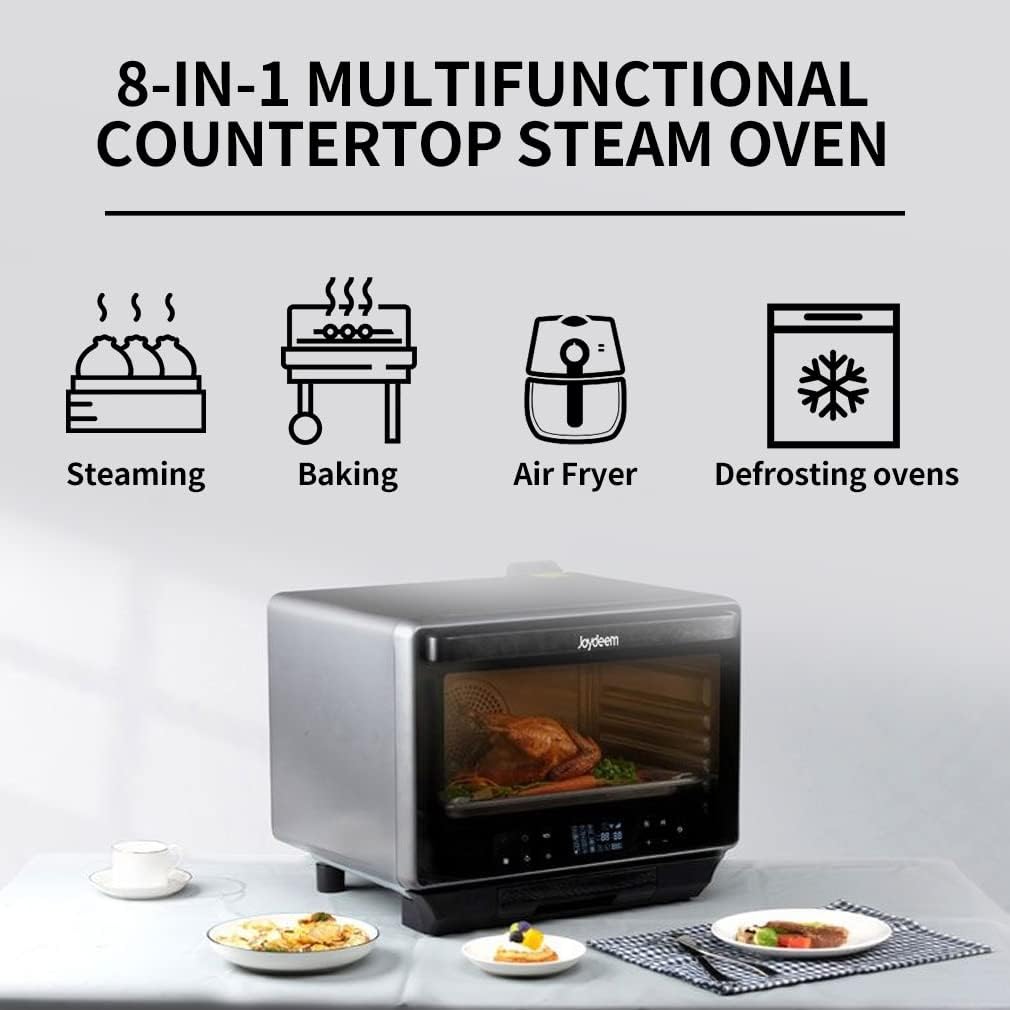
Figure 2.2: Visual representation of the 8-in-1 multifunctional capabilities.
2.2 Components and Accessories
The oven features a spacious 38L capacity, suitable for 3-9 people. It includes intelligent M-tube interactive heating for even heat distribution and a 360° rotating spit for hot air cycle roasting.

Figure 2.3: Dimensions and standard accessories included with the appliance.
Standard accessories include:
- Fry Basket
- Grill
- Oven Pan/Oil Pan
- Steamer Tray
- Instructions/Recipes Manual
- Oven Glove
- Support Frame
- Fork Set
3. Setup and Installation
3.1 Unpacking
- Carefully remove the appliance from its packaging.
- Remove all packaging materials, including internal packing and protective films.
- Check that all accessories listed in Section 2.2 are present and undamaged.
3.2 Placement
- Place the oven on a stable, flat, and heat-resistant surface.
- Ensure there is adequate space (at least 10 cm) around the appliance for proper ventilation. Do not place it directly against a wall or under cabinets that may be damaged by heat or steam.
- Keep the appliance away from water sources and direct sunlight.
3.3 Initial Cleaning
- Before first use, wipe the exterior of the oven with a damp cloth.
- Wash all removable accessories (trays, racks, baskets) with warm, soapy water. Rinse thoroughly and dry completely.
- Run a short steam cycle (e.g., 10 minutes at 100°C) with an empty oven to remove any manufacturing odors. Ensure the water tank is filled.
4. Operating Instructions
The Joydeem JD-S40T features a touch control panel for easy operation. Familiarize yourself with the icons and functions before use.
4.1 General Operation
- Plug the appliance into a grounded electrical outlet.
- The control panel will illuminate. Use the touch controls to select functions, adjust temperature, and set time.
- Ensure the water tank is filled for all steam-related functions.
4.2 Cooking Functions
The oven offers various cooking modes to suit your needs:
- Pure Steaming: Ideal for delicate foods like fish and vegetables. Steam is generated from the back for even cooking.
Video 4.1: Overview of Joydeem 8-in-1 Combi-Steam Oven Functional Collection, demonstrating various cooking modes.
- Top-side Steam-Baking: Combines steam with top heating for moist interiors and crispy tops.
- Back-side Steam-Baking: Utilizes steam with rear heating for thorough and even cooking.
- Back-side Hot Wind Roasting: Circulates hot air from the back for uniform roasting, perfect for poultry.

Figure 4.1: Illustration of micro pressure steam and hot air convection for optimal cooking.
- Top-side Quick Roasting: Intense top heat for quick browning and grilling.
- 360° Rotatable Roasting: Ideal for whole chickens or roasts, ensuring even cooking and browning on all sides.
4.3 Preset Menus
The oven comes with 50 programmable preset menus, allowing for easy cooking of various cuisines. Simply select the desired menu, and the oven will automatically set the cooking time and temperature.

Figure 4.2: The control panel displaying the selection for 50 pre-set menus.
4.4 Example Recipe: Cantonese Grilled Lamb Chops
This recipe demonstrates the use of the oven's roasting functions.
Video 4.2: Step-by-step guide for preparing Cantonese grilled lamb chops using the JD-S40T oven.
For detailed steps and other recipes, refer to the included Instructions/Recipes Manual.
5. Maintenance and Cleaning
Regular cleaning and maintenance will ensure the longevity and optimal performance of your Joydeem oven.
5.1 Daily Cleaning
- Always unplug the appliance and allow it to cool completely before cleaning.
- Wipe the interior and exterior surfaces with a soft, damp cloth. For stubborn stains, use a mild detergent.
- Clean the water tank and drip tray after each use, especially after steam functions, to prevent mineral buildup.
- Wash all removable accessories with warm, soapy water and dry thoroughly.
5.2 Descaling
Over time, mineral deposits from water can accumulate inside the steam system. The oven has a dedicated descaling function to address this.
- Refer to the Instructions/Recipes Manual for specific descaling instructions and recommended descaling solutions.
- Perform descaling regularly, depending on the hardness of your water and frequency of steam use.
6. Troubleshooting
If you encounter any issues with your appliance, refer to the table below for common problems and their solutions. If the problem persists, contact customer support.
| Problem | Possible Cause | Solution |
|---|---|---|
| Appliance does not power on | Not plugged in; Power outlet malfunction; Power cord damaged | Ensure plug is securely inserted; Test outlet with another appliance; Do not use if cord is damaged, contact support. |
| No steam produced | Water tank empty; Water tank not properly inserted; Steam nozzle blocked | Fill water tank; Reinsert water tank correctly; Perform descaling. |
| Food not cooking evenly | Incorrect temperature/time setting; Food overloaded; Improper rack position | Adjust settings according to recipe; Do not overload; Use recommended rack position. |
| Error code displayed | Internal malfunction | Refer to the specific error code in the full manual or contact customer support. |
7. Specifications
Detailed technical specifications for the Joydeem JD-S40T.
| Feature | Specification |
|---|---|
| Brand | JOYDEEM |
| Model Name | JD-S40T |
| Color | Black |
| Product Dimensions (D x W x H) | 19.65"D x 19.76"W x 16.38"H |
| Capacity | 38L (1.34 CFT) |
| Control Type | Touch Control |
| Door Style | Dropdown Door |
| Door Material Type | Stainless Steel |
| Power Source | AC adapter |
| Number of Shelves | 2 |
| UPC | 743388205260 |
8. Warranty and Support
Joydeem provides a limited warranty for this product. Please refer to the warranty card included in your packaging for specific terms and conditions, including coverage duration and limitations.
For technical support, troubleshooting assistance, or to inquire about replacement parts, please contact Joydeem customer service through the contact information provided in your product documentation or on the official Joydeem website.
When contacting support, please have your model number (JD-S40T) and purchase information readily available.


