Important Safety Information
Please read all instructions carefully before using the WATOOR Party Cooler Fridge. Retain this manual for future reference.
- Electrical Safety: Ensure the power outlet matches the voltage requirements (110 Volts). Do not use with damaged cords or plugs. Unplug the unit before cleaning or maintenance.
- Ventilation: Maintain adequate clearance around the cooler for proper air circulation. Do not block ventilation openings.
- Placement: Place the cooler on a stable, level surface. Avoid direct sunlight or heat sources. This unit is designed for both indoor and outdoor use, but protect it from extreme weather conditions.
- Children Safety: Keep the appliance out of reach of children. Supervise children to ensure they do not play with the appliance.
- Flammable Materials: Do not store explosive substances such as aerosol cans with a flammable propellant in this appliance.
- Cleaning: Always unplug the cooler before cleaning. Do not immerse the unit in water.
Package Contents
Verify that all items are present in the package:
- 1 x WATOOR Party Cooler Fridge
- 1 x Removable Basket
- 1 x User Manual

Image: The WATOOR Party Cooler Fridge shown alongside its user manual and the removable wire basket, illustrating the complete package contents.
Product Overview
Familiarize yourself with the main components of your Party Cooler Fridge:
- Tempered Glass Lid with Handle: Provides visibility into the cooler and easy access to beverages.
- Removable Basket: A wire basket designed to hold cans or bottles, making organization and access convenient.
- Aluminum Liner: The interior material of the cooling compartment.
- LED Control Panel: Digital display and buttons for power and temperature adjustment.
- Metal Coating: The durable exterior finish of the cooler.
- Rolling Casters with Wheel Lock: Four wheels for easy mobility, with two lockable casters to secure the unit in place.

Image: An exploded diagram of the WATOOR Party Cooler Fridge, labeling its key components including the tempered glass lid, removable basket, aluminum liner, LED control panel, metal coating, and rolling casters with wheel locks.
Setup
- Unpacking: Carefully remove the cooler from its packaging. Remove all protective films, tapes, and packing materials.
- Placement: Choose a location that is flat, stable, and well-ventilated. Ensure there is at least 4 inches (10 cm) of space around the cooler for proper air circulation. Avoid placing it near direct sunlight, heat sources, or in areas with high humidity.
- Initial Standby: After transportation, allow the cooler to stand upright for at least 2-4 hours before plugging it into a power outlet. This allows the refrigerant to settle.
- Power Connection: Plug the power cord into a grounded 110V AC outlet.
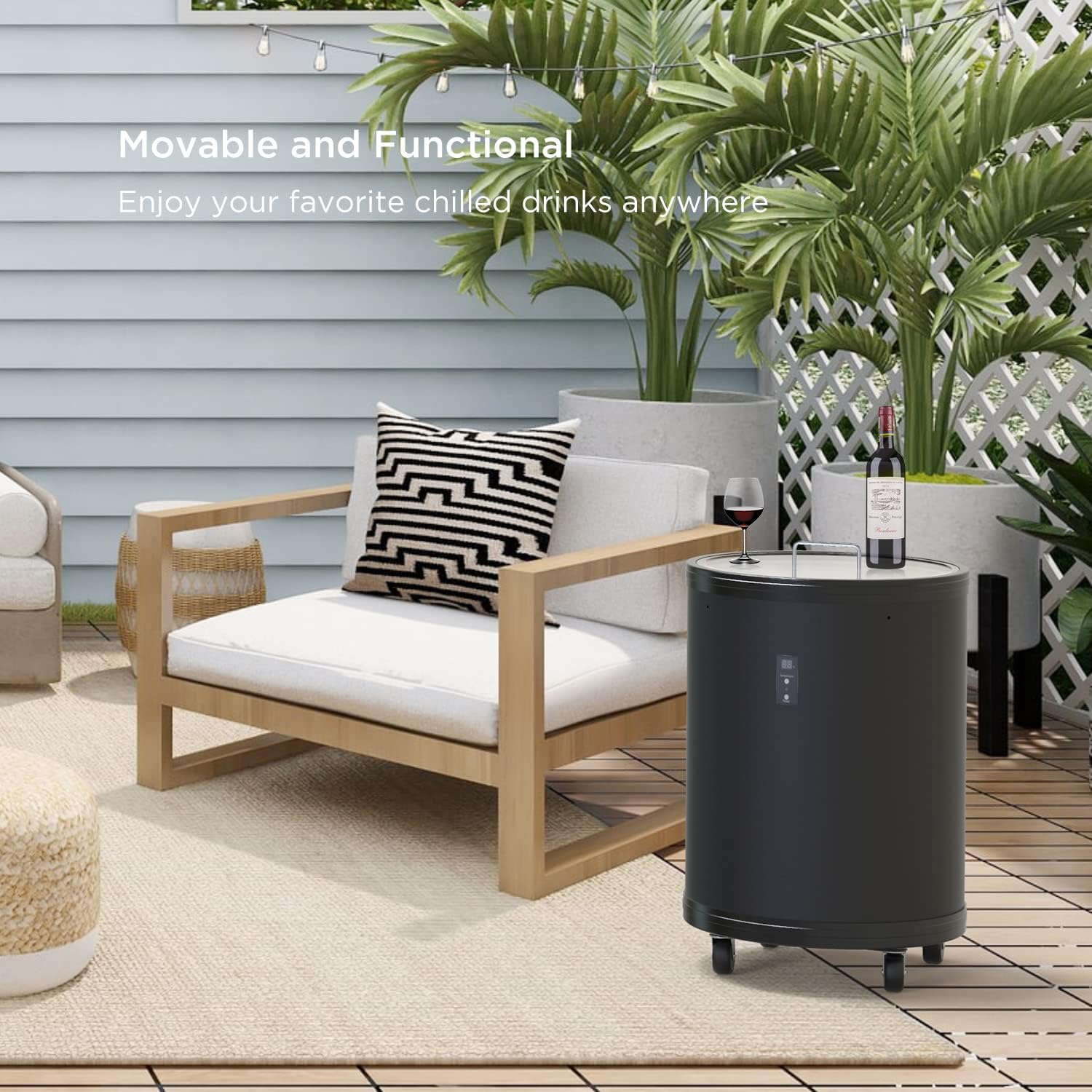
Image: The WATOOR Party Cooler Fridge positioned on an outdoor patio next to a lounge chair, demonstrating a suitable placement for use.
Operating Instructions
Powering On/Off
Locate the LED Control Panel on the front of the cooler.
- To turn the cooler ON, press the Power button. The display will illuminate.
- To turn the cooler OFF, press and hold the Power button for a few seconds until the display turns off.
Temperature Adjustment
The cooler allows temperature settings from 32°F to 61°F (0°C to 16°C).
- Press the Temperature button on the control panel to cycle through available temperature settings.
- The digital display will show the current temperature setting.
- Allow several hours for the cooler to reach the desired temperature, especially after initial setup or loading new beverages.

Image: A close-up of the LED control panel showing temperature and power buttons, alongside a guide for optimal serving temperatures for various beverages like champagne, white wine, red wine, and brandy.
Loading Beverages
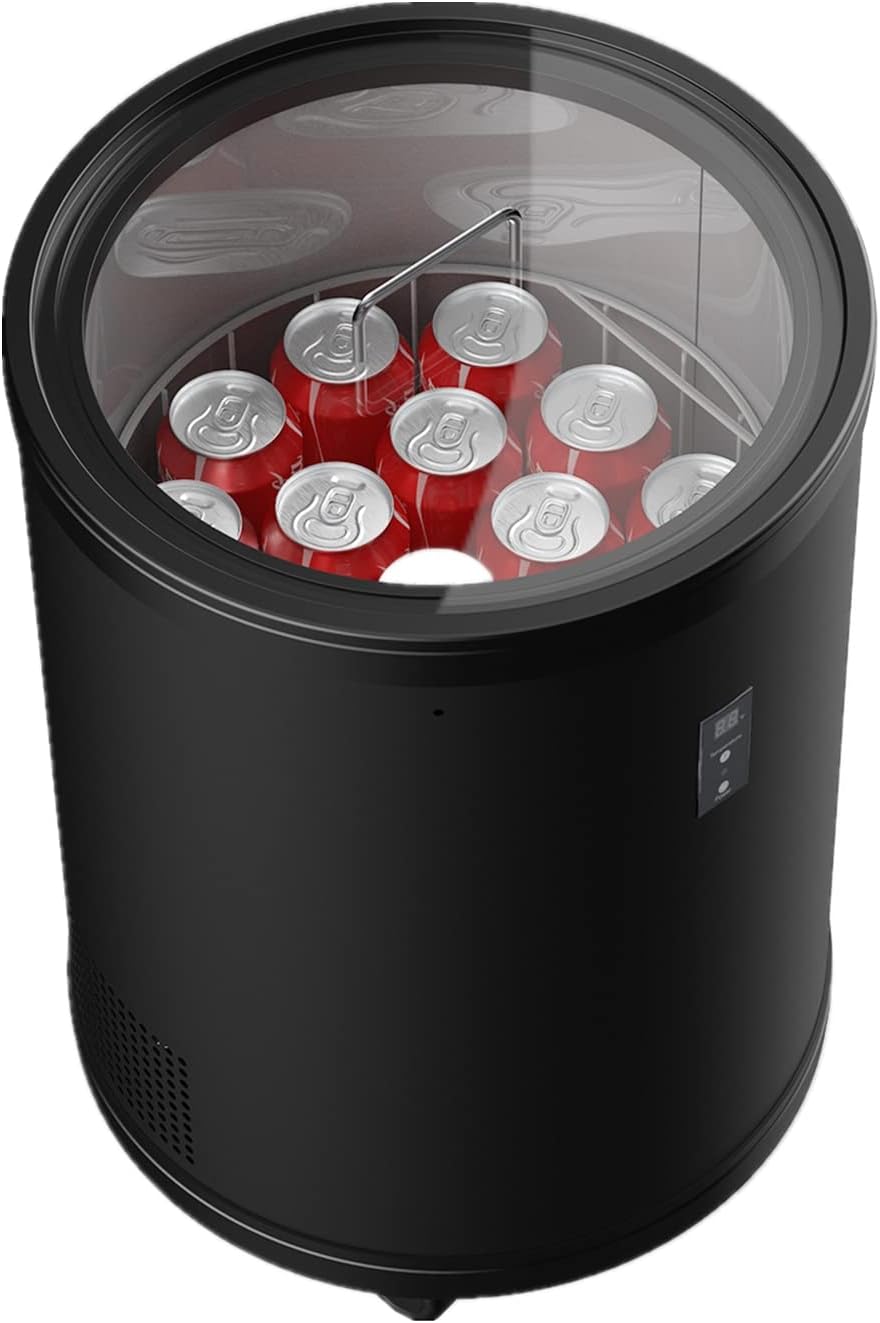
The WATOOR Party Cooler has a capacity of 1.0 Cu. Ft., capable of holding up to 28 standard 12-oz cans or 14 wine bottles.
- Open the tempered glass lid.
- Place beverages inside the removable basket. Arrange them to allow for air circulation.
- Close the lid securely to maintain cooling efficiency.

Image: The WATOOR Party Cooler Fridge with its lid open, displaying its capacity filled with soda cans, and an illustration showing it can hold 28 cans or 14 bottles of wine.
Moving the Cooler
The cooler is equipped with four rolling casters for easy movement.
- To move the cooler, ensure the wheel locks on the casters are disengaged.
- Carefully push or pull the cooler to its desired location.
- Once in position, engage the wheel locks on at least two casters to prevent accidental movement.
Maintenance and Cleaning
Regular cleaning and maintenance will ensure the longevity and optimal performance of your cooler.
- Before Cleaning: Always unplug the cooler from the power outlet before cleaning.
- Interior Cleaning: Wipe the interior surfaces with a soft cloth dampened with a mild detergent solution. Rinse with clean water and dry thoroughly. Do not use abrasive cleaners or solvents.
- Exterior Cleaning: Clean the exterior with a soft, damp cloth. For stubborn stains, use a mild soap solution. Dry thoroughly.
- Removable Basket: The wire basket can be removed and washed with warm soapy water. Rinse and dry completely before returning it to the cooler.
- Lid Cleaning: Clean the tempered glass lid with a glass cleaner or a damp cloth.
- Defrosting: This unit features automatic defrosting, minimizing the need for manual defrosting. If ice buildup occurs, unplug the unit and allow it to defrost naturally, then wipe away any melted water.
Troubleshooting
Before contacting customer support, please refer to the following common issues and solutions:
| Problem | Possible Cause | Solution |
|---|---|---|
| Cooler does not turn on. | No power supply. | Check if the power cord is securely plugged into a working outlet. Test the outlet with another appliance. |
| Cooler is not cooling sufficiently. | Temperature setting is too high; poor ventilation; lid not closed properly; too many warm beverages added. | Adjust temperature to a lower setting. Ensure adequate space around the cooler for ventilation. Close the lid securely. Allow time for new beverages to cool. |
| Excessive condensation or ice buildup. | Lid not sealed properly; high humidity; frequent opening of lid. | Ensure the lid is closed tightly. Reduce frequency of opening. In high humidity, some condensation is normal. |
| Unusual noises. | Normal compressor operation; unit not level. | Gurgling or humming sounds are normal for refrigeration units. Ensure the cooler is on a level surface. |
Specifications
| Brand: | WATOOR |
| Model: | PC30-SI |
| Capacity: | 1.0 Cu. Ft. (approx. 28 x 12-oz cans or 14 wine bottles) |
| Dimensions (L x H): | 16.8 inches x 25.4 inches |
| Weight: | 32 pounds |
| Voltage: | 110 Volts |
| Temperature Range: | 32°F - 61°F (0°C - 16°C) |
| Noise Level: | 43 dB |
| Installation Type: | Freestanding |
| Defrost System: | Automatic |
Warranty and Support
WATOOR stands behind the quality of its products.
- Warranty: This Party Cooler Fridge is covered by a 1-year warranty from the date of purchase, covering any mechanical or technical problems under normal use.
- Return Policy: A 90-day return policy is available from the date of purchase.
- Customer Support: For technical assistance, warranty claims, or general inquiries, please contact WATOOR customer service. Refer to the product packaging or the official WATOOR website for the most current contact information.


