
1. Introduction
The johgee WiFi Smart Irrigation Timer provides an intelligent solution for automated garden watering. This device allows you to control your irrigation system remotely via a smartphone application, offering convenience and efficiency for both indoor and outdoor use. It features programmable watering schedules, a rain delay function, and manual control options.

Figure 1: johgee WiFi Smart Irrigation Timer in operation, controlled via smartphone app.
2. What's in the Box
Please verify that all components are present in the package:
- Smart Water Timer x 1
- WiFi Hub x 1
- 1/2" Inlet Adapter x 1
- Threaded Connector x 1
- Instruction Manual x 1

Figure 2: Package contents of the johgee Smart Water Timer.
3. Setup
3.1 Physical Installation
- Prepare the Faucet: Ensure your outdoor faucet is clean and free of debris.
- Attach the Timer: Screw the Smart Water Timer directly onto your outdoor faucet. The timer is compatible with both 1/2" and 3/4" faucet sizes. Use the appropriate adapter if necessary. Ensure a tight, leak-free connection.
- Connect Hose: Attach your garden hose to the outlet of the Smart Water Timer.

Figure 3: Faucet connection options for the Smart Water Timer.
3.2 App Installation & Pairing
- Download the App: Search for the 'Smart Life' app (or specified app in the manual) on the Apple App Store (iOS) or Google Play Store (Android) and install it on your smartphone.
- Register/Log In: Open the app and create a new account or log in with an existing one.
- Add Device: Follow the in-app instructions to add a new device. Select the 'Water Timer' or 'Irrigation Controller' category.
- Pairing: The app will guide you through the pairing process. Ensure your phone's Bluetooth is enabled for initial setup.
3.3 WiFi Hub Connection
The WiFi Hub acts as a bridge between your Smart Water Timer and your home WiFi network, enabling remote control. The maximum effective distance between the WiFi hub and the watering timer is 15 meters (49.2 ft).
- Plug in the Hub: Plug the WiFi Hub into a standard power outlet within 15 meters of your Smart Water Timer.
- Connect to WiFi: In the app, follow the instructions to connect the WiFi Hub to your 2.4GHz home WiFi network.
- Automatic Switching: Once connected, the system will automatically switch between WiFi and Bluetooth connectivity to maintain control, even if the WiFi connection is temporarily lost.

Figure 4: WiFi Hub placement and connectivity range.
4. Operating Instructions
4.1 Automatic Watering (Scheduled)
Program your watering schedule through the app for automatic irrigation.
- Access Schedule: Open the app and navigate to the Smart Water Timer device.
- Set Schedule: Select the 'Scheduled Watering' mode. You can set specific start times, watering durations (in minutes or hours), and frequency (specific days of the week).
- Save: Confirm and save your schedule. The timer will now operate automatically according to your settings.

Figure 5: Setting an automatic watering schedule via the app.
4.2 Cyclic Watering
The cyclic watering mode allows for repeated watering and soaking cycles within a set period, which can be beneficial for water absorption.
- Select Cyclic Mode: In the app, choose the 'Cyclic Watering' option.
- Set Parameters: Define the watering duration and the pause duration between cycles.
- Activate: Set the start and end times for the entire cyclic watering period.
4.3 Rain Delay Mode
The rain delay function prevents unnecessary watering during or after rainfall, conserving water.
- Activate Delay: The timer can automatically detect local weather conditions via the app.
- Set Delay Duration: You can manually set a rain delay for 24, 48, or 72 hours through the app. The system will then postpone scheduled watering based on these settings and local weather forecasts.
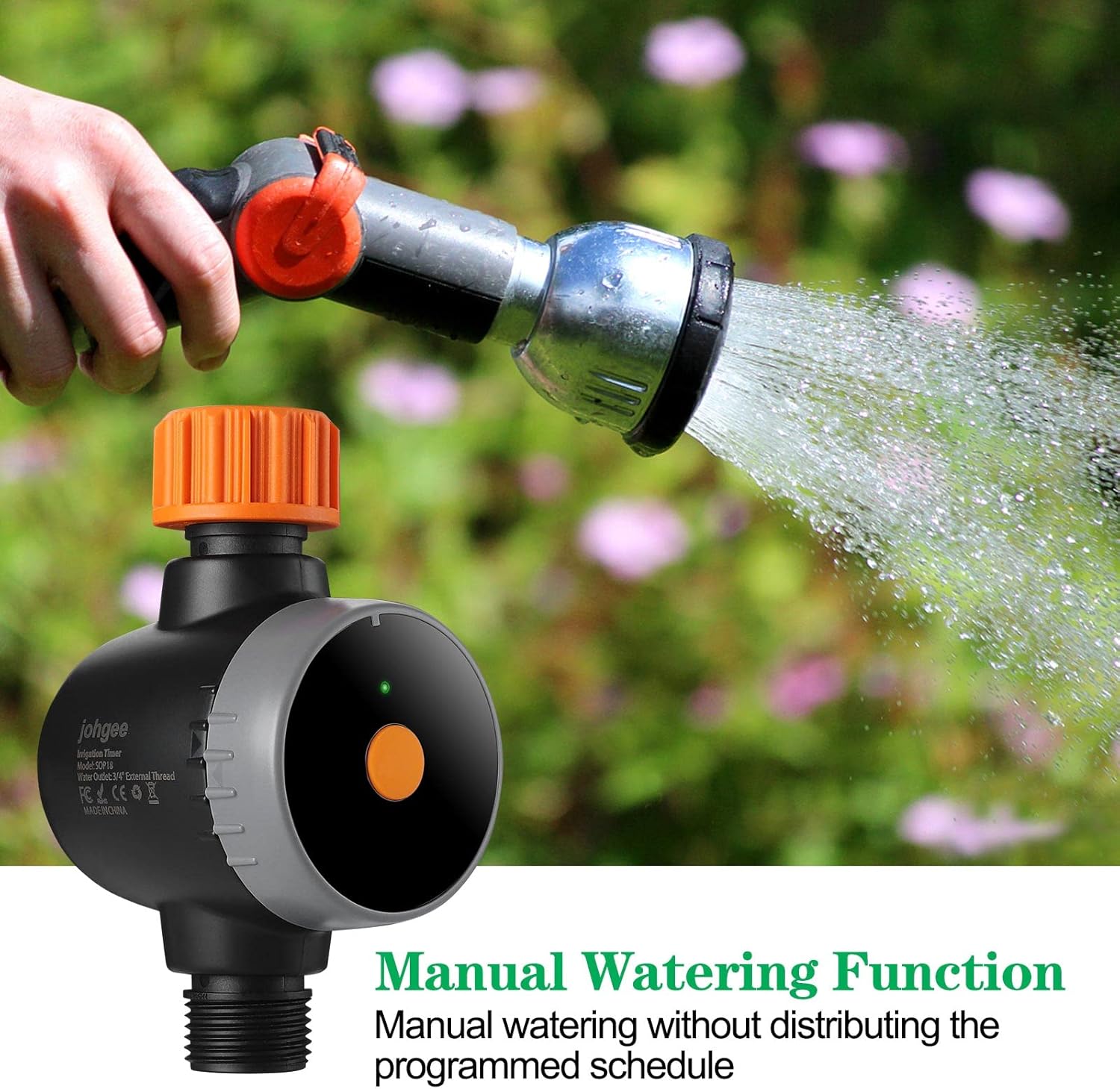
Figure 6: Configuring rain delay settings in the app.
4.4 Manual Watering Function
You can initiate watering manually without affecting your programmed schedule.
- Initiate Manually: In the app, select the 'Manual Watering' option.
- Set Duration: Specify the desired watering duration.
- Start/Stop: Start the manual watering. It will automatically stop after the set duration or can be stopped manually at any time.
Figure 7: Manual watering in progress.
5. Maintenance
- Battery Replacement: The timer operates on AA batteries (not rechargeable). Replace batteries when the low battery indicator appears in the app or on the device. Ensure proper polarity.
- Cleaning: Periodically clean the filter screen at the inlet to prevent blockages. Use a soft brush and water.
- Winterization: Before freezing temperatures, disconnect the timer from the faucet and store it indoors in a dry, frost-free location to prevent damage.
- Waterproof Rating: The timer has an IPX5 waterproof rating, meaning it is protected against low-pressure water jets from any direction. However, it should not be submerged in water.
6. Troubleshooting
- No Water Flow:
- Check if the faucet is fully open.
- Ensure batteries are correctly installed and charged.
- Clean the inlet filter screen for blockages.
- Verify the watering schedule in the app.
- App Connection Issues:
- Ensure the WiFi Hub is powered on and within 15 meters of the timer.
- Check your home WiFi network (2.4GHz required).
- Restart the app, the WiFi Hub, and the timer.
- Ensure your phone's Bluetooth is enabled during initial pairing.
- Leaks from Connections:
- Ensure all connections are tightened securely.
- Check for damaged O-rings or washers and replace if necessary.
- Apply plumber's tape to threaded connections if leaks persist.
- Incorrect Watering Times:
- Verify the schedule settings in the app, including start times, durations, and days.
- Check if the rain delay function is active.
7. Specifications
| Feature | Specification |
|---|---|
| Model | B09PFQ5TCJ |
| Brand | johgee |
| Material | Acrylonitrile Butadiene Styrene (ABS) |
| Product Dimensions (D x W x H) | 5.6 x 16 x 8.2 cm |
| Item Weight | 330 Grams |
| Waterproof Rating | IPX5 |
| Battery Type | AA (non-rechargeable) |
| Number of Settings | 20 |
| Screen Size | 16 Centimeters |
| WiFi Hub Range | Up to 15 meters (49.2 ft) |
8. Warranty and Support
For warranty information and technical support, please refer to the contact details provided with your purchase or visit the official johgee website. Keep your purchase receipt as proof of purchase for any warranty claims.


