Introduction
This user manual provides comprehensive instructions for the operation, maintenance, and troubleshooting of your Lorus Men's Digital Watch, Model R2379NX9. Please read this manual thoroughly to ensure proper use and to maximize the lifespan of your watch.
Product Overview

Figure 1: Front view of the Lorus R2379NX9 digital watch. This image displays the watch face with its digital display showing time, day, and date, surrounded by a gold-tone and silver-tone bezel. The black silicone strap is also visible.

Figure 2: Side view of the Lorus R2379NX9 digital watch. This image highlights the watch's profile and the two textured control buttons located on the right side of the watch case, used for various functions.
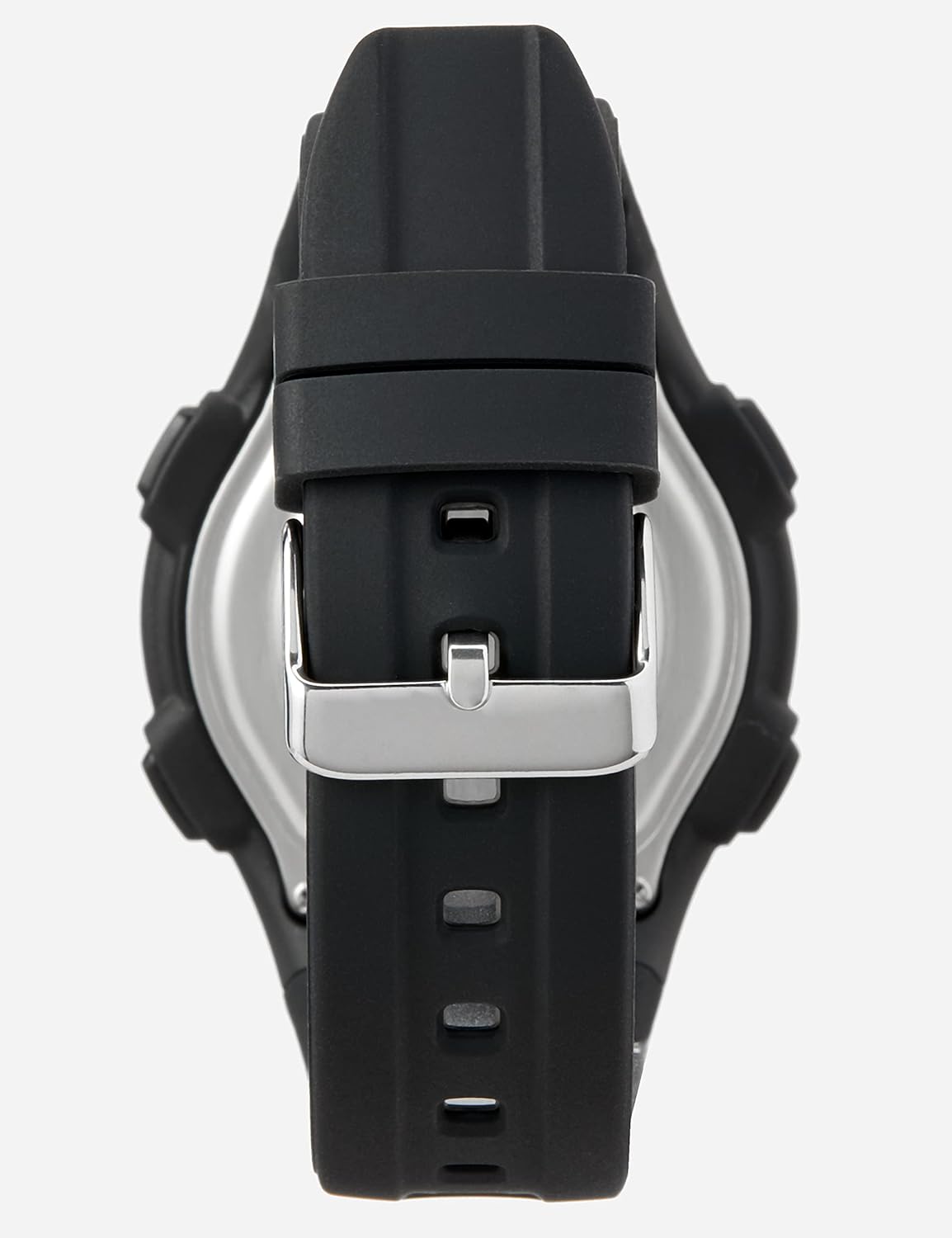
Figure 3: Back view of the Lorus R2379NX9 digital watch. This image shows the stainless steel case back and the black silicone strap with its silver-tone buckle, which is used to secure the watch on the wrist.
Setup
Initial Time Setting
- Press the MODE button (bottom left) repeatedly until the time setting mode is displayed. The seconds digits will typically flash.
- Press the ST/STP button (top right) to advance the flashing digit.
- Press the RESET button (bottom right) to move to the next setting (e.g., hours, minutes, year, month, day).
- Repeat steps 2 and 3 until all desired settings (time, date, day) are correctly adjusted.
- Press the MODE button again to exit the setting mode and return to normal timekeeping.
Strap Adjustment
The silicone strap features a traditional buckle clasp. To adjust, simply thread the strap through the buckle and secure the pin into one of the pre-punched holes for a comfortable fit on your wrist.
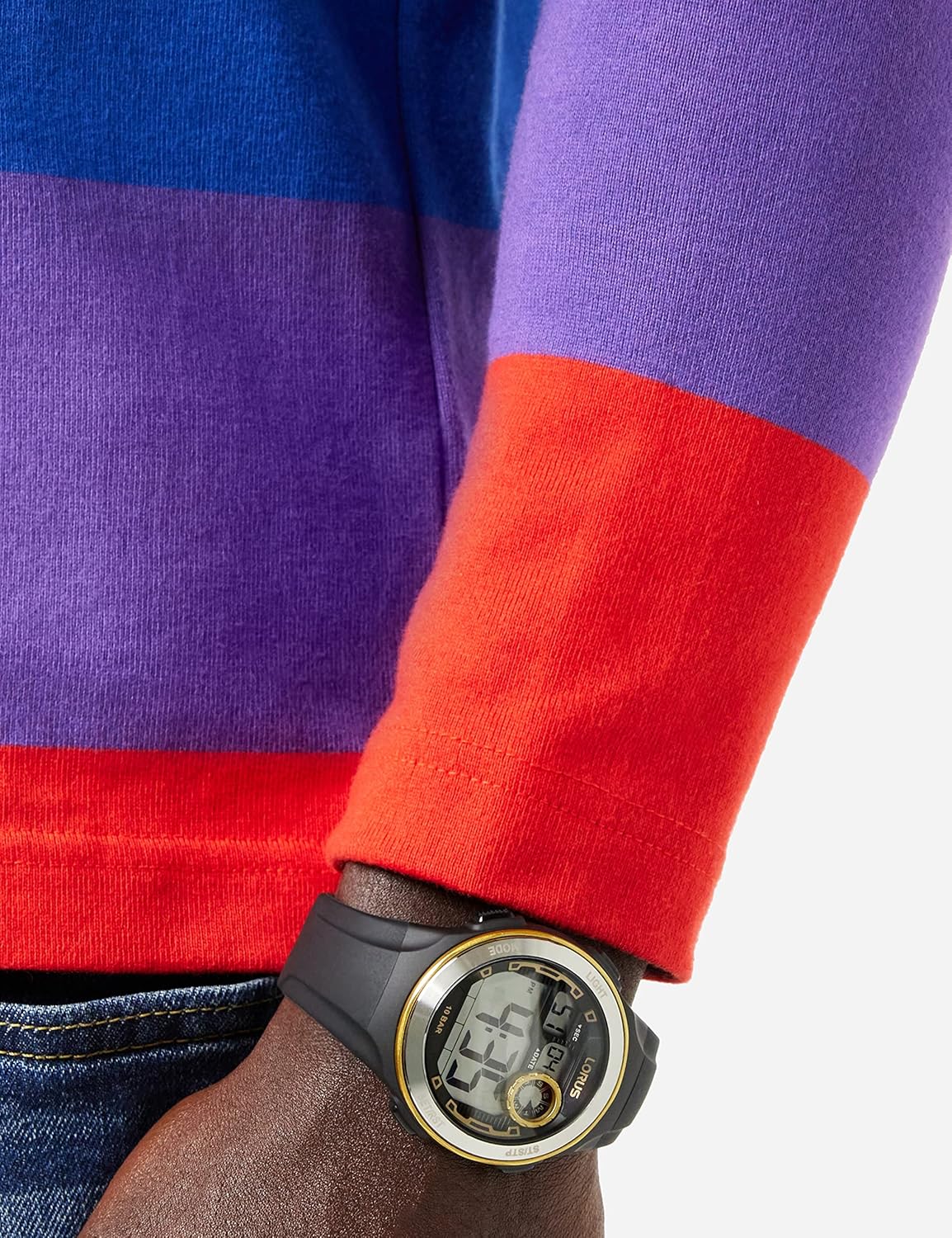
Figure 4: The Lorus R2379NX9 watch on a wrist. This image demonstrates how the watch sits on the wrist, highlighting the fit and appearance of the black silicone strap.
Operating Instructions
Timekeeping Mode
In normal timekeeping mode, the watch displays the current time (hours, minutes, seconds), day of the week, and date.
- Press the LIGHT button (top left) to illuminate the display for a few seconds in low-light conditions.
Stopwatch Function
- From timekeeping mode, press the MODE button once to enter Stopwatch mode. The display will show "00:00:00".
- Press the ST/STP button (top right) to start the stopwatch.
- Press the ST/STP button again to pause the stopwatch.
- To resume, press ST/STP again.
- To reset the stopwatch to zero, press the RESET button (bottom right) while the stopwatch is paused.
- Press the MODE button to return to timekeeping mode.
Alarm Function
- From timekeeping mode, press the MODE button twice to enter Alarm mode. The alarm time will be displayed.
- Press the RESET button (bottom right) to toggle the alarm ON/OFF. An alarm icon will appear when activated.
- To set the alarm time, press the ST/STP button (top right) to adjust the flashing digit (hours/minutes).
- Press the MODE button to exit Alarm mode.
Maintenance
Cleaning Your Watch
To maintain the appearance of your Lorus watch, wipe the case and strap regularly with a soft, dry cloth. For stubborn dirt, a slightly damp cloth can be used, followed by drying. Avoid using chemical cleaners, solvents, or abrasive materials, as these can damage the watch's finish and seals.
Water Resistance
This watch is rated for 10 BAR (100 meters) water resistance. This means it is suitable for swimming, showering, and snorkeling. However, it is not suitable for scuba diving. Do not operate the buttons while the watch is wet or submerged, as this can compromise the water resistance.
Battery Replacement
The watch is powered by a long-life battery. When the display becomes dim or functions become erratic, it may be time for a battery replacement. It is recommended to have the battery replaced by a qualified watch technician to ensure the water resistance is maintained after the case back is opened.
Troubleshooting
| Problem | Possible Cause | Solution |
|---|---|---|
| Display is blank or dim. | Low battery. | Replace the battery. |
| Time is incorrect. | Time not set correctly or accidental button press. | Refer to "Initial Time Setting" section to reset the time. |
| Buttons are unresponsive. | Watch may be in a locked mode or battery is very low. | Try pressing the MODE button repeatedly. If still unresponsive, consider battery replacement. |
| Condensation inside the watch. | Water resistance compromised. | Stop using the watch immediately and take it to a qualified watch technician for inspection and repair. |
Specifications
- Model Number: R2379NX9
- Brand: Lorus
- Display Type: Digital
- Movement: Quartz
- Case Material: Not specified (typically resin/plastic with stainless steel back)
- Strap Material: Silicone
- Clasp Type: Buckle
- Water Resistance: 10 BAR (100 meters / 330 feet)
- Functions: Time, Day/Date, Stopwatch, Alarm, Light
- Package Dimensions: 5.94 x 4.06 x 3.9 inches
- Item Weight: 5.29 ounces

Figure 5: The Lorus product box. This image shows the white box with the Lorus logo, indicating the packaging for the watch.
Warranty Information
Your Lorus watch is covered by a limited warranty against manufacturing defects. The duration and terms of the warranty may vary by region. Please refer to the warranty card included with your purchase or visit the official Lorus website for detailed warranty information specific to your location.
Please retain your proof of purchase for any warranty claims.
Customer Support
For further assistance, technical support, or inquiries regarding your Lorus R2379NX9 watch, please contact Lorus customer service through their official website or the contact information provided in your product packaging. When contacting support, please have your watch model number (R2379NX9) and purchase details ready.
Official Lorus Website: www.loruswatches.com


