1. Introduction
This manual provides essential instructions for the proper setup, operation, and maintenance of your Acogedor SDR Software Defined Radio Receiver. This device is designed for a wide range of radio frequency applications, offering an effective frequency range of 10KHz to 2GHz with a 12-bit Analog-to-Digital Converter (ADC) for high accuracy signal processing.
Please read this manual thoroughly before using the device to ensure optimal performance and safety.
2. Safety Information
- Do not overload the device. Operating the receiver beyond its specified limits can cause damage.
- Ensure proper ventilation when in use to prevent overheating.
- Keep the device away from water, moisture, and extreme temperatures.
- Do not attempt to open or modify the device. This will void the warranty and may cause damage or injury.
- Use only compatible accessories and power sources.
3. Package Contents
Verify that all items are present in the package:
- 1 x Acogedor SDR Software Defined Radio Receiver
Note: A USB data cable for connection to a computer or compatible device is typically required but not included in the standard package. An antenna is also required for operation and is sold separately.
4. Product Features
The Acogedor SDR Software Defined Radio Receiver offers the following key features:
- Wide Frequency Range: Effective frequency range from 10KHz to 2GHz, suitable for diverse radio reception needs.
- High Accuracy: Equipped with a 12-bit ADC for precise signal conversion and a 0.5 ppm TCXO for stable frequency reference.
- Robust Construction: Features SMT patch technology and an aluminum alloy shell for effective electromagnetic shielding and durability.
- Broad Compatibility: Compatible with Windows, Linux, iOS, and Android operating systems. Supports popular SDR software such as HDSDR, GNU Radio, and SDR Touch.
- Versatile Applications: Can be utilized for receiving various signal types including FM, AM, SSB, CW, ATC, regional tuning, aviation, railway frequency bands, DMR digital intercom, and DRM digital broadcasting.
- Compact Design: Small and lightweight, making it easy to integrate into various setups.

Image: The Acogedor SDR Software Defined Radio Receiver, showcasing its compact design and listing key features such as its wide frequency range and software compatibility.
5. Setup Instructions
Follow these steps to set up your SDR receiver:
- Connect Antenna: Attach a suitable antenna (not included) to the SMA connector on the receiver. Ensure the connection is secure but do not overtighten.
- Connect to Host Device: Use a USB-C data cable (not included) to connect the receiver's USB-C port to your computer, laptop, tablet, or smartphone.
- Install Software: Download and install your preferred SDR software (e.g., HDSDR, GNU Radio, SDR Touch) on your host device. Ensure you install any necessary drivers for the SDR receiver to be recognized by your operating system. Refer to the software's documentation for specific installation instructions.
- Initial Configuration: Launch the SDR software. You may need to select the Acogedor SDR receiver as the input device within the software's settings. Adjust sample rates and other parameters as required by your specific application.

Image: A close-up view of the SMA connector on the Acogedor SDR receiver, where an external antenna is connected.
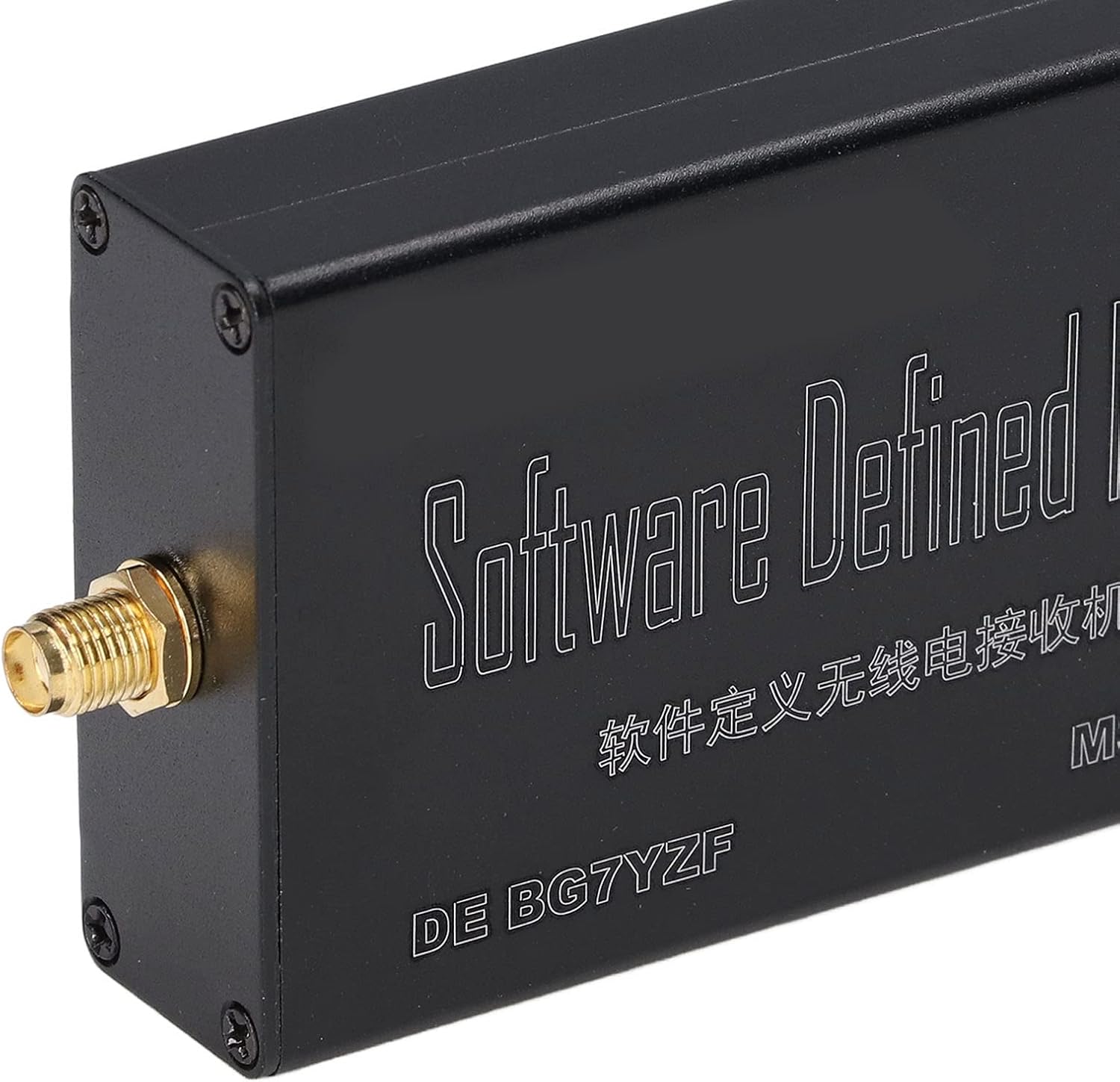
Image: A close-up view of the USB-C port on the Acogedor SDR receiver, used for connecting to a host device.
6. Operating Instructions
Once the SDR receiver is set up and recognized by your software, you can begin operation:
- Tune to Frequency: Use the tuning controls within your SDR software to select the desired frequency.
- Select Demodulation Mode: Choose the appropriate demodulation mode (e.g., FM, AM, SSB, CW) for the signal you wish to receive.
- Adjust Settings: Fine-tune settings such as gain, bandwidth, and filters to optimize signal reception and clarity.
- Monitor Signals: Observe the spectrum and waterfall displays in your SDR software to identify and analyze radio signals.

Image: A typical SDR software interface showing a spectrum analyzer and waterfall display, used for visualizing and tuning into radio signals.

Image: Another example of an SDR software interface, featuring a detailed waterfall display and controls for frequency, mode, and signal processing.
7. Maintenance
Proper maintenance ensures the longevity and performance of your SDR receiver:
- Cleaning: Use a soft, dry cloth to clean the exterior of the device. Avoid using liquid cleaners or solvents.
- Storage: Store the receiver in a cool, dry place away from direct sunlight and dust when not in use.
- Handling: Handle the device with care to avoid physical damage to the connectors or casing.
- Overload Prevention: Always ensure that input signals do not exceed the receiver's maximum input specifications to prevent damage.
8. Troubleshooting
If you encounter issues with your SDR receiver, refer to the following troubleshooting tips:
- Device Not Recognized:
- Ensure the USB-C data cable is securely connected to both the receiver and the host device.
- Try a different USB port on your host device.
- Verify that the necessary drivers for the SDR receiver are correctly installed on your operating system.
- Restart your host device.
- Confirm that you are using a data-capable USB-C cable, not just a charging cable.
- No Signal Reception:
- Check that an antenna is properly connected to the SMA port.
- Ensure the antenna is suitable for the frequency range you are trying to receive.
- Verify that the SDR software is correctly configured to use the Acogedor receiver and that the gain settings are appropriate.
- Confirm that you are tuning to an active frequency with a known signal.
- Poor Signal Quality:
- Adjust the gain settings within your SDR software. Too much or too little gain can degrade signal quality.
- Check for local sources of interference (e.g., computers, power supplies, LED lights).
- Ensure your antenna is positioned optimally and is not obstructed.
- Experiment with different filter settings and bandwidths in your SDR software.
9. Specifications
| Feature | Specification |
|---|---|
| Effective Frequency Range | 10KHz - 2GHz |
| ADC Resolution | 12-bit |
| TCXO Accuracy | 0.5 ppm |
| Material | Aluminum Alloy |
| Item Weight | 2.82 ounces (approx. 80 grams) |
| Package Dimensions | 5.43 x 3.86 x 1.3 inches (approx. 13.8 x 9.8 x 3.3 cm) |
| Compatible Devices | Laptop, Desktop, Tablet, Smartphone |
| Connector Type | USB-C (for data/power), SMA (for antenna) |
| Connectivity Technology | USB |
10. Warranty and Support
For warranty information and technical support, please refer to the documentation provided at the time of purchase or contact your retailer. Specific warranty terms may vary by region and seller.
If you require further assistance, please reach out to the manufacturer or authorized service center.