Introduction
Thank you for choosing the UGREEN 65W USB C Charger. This compact and powerful charger is designed to provide efficient and fast charging for a wide range of devices, including laptops, tablets, and smartphones. With its three versatile ports (two USB-C and one USB-A), you can power multiple devices simultaneously. This manual provides essential information on how to set up, operate, maintain, and troubleshoot your charger to ensure optimal performance and longevity.
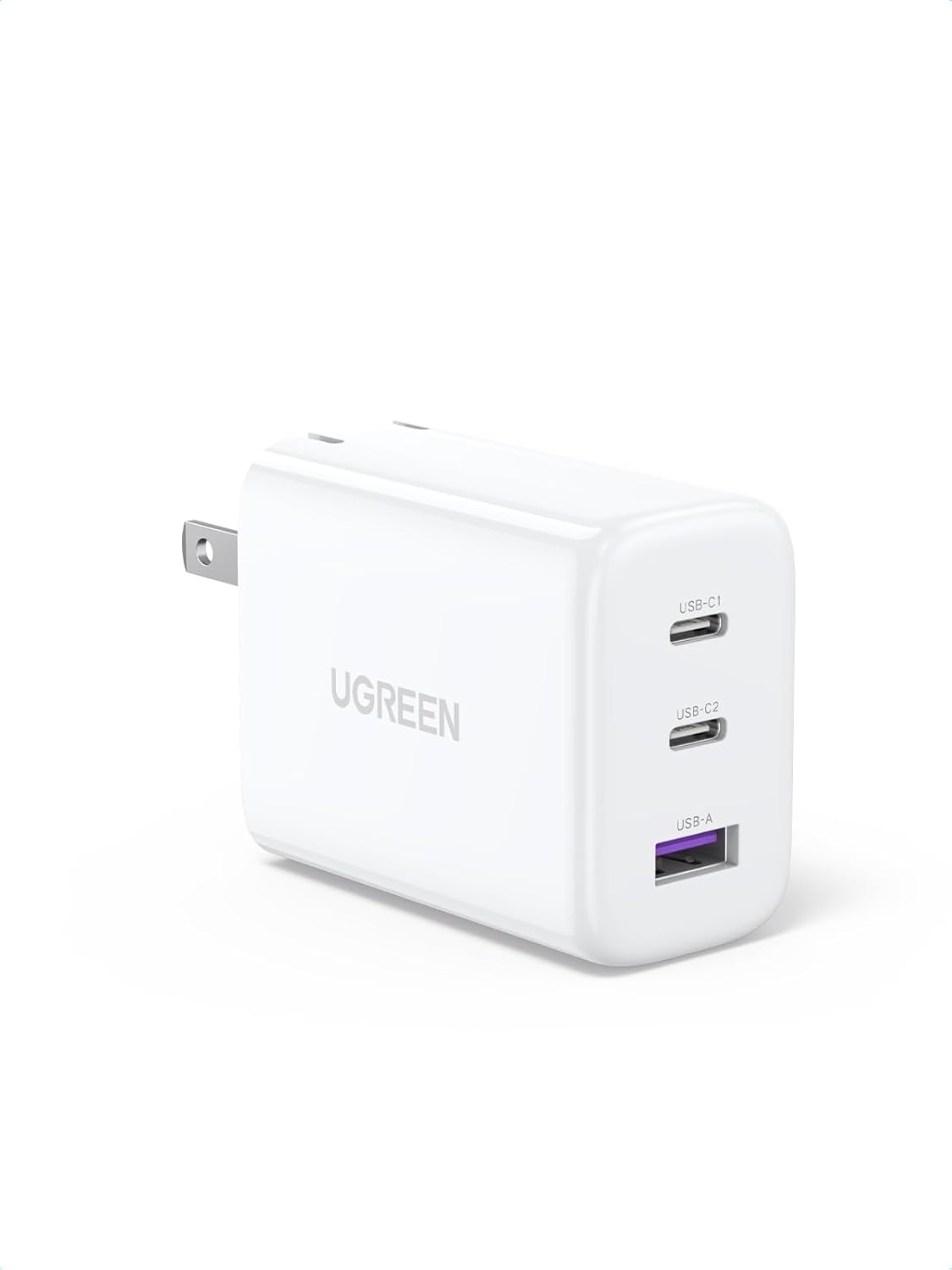
Setup and Initial Use
The UGREEN 65W USB C Charger is designed for ease of use. Its compact size and foldable plug make it ideal for both home and travel. Follow these steps to begin charging your devices:
- Unfold the Plug: Gently unfold the AC prongs from the charger body.
- Connect to Power Outlet: Insert the charger into a standard wall outlet.
- Connect Devices: Use appropriate USB-C to USB-C or USB-A to USB-C/Lightning cables to connect your devices to the charger's available ports.
- Optimal Charging: For single device charging, connect to either USB-C port for up to 65W power delivery. When charging multiple devices, the power output will be intelligently distributed among the connected ports.


Product Overview Video
Official UGREEN video demonstrating the features and usage of the 65W USB C Charger.
Operating the Charger
The UGREEN 65W USB C Charger intelligently manages power output to provide efficient charging for your connected devices. Understanding its power distribution capabilities will help you optimize your charging experience.
Power Distribution Scenarios:
- Single Device Charging: When only one device is connected to either USB-C1 or USB-C2 port, the charger can deliver up to 65W of power. If a single device is connected to the USB-A port, it will receive up to 22.5W.
- Two Devices Charging:
- USB-C1 + USB-C2: Power is distributed as 45W/20W or 20W/45W depending on device requirements.
- USB-C1 + USB-A: Power is distributed as 45W (USB-C1) and 18W (USB-A).
- USB-C2 + USB-A: Total output is 17W shared between the two ports.
- Three Devices Charging: When all three ports (USB-C1, USB-C2, and USB-A) are in use, the power distribution is typically 45W (USB-C1), 17W (USB-C2), and 17W (USB-A).
Note: For optimal charging of your iWatch, please use the USB-C1 port first. If you use the USB-A port for your iWatch, do not use the adjacent USB-C port simultaneously.


Maintenance and Safety
To ensure the longevity and safe operation of your UGREEN 65W USB C Charger, please adhere to the following maintenance and safety guidelines:
- Keep Dry: Avoid exposing the charger to water or excessive humidity.
- Clean Gently: Use a soft, dry cloth to clean the charger. Do not use harsh chemicals or abrasive materials.
- Proper Ventilation: Ensure the charger is used in a well-ventilated area to prevent overheating.
- Avoid Drops: Protect the charger from drops and impacts, which can damage internal components.
- Unplug When Not in Use: For safety and energy conservation, unplug the charger from the wall outlet when not in use for extended periods.
Safety Features:
The UGREEN 65W PD charger incorporates advanced safety mechanisms to protect your devices and the charger itself:
- Overvoltage Protection: Safeguards against excessive voltage input.
- Overcharge Protection: Prevents devices from being overcharged, prolonging battery life.
- Short Circuit Protection: Automatically cuts off power in case of a short circuit.
- Overheating Protection: A dynamic temperature sensor monitors the charger's temperature and automatically adjusts power output to prevent overheating, ensuring safe charging even overnight.

Troubleshooting
If you encounter any issues with your UGREEN 65W USB C Charger, please refer to the following common troubleshooting tips:
- Device Not Charging:
- Ensure the charger is securely plugged into a working wall outlet.
- Verify that the charging cable is properly connected to both the charger and your device.
- Try using a different charging cable to rule out a faulty cable.
- Test the charger with a different device to confirm its functionality.
- Slow Charging:
- Ensure your device and cable support fast charging protocols (e.g., Power Delivery, Quick Charge).
- Check the power distribution section in this manual. Connecting multiple devices, especially high-power ones, can reduce the individual charging speed for each device.
- Avoid using excessively long or low-quality cables, which can impede charging speed.
- Charger Gets Warm:
- It is normal for the charger to become warm during operation, especially under heavy load.
- If the charger becomes excessively hot, unplug it immediately and allow it to cool down. Ensure it is used in a well-ventilated area and not covered.
- The built-in overheating protection will automatically adjust power or shut down if temperatures exceed safe limits.
- Devices Disconnect When New Device is Plugged In:
- This is a normal behavior for multi-port chargers. When a new device is connected, the charger briefly re-calibrates its power output to intelligently distribute power among all connected devices. This may cause a momentary pause in charging for other devices.
If the issue persists after trying these steps, please contact UGREEN customer support for further assistance.
Technical Specifications
| Feature | Detail |
|---|---|
| Brand | UGREEN |
| Model Number | CD275 |
| Product Dimensions | 1.97 x 1.26 x 2.42 inches |
| Item Weight | 5.9 ounces |
| Connectivity Technology | USB |
| Connector Type | USB Type C |
| Input Voltage | 240 Volts |
| Included Components | 1 x 65W 3-Ports USB C Charger |
| Special Features | 3 Ports Fast Charging, Foldable Plug, Compact & Portable |
| Color | White |
| Manufacturer | Ugreen Group Limited |
| Country of Origin | China |
Warranty and Support
UGREEN products are designed and manufactured to the highest quality standards. For information regarding warranty coverage, technical support, or any other inquiries, please visit the official UGREEN website or contact UGREEN customer service directly. Keep your purchase receipt as proof of purchase for warranty claims.
You can find more information and contact details on the UGREEN Brand Store on Amazon.