
Bearhug SQB-Q
Contents
Bearhug Electric Blanket Queen Size 84" x 90" Instruction Manual
1. Introduction
Welcome to the Bearhug Electric Blanket user manual. This guide provides essential information for the safe and effective use, care, and maintenance of your new electric blanket. Please read all instructions carefully before use and retain this manual for future reference.
Important Safety Information
- Voltage: Use only with the correct voltage: 120V/60Hz.
- Prolonged Use: Avoid prolonged use on one body area to prevent discomfort.
- Sharp Objects: Do not use sharp objects on this product.
- Wire Entanglement: Prevent wire entanglement during use and storage.
- Overlapping: Avoid overlapping with other heating products.
- Limited Self-Care Abilities: Not suitable for individuals with limited self-care abilities without supervision.
- Unplug When Not in Use: Always turn off and unplug the blanket when not in use.
- Never Plug in While Damp: Ensure the blanket is completely dry before plugging it in.
- ETL Certified: This electric blanket is ETL certified for safety.

This image displays the safety warnings directly on the blanket, emphasizing the importance of adhering to these guidelines for safe operation.
2. Product Overview
The Bearhug Electric Blanket provides warmth and comfort with its premium dual-sided material and advanced heating features. Designed for convenience and safety, it offers personalized heating zones and easy-to-use controls.
Key Features:
- Premium Dual-Sided Material: Made from super-soft faux fur and sherpa, providing comfort and warmth.
- Dual Controllers: Two independent controllers for customized heating and timing in two separate zones.
- 10 Heat Levels: Adjustable temperature settings from 90°F to 108°F.
- 1-12 Hour Auto-Off: Programmable timer for automatic shut-off, ensuring safety and energy efficiency.
- Over-Heat Protection: Built-in safety mechanism to prevent overheating.
- Even Heat Distribution: U-shape heating wires ensure uniform warmth across the blanket.

This image shows the Bearhug Electric Blanket in a queen size, draped over a bed, highlighting its overall appearance and size.
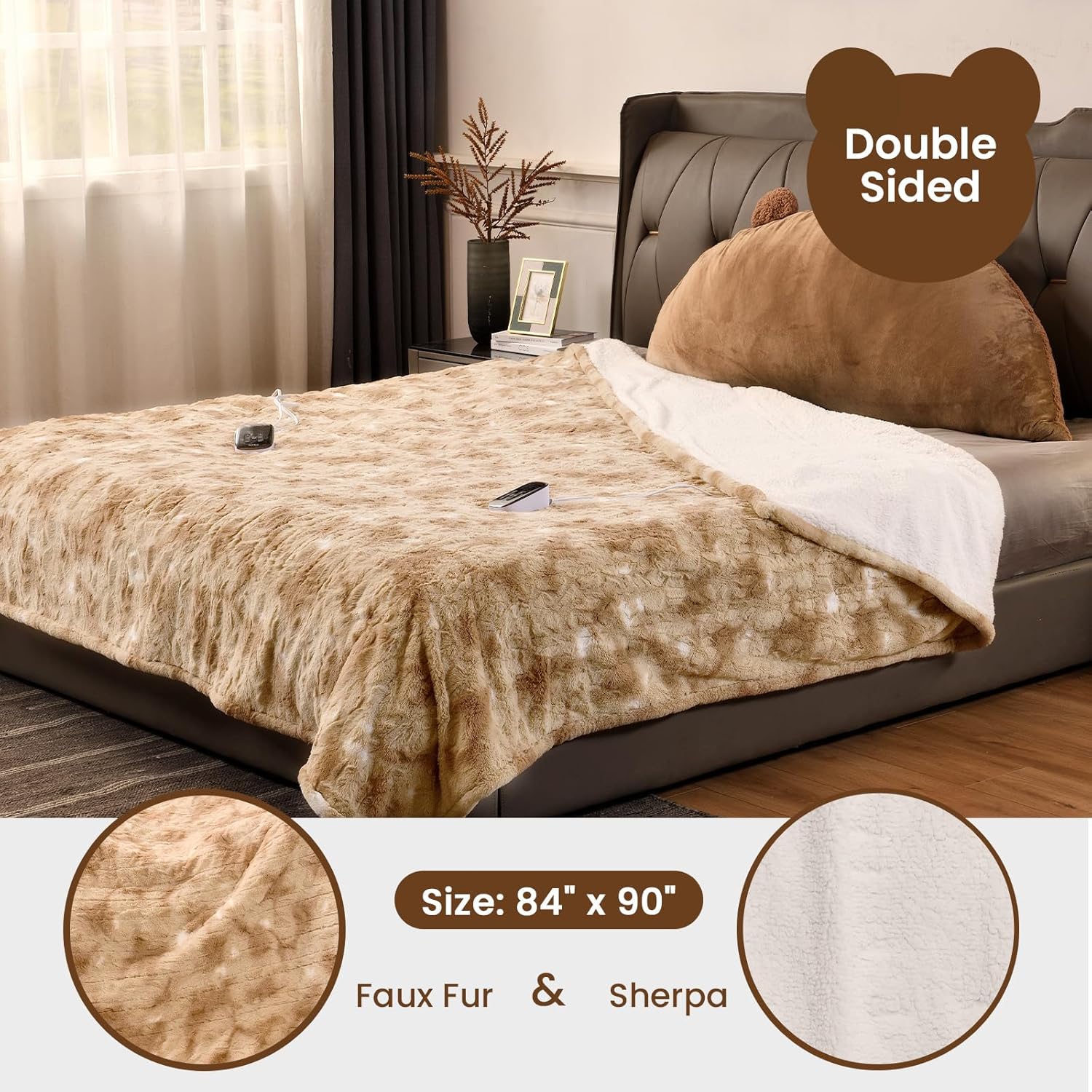
This close-up image illustrates the soft textures of the faux fur on one side and the cozy sherpa on the other, emphasizing the blanket's comfortable materials.

This image shows two individuals in bed, each with their own controller, illustrating the dual-zone heating capability of the blanket.
Product Videos:
This video provides a brief overview of the Bearhug heating blanket, showcasing its features and design.
This short video highlights the warming capabilities and comfort of the Bearhug electric blanket.
3. Setup
Follow these steps to properly set up your Bearhug Electric Blanket:
- Unpack: Carefully remove the blanket from its packaging. Due to vacuum packing, the blanket might appear thin. Gently shake it to restore fluffiness; this may take 24-48 hours.
- Position the Blanket: Lay the electric blanket flat on your bed, ensuring it is evenly spread and not folded or bunched.
- Connect Coupler: Locate the coupler on the blanket. Align the arrows on the connector and the module, then firmly plug in the coupler until it securely locks. Ensure the coupler and controller are dry before connecting.
- Connect Power: Plug the power cord from the controller into a standard 120V/60Hz electrical outlet.

This image provides a clear view of the controller, showing its buttons and display for easy identification during setup and operation.
Setup Video:
This video demonstrates the correct procedure for setting up a heated blanket for the first time, including connecting the controller and plugging it in.
4. Operating Instructions
Your Bearhug Electric Blanket features dual controllers, allowing two users to customize their heat settings independently.
- Turn On/Off: Press the power button on the controller to turn the blanket on or off.
- Adjust Heat Levels: Use the '+' and '-' buttons under 'TEMP' to select your desired heat level from 1 to 10. The temperature ranges from 90°F to 108°F.
- Set Auto-Off Timer: Use the '+' and '-' buttons under 'TIMER' to set the auto-off timer from 1 to 12 hours. The blanket will automatically shut off after the selected duration.
- Dual Control: Each side of the Queen size blanket has its own controller, allowing individual temperature and timer settings.

This image shows two controllers, one set to a low heat level and the other to a high heat level, illustrating the independent control for each side of the blanket.
Operating Video:
This video demonstrates how to operate the blanket's controller, including turning it on, adjusting heat settings, and setting the timer.
5. Maintenance
Proper care will extend the life of your electric blanket. Always follow these instructions:
Washing Instructions:
- Disconnect: Always disconnect the power cord and coupler from the blanket before washing. Ensure the controller and coupler are dry before re-connecting.
- Machine Wash: Machine wash on a gentle cycle with cold water (under 104°F).
- Do Not Submerge: Do not submerge cords, power supply, or control units in water.
- Avoid Chemicals: Do not dry clean or bleach. Cleaning solvents may damage the wiring insulation.
Drying Instructions:
- Tumble Dry: Tumble dry on low heat. Ensure the product has enough room to tumble freely.
- Avoid Commercial Dryers: Do not use a commercial dryer.
- Do Not Iron: Do not iron the blanket.
- Line Dry: If line drying, drape the blanket over two parallel clotheslines or a shower rod to ensure even drying.
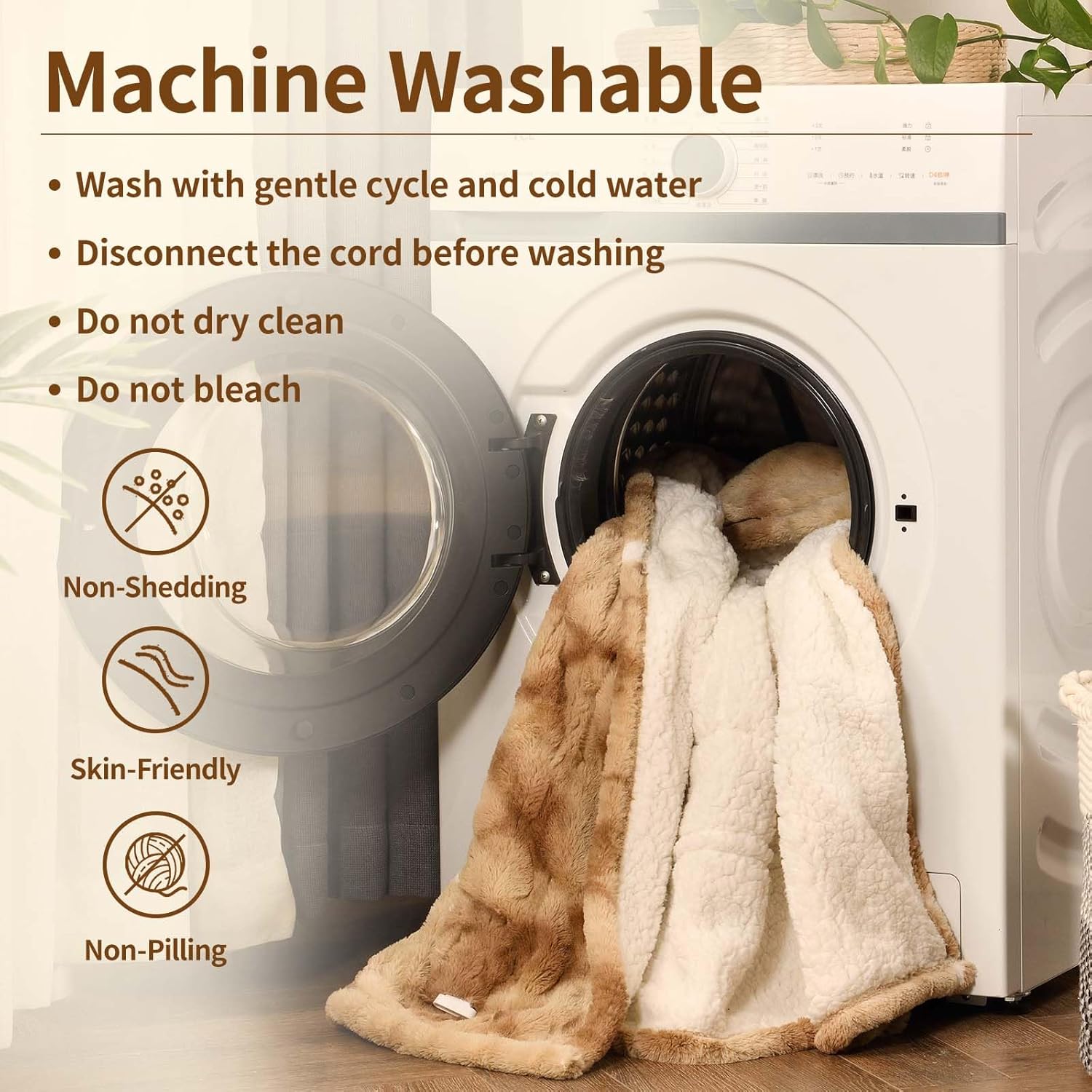
This image visually guides users on how to prepare the blanket for machine washing, emphasizing the importance of proper handling.
Maintenance Video:
This video provides detailed instructions on how to care for and wash your heated blanket, ensuring its longevity and performance.
Storage:
For long-term storage, ensure the blanket is completely dry. Avoid excessive folding or twisting. Do not place heavy objects on the blanket, as this can damage the internal heating wires. Store in a cool, dry place.
6. Troubleshooting
If you encounter any issues with your Bearhug Electric Blanket, please refer to the following common problems and solutions:
- Blanket Not Heating:
- Ensure the power cord is securely plugged into both the blanket's coupler and the wall outlet.
- Check if the wall outlet is functional by plugging in another appliance.
- Verify that the controller is turned on and a heat level is selected.
- Controller Feels Too Hot:
- Ensure the controller is not wrapped in the blanket or placed near other heat sources. It should be in an open area to dissipate heat.
- Error Code on Display:
- Refer to the specific error code in the detailed manual provided with your product or contact customer support.
Troubleshooting Videos:
This video, while showcasing a different brand, provides general information that may be helpful for understanding heated blanket functionality.
7. Specifications
| Feature | Detail |
|---|---|
| Model Number | SQB-Q |
| Size | Queen Size 84" x 90" |
| Material | Faux Fur + Sherpa (Velvet) |
| Power Input | 120V/60Hz |
| Heat Levels | 10 (90°F to 108°F) |
| Auto-Off Timer | 1-12 Hours |
| Special Features | Dual Controller, Over-Heat Protection, ETL Certified |
| Care Instructions | Machine Washable |
| Item Weight | 9.42 pounds |

This diagram provides a visual representation of the blanket's dimensions, confirming its Queen size measurements.
8. Warranty & Support
Bearhug is committed to providing high-quality products and excellent customer service.
Warranty Information:
Your Bearhug Electric Blanket comes with a 5-year quality warranty. If you encounter any quality problems within this period, please contact our customer service team for assistance.
Customer Support:
We offer 7x24-hour online customer service to answer any questions or concerns you may have. Please refer to the product packaging or the official Bearhug website for specific contact details.
Ask a question about this manual
Ask about setup, troubleshooting, compatibility, parts, safety, or missing instructions. Manuals+ will review the question and use this page’s manual context to help answer it.