
1. Introduction
This manual provides instructions for the safe and efficient operation of your MIFA S2118 WildRod Portable Bluetooth Speaker. Please read this manual thoroughly before using the product and retain it for future reference.
2. Package Contents
Verify that all items are present in the package:
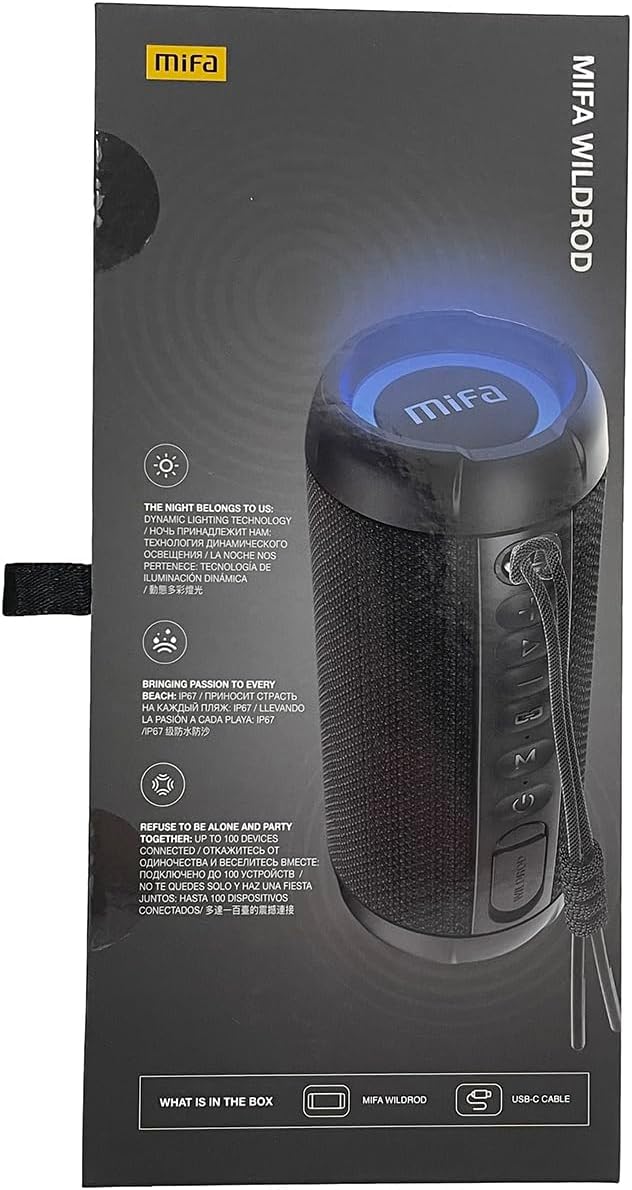
- MIFA WildRod Speaker
- USB-C Cable
- User Manual (this document)
3. Product Overview
The MIFA S2118 WildRod is a portable Bluetooth speaker designed for outdoor use, featuring robust construction and dynamic audio capabilities.
Key Features:
- IP67 Waterproof and Dustproof: Designed to withstand immersion in water up to 1 meter for 30 minutes and protected against dust ingress.
- 30W Output Power: Delivers clear and powerful sound with a 2-way speaker system, including a racetrack-shaped woofer and a separate tweeter.
- Dynamic LED Light: Features 16.8 million Aurora colors and 36 mixed color flashing lights that synchronize with music.
- Bluetooth 5.3: For stable wireless connectivity.
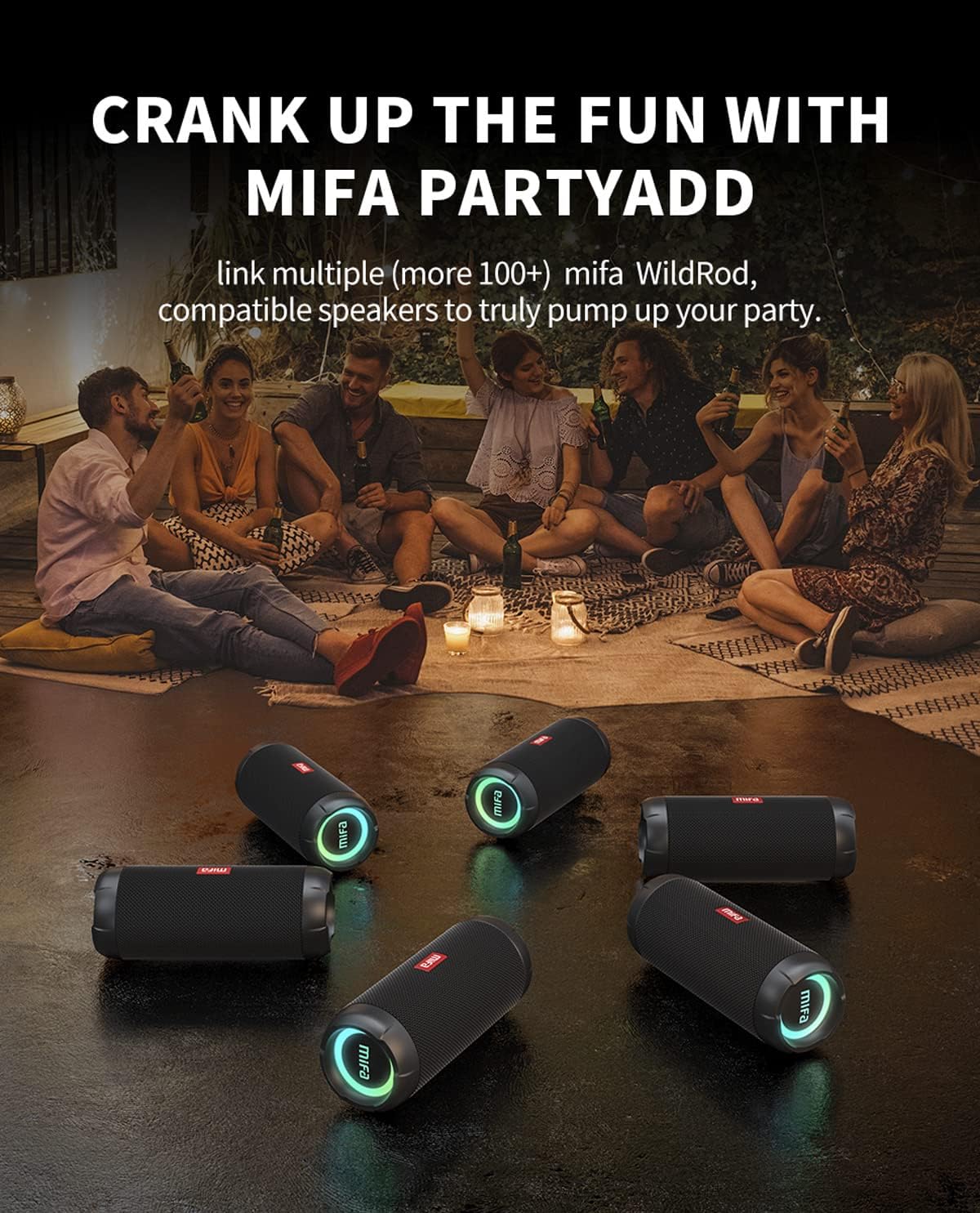
- MIFA PartyAdd: Allows linking multiple (100+) compatible speakers for synchronized audio.
- 12 Hours Playtime: Equipped with a 5000mAh lithium battery.
- Multiple Input Options: Supports Bluetooth and Micro SD card playback.


4. Setup
4.1 Initial Charging
- Before first use, fully charge the speaker using the provided USB-C cable.
- Connect the USB-C cable to the charging port on the speaker and the other end to a compatible USB power adapter (not included).
- The LED indicator will show charging status and turn off or change color when fully charged.

5. Operating Instructions
5.1 Power On/Off
- To power on, press and hold the Power button until the indicator light illuminates.
- To power off, press and hold the Power button until the indicator light turns off.
5.2 Bluetooth Pairing
- Ensure the speaker is powered on and in Bluetooth pairing mode (indicator light will flash).
- On your device (smartphone, tablet, etc.), enable Bluetooth and search for available devices.
- Select "MIFA S2118" or "MIFA WildRod" from the list of devices.
- Once paired, the speaker will indicate a successful connection, and the indicator light will become solid.
5.3 Playback Controls
- Play/Pause: Press the Play/Pause button.
- Volume Up: Press the Volume + button.
- Volume Down: Press the Volume - button.
- Next Track: Press and hold the Volume + button.
- Previous Track: Press and hold the Volume - button.
5.4 LED Light Modes
The speaker features dynamic LED lights. Refer to the specific button on your speaker (often marked with a light icon) to cycle through different light modes or turn them off.
5.5 MIFA PartyAdd (True Wireless Stereo Pairing)
To connect multiple MIFA WildRod speakers for a synchronized audio experience:
- Ensure both speakers are powered on and not connected to any Bluetooth device.
- On one speaker, press the PartyAdd button (or designated TWS button). It will enter pairing mode.
- Repeat the process on the second speaker.
- Once connected, the speakers will indicate successful pairing. You can then connect your device to one of the speakers via Bluetooth.

5.6 Micro SD Card Playback
Insert a Micro SD card with audio files into the designated slot. The speaker will automatically switch to Micro SD card playback mode. Use the playback controls to manage your music.
6. Maintenance
- Cleaning: Use a soft, damp cloth to clean the speaker's exterior. Do not use harsh chemicals or abrasive cleaners.
- Storage: Store the speaker in a cool, dry place away from direct sunlight and extreme temperatures.
- Battery Care: To prolong battery life, fully charge the speaker before long periods of inactivity. Avoid completely draining the battery frequently.
7. Troubleshooting
| Problem | Possible Cause | Solution |
|---|---|---|
| Speaker does not power on. | Low battery. | Charge the speaker fully. |
| Cannot pair via Bluetooth. | Speaker not in pairing mode; device Bluetooth off; too far from speaker. | Ensure speaker is in pairing mode. Turn device Bluetooth off and on. Move device closer to speaker. |
| No sound. | Volume too low; device not connected; incorrect input source. | Increase volume on both speaker and device. Re-pair Bluetooth. Check if Micro SD card is inserted. |
| Sound distortion. | Volume too high; low battery. | Reduce volume. Charge the speaker. |
8. Specifications
- Model Name: WildRod
- Item Model Number: S2118
- Brand: MIFA
- Speaker Maximum Output Power: 30 Watts
- Frequency Response: 20000 Hz
- Connectivity Technology: USB (for charging), Bluetooth 5.3
- Audio Output Mode: Stereo
- Input Voltage: 5 Volts
- Mounting Type: Tabletop
- Material: Waterproof and dustproof plastic with LED lights
- Speaker Type: Outdoor
- Batteries: 1 Lithium Ion battery (included)
- Product Dimensions: 7 x 7 x 19 cm
- Weight: 600 g
- Waterproof Rating: IP67
- Dustproof Rating: IP6X
- Playtime: Up to 12 hours
9. Safety Information
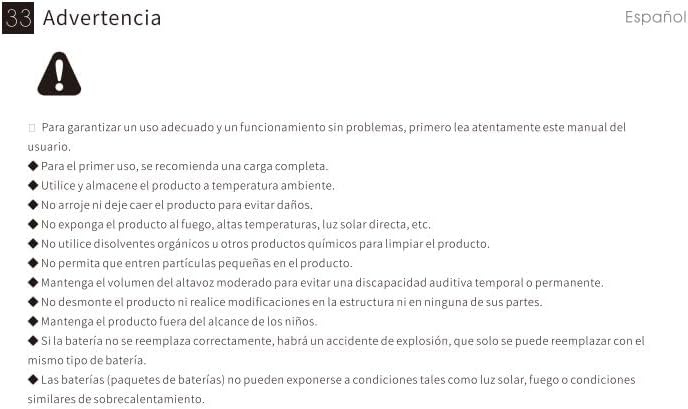
⚠ Warning: For proper use and trouble-free operation, please read this user manual carefully first.
- For first use, a full charge is recommended.
- Use and store the product at room temperature.
- Do not drop the product to avoid damage.
- Do not expose the product to fire, high temperatures, direct sunlight, etc.
- Do not use organic solvents or other chemical products to clean the product.
- Do not allow small particles to enter the product.
- Maintain moderate speaker volume to avoid temporary or permanent hearing impairment.
- Do not disassemble the product or make modifications to the structure or any of its parts.
- Keep the product out of reach of children.
- If the battery is not replaced correctly, there will be an explosion accident, and it can only be replaced with the same type of battery.
- Batteries (battery packs) cannot be exposed to conditions such as light, fire, or overheating.
10. Warranty and Support
MIFA products are covered by a limited warranty. For detailed warranty information and support, please visit the official MIFA website or contact customer service.
- Manufacturer: MIFA INNOVATIONS LLC
- Website: www.mifa.net
- Contact: 4007-881-899


