1. Introduction
Thank you for purchasing the Videyas S302 Retro Portable Radio. This device combines classic aesthetics with modern functionality, offering AM, FM, and Shortwave radio reception, Bluetooth connectivity, and media playback via TF card and USB disk. It also features an integrated flashlight for convenience. Please read this manual thoroughly before use to ensure proper operation and to maximize your listening experience.
2. Safety Instructions
- Do not expose the unit to rain, moisture, or extreme temperatures.
- Avoid dropping or subjecting the unit to strong impacts.
- Do not disassemble the radio. Repairs should only be performed by qualified personnel.
- Keep the unit away from strong magnetic fields.
- Use only the specified charging cable and power adapter (DC 5V) to prevent damage.
- Dispose of batteries responsibly according to local regulations.
3. Package Contents
Verify that all items are present in the package:
- Videyas S302 Retro Portable Radio
- Micro USB Charging Cable
- User Manual
Image: Contents of the Videyas S302 package, including the radio, micro USB charging cable, and the user manual.
4. Product Overview
Familiarize yourself with the main components and controls of your Videyas S302 radio.

Image: Front view of the Videyas S302 radio, showing the speaker grille, tuning dial, volume and tuning knobs, and control buttons.

Image: Side view of the Videyas S302 radio, highlighting the flashlight ON/OFF switch, USB port, TF card slot, and DC 5V IN charging port.
Controls and Ports:
- Volume Knob: Adjusts audio output level.
- Tuning Knob: Selects radio frequencies.
- Band Switch (SW/AM/FM): Selects the desired radio band.
- Mode Button (M): Switches between Radio, Bluetooth, TF Card, and USB modes.
- Play/Pause Button: Controls playback in Bluetooth/TF/USB modes.
- Previous/Next Track Buttons: Navigates tracks in Bluetooth/TF/USB modes.
- USB Port: For USB disk playback.
- TF Card Slot: For TF (MicroSD) card playback.
- DC 5V IN Port: For charging the internal battery.
- Light Switch: Activates the built-in flashlight.
- Telescopic Antenna: For improved radio reception.
5. Setup
5.1 Powering the Device
The Videyas S302 radio includes a built-in rechargeable Lithium Ion battery. Before first use, it is recommended to fully charge the battery.
- Connect the Micro USB charging cable to the DC 5V IN port on the side of the radio.
- Connect the other end of the USB cable to a standard USB power adapter (not included) or a computer USB port.
- The LED indicator near the charging port will illuminate during charging and turn off when fully charged.
The radio can also operate while connected to a power source.
5.2 Antenna Extension
For optimal radio reception, extend the telescopic antenna fully when listening to FM or Shortwave bands. For AM reception, the internal antenna is generally sufficient, but adjusting the radio's orientation may improve signal strength.

Image: The Videyas S302 radio with its telescopic antenna extended, symbolizing its reception capabilities across various frequencies.
6. Operating Instructions
6.1 Turning On/Off
Rotate the Volume Knob clockwise to turn the radio ON. Rotate it counter-clockwise until it clicks to turn the radio OFF.
6.2 Radio Modes (AM/FM/Shortwave)
- Turn the radio ON.
- Use the Band Switch to select your desired band: AM, FM, or SW (Shortwave).
- Extend the telescopic antenna for FM and SW bands.
- Slowly rotate the Tuning Knob to scan for stations. The tuning dial will indicate the frequency.
- Adjust the Volume Knob to your preferred listening level.
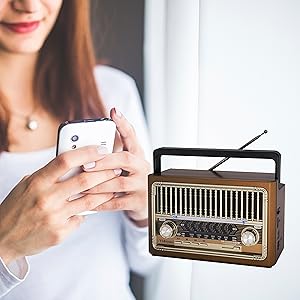
Image: Detail of the radio's front panel, showing the volume knob and the switch for selecting SW, AM, or FM bands.
6.3 Bluetooth Pairing
The radio can connect to Bluetooth-enabled devices for audio streaming.
- Turn the radio ON.
- Press the Mode (M) button repeatedly until you hear an audible prompt indicating Bluetooth mode. The Bluetooth indicator light may flash.
- On your mobile device, enable Bluetooth and search for available devices.
- Select "Videyas S302" (or similar name) from the list of devices.
- Once paired, you will hear a confirmation sound, and the Bluetooth indicator light will become solid.
- You can now play audio from your device through the radio. Use the radio's Play/Pause and Previous/Next buttons, or control playback from your connected device.
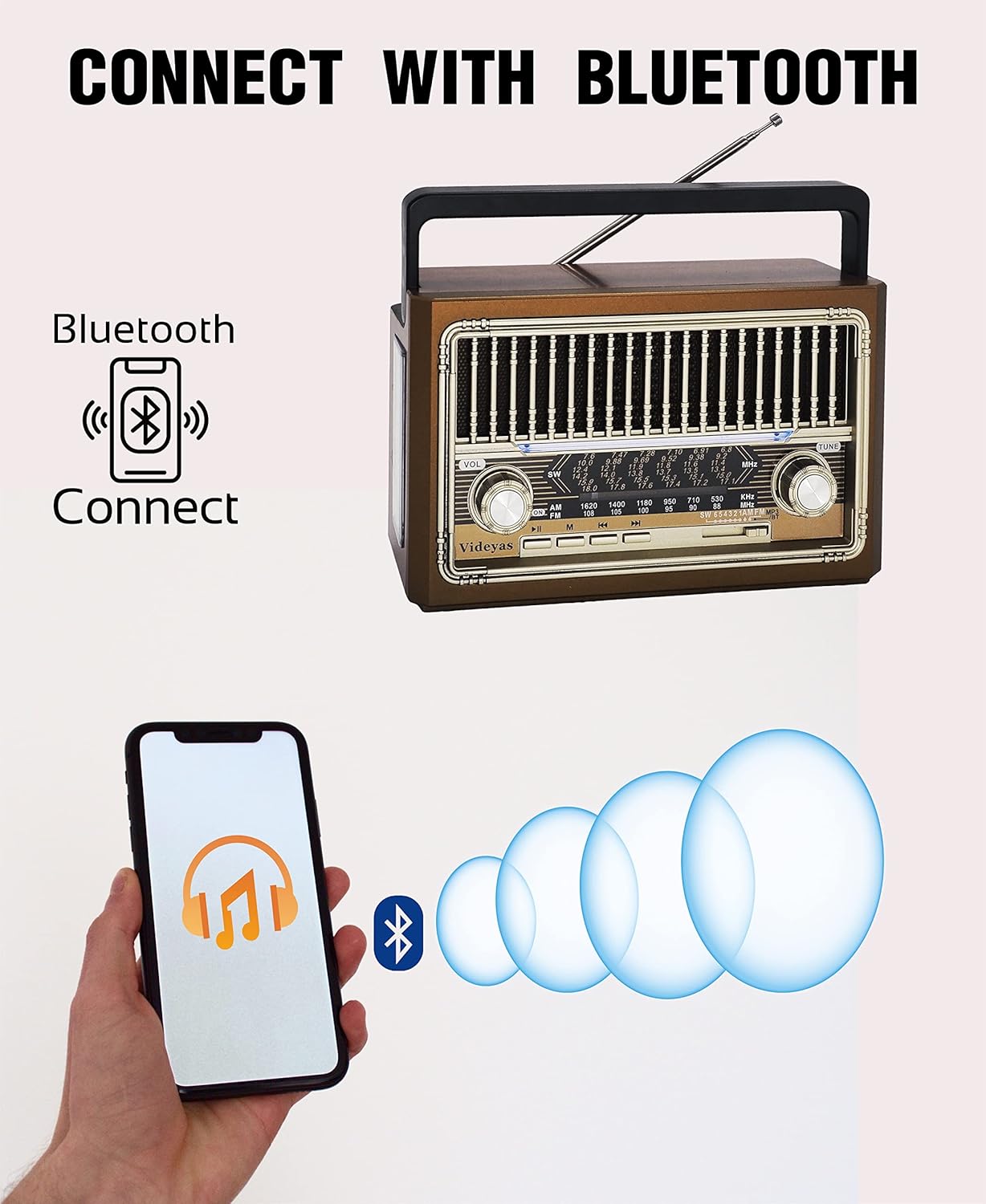
Image: A smartphone displaying a music app, with Bluetooth waves connecting to the Videyas S302 radio, demonstrating Bluetooth pairing.
6.4 TF Card / USB Disk Playback
The radio supports playing audio files from a TF (MicroSD) card or a USB flash drive.
- Turn the radio ON.
- Insert a TF card into the TF card slot or a USB disk into the USB port. Ensure it is inserted correctly.
- The radio should automatically switch to TF card or USB disk mode and begin playing audio. If not, press the Mode (M) button until the correct mode is selected.
- Use the Play/Pause and Previous/Next buttons to control playback.
6.5 Flashlight Operation
The Videyas S302 includes a built-in LED flashlight on its side.
- Locate the Light Switch on the side of the radio.
- Slide the switch to the "ON" position to activate the flashlight.
- Slide the switch to the "OFF" position to turn off the flashlight.

Image: A person using the integrated flashlight of the Videyas S302 radio to illuminate a dark path outdoors.
7. Maintenance
- Cleaning: Use a soft, dry cloth to clean the exterior of the radio. Do not use abrasive cleaners or solvents.
- Storage: When not in use for extended periods, store the radio in a cool, dry place.
- Battery Care: To prolong battery life, avoid fully discharging the battery frequently. Charge the radio regularly, even if not in use.
8. Troubleshooting
| Problem | Possible Cause | Solution |
|---|---|---|
| No power/Radio does not turn on | Battery is depleted. | Charge the radio using the provided USB cable. |
| Poor radio reception | Antenna not extended; weak signal; interference. | Extend the telescopic antenna. Adjust the radio's position or orientation. Move away from electronic devices that may cause interference. |
| Bluetooth not connecting | Radio not in Bluetooth mode; device not discoverable; already connected to another device. | Press the Mode button to switch to Bluetooth mode. Ensure your device's Bluetooth is on and discoverable. Disconnect from other Bluetooth devices. |
| TF card/USB disk not playing | Card/disk not inserted correctly; unsupported file format; radio not in correct mode. | Reinsert the TF card/USB disk. Ensure audio files are in a supported format (e.g., MP3). Press the Mode button to switch to TF/USB mode. |
| Flashlight not working | Light switch is OFF; battery is too low. | Ensure the Light Switch is in the ON position. Charge the radio's battery. |
9. Specifications
- Model: Videyas S302
- Dimensions: 7.6" L x 3" W x 4.6" H
- Weight: 1.2 pounds
- Radio Bands: AM, FM, Shortwave (SW)
- Connectivity: Bluetooth, TF Card, USB Disk
- Power Source: DC 5V (via Micro USB), Built-in Lithium Ion Battery
- Special Features: Rechargeable, Built-in Flashlight

Image: Diagram showing the dimensions (7.6in L x 3in W x 4.6in H) and connectivity options (AUX IN, TF, USB, DC 5V IN) of the Videyas S302 radio.
10. Warranty and Support
For warranty information or technical support, please refer to the contact details provided with your purchase or visit the official Videyas website. Keep your purchase receipt as proof of purchase.


