1. Product Overview
The Kinglucky US-M18-Mic is a mini wireless lavalier microphone system designed for high-quality audio recording. It features noise cancellation technology and broad compatibility, making it suitable for various applications including TikTok, YouTube, vlogging, and general video production with smartphones, DSLRs, and camcorders.
This system offers a convenient plug-and-play experience with automatic pairing and a long-distance recording range, ensuring clear and crystal audio capture in diverse environments.

Image: Overview of the Kinglucky Compact Wireless Mic System highlighting key features.
2. What's in the Box
The Kinglucky US-M18-Mic package includes the following components:
- 1 x Transmitter
- 1 x Receiver
- 1 x 2-in-1 Charging Cable
- 1 x Type-C Cable
- 1 x 3.5mm Jack Cable
- 1 x Lightning Adapter (for Apple devices)
- 1 x Wind Muff
- 1 x Carry Case
- 1 x Monitor Earphones
- 1 x User Manual (this document)

Image: All included accessories and main units of the Kinglucky US-M18-Mic system.
3. Setup Guide
The Kinglucky US-M18-Mic system is designed for quick and easy setup with its plug-and-play functionality. No additional apps or software downloads are required.
3.1 Initial Pairing
- Ensure both the Transmitter and Receiver units are fully charged.
- Turn on both the Transmitter and Receiver units. They will automatically pair within approximately 2 seconds. The indicator lights will confirm successful pairing.

Image: The transmitter and receiver units indicating successful automatic pairing.
3.2 Connecting to Your Device
Use the appropriate cable to connect the Receiver unit to your recording device:
- For iPhone/iPad: Use the provided Lightning adapter.
- For Android Smartphones/PC (with Type-C port): Use the Type-C cable.
- For DSLR/Camcorder/PC (with 3.5mm jack): Use the 3.5mm Jack cable.

Image: Visual representation of the microphone system connected to different devices like smartphones, DSLR, and camcorder.
Once connected, the system is ready for immediate use. Ensure your device's audio input settings are configured to use the external microphone.
4. Operating Instructions
4.1 Power On/Off
Press and hold the power button on both the Transmitter and Receiver units to turn them on or off. Indicator lights will illuminate when powered on.
4.2 Noise Cancellation
The US-M18-Mic features a built-in DSP chip for intelligent noise cancellation. This helps to filter out external noise, providing clear and crisp audio quality. The noise cancellation feature is active by default.

Image: Diagram illustrating the effect of intelligent noise cancellation on audio quality.
4.3 Omnidirectional Recording & Range
The wireless lavalier microphone captures sound omnidirectionally, ensuring comprehensive audio pickup. Utilizing 2.4GHz WIFI technology, it offers a recording distance of up to 65 feet (20 meters) in open environments, providing flexibility for various recording scenarios.
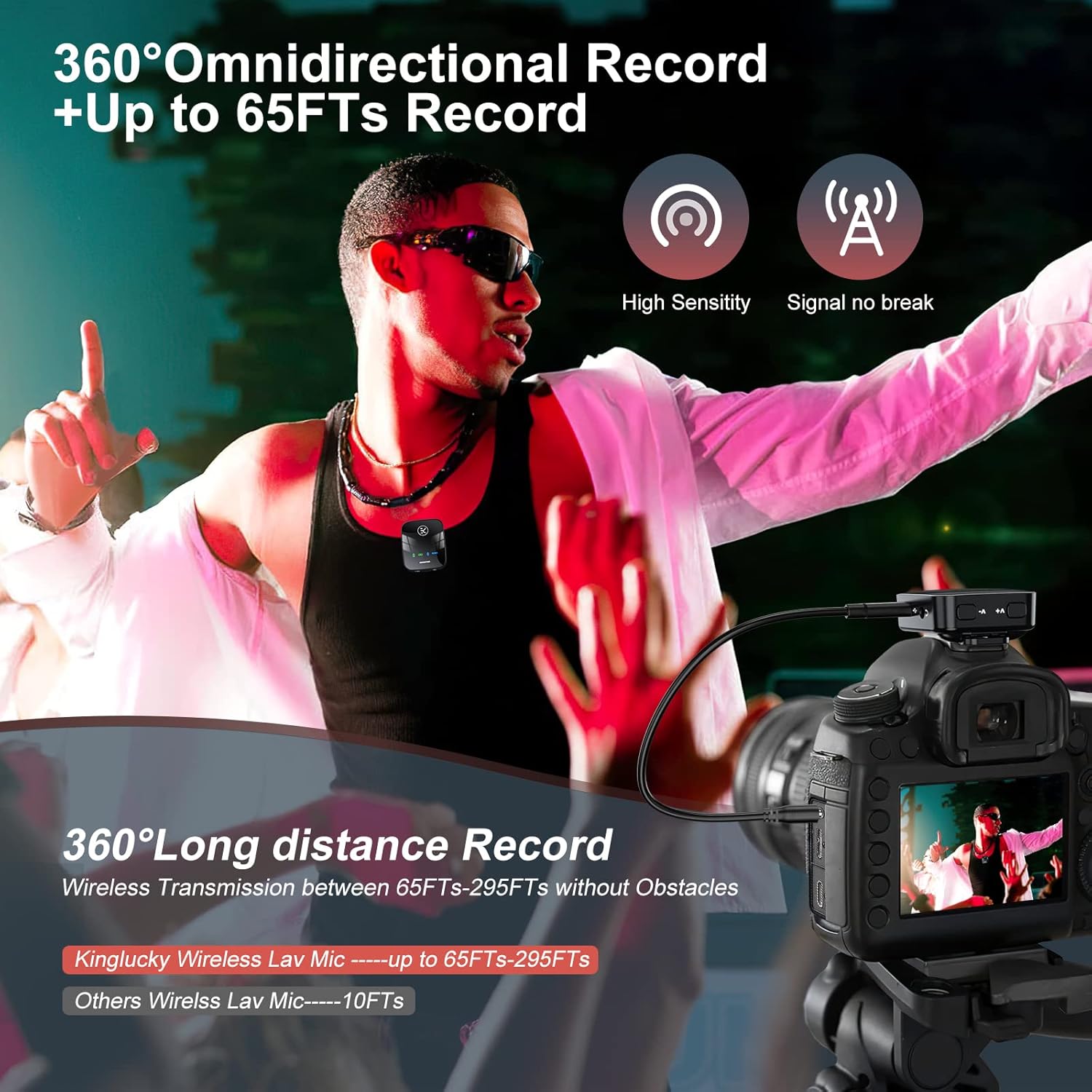
Image: Visual showing the 360° omnidirectional recording capability and extended wireless range.
4.4 Sound Recording Modes
The microphone system supports four distinct sound recording modes, allowing users to adapt to different audio environments and preferences. These modes can typically be cycled through using a dedicated button on the unit.

Image: Illustration of the four available sound recording modes for various applications.
5. Maintenance
Proper maintenance ensures the longevity and optimal performance of your Kinglucky US-M18-Mic.
- Cleaning: Use a soft, dry cloth to clean the microphone and receiver units. Avoid using harsh chemicals or abrasive materials.
- Storage: Store the device in its provided carry case when not in use to protect it from dust, moisture, and physical damage.
- Battery Care: For optimal battery life, charge the units regularly and avoid completely draining the battery for extended periods.
- Wind Muff: Ensure the wind muff is securely attached when used in windy conditions. Clean or replace if it becomes worn or dirty to maintain effectiveness.
6. Troubleshooting
If you encounter issues with your Kinglucky US-M18-Mic, refer to the following common troubleshooting steps:
- No Audio/Poor Audio Quality:
- Ensure both Transmitter and Receiver are powered on and successfully paired (indicator lights solid green).
- Check all cable connections between the Receiver and your recording device. Ensure the correct adapter/cable is used for your device.
- Verify your recording device's audio input settings are configured to use the external microphone.
- If using with a DSLR or camcorder, check the camera's audio input level. Some cameras may have non-adjustable input levels which can lead to audio being too high or low. Adjust camera settings if possible.
- Ensure the microphone is not obstructed and is positioned correctly for sound capture.
- If recording outdoors, ensure the wind muff is properly installed to reduce wind noise.
- Pairing Issues:
- Turn off both units, then turn them back on. They should automatically re-pair.
- Ensure units are within close proximity during initial pairing.
- Short Battery Life:
- Ensure units are fully charged before use (approximately 2 hours for a full charge).
- Battery life is rated for 10-12 hours of continuous use. Actual usage may vary.
- Limited Range:
- Ensure there are no significant physical obstructions (walls, large objects) between the transmitter and receiver.
- The maximum range of 65 feet (20 meters) is for clear line-of-sight conditions. Performance may decrease in environments with interference or obstructions.
7. Specifications
| Feature | Detail |
|---|---|
| Model Number | US-M18-Mic |
| Microphone Form Factor | Lavalier |
| Connectivity Technology | Wireless (2.4GHz WIFI), USB |
| Polar Pattern | Omnidirectional |
| Noise Cancellation | Built-in DSP chip |
| Operating Range | Up to 65 feet (20 meters) line-of-sight |
| Battery Type | Lithium Polymer (400mAh) |
| Charging Time | Approx. 2 hours |
| Working Hours | 10-12 hours |
| Compatible Devices | iPhone, Android Smartphones, PC, DSLR, Camcorder, GoPro |
| Item Weight | 54 Grams (1.9 ounces) |
| Material | Acrylonitrile Butadiene Styrene |
8. Warranty Information
For detailed warranty information regarding your Kinglucky US-M18-Mic Wireless Lavalier Microphone, please refer to the official Kinglucky website or the warranty card included in your product packaging. Warranty terms and conditions may vary by region and retailer.
9. Customer Support
Should you require technical assistance, have questions about product functionality, or need to report an issue, please contact Kinglucky customer support:
- Official Website: Visit the Kinglucky Store on Amazon for product information and support resources.
- Contact Information: Refer to your product packaging or the official website for the most up-to-date customer service contact details.