Introduction
This manual provides essential information for the proper installation, operation, and maintenance of your Weld S157 20X5 Belmont Drag Wheel. Please read this manual thoroughly before installation and retain it for future reference. This product is designed for specific automotive applications and requires professional installation.
Safety Information
Always prioritize safety when handling and installing automotive components. Improper installation can lead to serious injury or damage.
- Ensure the vehicle is securely supported on jack stands before working underneath.
- Wear appropriate personal protective equipment (PPE), including safety glasses and gloves.
- Consult a qualified automotive technician if you are unsure about any installation steps.
- Verify wheel and tire compatibility before mounting.
- Do not exceed the maximum load rating of the wheel.
Setup and Installation
Pre-Installation Check
Before beginning installation, inspect the wheel for any shipping damage or manufacturing defects. Ensure all included components are present.
- Verify the wheel's bolt pattern (5x120) and offset (ET-23) match your vehicle's specifications.
- Confirm the center bore diameter (78.1mm) is compatible or that appropriate hub-centric rings are available.
- Ensure adequate clearance with brake calipers and suspension components.
Mounting Instructions
- Clean the wheel hub and mounting surface on the vehicle.
- Mount the tire onto the wheel using proper tire mounting equipment. Ensure the tire bead is fully seated.
- Balance the wheel and tire assembly.
- Carefully position the wheel onto the vehicle's hub, aligning the bolt holes.
- Install lug nuts by hand to prevent cross-threading.
- Using a torque wrench, tighten lug nuts to the vehicle manufacturer's specified torque settings in a star pattern. Do not use an impact wrench for final tightening.
- Lower the vehicle and re-check lug nut torque after 50-100 miles of driving.
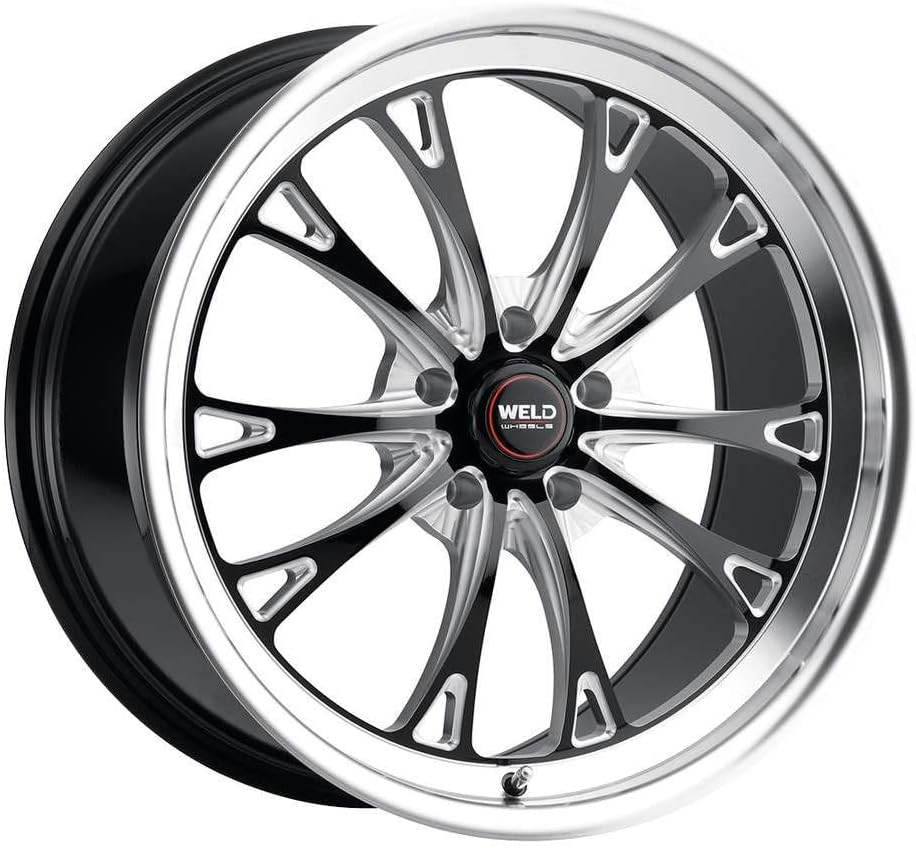
Figure 1: Front view of the Weld S157 Belmont Drag Wheel, showcasing its gloss black finish and polished lip.
Operating Considerations
Once installed, proper operation involves regular checks and adherence to driving best practices.
- Regularly check tire pressure according to vehicle manufacturer recommendations.
- Avoid harsh impacts with potholes or curbs, which can damage wheels and tires.
- Be aware of vehicle handling changes with new wheel and tire setups, especially if dimensions differ from stock.

Figure 2: Top-down view of the Weld S157 Belmont Drag Wheel, highlighting the spoke design and center cap.
Maintenance
Proper maintenance will extend the life and appearance of your Weld wheels.
- Clean wheels regularly with mild soap and water. Avoid abrasive cleaners or harsh chemicals that can damage the finish.
- Rinse thoroughly to remove all soap residue.
- For stubborn dirt or brake dust, use a wheel-specific cleaner designed for polished or painted finishes. Always test on an inconspicuous area first.
- Periodically inspect wheels for any signs of damage, cracks, or bends.
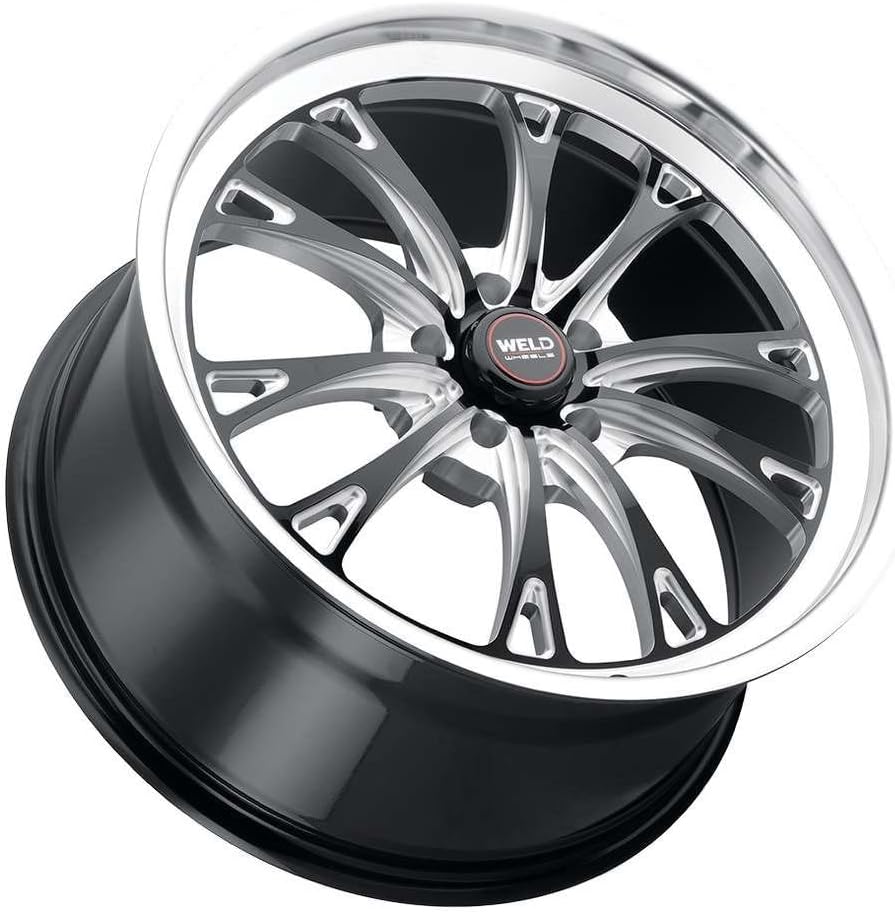
Figure 3: Angled side view of the Weld S157 Belmont Drag Wheel, showing the depth of the barrel and the overall profile.
Troubleshooting
| Problem | Possible Cause | Solution |
|---|---|---|
| Vibration after installation | Improper balancing, loose lug nuts, bent wheel, or tire issue. | Re-balance wheels, check lug nut torque, inspect wheel for damage, or have tires inspected. |
| Wheel not seating properly | Corrosion on hub, incorrect hub-centric ring, or debris. | Clean hub surface, ensure correct hub-centric ring is used, remove any debris. |
| Scratches or dull finish | Abrasive cleaning agents, road debris, or lack of regular cleaning. | Use only mild soap and water for cleaning. For significant damage, professional refinishing may be required. |
Specifications
| Attribute | Value |
|---|---|
| Model Name | Weld - S157 20X5 Belmont Drag 5X120 ET-23 BS2.1 Gloss Black MIL Dia 78.1 (S1570C022N23) |
| Brand | Weld |
| Size | 20x5 |
| Color | Black |
| Material | Plastic |
| Item Weight | 19 Pounds |
| Item Dimensions LxWxH | 22 x 22 x 7 inches |
| Part Number | S1570C022N23 |
| Manufacturer | Weld |
| Date First Available | January 14, 2022 |
Warranty and Support
Weld wheels come with a manufacturer's warranty. For specific warranty details and claims, please refer to the warranty information provided with your purchase or contact Weld customer support directly. Keep your proof of purchase for warranty purposes.
For technical assistance or further inquiries, please visit the official Weld website or contact their customer service department.


