
WHYFONE HY9427
Contents
WHYFONE 48'' Extension Long Arm Rotating TV Wall Mount
Instruction Manual
Model: HY9427
Product Overview
The WHYFONE 48'' Extension Long Arm Rotating TV Wall Mount is designed to provide a versatile and robust mounting solution for your television. It features an extended arm for maximum viewing flexibility, full motion capabilities including tilt, swivel, and rotation, and a heavy-duty construction to ensure stability and safety.

Key Features:
- 90 Degree Landscape to Portrait Rotation: Easily switch your TV's orientation for different viewing needs.
- 48-inch Long Extension Arm: Maximizes viewing angles from various rooms, extending up to 48 inches (121.9 cm) from the wall and retracting to 5.47 inches (13.9 cm).
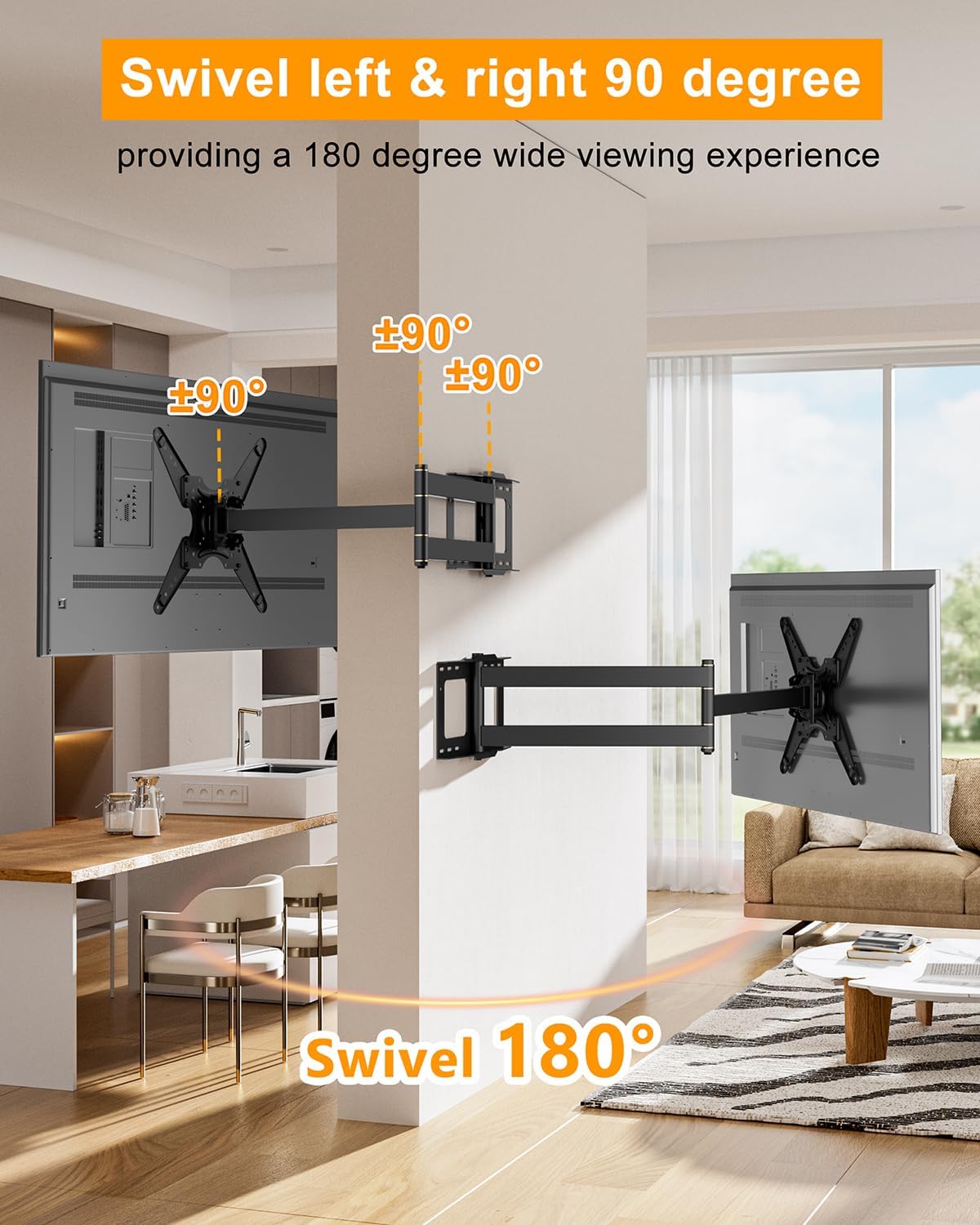
- Full Motion Capabilities: Offers 5° up and 10° down tilt, 90° left and right swivel, and 3° left and right leveling adjustment.
- Heavy-Duty Solid Iron Construction: Built with thick-walled iron steel tubes for unmatched strength and stability.
- 110 lbs (50 kg) Load Capacity: Triple stress-tested to safely support TVs up to 110 lbs, suitable for large and expensive televisions.
- Cable Storage Straps: Four included straps help organize TV cables, preventing tangles and tripping hazards.
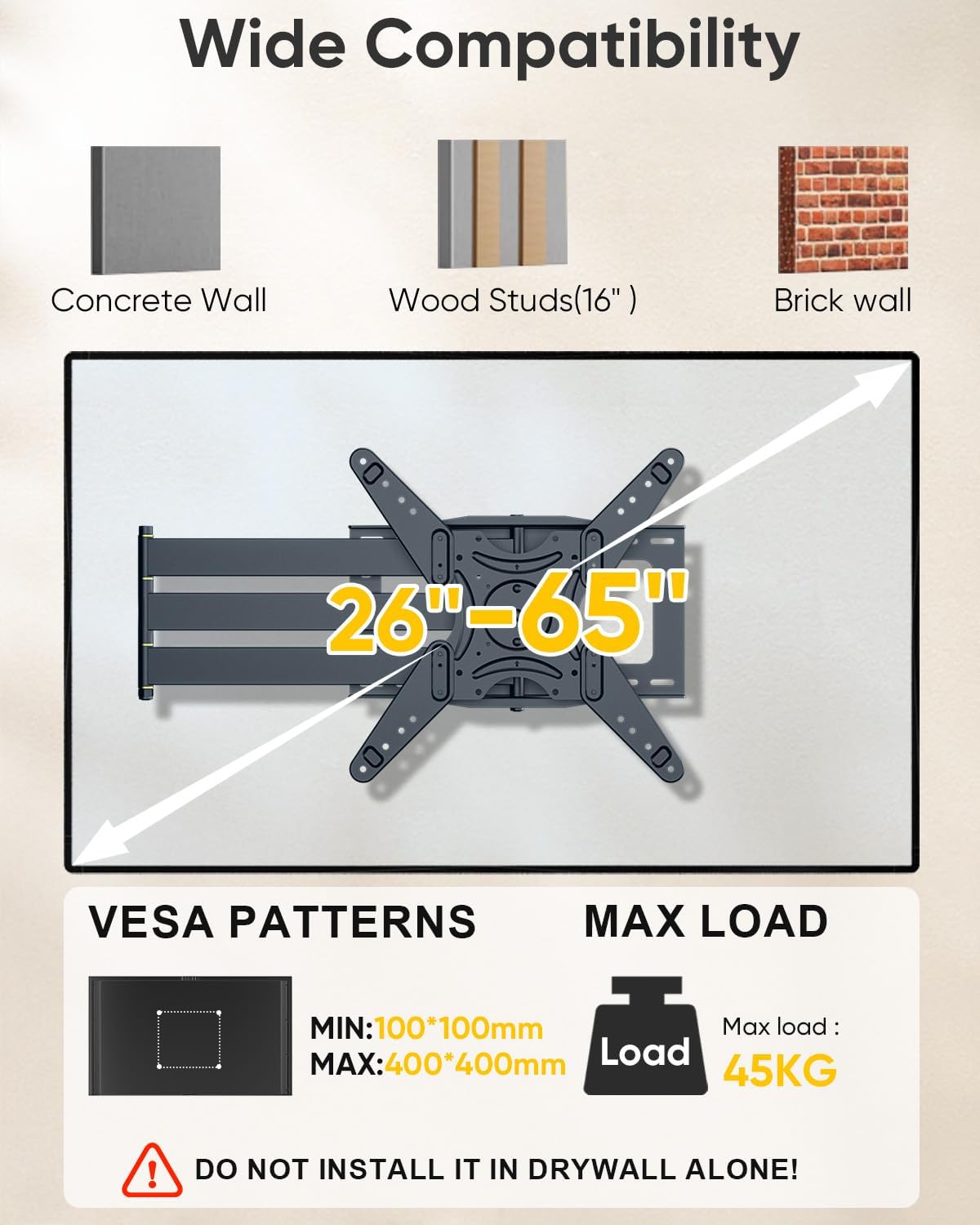
- Wide Compatibility: Fits 26-inch to 65-inch flat and curved TVs with VESA mounting patterns from 100x100mm to 400x400mm. Compatible with 16-inch wood stud walls, concrete walls, and brick walls. Not for drywall alone.
Setup and Installation
This section provides general guidance for setting up your WHYFONE TV wall mount. A detailed installation manual is included with your product and is also available for download. Two people are recommended for installation, which typically takes about 25 minutes.
Before You Begin:
- Verify your TV's weight and VESA pattern are within the mount's specifications.
- Ensure you have the necessary tools (e.g., drill, stud finder, level).
- Identify your wall type: 16-inch wood studs, concrete, or brick. Do not install on drywall alone.
VESA Compatibility:
The mount supports VESA patterns from 100x100mm to 400x400mm. Measure the horizontal and vertical distance between the mounting holes on the back of your TV to determine its VESA pattern.

Unique Spacer Design:
The mount features a unique spacer design with inner ribs that prevent screws from falling down, making it easier to align with the threaded holes on the back of your TV during installation.

For detailed step-by-step instructions, please refer to the Installation Manual (PDF) provided with your product.
Operating the TV Mount
The WHYFONE TV mount offers extensive adjustability to optimize your viewing experience from any position in the room.
Extension and Retraction:
The mount's arm can extend up to 48 inches (121.9 cm) from the wall, allowing you to pull your TV out for optimal viewing. It can also retract to a compact 5.47 inches (13.9 cm) to save space when not in use.

Swivel Functionality:
The TV can swivel 90 degrees left and right, providing a wide 180-degree viewing experience. This allows you to direct the screen towards different seating areas.
Tilt Adjustment:
Adjust the vertical viewing angle with a tilt range of 5 degrees up and 10 degrees down. This helps reduce glare and provides a comfortable viewing experience.
Landscape to Portrait Rotation:
A unique feature of this mount is its ability to rotate the TV 90 degrees clockwise or counterclockwise, allowing you to switch between landscape and portrait orientations. This is particularly useful for specific content like fitness videos or vertical social media feeds.

Maintenance
Regular maintenance ensures the longevity and safe operation of your TV wall mount.
- Cleaning: Use a soft, dry cloth to wipe down the mount. Avoid abrasive cleaners or solvents that could damage the finish.
- Check Connections: Periodically inspect all screws and bolts to ensure they remain tight. Over time, vibrations or frequent adjustments can cause fasteners to loosen.
- Lubrication: If the arm movement becomes stiff, a small amount of silicone-based lubricant can be applied to the pivot points. Do not use oil-based lubricants as they can attract dust.
- Cable Management: Ensure cables are neatly managed with the provided straps and are not pinched or under excessive tension during movement.
Troubleshooting
If you encounter any issues with your WHYFONE TV wall mount, please refer to the following common solutions:
- Mount is not level: Check the wall plate installation. Most mounts have a small leveling adjustment feature (typically 3° left/right) that can be used to fine-tune the TV's horizontal position after installation.
- Movement is stiff: The mount is designed to hold its position. If movement is excessively stiff, ensure no cables are obstructing the arms. A small amount of silicone lubricant on the joints may help.
- TV appears to sag: Double-check that your TV's weight does not exceed the mount's 110 lbs (50 kg) load capacity. Ensure all mounting screws are securely tightened.
- Difficulty rotating between landscape/portrait: Ensure the TV is positioned centrally on the mount and that there is sufficient clearance from the wall or other objects for the rotation.
- Missing parts or hardware: Refer to the parts list in your installation manual. Contact customer support for assistance with missing components.
If you continue to experience problems, please contact WHYFONE customer support for further assistance.
Specifications
| Product Dimensions | 48 x 16 x 16 inches |
| Item Weight | 18 pounds |
| Model Number | HY9427 |
| Mounting Type | Wall Mount |
| Movement Type | Articulating (Full Motion) |
| Brand | WHYFONE |
| Material | Iron |
| Maximum Compatible TV Size | 65 Inches |
| Minimum Compatible TV Size | 26 Inches |
| Color | Black |
| Compatible Devices | Television |
| VESA Compatibility | 100x100mm to 400x400mm |
| Load Capacity | 110 lbs (50 kg) |
| UPC | 746608619595 |
Warranty and Support
For detailed warranty information, please refer to the product packaging or the official WHYFONE website. Warranty terms and conditions may vary.
If you have any questions, require technical assistance, or need to report an issue, please contact WHYFONE customer support. Contact information can typically be found in the included installation manual or on the manufacturer's website.
You can also visit the WHYFONE Store on Amazon for more product information and support resources.
Documents and downloads
Ask a question about this manual
Ask about setup, troubleshooting, compatibility, parts, safety, or missing instructions. Manuals+ will review the question and use this page’s manual context to help answer it.