1. Important Safety Information
Please read all instructions carefully before operating this appliance to ensure safe and efficient use. Retain this manual for future reference.
- Electrical Safety: Ensure the appliance is connected to a properly grounded electrical outlet with the correct voltage (120 Volts). Do not use extension cords.
- Flammable Materials: Do not store or use flammable liquids near this appliance. Do not clean the ice maker with flammable fluids.
- Ventilation: Maintain at least 6 inches of space between the back of the unit and the wall. Ensure the front ventilation opening is clear of obstructions.
- Water Connection: Connect the unit to a potable water supply. Ensure all water connections are secure to prevent leaks.
- Outdoor Use: Do not use this unit outdoors. It is designed for indoor commercial or residential use.
- Children Safety: Keep children away from the appliance during operation and cleaning.
2. Product Overview
The Watoor Undercounter Commercial Ice Machine is a high-capacity ice maker designed for convenience and efficiency. It features a sleek stainless steel door and black cabinet, suitable for built-in or freestanding installation. This machine can produce up to 80 lbs of ice daily and store up to 20 lbs.

Figure 2.1: Full view of the Watoor Undercounter Commercial Ice Machine, showcasing its stainless steel door and black cabinet design.

Figure 2.2: Interior view of the ice machine, illustrating its capacity to produce 40 ice cubes per cycle (11-20 minutes per cycle) and a daily capacity of 80 lbs.
3. Setup and Installation
3.1 Placement
The Watoor ice machine is designed for both built-in and freestanding installations. Ensure the chosen location is indoors, away from direct sunlight, and has adequate ventilation. Maintain at least 6 inches of clear space behind the unit and ensure the front vent is unobstructed.
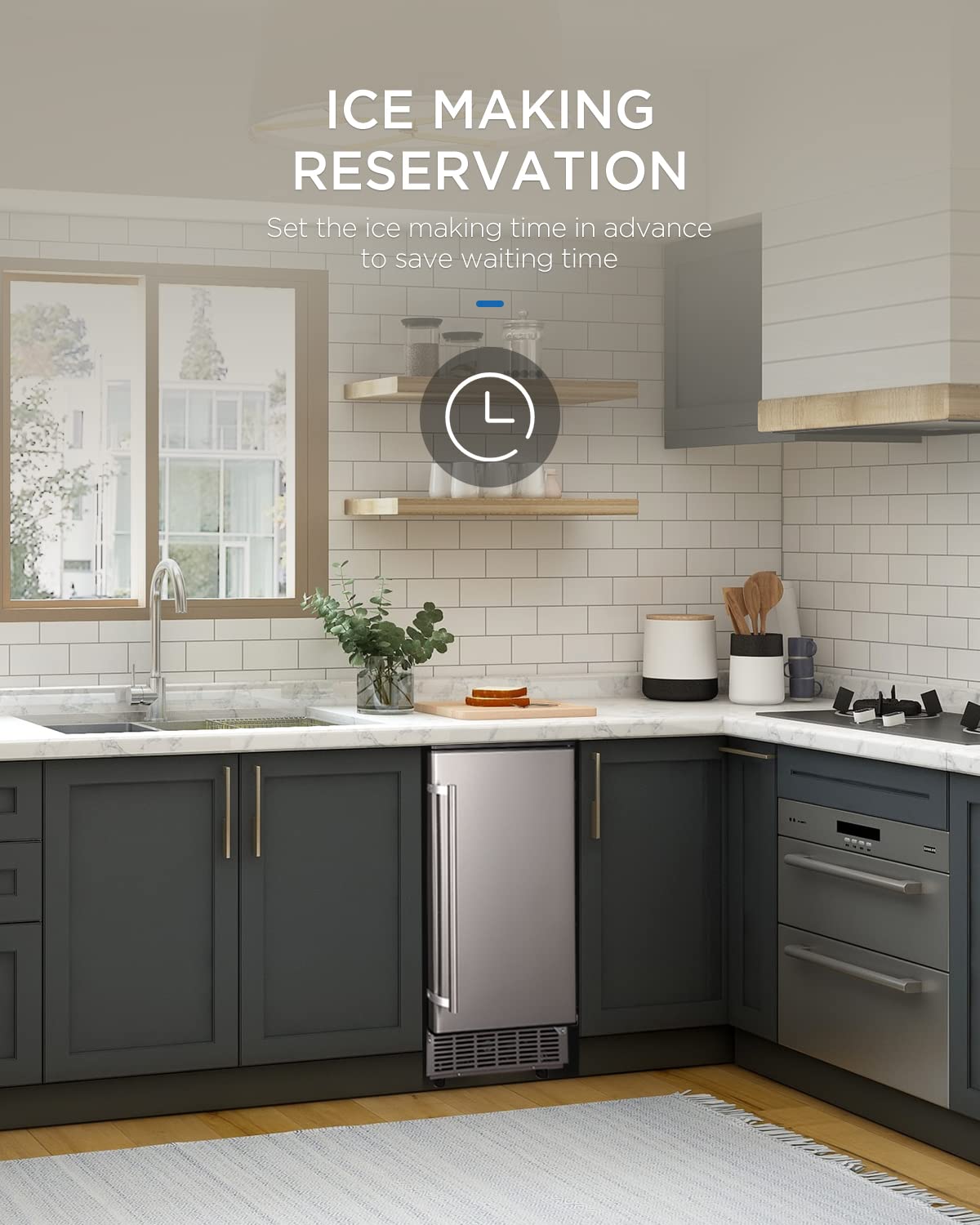
Figure 3.1: The ice machine seamlessly integrated into a kitchen counter, demonstrating its built-in installation capability.
3.2 Water and Drain Connections
Connect the provided in-line hose to a potable water supply. Ensure the connection is tight to prevent leaks. The unit features a gravity drain. If your drain outlet is positioned higher than the machine's outlet, a drain pump (not included) will be required for proper drainage.
3.3 Reversible Door
The ice machine's door is reversible, allowing you to change the opening direction to suit your space. Refer to the detailed instructions in the separate installation guide for reversing the door swing.

Figure 3.2: Diagram illustrating the dimensions of the ice machine and the included accessories: ice scoop, in-line hose, and drain hose.
4. Operating Instructions
4.1 Control Panel Overview
The ice machine features a user-friendly LCD control panel. This panel displays the power status, alerts for no-water conditions, and allows for various settings adjustments.

Figure 4.1: Close-up view of the LCD control panel, showing buttons for Timer, Clean, Power (ON/OFF), and controls to adjust ice making time.
4.2 Ice Making Process
- Ensure the water line is properly connected and the water supply is turned on.
- Press the "ON/OFF" button on the control panel to power on the unit.
- The machine will automatically begin the ice making cycle. Each cycle produces approximately 40 ice cubes and takes about 15 minutes.
- The machine has a daily capacity of up to 80 lbs and can store up to 20 lbs of ice. It will automatically shut off when the ice bin is full.
- When the ice bin is full, an "Ice Full" alarm will activate. The machine will resume ice production once ice is removed from the bin.
4.3 Adjusting Ice Cube Size
You can adjust the size of the ice cubes by setting the ice making time using the control panel. Refer to the specific icons on the LCD display for increasing or decreasing the ice making duration, which directly influences cube size (large, medium, or small).

Figure 4.2: The large ice bucket, designed for convenient ice retrieval, with a storage capacity of 24 lbs.
5. Maintenance
5.1 Automatic Self-Cleaning Function
The Watoor ice machine is equipped with an automatic self-cleaning function for easy maintenance.
- To activate: Press and hold the "TIMER" button for more than 5 seconds.
- The machine will initiate a cleaning cycle, indicated on the LCD display.
- Allow the cycle to complete fully.

Figure 5.1: Close-up view of the ice making mechanism, illustrating the automatic cleaning process for hassle-free maintenance.
5.2 General Cleaning and Care
- Regularly wipe down the exterior of the unit with a soft, damp cloth.
- Clean the ice bin and scoop periodically with mild soap and water. Rinse thoroughly.
- Important: Do not use abrasive cleaners, solvents, or flammable fluids to clean any part of the ice maker.
- Ensure the ventilation openings are kept clear of dust and debris.
6. Troubleshooting
If you encounter issues with your Watoor ice machine, please refer to the following common troubleshooting steps. For problems not listed here, contact customer support.
- No Ice Production: Check if the unit is powered on, water supply is connected and turned on, and the water reservoir is not empty. Ensure the ice bin is not full.
- Ice Full Alarm (but bin not full): Check for any obstructions in the ice bin or sensor area.
- Water Leakage: Verify all water line connections are secure. Check the drain hose for kinks or blockages.
- Unusual Noise: Ensure the unit is level and stable. Check for any loose components or obstructions.
- Poor Ice Quality: Ensure proper water pressure and quality. Consider performing an automatic self-cleaning cycle.
7. Specifications
| Feature | Specification |
|---|---|
| Brand | WATOOR |
| Model Reference | CXZB-046 |
| Product Dimensions (L x W x H) | 51.56 x 38.1 x 85.09 cm (20.3 x 15.0 x 33.5 inches) |
| Weight | 26.31 kg (58 lbs) |
| Daily Ice Production Capacity | 80 lbs (36.29 kg) |
| Ice Storage Capacity | 20 lbs (9.07 kg) |
| Voltage | 120 Volts |
| Refrigerant | R600a |
| Material | Stainless Steel |
| Installation Type | Built-in or Freestanding (Front Venting) |
8. Warranty and Support
For warranty information, technical support, or service inquiries, please contact WATOOR customer service. Refer to your purchase documentation or the manufacturer's official website for specific warranty terms and contact details.


