
Back Bay Audio Back Bay Tempo 30
Back Bay Audio Tempo 30 Wireless Earbuds User Manual
Model: Back Bay Tempo 30 | Brand: Back Bay Audio
Introduction
This manual provides comprehensive instructions for the setup, operation, maintenance, and troubleshooting of your Back Bay Audio Tempo 30 Wireless Earbuds. Designed for comfort and high-quality audio, these earbuds are ideal for users with small ear canals and active lifestyles.

Image: Back Bay Audio Tempo 30 wireless earbuds in lavender, showcasing their water-resistant design.
What's in the Box
Upon opening your Back Bay Audio Tempo 30 package, you will find the following components:
- Eartip (Multiple sizes for optimal fit)
- User Manual (This document)
- Cable (USB-C charging cable)
- Charging Station (Portable charging case)
Setup
1. Charging the Earbuds and Case
Before first use, fully charge the earbuds and the charging case. Connect the provided USB-C cable to the charging case and a compatible power source. The charging case has a 400 mAh battery capacity and takes approximately 2 hours to fully charge. The earbuds provide 8 hours of playtime per charge, with the case offering an additional 24 hours, totaling 32 hours of battery life.
2. Selecting the Right Ear Tips
The Tempo 30 earbuds come with 6 different ear-tip sizes to ensure a comfortable and secure fit, especially for small ear canals. Experiment with different sizes to find the best seal for optimal sound quality and comfort.

Image: The Tempo 30 earbuds in their charging case, demonstrating their suitability for small ears with multiple ear tip options.
3. Pairing with Your Device
The Tempo 30 earbuds feature simple, one-step auto-pairing. Remove the earbuds from the charging case, and they will automatically enter pairing mode. On your Bluetooth-enabled device (phone, computer, tablet), navigate to the Bluetooth settings and select "Back Bay Tempo 30" from the list of available devices to connect. The earbuds are compatible with any Bluetooth-enabled device, including Apple iPhone, iPad, Macbooks, Samsung Galaxy, Google Pixel, LG, and OnePlus devices.
Operating Instructions
Basic Controls
The Tempo 30 earbuds utilize touch controls for various functions:
- Play/Pause: Single tap on either earbud.
- Next Track: Double tap on the right earbud.
- Previous Track: Double tap on the left earbud.
- Answer/End Call: Single tap on either earbud.
- Reject Call: Press and hold on either earbud.
- Activate Voice Assistant: Triple tap on either earbud.
Sound Modes
The Tempo 30 offers two distinct sound modes to enhance your listening experience:
- Signature Mode: Provides a balanced audio profile for general listening.
- Boosted Bass Mode: Enhances low frequencies for a more powerful bass response, ideal for workouts or gaming.
To switch between sound modes, refer to the specific touch control gestures detailed in the quick start guide included with your product. The earbuds have a frequency response of 20000 Hz and a sensitivity of 110 dB.
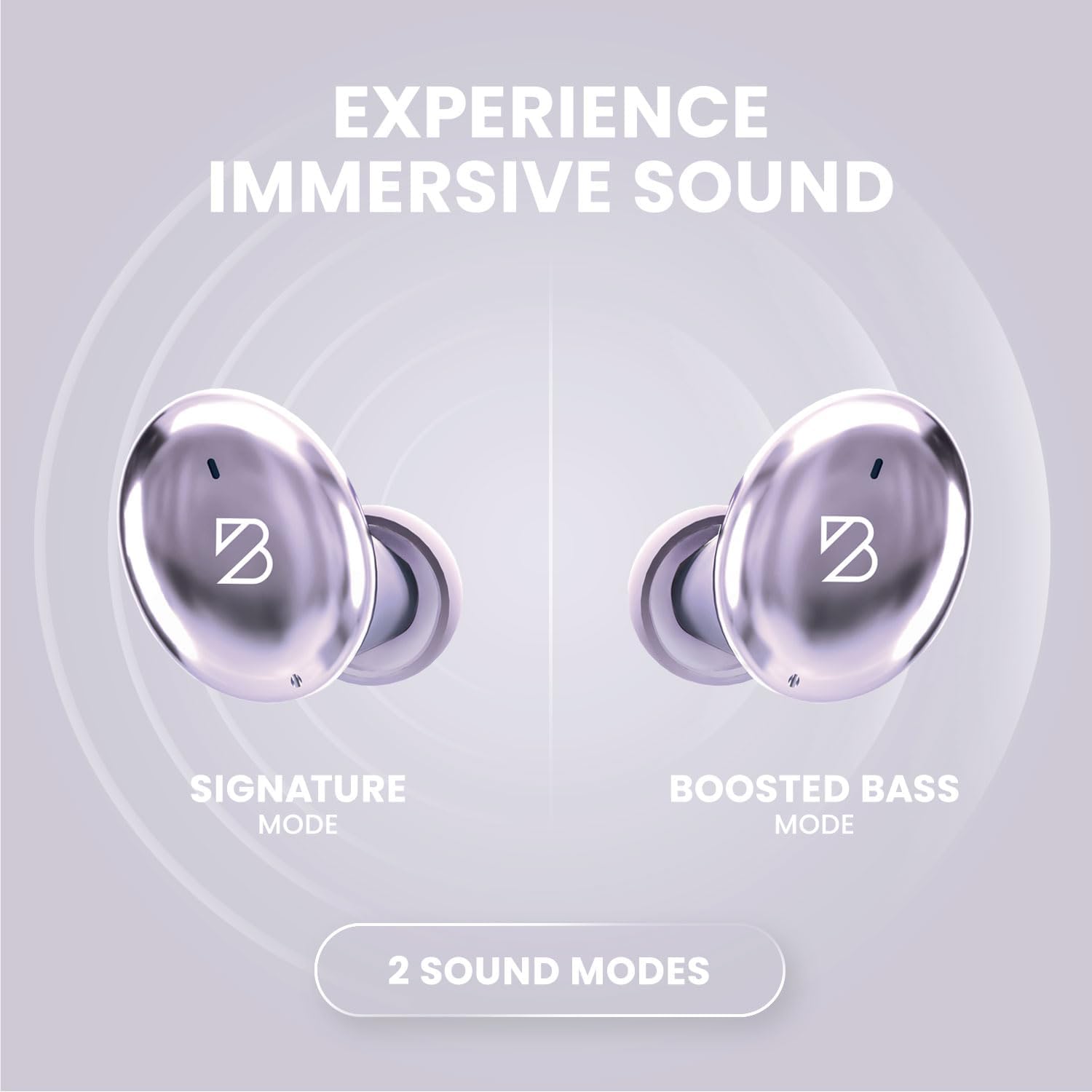
Image: Visual representation of the two sound modes available on the Tempo 30 earbuds: Signature Mode and Boosted Bass Mode.
Maintenance
Cleaning Your Earbuds
Regular cleaning helps maintain sound quality and hygiene. Gently wipe the earbuds and charging case with a soft, dry, lint-free cloth. For ear tips, remove them from the earbuds and clean with a mild soap solution, then rinse thoroughly and dry completely before reattaching.
Water Resistance
The Tempo 30 earbuds are IPX7-rated waterproof, making them resistant to sweat and rain. This means they can withstand immersion in up to 1 meter of water for 30 minutes. However, they are not designed for swimming. Ensure the charging port is dry before charging to prevent damage.

Image: Key features of the Tempo 30, including its IPX7 water resistance rating.
Storage
When not in use, store your earbuds in their charging case to protect them and ensure they are charged for your next use. Store in a cool, dry place away from extreme temperatures.
Troubleshooting
| Problem | Possible Cause | Solution |
|---|---|---|
| Earbuds not pairing/connecting. | Bluetooth is off on device, earbuds not in pairing mode, interference. | Ensure Bluetooth is enabled. Place earbuds back in case, then remove to re-enter pairing mode. Move closer to your device. Forget device in Bluetooth settings and re-pair. |
| No sound from one earbud. | Earbud not charged, connection issue, debris blocking sound. | Ensure both earbuds are charged. Place both earbuds in the case, close, then open again. Clean earbud mesh with a dry cotton swab. |
| Charging case not charging. | Cable issue, power source issue. | Try a different USB-C cable and power adapter. Ensure the cable is fully inserted. |
| Poor sound quality. | Improper ear tip fit, low battery, distance from device. | Try different ear tip sizes for a better seal. Charge earbuds. Reduce distance between earbuds and device. |
Specifications
| Model Name | Back Bay Tempo 30 |
| Brand | Back Bay Audio |
| Connectivity Technology | Bluetooth 5.0 |
| Wireless Communication Technology | Bluetooth |
| Battery Life | 32 Hours (8 hours earbuds + 24 hours case) |
| Charging Time | 1.5 Hours (earbuds), 2 Hours (case) |
| Water Resistance Level | Waterproof (IPX7) |
| Noise Control | Sound Isolation |
| Frequency Response | 20000 Hz |
| Sensitivity | 110 dB |
| Control Type | Button Control / Touch |
| Item Weight | 45 Grams (earbuds), 36 Grams (case) |
| Material | Premium ABS Plastic, Metal (Aluminum case) |
| Product Dimensions | 2.9 x 1.8 x 1.1 inches |
| Bluetooth Range | 30 Feet |
| Audio Latency | 40 Milliseconds |
Warranty and Support
Back Bay Audio products are designed for durability and performance. While specific warranty details are provided with your purchase, Back Bay Audio is known for responsive customer support and offers replacements for manufacturing defects. Please retain your proof of purchase for warranty claims.
For further assistance or to inquire about warranty service, please visit the official Back Bay Audio website or contact their customer support directly. You can also refer to the Back Bay Audio Store on Amazon for additional resources.
Related documentsBack Bay Tempo 30


Ask a question about this manual
Ask about setup, troubleshooting, compatibility, parts, safety, or missing instructions. Manuals+ will review the question and use this page’s manual context to help answer it.