1. Introduction
This manual provides detailed instructions for the safe and effective use of your RovyVon Aurora A33 5000K LED Penlight. Please read this manual thoroughly before operating the device and retain it for future reference.

Image 1.1: The RovyVon Aurora A33 5000K LED Penlight, showcasing its compact design and integrated pocket clip.
2. Package Contents
Verify that all items listed below are present in your package:
- RovyVon Aurora A33 LED Penlight
- Pocket clip (pre-installed or separate)
- USB-C Charging Cable
- RovyVon Information Card
3. Product Overview
The Aurora A33 is a compact and durable LED penlight designed for everyday carry and professional use. Its features include:
- Durable Construction: Crafted from aluminum alloy with a unique dragon scale knurling for enhanced grip and durability.
- Integrated Pocket Clip: Allows for convenient attachment to pockets, belts, or gear.
- Hidden Type-C Charging Port: Located at the tail, it ensures better waterproof performance when closed.
- Compact Size: Measuring 127mm (L) x 15.7mm (Dia) and weighing 41g, it is designed for easy portability.

Image 3.1: The Aurora A33 penlight demonstrated in practical applications, including being carried in a shirt pocket, illuminating an electrical panel, attached to a belt, and stored on a pegboard.
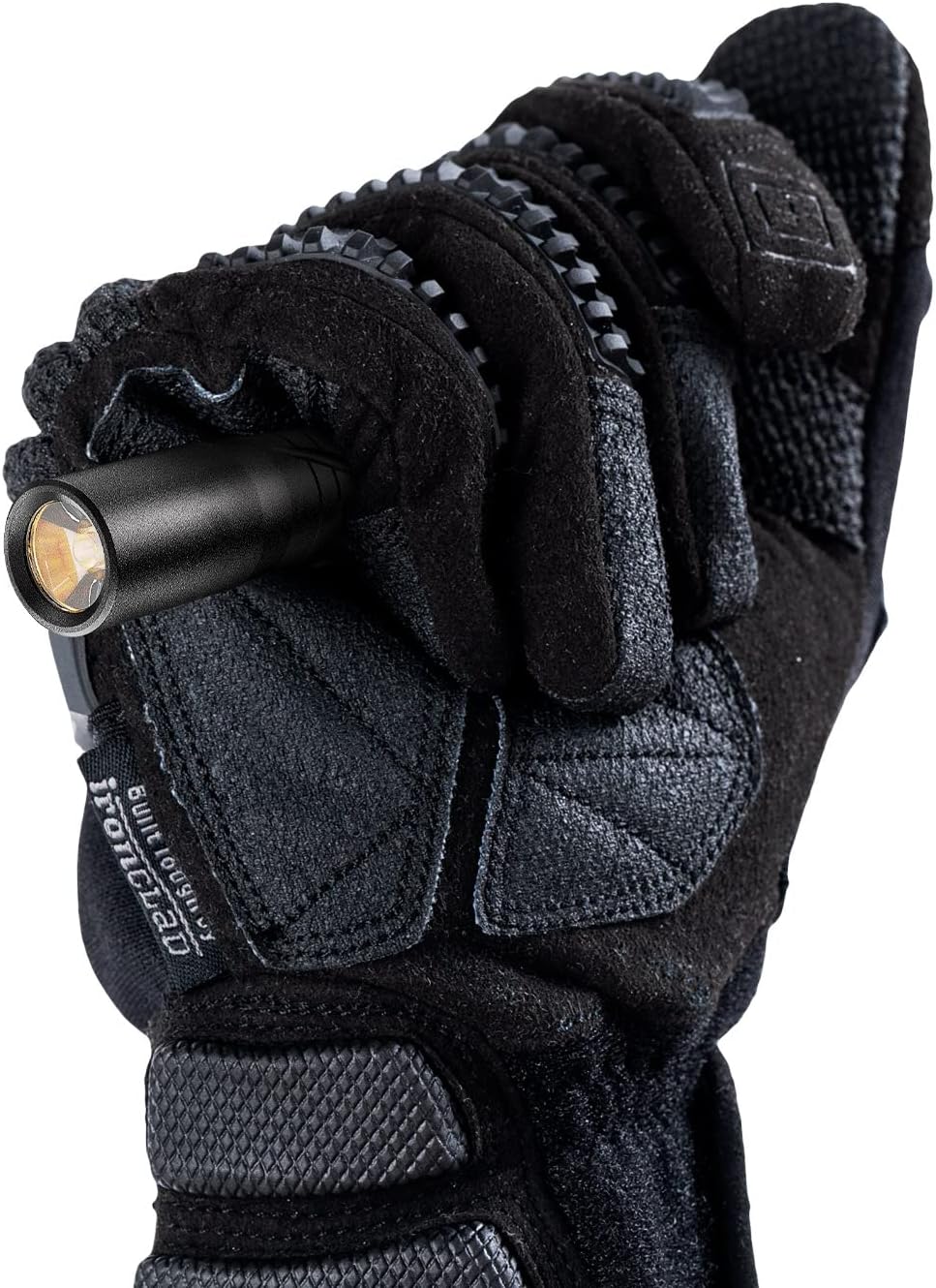
Image 3.2: The Aurora A33 penlight held securely in a gloved hand, highlighting its ergonomic design and knurling for grip.
4. Specifications
| Feature | Detail |
|---|---|
| Model | Aurora A33 |
| Light Source | 5000K LED |
| Material | Aluminum Alloy |
| Battery | Built-in 600mAh Lithium Polymer |
| Charging Port | USB Type-C |
| Dimensions (L x Dia) | 127mm x 15.7mm (5"D x 0.62"W x 0.62"H) |
| Weight | 41g (1.45 ounces) |
| Water Resistance | IPX8 Waterproof |
| Voltage | 3.7 Volts |
| Brightness Modes & Runtime |
|
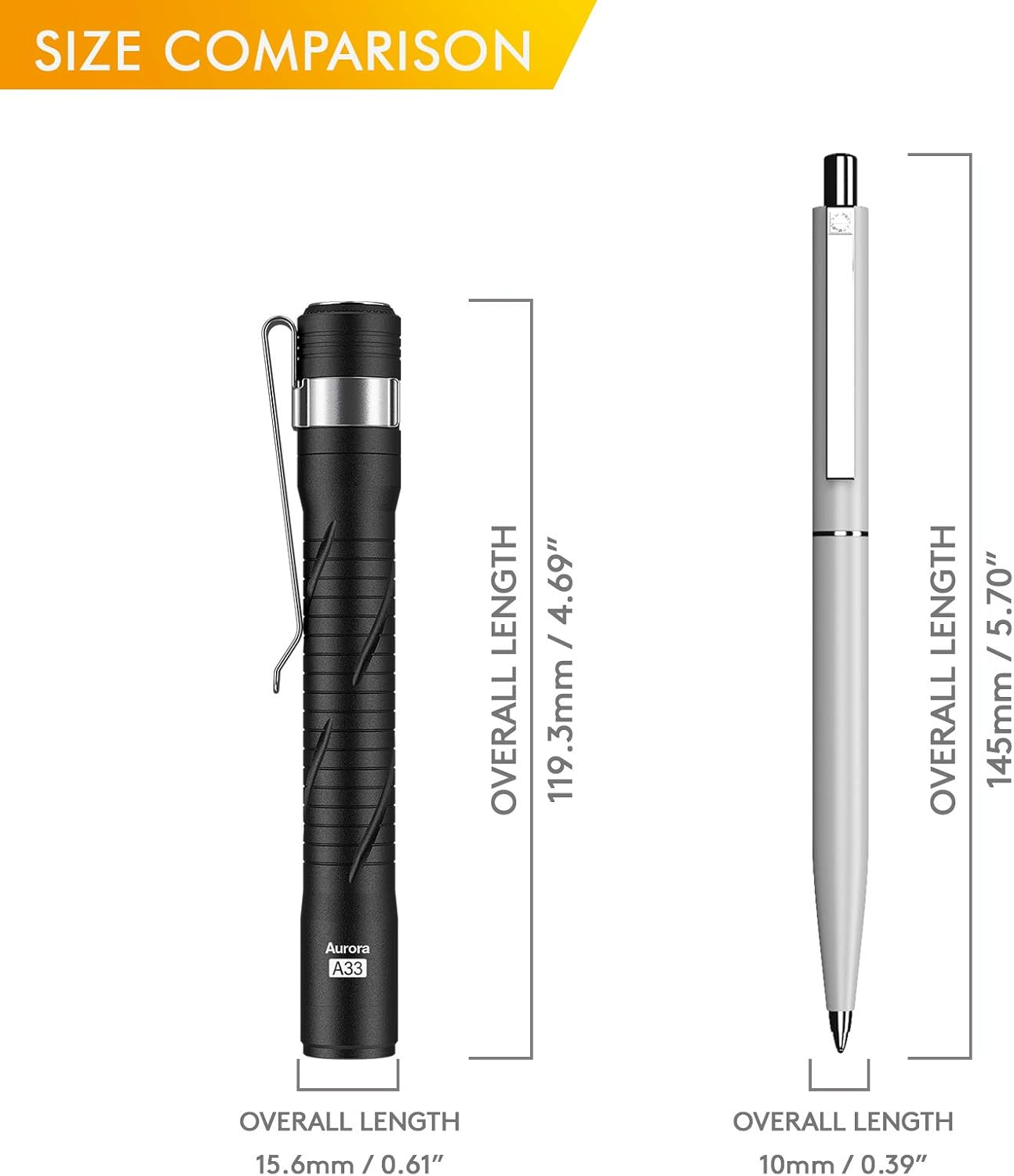
Image 4.1: A visual comparison illustrating the compact size of the Aurora A33 penlight next to a standard writing pen, highlighting its portability.

Image 4.2: An illustration detailing the 600mAh battery capacity and the corresponding runtimes for each of the four brightness modes: Moonlight, Low, Medium, and High.
5. Setup
5.1 Initial Charging
Before first use, fully charge your Aurora A33 penlight. The device comes with a built-in 600mAh rechargeable battery.
- Locate the tail cap of the penlight.
- Turn the tail cap anticlockwise to reveal the hidden USB Type-C charging port.
- Connect the provided USB-C cable to the charging port and plug the other end into a compatible USB power source (e.g., computer, wall adapter).
- A charging indicator light will illuminate. The light is fully charged when the indicator changes color or turns off (refer to specific product behavior if different). Full charge typically takes approximately 70 minutes.
- Once charging is complete, securely tighten the tail cap clockwise to ensure waterproof performance.

Image 5.1: Diagram illustrating how to access the hidden Type-C charging port by twisting the tail cap anticlockwise, along with the charging indicator and estimated charging time.
6. Operating Instructions
The Aurora A33 features multiple brightness modes for various applications.
6.1 Basic Operation
- Turn On/Off: Press the tail switch once to turn the light on. Press and hold the tail switch for approximately 0.5 seconds to turn the light off from any mode.
- Mode Cycling: With the light on, press the tail switch repeatedly to cycle through the modes: Low → Medium → High.
- Moonlight Mode: From the OFF state, press and hold the tail switch for approximately 1 second to directly access Moonlight mode (0.5 lumens). This mode is suitable for close-up tasks or situations requiring minimal light, such as medical examinations.
- Mode Memory: The penlight will remember the last used mode (Low, Medium, or High) when turned off. A double-click from the OFF state will activate the last memorized mode.
6.2 Brightness Modes and Runtimes
| Mode | Brightness | Approximate Runtime |
|---|---|---|
| Moonlight | 0.5 lumens | 60 hours |
| Low | 12 lumens | 15 hours |
| Medium | 50 lumens | 5 hours |
| High | 180 lumens | 1 hour |

Image 6.1: A visual representation comparing the light output of a 5000K LED (left) with a 6500K LED (right), demonstrating the warmer tone of the 5000K light in the Aurora A33.
7. Maintenance
7.1 Cleaning
To maintain optimal performance and appearance:
- Wipe the penlight with a soft, damp cloth.
- Avoid using abrasive cleaners or solvents, as these can damage the finish.
- Ensure the charging port is free of debris before charging.
7.2 Waterproofing
The Aurora A33 is rated IPX8 waterproof. To maintain this rating, ensure the tail cap is fully tightened after charging or inspection.

Image 7.1: The Aurora A33 penlight partially submerged in water, visually confirming its IPX8 water resistance rating.
8. Troubleshooting
| Problem | Possible Cause | Solution |
|---|---|---|
| Light does not turn on. | Battery is depleted. | Charge the penlight using the provided USB-C cable. |
| Light flickers or dims unexpectedly. | Low battery level. | Recharge the penlight. |
| Charging indicator does not light up. | Charging cable or power source issue; charging port obstructed. | Try a different USB-C cable or power source. Ensure the charging port is clean and free of debris. Confirm the tail cap is sufficiently unscrewed to expose the port. |
| Tail switch unresponsive. | Internal switch malfunction. | Contact customer support for assistance. |
9. Warranty and Support
9.1 Warranty Information
The RovyVon Aurora A33 Penlight comes with a 2-year limited warranty from the date of purchase. This warranty covers manufacturing defects and issues arising from normal use. It does not cover damage caused by misuse, unauthorized modification, or improper maintenance.
9.2 Customer Support
For technical assistance, warranty claims, or any questions regarding your RovyVon Aurora A33, please contact RovyVon customer support through their official website or the retailer where the product was purchased.
Please have your purchase receipt and product model number (Aurora A33) available when contacting support.


