
Introduction
Thank you for choosing the OTL Technologies Pro G4 Batman DC Comic Gaming Headset. This manual provides essential information for setting up, operating, and maintaining your new gaming headset. Designed for immersive gaming, this headset features comfortable ear pads, a detachable microphone, and inline controls for an optimal audio experience across various gaming platforms.
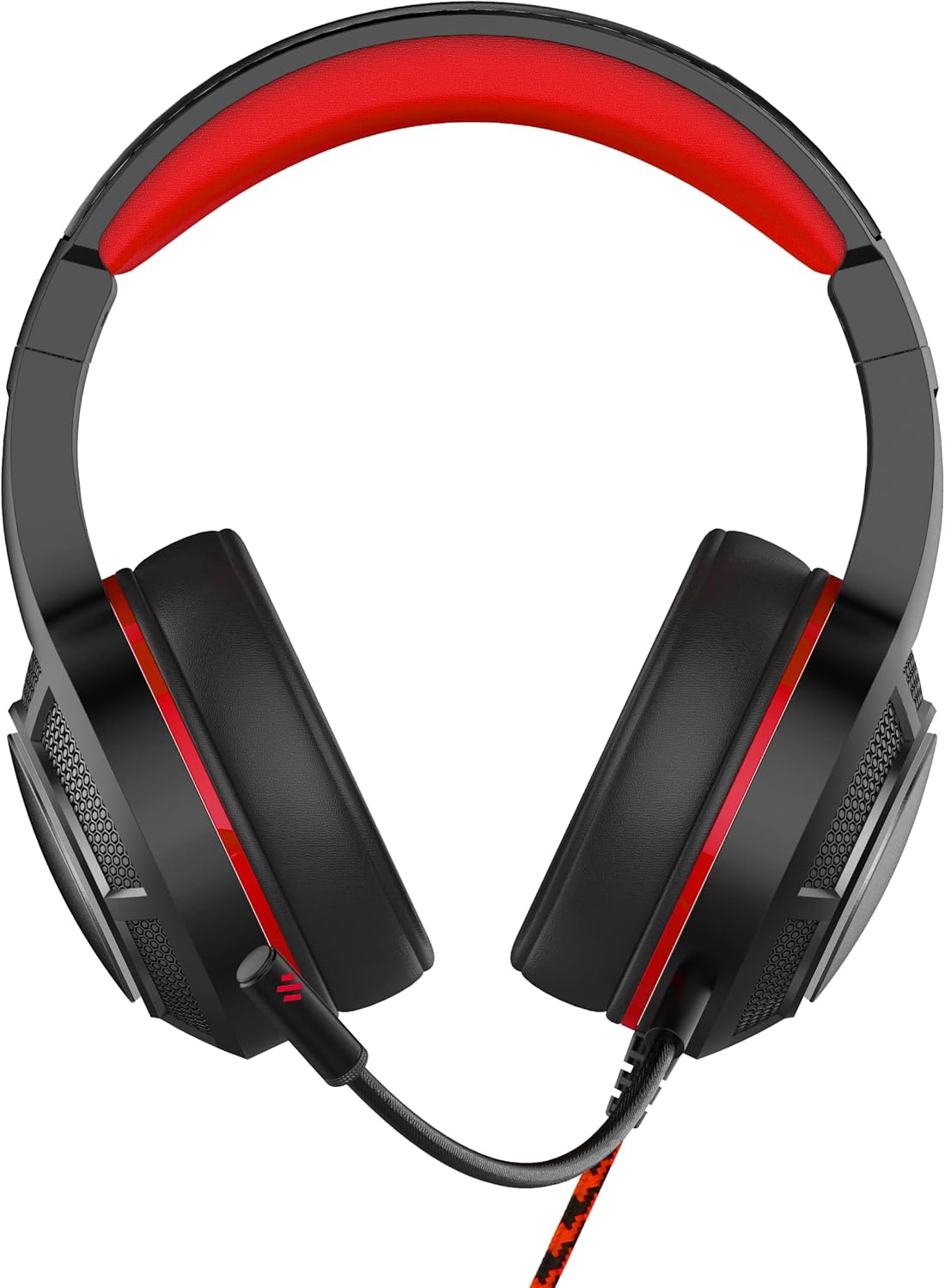
Image: Front view of the OTL Technologies Pro G4 Batman DC Comic Gaming Headset, showcasing its design and earcups.
Package Contents
Please ensure all items are present in the package:
- OTL Technologies Pro G4 Batman DC Comic Gaming Headset
- Detachable Microphone

Image: The product packaging, clearly indicating the presence of a detachable boom microphone.
Setup Instructions
- Connect the Microphone: Locate the microphone input port on the left earcup of the headset. Insert the detachable microphone firmly into this port until it clicks into place.
- Adjust Headset Fit: Extend or retract the headband to ensure a comfortable and secure fit over your head. The super padded PU headband and memory foam ear pads are designed for extended comfort.
- Connect to Device: Plug the 3.5mm audio jack from the headset cable into the corresponding audio port on your gaming console controller, PC, or other compatible device.

Image: Top view of the headset showing the detachable microphone securely attached to the left earcup.
Operating Instructions
- Volume Control: Use the inline volume control wheel located on the headset cable to adjust the audio output level to your preference. Rotate the wheel up to increase volume and down to decrease it.
- Microphone Mute: The inline controller also features a microphone mute switch. Slide the switch to the "ON" position to enable the microphone, and to the "OFF" position to mute it.
- Audio Quality: The 50mm on-ear speakers provide powerful, premium sound quality and passive sound isolation, enhancing your gaming experience.
- Compatibility: This headset is compatible with all devices using a standard 3.5mm audio jack, including PlayStation 4, PlayStation 5, Xbox One, and PCs.

Image: Close-up of the inline controller, showing the volume adjustment wheel and the microphone mute switch for easy access during gameplay.
Maintenance
- Cleaning: Gently wipe the headset with a soft, dry cloth. Do not use liquid cleaners or abrasive materials.
- Storage: Store the headset in a cool, dry place away from direct sunlight and extreme temperatures. Avoid placing heavy objects on the headset.
- Water Resistance: This headset is NOT water resistant. Avoid exposure to liquids to prevent damage.
- Cable Care: Avoid sharp bends or excessive pulling on the cable to prevent internal wire damage.
Troubleshooting
- No Sound from Headset:
- Ensure the 3.5mm audio jack is fully inserted into your device.
- Check the inline volume control and increase the volume.
- Verify your device's audio settings to ensure output is directed to the headset.
- Test the headset with another device to rule out device-specific issues.
- Microphone Not Working:
- Ensure the detachable microphone is securely attached.
- Check the inline microphone mute switch and ensure it is in the "ON" position.
- Verify your device's microphone input settings.
- Test the microphone with another application or device.
- Poor Sound Quality:
- Ensure the audio jack is clean and free of debris.
- Adjust the volume to an appropriate level; excessively high volume can cause distortion.
- Check for any loose connections.
Specifications
| Feature | Detail |
|---|---|
| Model Name | PRO G4 DC Comic Batman (DC0905) |
| Connectivity Technology | Wired |
| Headphones Jack | 3.5 mm Jack |
| Noise Control | Sound Isolation |
| Frequency Response | 20 Hz (Minimum) |
| Included Components | Detachable Mic |
| Control Type | Volume Control |
| Control Method | Remote (Inline) |
| Cable Feature | Detachable |
| Item Weight | 200 Grams (7.1 ounces) |
| Water Resistance Level | Not Water Resistant |
| Material | Plastic |
| Ear Placement | Over Ear |
| Impedance | 32 Ohms |
| Product Dimensions | 7.09 x 2.76 x 6.3 inches |
Warranty Information
OTL Technologies products are manufactured to high standards. For specific warranty details, please refer to the warranty card included with your product or visit the official OTL Technologies website. Keep your proof of purchase for any warranty claims.
Support
If you encounter any issues not covered in this manual or require further assistance, please contact OTL Technologies customer support. Contact information can typically be found on the product packaging or the official OTL Technologies website.


