
Introduction
Thank you for choosing the RovyVon E3 Plus EDC Flashlight. This compact and powerful flashlight is designed for everyday carry, featuring a durable 7075 aluminum alloy body, dual power options (built-in Li-po battery or replaceable AAA battery), and USB-C recharging. This manual provides essential information for the proper use and maintenance of your device.
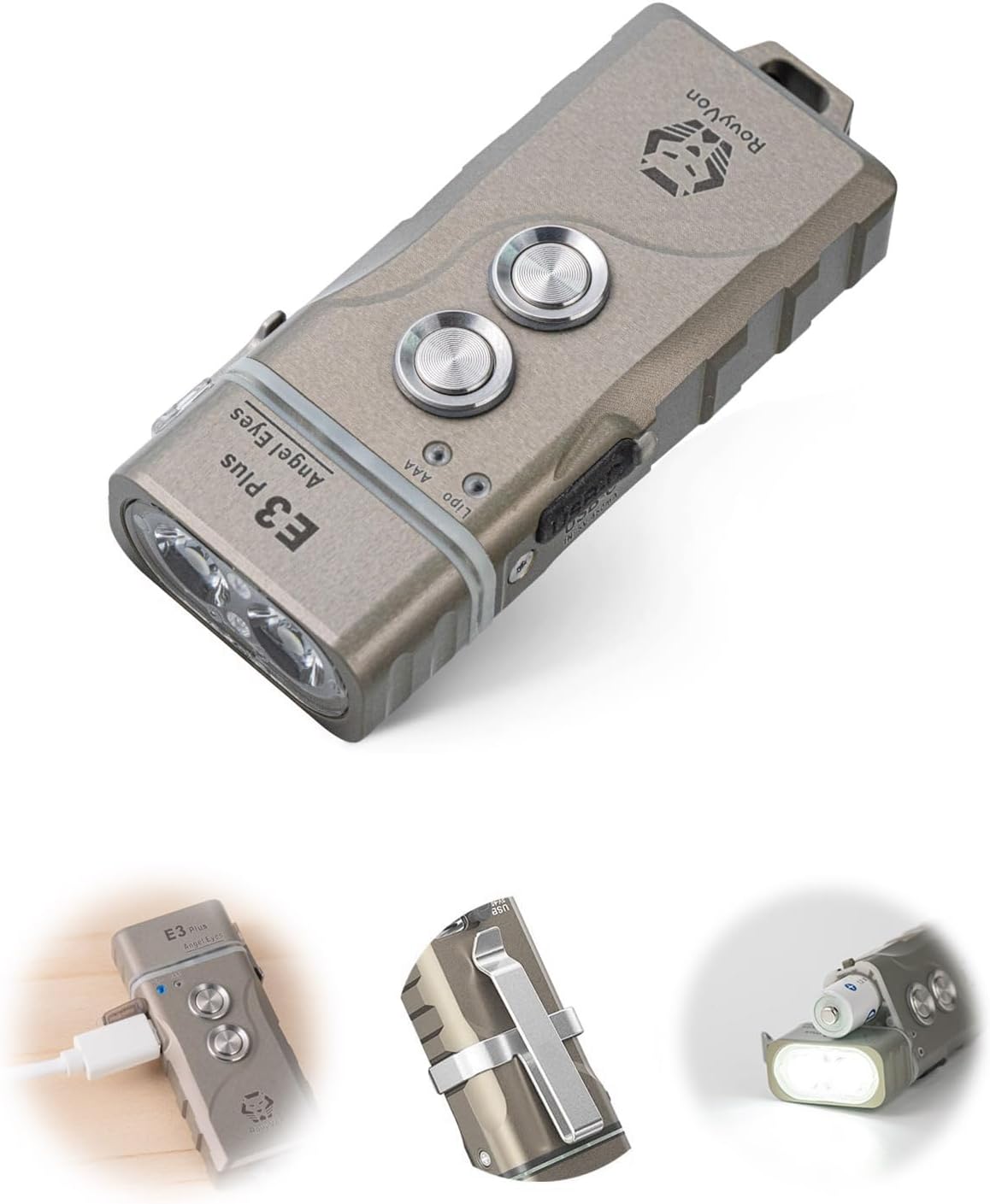
Image: The RovyVon E3 Plus EDC Flashlight, showcasing its compact design and dual button interface.
Setup
Battery Installation (AAA)
The E3 Plus supports a replaceable AAA battery in addition to its built-in Li-po battery. To install or replace the AAA battery, rotate the head of the flashlight. The flashlight is designed to maintain light output during this process, ensuring continuous illumination.

Image: A hand inserting an AAA battery into the RovyVon E3 Plus flashlight by rotating the head, demonstrating continuous light output.

Image: An X-ray view illustrating the dual power supply system of the RovyVon E3 Plus, showing both the internal Li-po battery and the AAA battery slot.
Charging the Built-in Battery
The E3 Plus features USB-C charging for its built-in Li-po battery. Connect a USB-C cable (not included) to the flashlight's charging port. A blue breathing light indicates charging, and the blue light remains solid when fully charged. A full charge typically takes approximately 90 minutes.
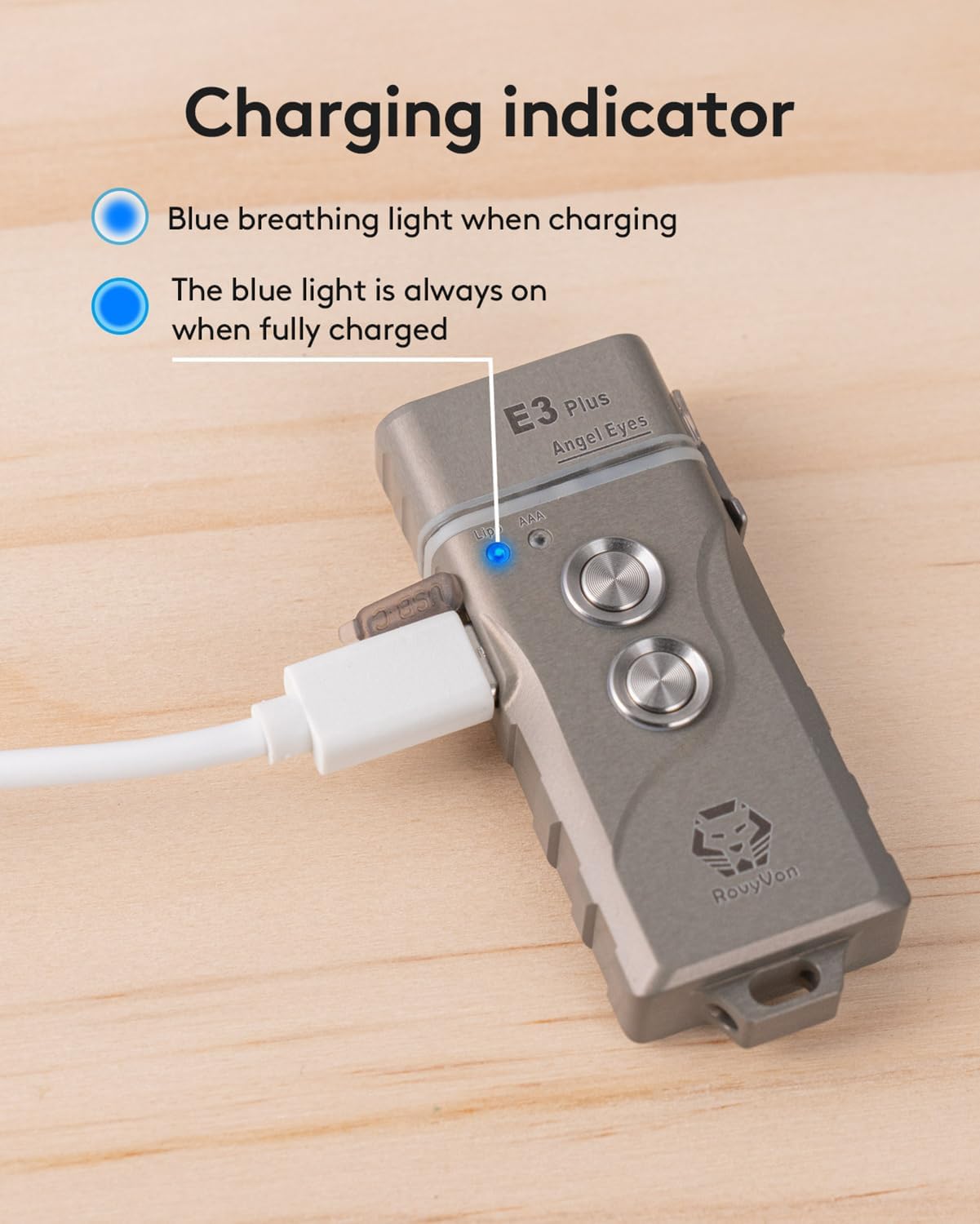
Image: The RovyVon E3 Plus connected to a USB-C cable, showing the blue charging indicator light.
Operating Instructions
The RovyVon E3 Plus features two buttons for operation. Familiarize yourself with their functions for optimal use.

Image: A detailed diagram illustrating the functions of Button 1 and Button 2 on the RovyVon E3 Plus flashlight.
Button 1 Functions (Operate with light off and unlocked)
- Moonlight Mode: Click once to turn on Moonlight mode. Click again to turn off.
- Memory Mode (Low, Medium, or High): Quick double-click to turn on from the last saved mode. Click to cycle through Low, Medium, and High modes. To save a lighting mode, switch to your desired mode and then turn the light off.
- Power Off: Press and hold Button 1 for 0.5 seconds.
- Lock/Unlock Mode: When the light is off, triple-click Button 1 to enter or exit Lock mode. A blue light indicates locked, and a green light indicates unlocked.
Button 2 Functions
- Momentary On Mode: Press and hold Button 2 for momentary High mode. Release the button to turn it off.
- Emergency Mode (Strobe): Quick double-click Button 2 to activate Strobe mode. Click once to turn off.
Tip: Double-click either button to quickly switch between Memory (Button 1) and Strobe (Button 2) modes.
Battery Type Switching
The E3 Plus automatically detects the battery type. When switching between the built-in Li-po battery and an AAA battery, the brightness output will change due to different voltage levels. The built-in battery provides a maximum of 700 lumens, while an AAA battery provides a maximum of 100 lumens.
Video: Demonstrates the process of replacing the AAA battery in the RovyVon E3 Plus flashlight, highlighting how the light remains on during the exchange.
Video: A demonstration of the various operational modes and button functions of the RovyVon E3 Plus flashlight.
Maintenance
Cleaning
To maintain optimal performance, regularly clean the flashlight body with a soft, damp cloth. Avoid using abrasive cleaners or solvents that could damage the finish or internal components.
Battery Care
For the built-in Li-po battery, ensure regular charging to prolong its lifespan. If using AAA batteries, remove them if the flashlight will not be used for an extended period to prevent leakage and corrosion.
Storage
Store the flashlight in a cool, dry place away from direct sunlight and extreme temperatures. If storing for a long time, ensure the built-in battery is partially charged (around 50%) to prevent deep discharge.
Troubleshooting
| Problem | Possible Cause | Solution |
|---|---|---|
| Flashlight does not turn on. | Low battery; Lock mode active; Loose battery connection (AAA). | Recharge built-in battery or replace AAA battery; Triple-click Button 1 to unlock; Ensure AAA battery is correctly inserted. |
| Light output is dim. | Low battery; Incorrect mode selected. | Recharge or replace battery; Cycle through modes using Button 1 to select a brighter setting. |
| Charging indicator not working. | Faulty USB-C cable or power source; Charging port obstruction. | Try a different USB-C cable and power adapter; Clean the charging port gently. |
| Flashlight turns on accidentally in pocket. | Lock mode not engaged. | Activate Lock mode (triple-click Button 1 when off) before carrying in a pocket. |
Specifications
| Feature | Detail |
|---|---|
| Brand | RovyVon |
| Model Number | E3Pro-Cool-X |
| Material | 7075 Aluminum Alloy |
| Light Source Type | LED (6500K Cool White) |
| Max Brightness (Li-po) | 700 Lumens |
| Max Brightness (AAA) | 100 Lumens |
| Power Source | Built-in Li-po Battery / Replaceable AAA Battery |
| Charging Port | USB-C |
| Charging Time | Approx. 90 minutes |
| Product Dimensions | 3.47"D x 2.84"W x 0.83"H |
| Item Weight | 1.13 ounces (32 Grams) |
| Water Resistance Level | Not Water Resistant |
Video: A scratch resistance test demonstrating the durability of the RovyVon E3 Pro's 7075 aluminum alloy body against abrasive surfaces and keys.
What's in the Box
Upon opening your RovyVon E3 Plus package, you should find the following items:
- RovyVon E3 Plus EDC Flashlight (with Built-in Battery)
- Reversible Pocket Clip (x1)
- Key Ring (Small Size x1, Large Size x1)
- USB-C Cover (x1)
- RovyVon Card (x1)

Image: A visual representation of all items included in the RovyVon E3 Plus product package, including the flashlight, pocket clip, key rings, USB-C cover, and RovyVon card.
Warranty and Support
RovyVon products are manufactured to high-quality standards. For any product-related inquiries, technical support, or warranty claims, please refer to the contact information provided on the RovyVon card included in your package or visit the official RovyVon website.