
WORKSITE WCHG326
WORKSITE WCHG326 Cordless Heat Gun User Manual
Model: WCHG326 | Brand: WORKSITE
Introduction
Thank you for choosing the WORKSITE WCHG326 Cordless Heat Gun. This powerful and versatile tool is designed for a variety of tasks, including heat shrinking, paint stripping, PVC bending, and craft applications. This manual provides essential information for safe operation, setup, maintenance, and troubleshooting to ensure optimal performance and longevity of your tool.
Safety Instructions
Always follow basic safety precautions when using this heat gun to reduce the risk of fire, electric shock, and personal injury.
- Read all instructions: Familiarize yourself with the tool's operation and potential hazards.
- Wear appropriate safety gear: Always wear safety glasses and gloves.
- Work in a well-ventilated area: Heat guns produce high temperatures and can generate fumes from heated materials.
- Keep children and bystanders away: Do not allow children or untrained persons to operate the heat gun.
- Avoid direct contact with the nozzle: The nozzle and heated air can cause severe burns. Allow the tool to cool completely before storing.
- Do not point the heat gun at people or animals.
- Do not use near flammable liquids or gases: High heat can ignite combustible materials.
- Ensure the battery is fully charged before use: Use only the specified charger and battery pack.
- Store the tool safely: When not in use, store the heat gun in a dry, secure place out of reach of children.
Package Contents
Verify that all items are present upon unpacking:
- WORKSITE WCHG326 Cordless Heat Gun
- 20V Max 4.0Ah Lithium-Ion Battery Pack
- Fast Charger
- Storage Bag
- Glass Protection Nozzle
- Reduction Nozzle
- Reflector Nozzle
- Triangular Scraper
- User Manual (this document)

Image: The complete WORKSITE WCHG326 Cordless Heat Gun kit, including the heat gun, battery, charger, storage bag, and four nozzle attachments.
Product Overview
The WORKSITE WCHG326 Cordless Heat Gun features a robust design for various heating applications. Key components include:
- Heat Gun Body: Ergonomic design for comfortable handling.
- Nozzle: The outlet for hot air, where attachments are fitted.
- Trigger: Activates the heat gun.
- Lock-On Button: Allows for continuous operation without holding the trigger.
- LED Work Light: Illuminates the work area in low-light conditions.
- Battery Port: For attaching the 20V Max Lithium-Ion battery.
- Durable Construction: Features an oxidation heating wire, fan, mica plate, and copper motor for high temperature resistance, corrosion resistance, and long service life.

Image: A close-up view of the heat gun handle, highlighting the orange trigger and the lock-on button for hands-free operation.
Nozzle Attachments
The kit includes four specialized nozzles for different applications:
- Glass Protection Nozzle: Used for paint or adhesive stripping near heat-sensitive surfaces like glass.
- Reduction Nozzle: Concentrates heat for welding plastics, soldering, shrinking wrapping, and removing rusted bolts.
- Reflector Nozzle: Distributes heat evenly around a workpiece, ideal for heat shrinking tubing, shaping PVC tubes, and thawing frozen pipes.
- Triangular Scraper: Assists in paint or adhesive stripping.

Image: A visual representation of the four included nozzle attachments: Glass Protection Nozzle, Triangular Scraper, Reduction Nozzle, and Reflector Nozzle, with their primary uses described.
Setup
Charging the Battery
- Connect the fast charger to a standard power outlet.
- Slide the 20V Max Lithium-Ion battery pack onto the charger. Ensure it clicks into place.
- The charger's indicator light will show the charging status. Refer to the charger's specific instructions for light patterns.
- Once fully charged, remove the battery from the charger.

Image: The 4.0Ah Lithium-Ion battery pack being charged on its dedicated fast charger, with visible battery indicator lights.
Attaching the Battery
- Align the battery pack with the battery port on the base of the heat gun handle.
- Slide the battery pack firmly into the port until it locks securely into place.
- To remove, press the release button on the battery pack and slide it off.
Attaching Nozzles
- Ensure the heat gun is off and cool before attaching or removing nozzles.
- Select the appropriate nozzle for your task.
- Slide the nozzle onto the heat gun's outlet until it fits snugly.
- Do not force nozzles. They should fit easily.
Operating Instructions
Basic Operation
- Ensure the battery is attached and a suitable nozzle is fitted.
- Point the heat gun away from yourself and others.
- Press the trigger to activate the heat gun. The integrated LED work light will also turn on.
- The heat gun reaches its operating temperature of up to 1200°F (538°C) within 10 seconds.
- For continuous operation, press the trigger and then press the lock-on button. Release the lock-on button before releasing the trigger to disengage.
- Direct the hot air stream towards the workpiece. Maintain a safe distance to avoid overheating or damaging the material.
- When finished, release the trigger (or disengage the lock-on button and then release the trigger).
- Allow the heat gun to cool down completely before storing or changing nozzles.

Image: The WORKSITE heat gun in use, demonstrating its integrated LED work light illuminating a dimly lit area, such as an attic or engine bay.
Applications
- Heat Shrinking: Use the Reduction or Reflector Nozzle. Apply heat evenly around the heat-shrink material until it conforms to the object.
- Paint/Adhesive Stripping: Use the Glass Protection Nozzle or Triangular Scraper. Apply heat to the paint/adhesive until it softens, then scrape it away.
- PVC Bending/Shaping: Use the Reflector Nozzle. Heat the PVC evenly until it becomes pliable, then carefully bend it to the desired shape.
- Thawing Frozen Pipes: Use the Reflector Nozzle. Apply heat gradually and evenly to the frozen section of the pipe. Do not concentrate heat in one spot.
- Crafts and DIY: Suitable for various tasks requiring concentrated heat, such as embossing, drying, or softening materials.
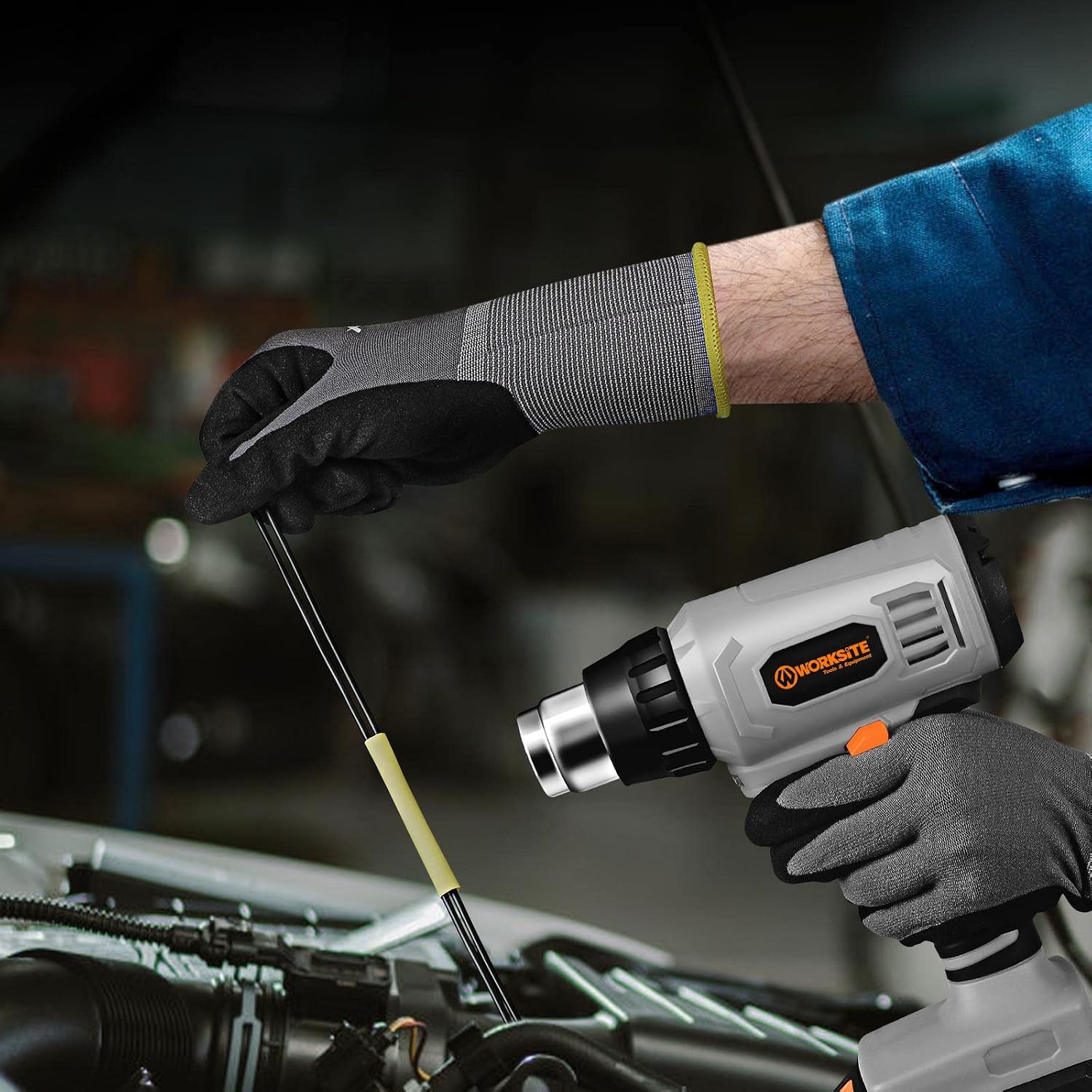
Image: The WORKSITE heat gun being used to strip paint from a surface, demonstrating its maximum output temperature capability of up to 1200°F (538°C).

Image: The WORKSITE heat gun shrinking plastic wrap around a computer mouse, illustrating its lightweight design and suitability for delicate tasks.
Maintenance
Regular maintenance ensures the longevity and safe operation of your heat gun.
- Cleaning: After each use, ensure the heat gun is cool. Wipe the exterior with a damp cloth. Do not use harsh chemicals or abrasive cleaners.
- Nozzle Cleaning: Clean any residue from the nozzles after use. Ensure they are free from obstructions.
- Air Vents: Keep the air intake and exhaust vents clear of dust and debris to prevent overheating. Use compressed air if necessary.
- Battery Care: Store batteries in a cool, dry place. Do not store fully discharged batteries for extended periods.
- Storage: Store the heat gun and its accessories in the provided storage bag in a dry, secure location.
Troubleshooting
| Problem | Possible Cause | Solution |
|---|---|---|
| Heat gun does not turn on. | Battery not charged or improperly installed. | Ensure battery is fully charged and securely attached. |
| Heat output is low. | Air vents blocked; battery low. | Clean air vents. Recharge or replace battery. |
| Tool overheats and shuts off. | Blocked air vents; prolonged use. | Allow tool to cool. Clear air vents. Use in shorter intervals. |
| Nozzle difficult to attach/remove. | Tool is hot; debris in nozzle area. | Allow tool to cool completely. Clean nozzle and tool outlet. |
Specifications
| Feature | Specification |
|---|---|
| Model Number | WCHG326 |
| Brand | WORKSITE |
| Power Source | Battery Powered |
| Battery Type | 20V Max Lithium-Ion (4.0Ah) |
| Max Output Temperature | Up to 1200°F (538°C) |
| Warm-up Time | Approx. 10 seconds |
| Wattage | 80 Watts |
| Weight (Tool only) | Approx. 1.08 lbs (0.49 kg) |
| Dimensions (Package) | 27.71 x 27.23 x 12.42 cm |
| Included Nozzles | Glass Protection, Reduction, Reflector, Triangular Scraper |
| Special Features | Lock-on button, Integrated LED work light |
Warranty and Support
For warranty information or technical support, please refer to the WORKSITE official website or contact their customer service directly. Keep your purchase receipt as proof of purchase for any warranty claims.
Ask a question about this manual
Ask about setup, troubleshooting, compatibility, parts, safety, or missing instructions. Manuals+ will review the question and use this page’s manual context to help answer it.