
Introduction
This manual provides instructions for the safe and effective use of your NIXIUKOL Digital Dual Probe Meat Thermometer. This device is designed for accurate temperature measurement of various foods during cooking, grilling, roasting, and smoking. It features both a foldable instant-read probe and a wired probe for continuous monitoring.
Product Overview
Your NIXIUKOL Digital Dual Probe Meat Thermometer is equipped with the following components:
- Main Unit: Houses the LCD display, control buttons, and battery compartment.
- Foldable Probe: A 4.6-inch (11.5 cm) stainless steel probe that rotates 180 degrees for instant temperature readings.
- Wired Probe: A 6.5-inch (16.5 cm) heat-resistant stainless steel probe with a 40-inch (102 cm) double stainless steel cable, suitable for oven or grill use.
- LCD Display: Large, backlit screen for clear temperature readings.
- Control Buttons: °C/°F, HOLD/CAL, ALARM SET.
- Magnetic Backing: For convenient storage on metallic surfaces.
- Bottle Opener: Integrated into the design.
- Probe Socket: For connecting the wired probe.

Image: Detailed diagram of the NIXIUKOL Digital Meat Thermometer showing all its parts and their functions, including the foldable probe, wired probe, display, and buttons.
Setup
- Battery Installation: The thermometer requires one CR2032 battery (included). Locate the battery compartment on the back of the unit. Use a coin to twist open the cover, insert the battery with the positive (+) side facing up, and then close the cover securely.
- Initial Power On: The thermometer automatically powers on when the foldable probe is extended.
Operating Instructions
1. Power On/Off
- Power On: Extend the foldable probe to turn the thermometer on.
- Power Off: Fold the probe back into the unit to turn the thermometer off. The unit also features an automatic shut-off after 10 minutes of inactivity to conserve battery life.
2. Using the Foldable Probe
- Extend the foldable probe. The display will activate.
- Insert the tip of the probe into the thickest part of the food, avoiding bone or gristle.
- Wait 3-5 seconds for the temperature reading to stabilize on the LCD display.

Image: The thermometer in use, demonstrating its instant-read capability with the foldable probe.
3. Using the Wired Probe
- Insert the wired probe's connector into the socket on the side of the main unit.
- Insert the metal tip of the wired probe into the thickest part of the food. Ensure the cable is positioned away from direct heat sources that could damage it.
- Place the main unit outside the oven or grill, using its magnetic backing to attach it to a metal surface if desired.
- Monitor the temperature reading on the display.

Image: The thermometer's wired probe in use for oven-safe temperature monitoring.
4. Switching Temperature Units (°C/°F)
Press the °C/°F button once to toggle between Celsius and Fahrenheit temperature displays.
5. Setting a Temperature Alarm
The thermometer allows you to set a target temperature, and it will alert you when that temperature is reached.
- Press the ALARM SET button once. The current alarm temperature will flash.
- Use the °C/°F button to increase the temperature and the HOLD/CAL button to decrease the temperature.
- Press ALARM SET again to confirm and exit the alarm setting mode.
- When the food reaches the set temperature, the thermometer will beep.

Image: Illustration of how to set the high-temperature alarm on the thermometer.
6. Data Hold Function
Briefly press the HOLD/CAL button to hold the current temperature reading on the display. Press it again to release and resume live temperature monitoring.
7. Calibration
For advanced users, the thermometer can be calibrated. Long press the HOLD/CAL button to enter calibration mode. Refer to specific calibration procedures for accurate adjustment, typically involving ice water.
Care and Maintenance
- Cleaning: The thermometer is IP67 waterproof. Clean the probes and main unit with a damp cloth or by rinsing under running water. Do not immerse the entire unit in water for extended periods. Avoid shaking the probe vigorously while washing.
- Storage: Fold the probe back into the unit for safe storage. The magnetic backing allows for convenient attachment to refrigerators or other metal surfaces. Store in a dry place.
- Battery Replacement: Replace the CR2032 battery when the display becomes dim or the unit fails to power on.
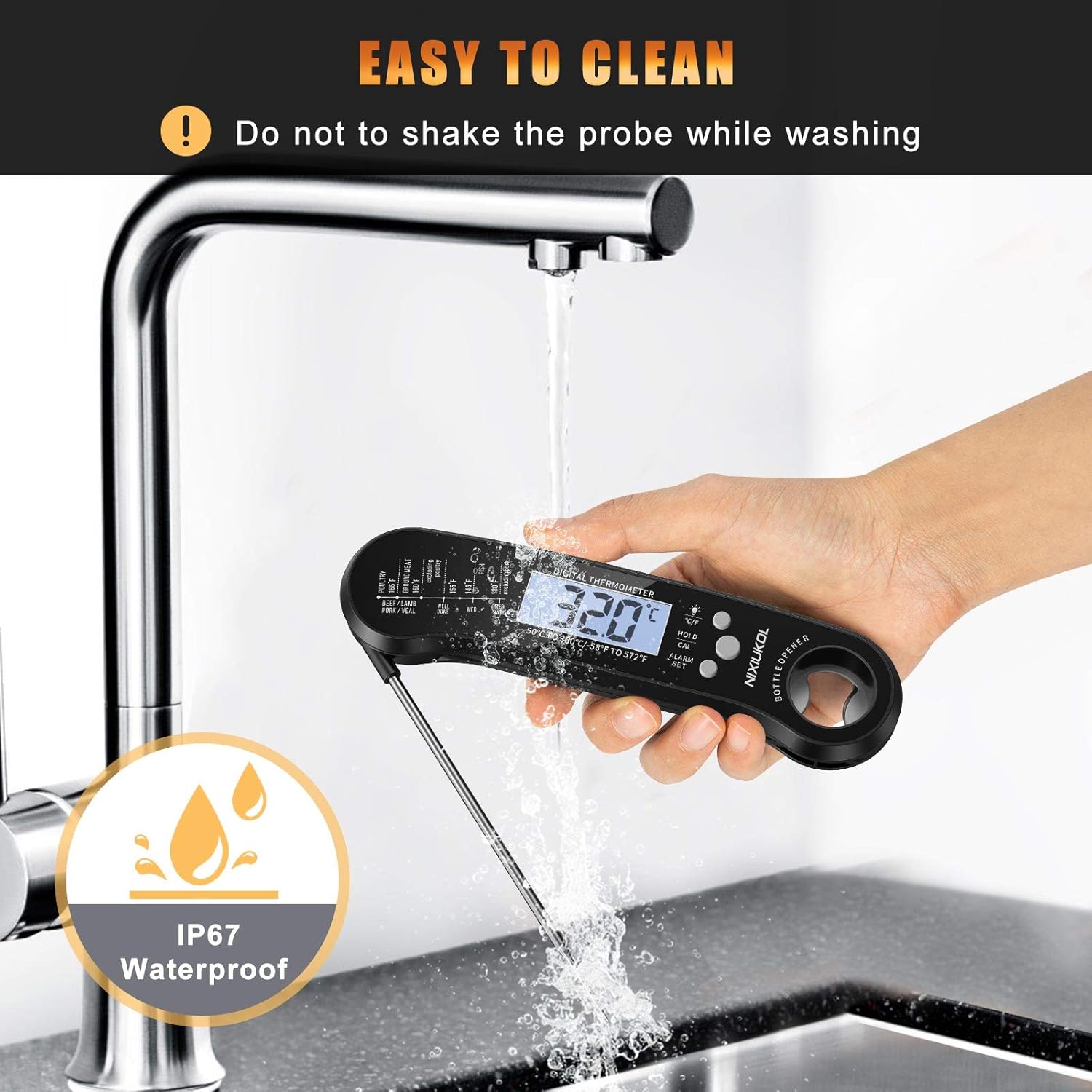
Image: The thermometer being cleaned under running water, highlighting its waterproof design.
Troubleshooting
- No display or dim display:
- Check battery installation. Replace the CR2032 battery if necessary.
- Inaccurate readings:
- Ensure the probe is inserted into the thickest part of the food, away from bone. Consider calibrating the thermometer if readings remain inconsistent.
- Alarm not sounding:
- Verify that the alarm temperature is set correctly and the alarm function is active.
Specifications
| Feature | Specification |
|---|---|
| Temperature Range | -50°C to 300°C (-58°F to 572°F) |
| Accuracy | ±1°C (±2°F) |
| Response Time | 3-5 seconds |
| Foldable Probe Length | 4.6 inches (11.5 cm) |
| Wired Probe Length | 6.5 inches (16.5 cm) |
| Wired Probe Cable Length | 40 inches (102 cm) |
| Waterproof Rating | IP67 |
| Power Source | 1 x CR2032 battery |
| Auto-Off | 10 minutes of inactivity |
| Dimensions (Main Unit) | Approx. 7.05 x 2.4 x 1.06 inches |
| Weight | Approx. 4.6 ounces |
Safety Information
- Do not touch the metal probe with bare hands during or immediately after use, as it will be hot.
- Keep the device out of reach of children.
- Do not expose the wired probe cable to direct flames or temperatures exceeding its heat resistance.
- Always ensure the wired probe is properly inserted into its socket to maintain waterproof integrity.
- Dispose of batteries according to local regulations.
Warranty and Support
For warranty information or technical support, please refer to the product packaging or contact NIXIUKOL customer service through their official channels.