
1. Introduction
This manual provides detailed instructions for the installation, operation, and maintenance of your Kazeila Sprinkler Timer. Please read this manual thoroughly before use to ensure proper function and longevity of the device.
2. Package Contents
Upon opening the package, verify that all items listed below are present and in good condition:
- 1 x Kazeila Sprinkler Timer
- 1 x 3 mm O-Ring (for connection)
- 1 x User Manual
Video: This video demonstrates the unboxing and package contents of the Kazeila Sprinkler Timer (0:07 - 0:41).
3. Installation
Follow these steps for quick and proper installation of your sprinkler timer:
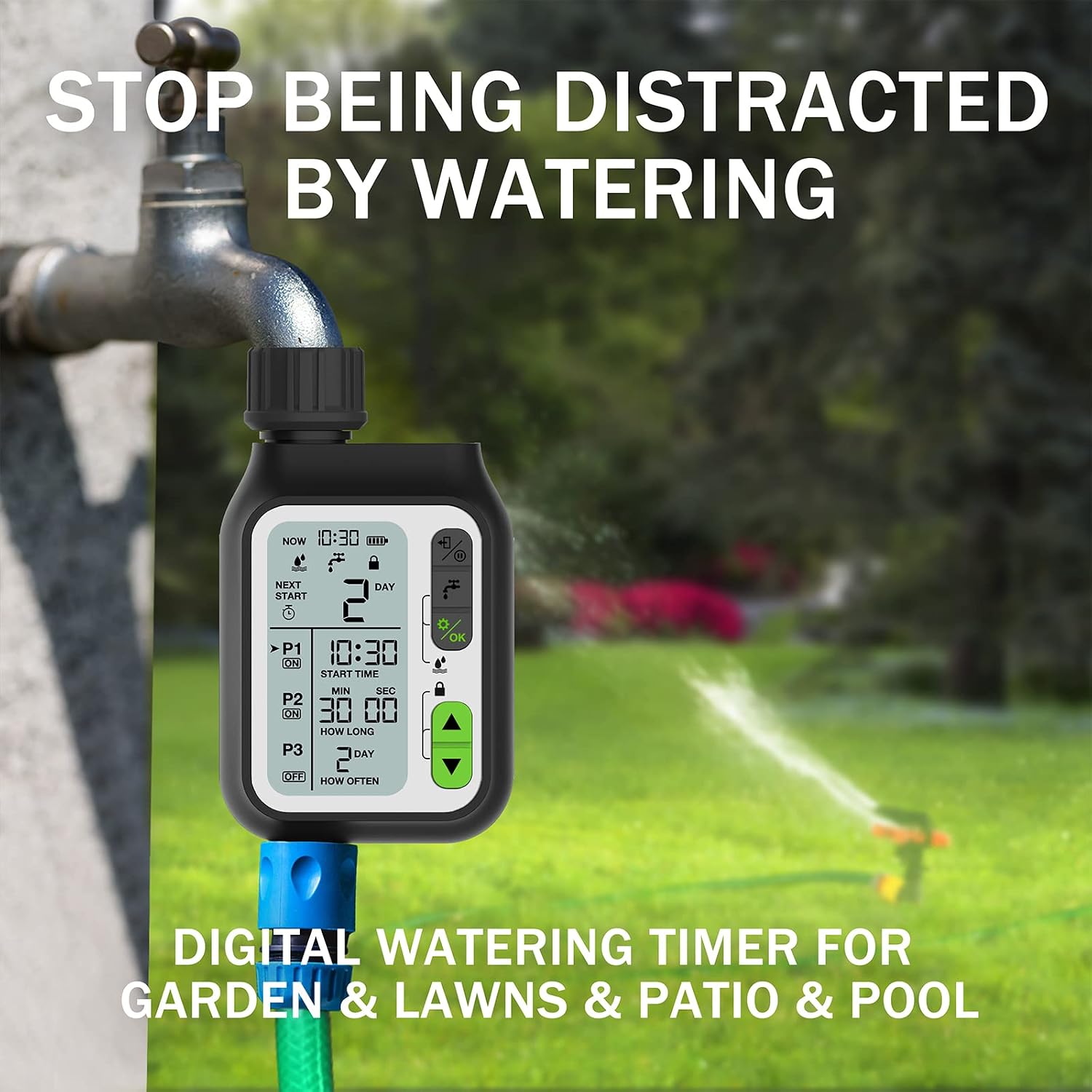
- Ensure the O-ring is correctly placed inside the connector of the timer. This prevents leaks.
- Connect the timer securely to your outdoor faucet. Hand-tighten only.
- Ensure the timer is installed vertically. Horizontal or inverted installation is prohibited.
- Rotate the connector in the direction of the thread until it is snug.
Video: Detailed steps for installing the Kazeila Water Timer to a faucet, including O-ring placement and tightening instructions (0:42 - 1:09).
4. Operating Instructions
4.1. Setting Current Time
To set the current time on your Kazeila Sprinkler Timer:
- Press the '⚙️/OK' button to enter programming mode.
- Use the '▲' and '▼' buttons to adjust the current time.
- Press '⚙️/OK' again to save changes and move to the next setting.
Video: Demonstration of how to set the current time on the Kazeila Sprinkler Timer (1:10 - 1:29).
4.2. Programming Irrigation (P1, P2, P3)
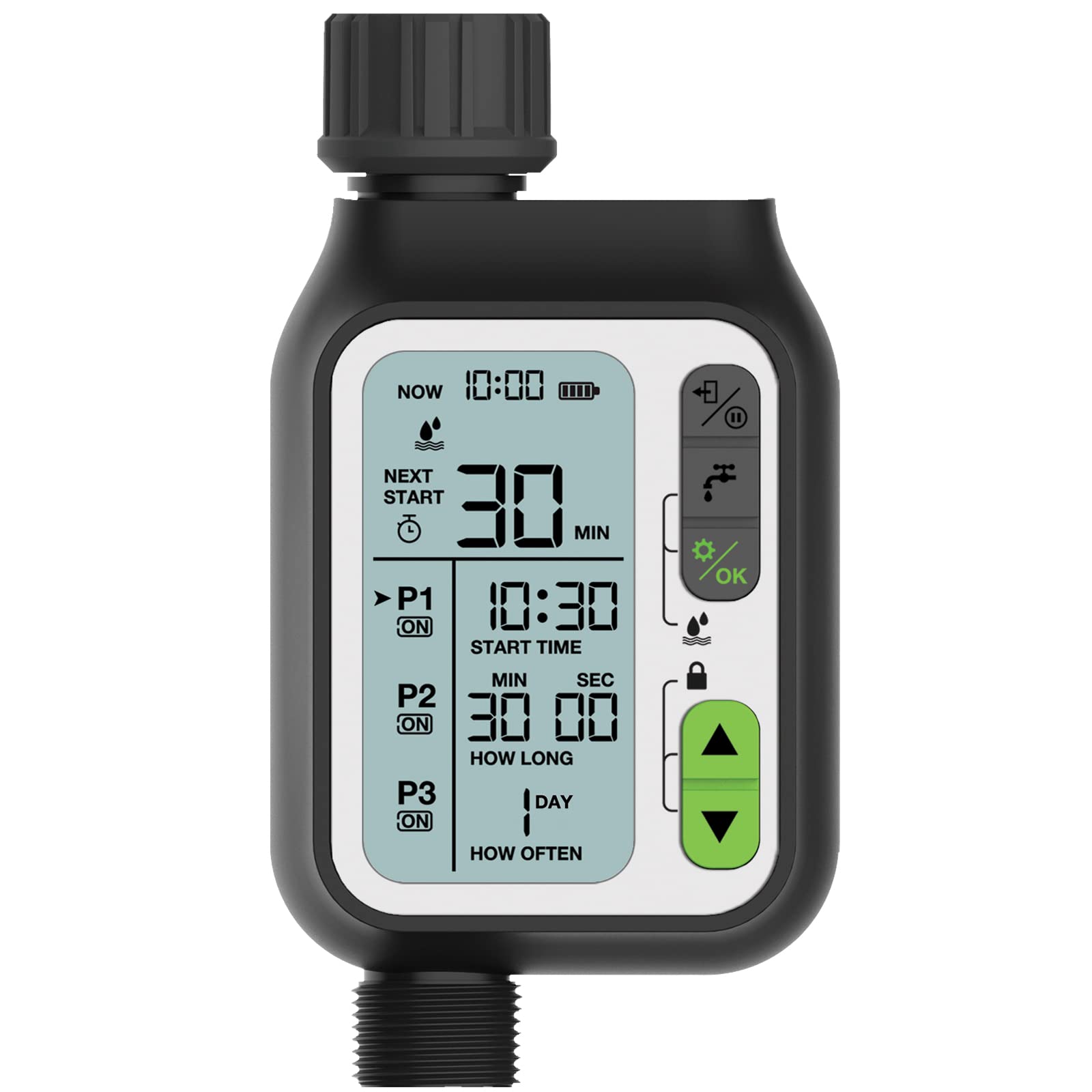
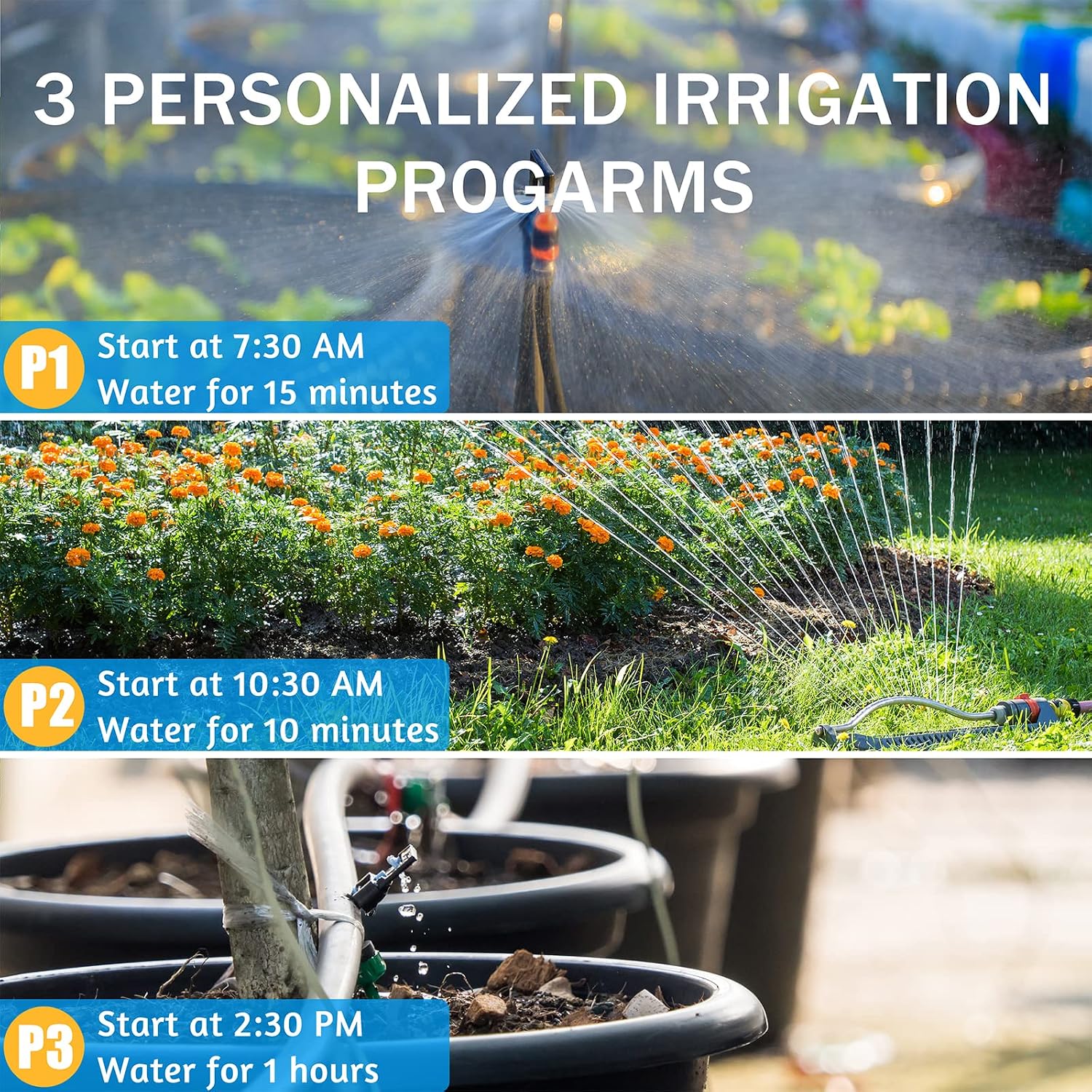
The timer supports three independent irrigation programs (P1, P2, P3). Each program can be configured with a start time, watering duration, and frequency.
- Press the '⚙️/OK' button to enter programming mode.
- Use the '▲' and '▼' buttons to select the program (P1, P2, or P3) and its on/off status.
- Set the start time for the selected program using the '▲' and '▼' buttons, then confirm with '⚙️/OK'.
- Set the watering duration (how long) for the program.
- Set the watering frequency (how often) for the program.
- Repeat for P2 and P3 as needed.
Video: Step-by-step guide on how to program the three independent irrigation schedules (P1, P2, P3) on the Kazeila Sprinkler Timer (1:30 - 3:39).
4.3. Manual Watering
To initiate manual watering outside of programmed schedules:
- Press the '💧' button to enter manual watering mode.
- Use the '▲' and '▼' buttons to set the desired watering duration.
- Press '⚙️/OK' to start manual watering.
- To stop manual watering immediately, press the '💧' button again.
Video: Instructions on how to use the manual watering function and how to stop it on the Kazeila Sprinkler Timer (3:40 - 4:42).
4.4. Rain Delay Function
The Kazeila Sprinkler Timer features a rain sensor to prevent overwatering. You can also manually activate a rain delay:
- Hold the '💧' and '⚙️/OK' buttons together for 3 seconds to activate or deactivate the rain sensor function.
- When activated, the timer will automatically pause irrigation during rainfall.

Video: How to activate and deactivate the rain delay function on the Kazeila Sprinkler Timer (4:43 - 5:21).
4.5. Child Lock Function
To prevent accidental changes to your settings, activate the child lock:
- Hold the '▲' and '▼' buttons together for 3 seconds to turn on/off the child lock function.
- When activated, a lock icon will appear on the display, and buttons will be unresponsive until unlocked.
Video: Guide on how to enable and disable the child lock feature on the Kazeila Sprinkler Timer (5:22 - 5:44).
4.6. Off Mode
To completely turn off the timer and stop all watering schedules:
- Hold the '💧' and '⚙️/OK' buttons together for 3 seconds to update/remove off mode.
- When in Off Mode, the display will show "OFF", and no watering will occur.
Video: How to activate and deactivate the Off Mode on the Kazeila Sprinkler Timer (5:22 - 5:44).
5. Product Features
The Kazeila Sprinkler Timer is designed with several features for optimal performance and user convenience:
- Large LCD Display: Provides clear visibility of settings and current status.
- IPX5 Waterproof: Ensures durability and reliable operation in outdoor conditions.
- Child Lock: Prevents accidental changes to programmed settings.
- UV Protection: Designed to withstand exposure to sunlight.
- Manual Watering: Allows for immediate watering outside of scheduled programs.
- Low Power Protection: Conserves battery life and indicates low power status.
- Corrosion Resistant: Built with materials to resist corrosion from water and elements.

6. Specifications
| Attribute | Value |
|---|---|
| Brand | Kazeila |
| Material | Plastic |
| Product Dimensions (D x W x H) | 2.2"D x 6.3"W x 3.4"H |
| Item Weight | 13.7 Ounces |
| Number of Settings | 3 (Independent Irrigation Programs) |
| Waterproof Rating | IPX5 |
| ASIN | B09NQWKS49 |
7. Maintenance
To ensure optimal performance and extend the lifespan of your Kazeila Sprinkler Timer:
- Regularly check the O-ring for wear and tear. Replace if necessary to prevent leaks.
- Clean the filter screen (if applicable) periodically to prevent blockages from debris in the water supply.
- During freezing temperatures, disconnect the timer from the faucet and store it indoors to prevent damage.
- Use only fresh alkaline batteries and replace them when the low battery indicator appears.
8. Troubleshooting
If you encounter issues with your Kazeila Sprinkler Timer, refer to the following common solutions:
| Problem | Possible Solution |
|---|---|
| Timer not watering |
|
| Water leaking from connection |
|
| Display not working |
|
9. Warranty and Support
Kazeila products are designed for quality and reliability. For warranty information or technical support, please refer to the contact details provided in your product packaging or visit the official Kazeila website. Keep your purchase receipt for warranty claims.
For further assistance, you may contact Kazeila customer service via their official website: www.kazeila.com.