
Introduction
The BTECH FRS-B1 is a license-free FRS (Family Radio Service) two-way radio designed for business and personal use. It comes pre-programmed with all 22 FRS channels and supports 260 DCS and CTCSS privacy tones, ensuring compatibility with other FRS radios. This manual provides essential information for setting up, operating, maintaining, and troubleshooting your FRS-B1 radios to ensure optimal performance and longevity.
What's in the Box
Upon unboxing your BTECH FRS-B1 2-Pack, please verify that all the following components are included:
- 2 x FRS-B1 Radios
- 2 x 1500mAh Li-ion Batteries
- 2 x Radio Holsters
- 2 x Belt Clips
- 2 x Wrist Straps
- 2 x Earpieces
- 1 x Gang Charger (Dual Charging Dock)
- 1 x AC Wall Plug
- 1 x USB to Dual USB-C Cable

Image: All components included in the BTECH FRS-B1 2-Pack, laid out for clear identification.
Setup
Battery Installation and Charging
The FRS-B1 radios are powered by rechargeable Li-ion batteries. Before first use, fully charge the batteries.
- Install Battery: Align the battery pack with the back of the radio and slide it into place until it clicks securely.
- Charging via Docking Station: Connect the AC wall plug to the gang charger. Place the radios or spare batteries into the charging slots. The indicator light on the charger will show charging status (typically red for charging, green for fully charged).
- Charging via USB-C: The radios can also be charged directly using a standard USB-C cable connected to the USB-C port on the side of the radio. This offers flexible charging options on the go.

Image: BTECH FRS-B1 radios in their dual charging dock, illustrating the primary charging method.

Image: The FRS-B1 radio being charged directly via its USB-C port, demonstrating an alternative charging method.
Attaching Accessories
The FRS-B1 radios are designed for versatile carrying and use with included accessories.
- Holster and Belt Clip: Attach the belt clip to the radio's battery pack. The included holster allows the radio to quickly snap into a locked position on a belt or pocket, providing secure and convenient carrying.
- Earpiece: Plug the earpiece into the K1 accessory jack on the side of the radio for private listening and hands-free communication.
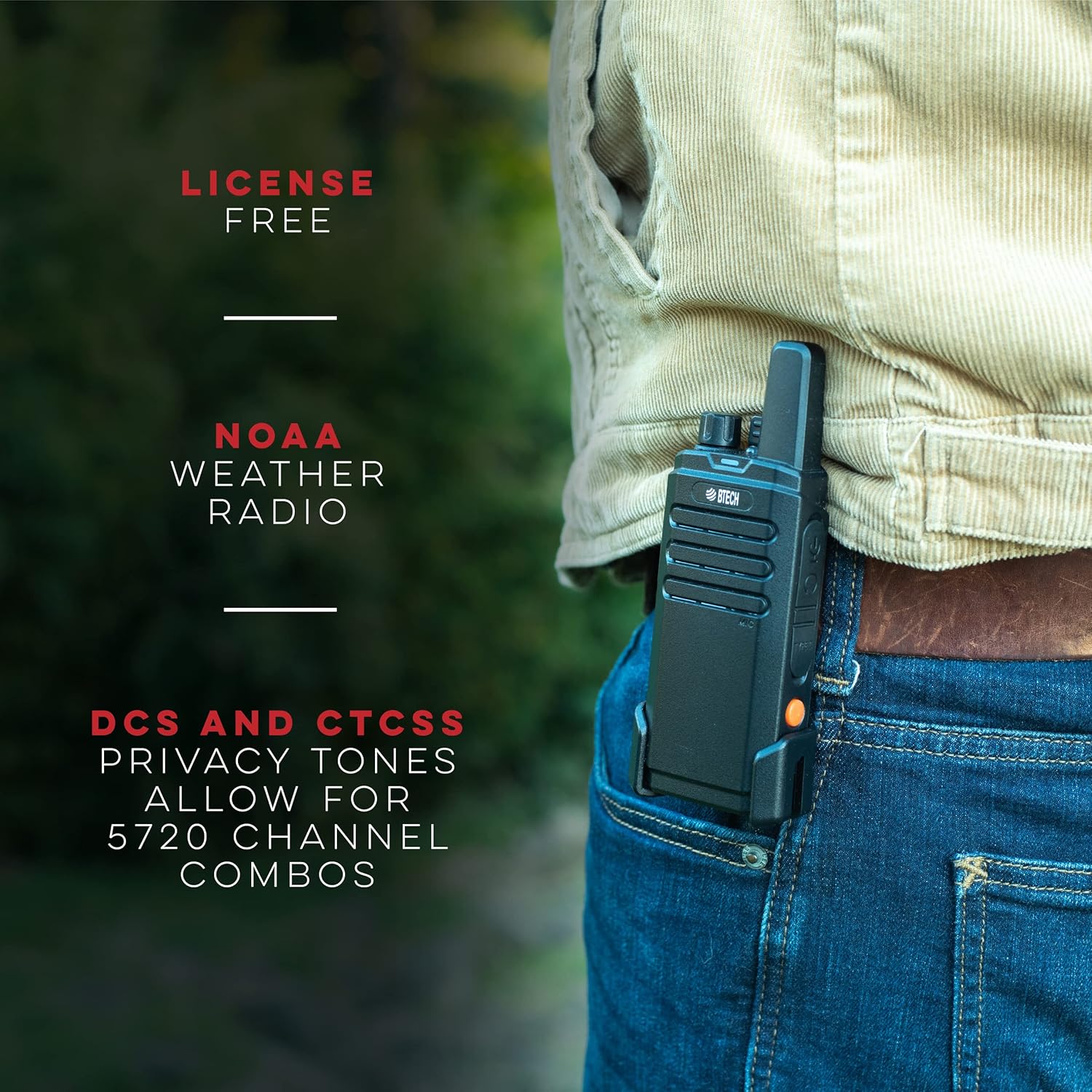
Image: The FRS-B1 radio worn on a belt, highlighting its portability and secure holstering.
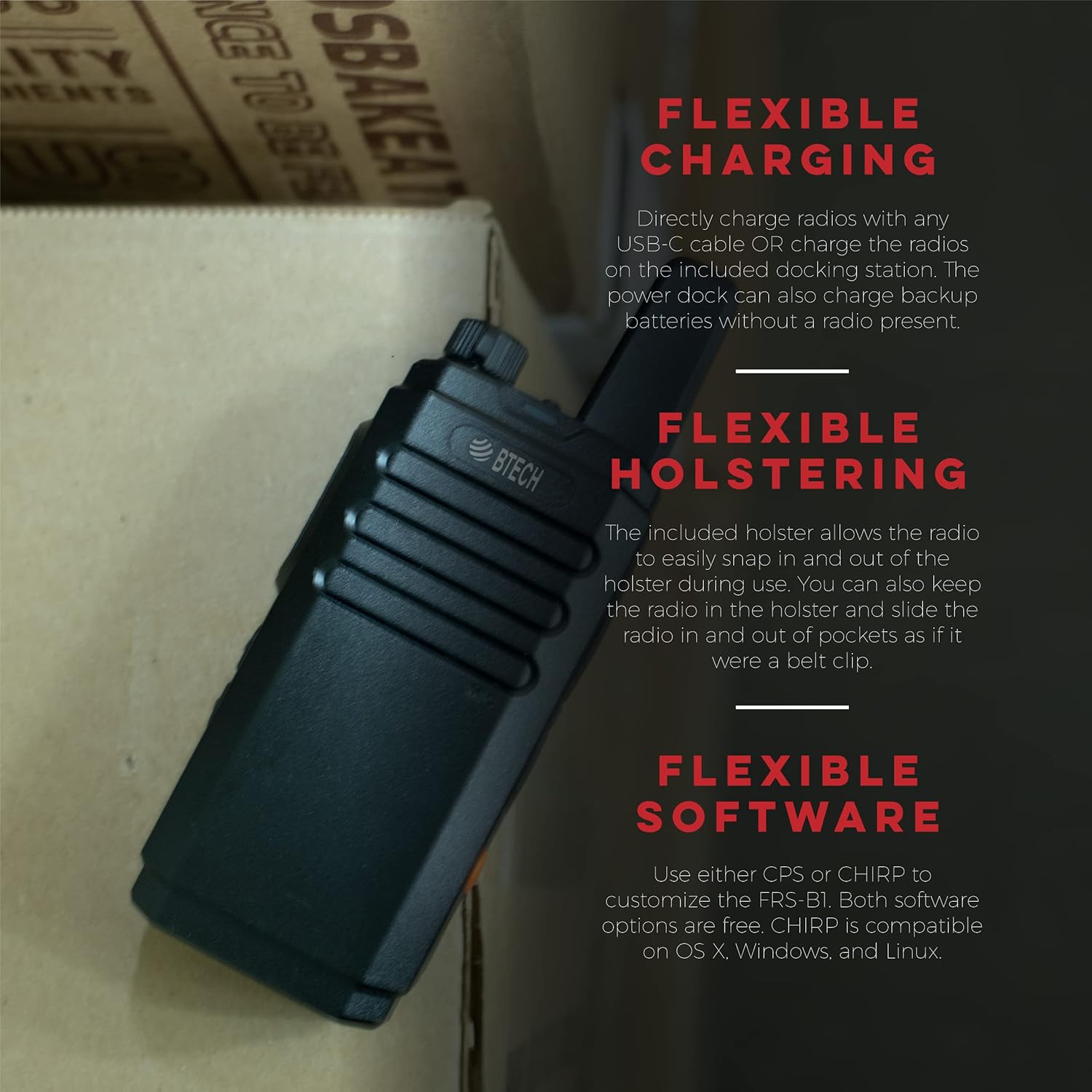
Image: An FRS-B1 radio illustrating its flexible charging capabilities (USB-C or dock), versatile holstering, and compatibility with programming software.
Operating Instructions
Power On/Off and Volume
To power on the radio, rotate the top knob clockwise. Continue rotating to increase the volume. Rotate counter-clockwise to decrease volume and power off.
Channel Selection
The FRS-B1 comes with 22 pre-programmed FRS channels. Use the channel selector knob (typically located near the power/volume knob) to switch between channels. Ensure all radios in your group are on the same channel for communication.
Transmitting and Receiving
To transmit, press and hold the Push-To-Talk (PTT) button located on the side of the radio. Speak clearly into the microphone. Release the PTT button to receive. The radio will automatically receive signals when the channel is clear.
NOAA Weather Radio
The FRS-B1 includes a built-in pre-programmed NOAA receiver. This feature allows you to toggle to hear NOAA forecasts and alerts, providing critical weather information. Consult your radio's specific button layout or programming software for accessing this feature.

Image: The NOAA Weather Radio logo, signifying the radio's ability to receive weather alerts.
VOX Function (Voice Activated Transmission)
The FRS-B1 supports VOX, allowing for hands-free operation. When VOX is enabled, the radio will automatically transmit when it detects your voice, eliminating the need to press the PTT button. This feature can be configured using the free programming software.
Built-in Flashlight
The FRS-B1 includes a convenient built-in flashlight. Refer to your radio's specific button functions to activate and deactivate the flashlight.
Programming Software
The FRS-B1 is designed for customization. Free CPS (Customer Programming Software) and CHIRP software are available to allow users to set channels to their preferred privacy tone, add or remove channels from the scanning list, and enable VOX. A PC03 Program Cable (not included) is required for connecting the radio to a computer for programming.
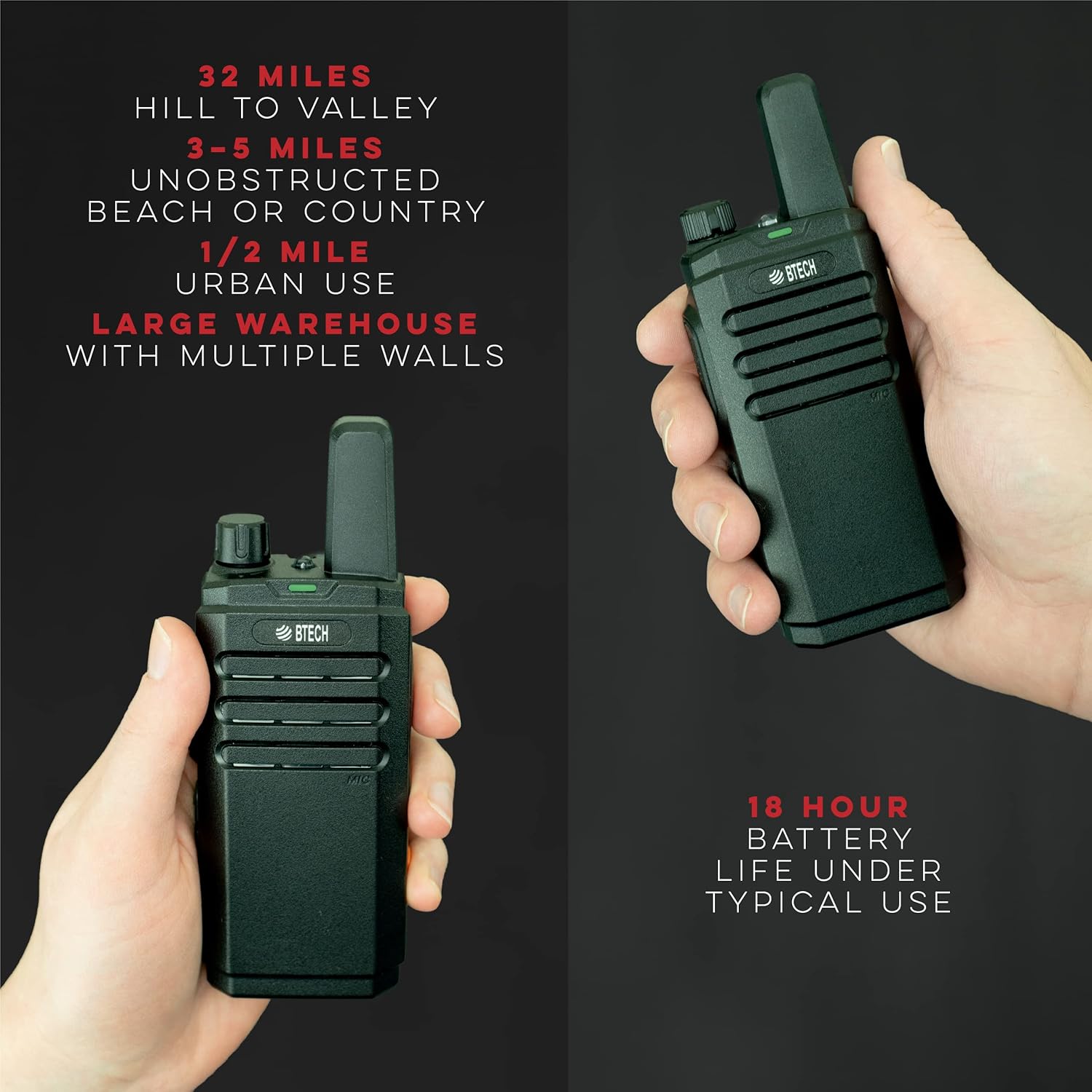
Image: Two FRS-B1 radios in use, highlighting their typical range in unobstructed terrain (3-5 miles) and an 18-hour battery life under typical usage conditions.
Maintenance
Cleaning
To maintain your radio's performance and appearance, regularly wipe the exterior with a soft, damp cloth. Avoid using harsh chemicals or abrasive cleaners. Ensure the charging contacts and accessory jack are free of dust and debris.
Battery Care
To maximize battery life, follow these guidelines:
- Fully charge new batteries before first use.
- Avoid overcharging or completely draining the battery.
- Store batteries in a cool, dry place when not in use.
- If storing for extended periods, charge the battery to about 50% capacity.
Troubleshooting
If you encounter issues with your BTECH FRS-B1 radio, refer to the following common problems and solutions:
| Problem | Possible Cause | Solution |
|---|---|---|
| Radio does not power on | Low or dead battery; improperly installed battery. | Charge the battery; ensure battery is securely installed. |
| Cannot transmit or receive | Incorrect channel; privacy tone mismatch; out of range. | Verify channel and privacy tone settings; move closer to other radios. |
| Poor audio quality | Low battery; interference; radio too far from mouth. | Charge battery; move away from sources of interference; speak clearly into microphone. |
| Battery not charging | Charger or cable faulty; improper connection. | Check connections; try a different USB-C cable or power outlet. |
Specifications
Key technical specifications for the BTECH FRS-B1 Two-Way Radio:
| Feature | Specification |
|---|---|
| Model Number | FRS-B1 |
| Item Weight | 8 ounces |
| Product Dimensions | 2 x 0.75 x 5.5 inches |
| Batteries | 1 Lithium Ion battery required (included) |
| Display Type | No Display |
| Number of Channels | 29 (22 FRS channels + privacy tones) |
| Frequency Range | FRS, NOAA |
| Talking Range Maximum | 5 Mile (typical urban: ~0.5 mile, unobstructed: 3-5 miles) |
| Water Resistance Level | Water Resistant (IP54) |

Image: Rear view of the FRS-B1 radio, displaying product information and regulatory markings.
Warranty and Support
BTECH is a USA-based company committed to providing excellent local support for any issues that may arise with your product. Your FRS-B1 radios come with a USA warranty.
For additional information, software downloads, and video tutorials, please visit the official BTECH resources:
- Official Product Page: https://baofengtech.com/frs-b1
- YouTube Tutorials: https://www.youtube.com/c/Baofengtechradio

Image: BTECH's commitment to USA-based support.


