1. Introduction
Thank you for choosing the BLACK DIAMOND Storm 450 Headlamp. This manual provides essential information for the safe and effective use, maintenance, and troubleshooting of your headlamp. Please read it thoroughly before first use and retain it for future reference.

The BLACK DIAMOND Storm 450 Headlamp in use during a night ascent in a snowy mountain landscape.
2. Product Overview
The BLACK DIAMOND Storm 450 Headlamp is designed for demanding outdoor conditions, offering powerful illumination and versatile features. Key features include:
- 450-Lumen Output: Provides bright, focused light for various activities.
- IP67 Waterproof & Dustproof: Ensures reliable performance in wet and dusty environments.
- Multi-Mode Lighting: Includes full-strength, dimming, strobe, and red, green, and blue night-vision modes.
- PowerTap Technology: Allows instant access to maximum brightness.
- Dual-Fuel Compatibility: Operates with 3x AAA batteries (included) or a rechargeable BD 1500 Li-ion battery (sold separately).
- Brightness Memory: Retains the last used brightness setting.
- Compact & Comfortable Design: Low-profile housing and adjustable elastic strap for secure fit.
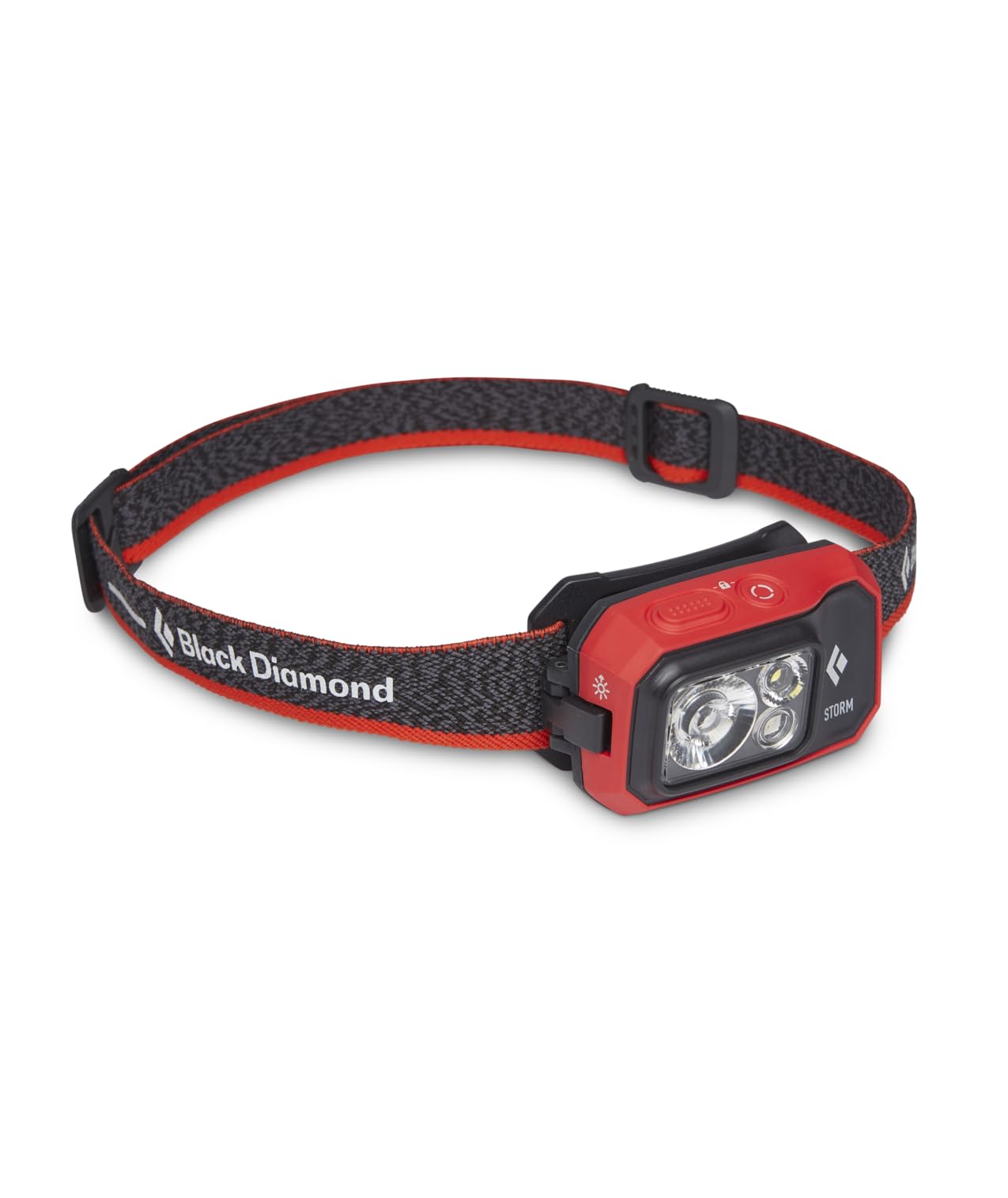
Front view of the BLACK DIAMOND Storm 450 Headlamp, highlighting the main LED and auxiliary lights.
3. Setup
3.1 Battery Installation
- Locate the battery compartment on the rear of the headlamp unit.
- Open the latch or cover to access the battery compartment.
- Insert 3x AAA batteries, ensuring correct polarity (+/-) as indicated inside the compartment. Alternatively, insert a compatible BD 1500 rechargeable Li-ion battery (sold separately).
- Securely close the battery compartment cover until it clicks into place.
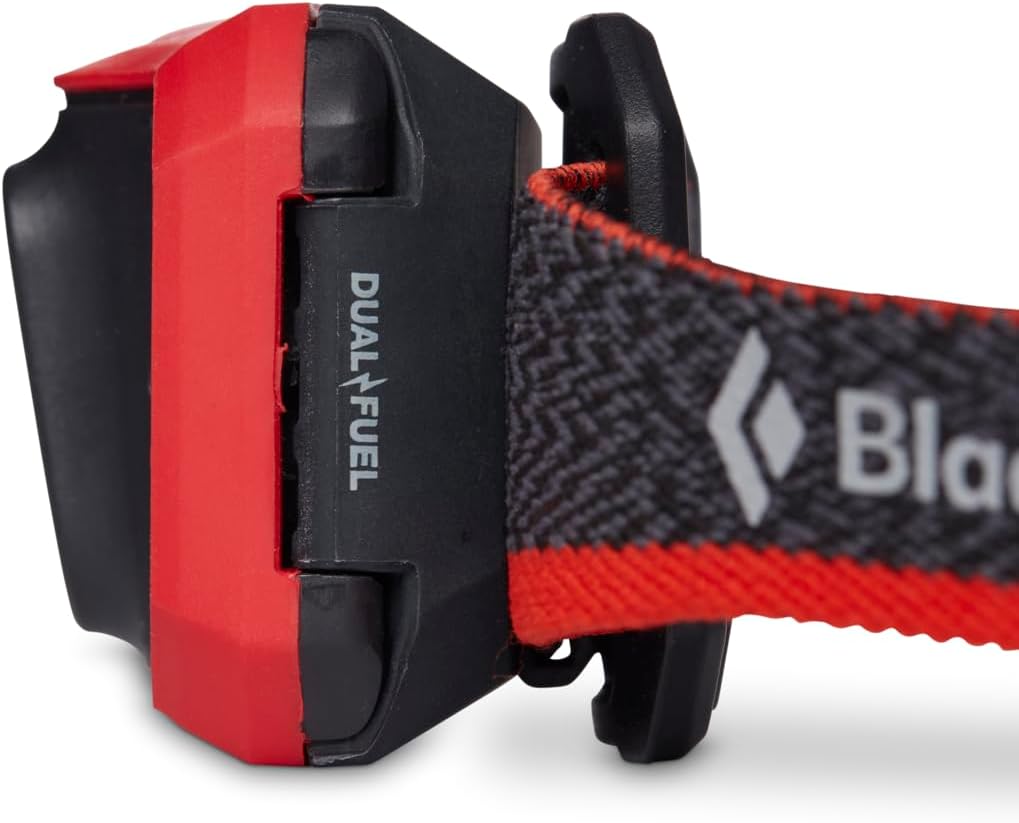
Side view of the headlamp indicating the 'Dual Fuel' compatibility and battery compartment.
3.2 Adjusting the Headband
The elastic headband is adjustable to ensure a comfortable and secure fit. Slide the buckle to tighten or loosen the strap around your head or helmet. The low-profile housing is designed to sit securely without bouncing during activity.

The adjustable elastic strap of the BLACK DIAMOND Storm 450 Headlamp for a customized fit.
4. Operating Instructions
Official video demonstrating how to operate your Black Diamond Headlamp, including power, brightness, and mode controls.
4.1 Power On/Off
To turn the headlamp on or off, single-click the main power button located on the top of the unit.
4.2 Brightness Adjustment (Dimming)
With the headlamp on, press and hold the power button to adjust the brightness. The light will cycle through its brightness range, flickering briefly at the highest and lowest settings to indicate the limits.
4.3 Mode Selection
The Storm 450 features multiple lighting modes for various situations:
- White Light: For general illumination.
- Red Light: Preserves night vision and reduces glare.
- Green Light: Ideal for map reading and animal observation.
- Blue Light: Useful for tracking and identifying fluids.
- Strobe Mode: For signaling or emergency situations.
To switch between different lighting beams (white, red, green, blue), press the smaller mode button (if available) or cycle through by repeatedly pressing the power button (for single-button models). To access red light directly from off, hold down the mode button until the red light illuminates.
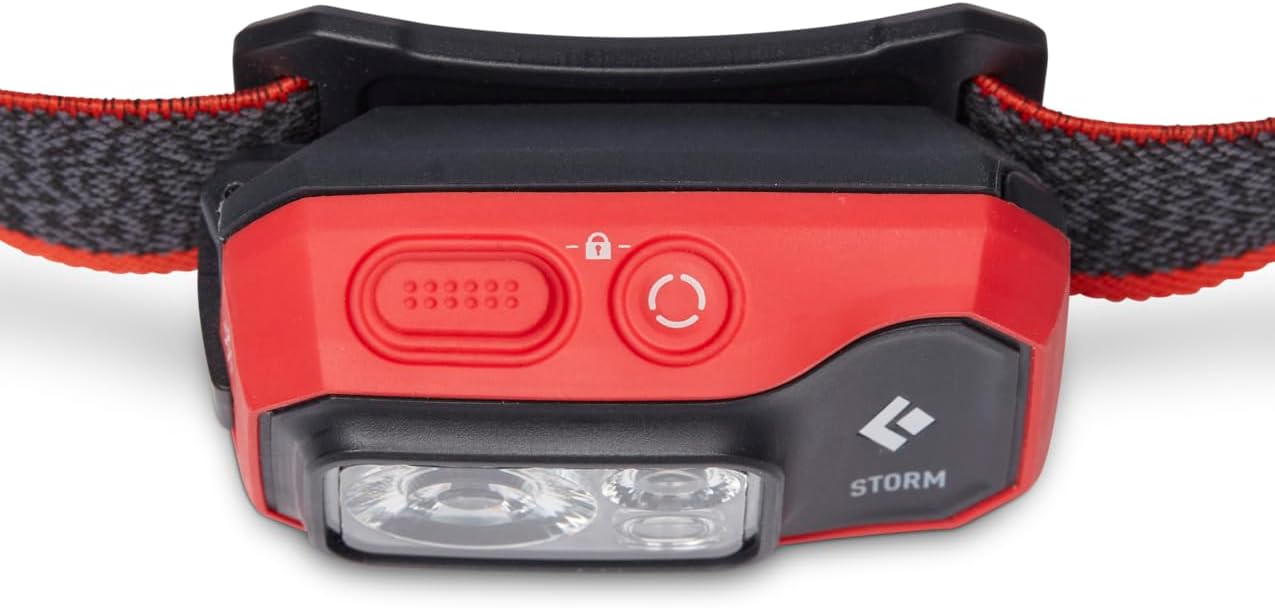
Top view of the headlamp, showing the power and mode buttons for control.

The headlamp illuminated in red light mode, suitable for preserving night vision.
4.4 Lock Feature
To prevent accidental activation and conserve battery during transport or storage:
- Two-Button Models: With the light off, press and hold both the power button and the mode button simultaneously until the LEDs flicker, confirming the light is locked.
- One-Button Models: With the light off, press and hold the single power button until the LEDs flicker, confirming the light is locked.
Repeat the same process to unlock the headlamp. The main LED will illuminate to confirm it is unlocked.
4.5 PowerTap Technology
For instant maximum brightness, simply tap the PowerTap icon located on the side of the headlamp unit. This will boost the light to its highest setting. Tap again to return to the previous brightness level.
5. Maintenance
- Cleaning: Wipe the headlamp with a damp cloth to remove dirt and debris. Do not use harsh chemicals or abrasive cleaners.
- Battery Care: Remove batteries if the headlamp will not be used for an extended period to prevent leakage. Store batteries in a cool, dry place.
- Storage: Store the headlamp in a dry, cool environment away from direct sunlight. Ensure the lock feature is engaged during storage to prevent accidental activation.
6. Troubleshooting
- Light not turning on: Check battery installation and ensure batteries are charged or replaced. Verify the headlamp is not in lock mode.
- Dim or flickering light: Batteries may be low. Replace AAA batteries or recharge the BD 1500 battery.
- Buttons unresponsive: Ensure the headlamp is unlocked. If issues persist, try removing and reinserting batteries.
For further assistance, please contact BLACK DIAMOND customer support.
7. Specifications
| Feature | Specification |
|---|---|
| Model Number | BD620671 |
| Brightness | 450 Lumens (Maximum) |
| Power Source | 3x AAA Batteries (Included) or BD 1500 Li-ion Battery (Sold Separately) |
| Water Resistance Level | IP67 (Waterproof and Dustproof) |
| Material | Polycarbonate |
| Item Weight | 0.12 Kilograms (4.2 ounces) |
| Product Dimensions | 2"D x 3"W x 4"H |
| Special Features | Compact, Dimmable, Waterproof, Brightness Memory, PowerTap Technology |
8. Warranty and Support
The BLACK DIAMOND Storm 450 Headlamp comes with a 3-year manufacturer warranty. For warranty claims, technical support, or additional product information, please visit the official BLACK DIAMOND website or contact their customer service department.
You can also visit the BLACK DIAMOND Store on Amazon for more products and information.


