
PayLessHere 13 Gallon / 50 Liter Touchless Trash Bin
Contents
PayLessHere 13 Gallon / 50 Liter Stainless Steel Touchless Trash Bin
User Manual
Introduction
Thank you for choosing the PayLessHere 13 Gallon / 50 Liter Stainless Steel Touchless Trash Bin. This product is designed for convenience and hygiene, featuring a motion-sensing lid and durable stainless steel construction. This manual provides essential information for the proper setup, operation, and maintenance of your new trash bin.
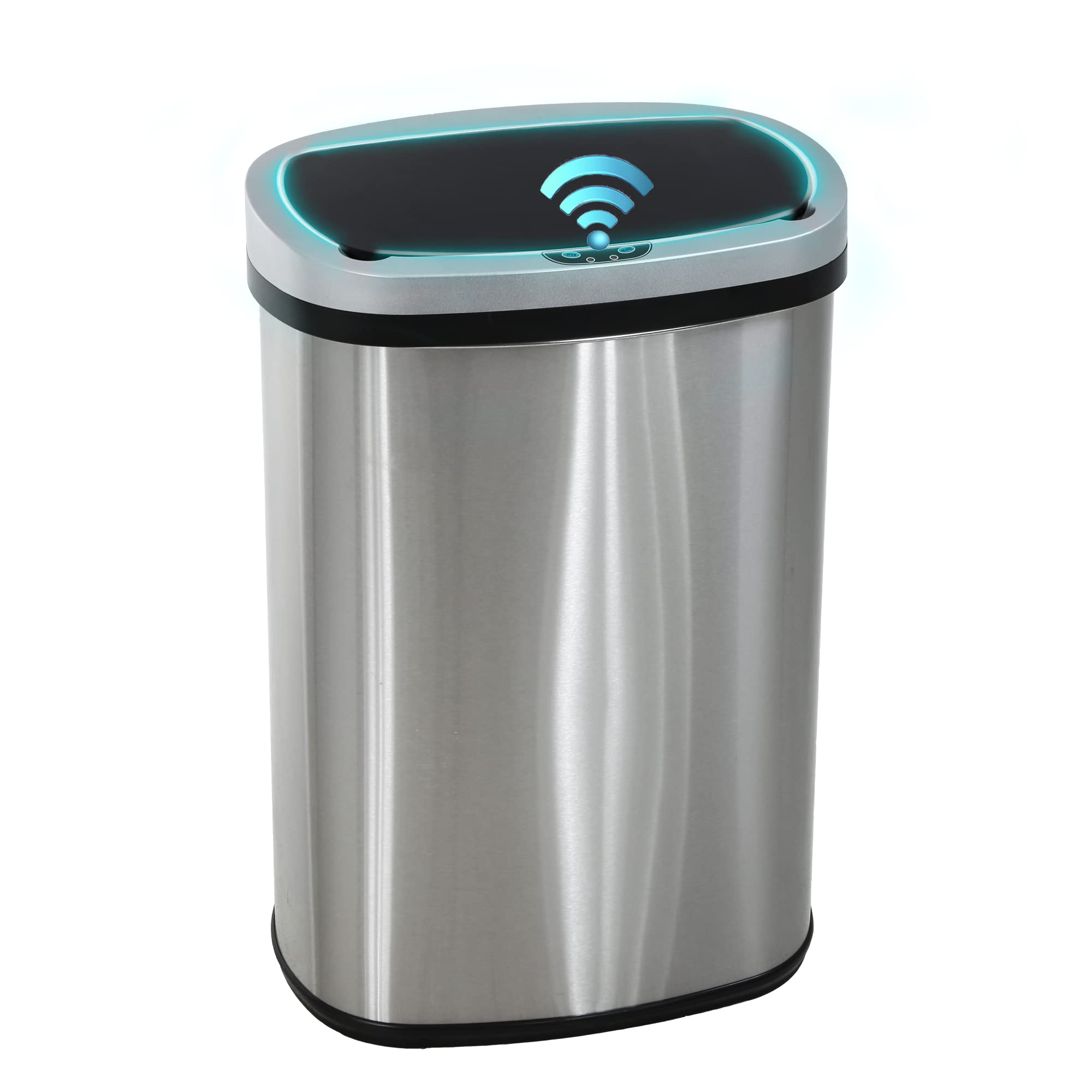
Image: The PayLessHere 13 Gallon / 50 Liter Stainless Steel Touchless Trash Bin with its lid open, showcasing its intelligent sensing, adjustable sense distance, and anti-fingerprint features.
Important Safety Information
- Avoid exposing the infrared sensor to direct sunlight, as this may affect its functionality.
- Do not immerse the lid cover in water. The lid contains electronic components that can be damaged by water.
- Do not manually press or force the lid to close while it is opening or closing automatically. Allow the lid to complete its cycle naturally.
- Ensure there is sufficient clear space around the trash bin for the lid to open and close without obstruction.
- Replace used or inefficient batteries promptly to prevent potential damage to electronic components from battery leakage.
Package Contents
- 1 x Stainless Steel Trash Can Body
- 1 x Sensor Lid Cover
- 1 x Inner Ring Holder

Image: An exploded view illustrating the main components: Barrel Cover (sensor lid), Press The Ring (inner ring holder), and Barrel Body (stainless steel bin).
Setup Instructions
1. Battery Installation
- Locate the battery compartment on the underside of the lid cover.
- Open the battery compartment cover.
- Insert four (4) C-type batteries (not included), ensuring correct polarity (+/-).
- Close the battery compartment cover securely.

Image: The underside of the trash bin lid, showing the battery compartment where four C-type batteries are to be inserted.
2. Trash Bag Installation
- Remove the sensor lid cover from the trash bin body.
- Place a standard 13-gallon (50-liter) trash bag into the bin.
- Secure the trash bag by placing the inner ring holder over the top edge of the bag and fitting it into the bin. This prevents the bag from slipping and hides the bag overhang.
- Carefully place the sensor lid cover back onto the trash bin body.

Image: A trash bag being secured inside the bin using the inner ring holder, ensuring a neat fit and preventing slippage.
Operating Instructions
1. Power On/Off
Locate the power switch on the side of the lid cover. Flip the switch to the 'ON' position to activate the sensor and 'OFF' to deactivate it.

Image: A finger operating the power switch located on the side of the trash bin's lid.
2. Motion Sensor Operation
Once powered on, the infrared motion sensor will detect movement within its range (approximately 2-6 inches). Wave your hand over the sensor, and the lid will automatically open. The lid will remain open for approximately 10 seconds after detection ceases, then close softly and silently.

Image: A hand waving over the motion sensor on the lid, indicating activation of the automatic opening mechanism.
3. Manual Open/Close Buttons
For extended opening, press the 'OPEN' button on the lid. The lid will stay open until you press the 'CLOSE' button. This feature is useful for tasks requiring the lid to remain open for longer periods, such as changing trash bags or disposing of larger items.

Image: The trash bin lid fully open, revealing the interior and the manual open/close buttons on the front panel.
4. LED Indicators
The lid features LED indicators to communicate the bin's status:
- No LED Display: The bin is on standby.
- Green Light: Indicates sensor activation or lid movement.
- Red Light: Indicates low battery, requiring replacement.

Image: A diagram showing the three states of the LED indicator: no light for standby, green light for action, and red light for low battery.
Maintenance
Cleaning
The stainless steel surface is treated for water-repellency and rust resistance, making it easy to clean. For daily care, wipe the product with a damp cloth. Avoid using abrasive cleaners or harsh chemicals that could damage the finish or electronic components. Do not submerge the lid in water.
Battery Replacement
When the LED indicator shows a red light, it is time to replace the batteries. Refer to the 'Battery Installation' section under Setup Instructions for detailed steps. Using fresh, high-quality C-type batteries will ensure optimal performance and longevity.
Troubleshooting
- Lid not opening/closing automatically:
- Check if the power switch is in the 'ON' position.
- Ensure batteries are correctly installed and not depleted (check for red LED). Replace batteries if necessary.
- Verify that the infrared sensor is not blocked or exposed to direct sunlight.
- Ensure there are no obstructions preventing the lid from moving freely.
- Lid closing too quickly or unexpectedly:
- Ensure no objects are continuously within the sensor's range, causing it to reset the timer.
- The bin features delay sensing technology to prevent unnecessary opening from pets or children; allow a moment for the sensor to react.
- Unpleasant odors:
- Ensure the lid is fully closed to maintain a good seal and prevent odors from spreading.
- Regularly empty and clean the trash bin.
Specifications
| Feature | Detail |
|---|---|
| Brand | PayLessHere |
| Capacity | 13 Gallons / 50 Liters |
| Material | Stainless Steel |
| Opening Mechanism | Motion-Sensor |
| Shape | Oval |
| Dimensions (L x W x H) | 16"L x 11"W x 22.8"H |
| Power Source | 4 x C-type Batteries (not included) |
| Special Features | Rustproof, Sensor, Water Repellent, Soft-closing lid |
Warranty and Support
PayLessHere offers a warranty for this product:
- A new bin is available within one year if necessary.
- A new top and lid of the trash can is acceptable within two years.
For support or warranty claims, please contact PayLessHere customer service through your purchase platform or the contact information provided with your product packaging.
Product Videos
13 Gallon Automatic Open Trash Can - Info!
Video: A demonstration of the 13-gallon automatic open trash can, highlighting its features and operation.
13-Gallon Trash Can, Practical and Hygienic
Video: A review showcasing the practical and hygienic aspects of the 13-gallon trash can.
Why You Need a Touchless Trash Can
Video: An informational video explaining the benefits and convenience of using a touchless trash can.
Ask a question about this manual
Ask about setup, troubleshooting, compatibility, parts, safety, or missing instructions. Manuals+ will review the question and use this page’s manual context to help answer it.