
1. Introduction
The Intel Core i3-12100F is a 12th Generation desktop processor designed for productivity and gaming. This processor does not include integrated graphics, requiring a discrete graphics card for display output. It supports advanced technologies such as PCIe Gen 5.0 and 4.0, and is compatible with both DDR5 and DDR4 memory modules. The Intel Laminar RM1 cooler is included in the box for thermal management.
Key Features:
- Intel Core i3-12100F Desktop Processor
- 4 (4P-0E) Cores
- Up to 4.3 GHz Turbo Frequency
- LGA1700 Socket
- Compatible with 600 Series Chipsets
- 58W Processor Base Power
- Discrete Graphics Required
2. Setup and Installation
Before installation, ensure your motherboard is compatible with the LGA1700 socket and a 600 series chipset. A discrete graphics card is required as this processor does not feature integrated graphics. Always handle the processor by its edges to avoid touching the contacts or the integrated heat spreader (IHS).
2.1. Unboxing the Processor

Image: Intel Core i3-12100F processor retail box.

Image: Side view of the Intel Core i3-12100F processor retail box, highlighting key features.
The processor package includes the Intel Core i3-12100F CPU and the Intel Laminar RM1 stock cooler. Carefully open the box and remove the components.
2.2. Processor and Cooler Installation
Refer to the following videos for detailed instructions on unboxing and installing your Intel Core i3-12100F processor and its cooler.
Video: This video demonstrates the unboxing of the Intel Core i3-12100F processor and its included stock cooler. It also provides an overview of the processor's physical characteristics and socket compatibility.
Video: This video illustrates the installation process of the Intel Core i3-12100F processor into an LGA1700 motherboard, including the placement of the CPU and cooler.
- Prepare Motherboard: Open the CPU retention lever and plate on your LGA1700 motherboard.
- Install CPU: Carefully align the processor with the socket, ensuring the gold triangle on the CPU matches the triangle on the motherboard socket. Gently lower the processor into the socket without forcing it.
- Secure CPU: Close the retention plate and lever to secure the processor.
- Install Cooler: Apply thermal paste (if not pre-applied on the cooler). Place the Intel Laminar RM1 cooler onto the CPU, aligning the push-pins with the holes on the motherboard. Press down firmly on each pin until it clicks into place.
- Connect Cooler Fan: Connect the cooler's 4-pin fan cable to the CPU_FAN header on your motherboard.

Image: Intel Core i3-12100F processor installed on a motherboard.

Image: Close-up view of the Intel Core i3-12100F processor.
3. Operating the Processor
The Intel Core i3-12100F is designed for efficient performance across various computing tasks. Its 4 cores and 8 threads, combined with a turbo frequency of up to 4.3 GHz, provide responsive performance for applications and games. The processor supports both DDR4 and DDR5 memory, allowing flexibility in system building. With PCIe Gen 5.0 and 4.0 support, it ensures compatibility with the latest high-speed storage and graphics cards.
3.1. Performance Overview
When paired with a suitable discrete graphics card, the i3-12100F delivers strong gaming performance at 1080p and even 1440p resolutions. Its multi-threading capabilities also contribute to smooth multitasking and content creation workflows.
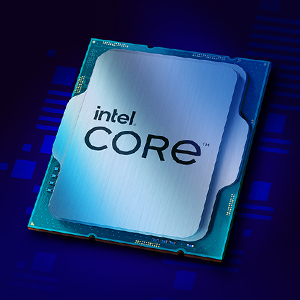
Image: Visual representation of Intel Core i3-12100F specifications: 4 Cores, 8 Threads, up to 4.3 GHz Max Clock Speed.
For a visual demonstration of the processor's performance in various applications and games, refer to the video below:
Video: This video provides performance benchmarks and gaming tests for the Intel Core i3-12100F processor, demonstrating its capabilities in various applications and games.
4. Maintenance
Proper maintenance ensures the longevity and optimal performance of your processor. The primary maintenance task involves keeping the cooling system clean.
4.1. Cooler Cleaning
Regularly inspect the Intel Laminar RM1 stock cooler for dust accumulation. Dust can impede airflow and reduce cooling efficiency, leading to higher operating temperatures. Use compressed air to gently clear dust from the heatsink fins and fan blades. Ensure the system is powered off and unplugged before cleaning.

Image: The Intel Laminar RM1 stock cooler included with the processor.
4.2. Thermal Paste
The thermal paste applied between the CPU and cooler helps transfer heat efficiently. If you remove the cooler for any reason, it is recommended to clean off the old thermal paste and apply a fresh layer before reattaching the cooler.
5. Troubleshooting
If you encounter issues such as system instability, unexpected shutdowns, or performance degradation, consider the following troubleshooting steps:
- Check Connections: Verify that the processor is correctly seated in its LGA1700 socket and that the cooler is securely attached. Ensure all power connections to the motherboard and components are firm.
- Monitor Temperatures: Use system monitoring software to check CPU temperatures. High temperatures can lead to throttling or shutdowns. Ensure adequate airflow within your PC case.
- Cooler Noise: The Intel Laminar RM1 stock cooler may produce noticeable noise under heavy load. If noise is a significant concern, upgrading to an aftermarket tower cooler can provide quieter operation and potentially better cooling.
- BIOS/UEFI Settings: Ensure your motherboard's BIOS/UEFI is updated to the latest version and configured correctly for your processor and memory.
- Discrete Graphics: Remember that the i3-12100F requires a discrete graphics card. Ensure it is properly installed and its drivers are up to date.
- Consult Motherboard Manual: Refer to your motherboard's manual for specific diagnostic codes or advanced troubleshooting steps.
6. Specifications
| Feature | Detail |
|---|---|
| Processor Model | Intel Core i3-12100F |
| CPU Manufacturer | Intel |
| CPU Socket | LGA 1700 |
| Number of Cores | 4 |
| Number of Threads | 8 |
| Base Clock Speed | 3.3 GHz |
| Max Turbo Frequency | 4.3 GHz |
| L3 Cache | 12 MB |
| Processor Base Power | 58W |
| Integrated Graphics | None (Discrete Graphics Required) |
| Memory Support | DDR4, DDR5 |
| PCIe Support | PCIe Gen 5.0 & 4.0 |
| Included Cooler | Intel Laminar RM1 |
| Item Weight | 1.05 pounds |
| Product Dimensions | 3.94 x 2.76 x 4.72 inches |
7. Warranty and Support
For detailed warranty information, product registration, and technical support, please visit the official Intel support website. You can also contact your retailer for assistance with returns or exchanges in accordance with their policies.
Intel Support: https://www.intel.com/content/www/us/en/support.html


