

1. Introduction
This instruction manual provides comprehensive guidance for the safe and effective use of your EVERCROSS 8.5" Off-Road All Terrain Self-Balancing Scooter, Model EV5. Please read this manual thoroughly before operating the device to ensure proper function, safety, and longevity of your product. Retain this manual for future reference.
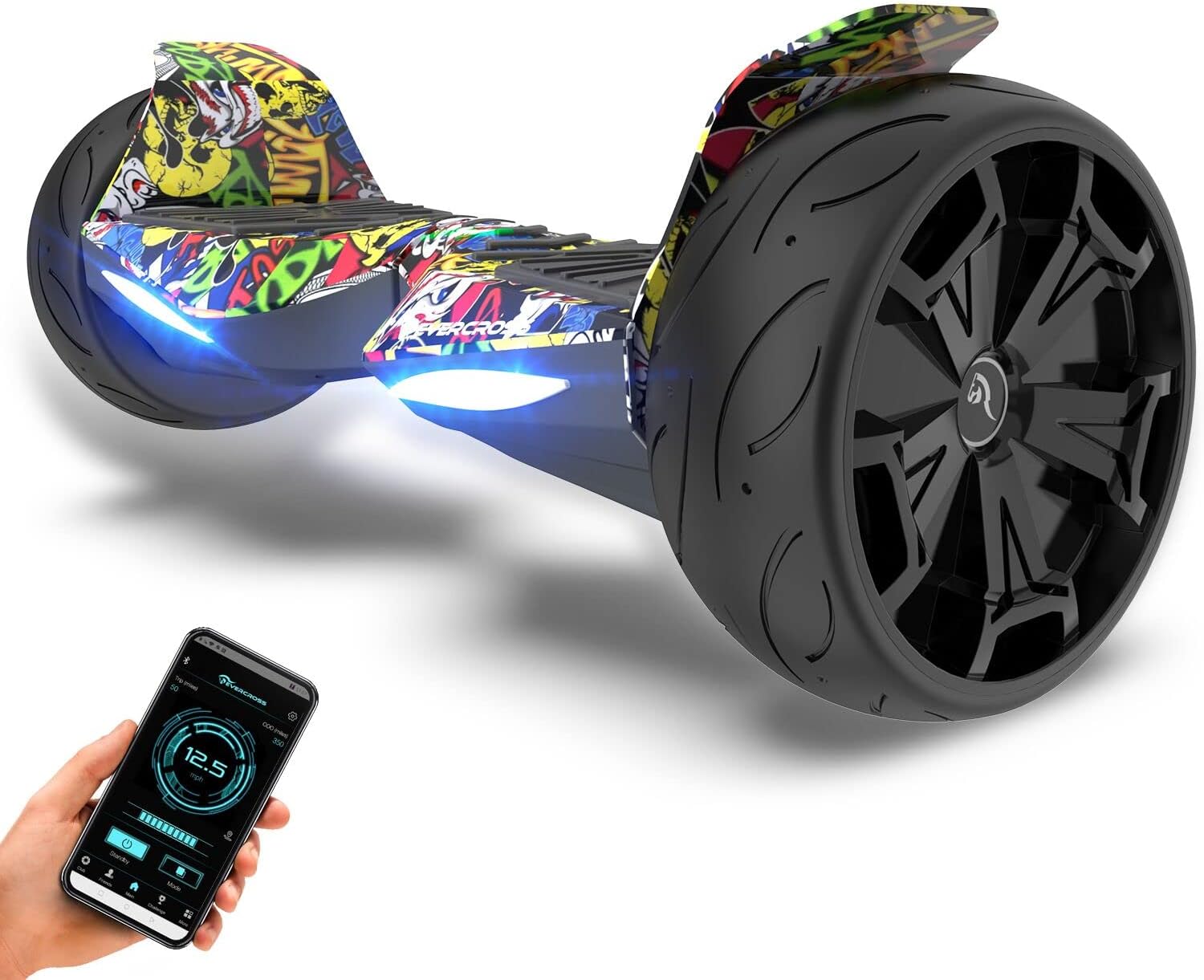
Image 1.1: The EVERCROSS 8.5" Off-Road All Terrain Self-Balancing Scooter, Model EV5, featuring its robust design and integrated lighting.
2. Safety Information
Operating a self-balancing scooter carries inherent risks. To minimize the risk of injury, it is crucial to follow all safety guidelines. Always wear appropriate safety gear, including a helmet, knee pads, and elbow pads.
- Age and Weight Restrictions: This hoverboard is suitable for kids, teenagers, and adults. Ensure the rider's weight is within the specified limits (up to 220 lbs).
- Protective Gear: Always wear a helmet, knee pads, and elbow pads.
- Environmental Conditions: Avoid riding in wet conditions, on slippery surfaces, or in heavy traffic. The 8.5" solid off-road tires are designed for various terrains, but caution is advised.
- Pre-Ride Check: Before each use, inspect the hoverboard for any loose parts, damage, or unusual noises. Ensure the battery is sufficiently charged.
- Riding Posture: Maintain a balanced and upright posture. Avoid sudden movements or leaning excessively.
- Speed Control: Operate at a safe speed, especially when learning or in crowded areas. The hoverboard has a maximum speed of 9.32 mph.
- Public Roads: Do not operate on public roads or highways. Use in designated safe areas.
- Charging Safety: Use only the provided charger. Do not overcharge. Disconnect the charger once charging is complete.
3. Package Contents
Please verify that all items are present in the package:
- EVERCROSS 8.5" Off-Road Self-Balancing Scooter (Model EV5)
- Power Charger
- User Manual
4. Setup
- Unpacking: Carefully remove the hoverboard and all accessories from the packaging.
- Initial Charge: Before first use, fully charge the hoverboard. Connect the charger to the charging port and then to a power outlet. The indicator light on the charger will change (e.g., from red to green) when fully charged. Refer to the "Charging" section for more details.
- Power On/Off: Press the power button to turn the hoverboard on. The indicator lights will illuminate. Press and hold the power button to turn it off.
- Calibration (if needed): If the hoverboard does not balance correctly, place it on a flat surface, ensure it is off, then press and hold the power button for approximately 5-10 seconds until the lights flash. Release the button, turn it off, then on again.
5. Operating Instructions
Learning to ride a self-balancing scooter requires practice. Start in a safe, open area with assistance if necessary.
- Mounting: Place one foot on a footpad. Once the hoverboard stabilizes, quickly step on with the other foot. Keep your body upright and relaxed.
- Moving Forward/Backward: Lean slightly forward to move forward. Lean slightly backward to move backward. The degree of lean controls the speed.
- Turning: To turn left, gently push your right foot forward. To turn right, gently push your left foot forward.
- Stopping: To stop, return to an upright position. The hoverboard will gradually slow down.
- Dismounting: Step off the hoverboard one foot at a time, preferably backward.
6. App Control and Bluetooth Features
The EVERCROSS EV5 hoverboard features an innovative app control design and a built-in Bluetooth speaker.
- App Functionality: Download the official EVERCROSS app from your mobile device's app store. Through the app, you can customize riding modes, monitor speed, check battery levels, track distance, and adjust sensitivity settings.
- Bluetooth Speaker: Pair your mobile device with the hoverboard via Bluetooth to play music through the integrated stereo surround sound speaker.
- LED Lights: The hoverboard is equipped with bright colored LED lights for enhanced visibility and aesthetic appeal.
- Safety Features via App: The app may also provide high-speed reminders, low battery reminders, GPS real-time positioning, and intelligent battery monitoring.
7. Charging
The hoverboard is powered by a 42V/4.4 Ah high-capacity rechargeable battery.
- Charger: Use only the charger provided by EVERCROSS. Using an unauthorized charger may damage the battery and void the warranty.
- Charging Process:
- Ensure the hoverboard is turned off.
- Plug the charger into a standard wall outlet.
- Connect the charging cable to the hoverboard's charging port.
- The charger indicator light will typically be red during charging and turn green when fully charged.
- Charging Time: Refer to the charger's specifications or product documentation for exact charging times. Avoid leaving the hoverboard on charge unattended for extended periods.
- Battery Protection: The integrated protection circuit system safeguards against fire and overheating.
8. Maintenance
Regular maintenance ensures optimal performance and extends the lifespan of your hoverboard.
- Cleaning: Wipe the exterior with a damp cloth. Do not use harsh chemicals or abrasive cleaners. Avoid direct water spray.
- Storage: Store the hoverboard in a cool, dry place away from direct sunlight and extreme temperatures. If storing for an extended period, ensure the battery is partially charged (around 50-70%) and recharge it every few months to prevent deep discharge.
- Tire Inspection: Periodically check the 8.5" solid rubber tires for wear and tear. While solid, ensure no debris is lodged in them.
- Fasteners: Check all screws and fasteners regularly to ensure they are tight.
9. Troubleshooting
This section addresses common issues you might encounter.
| Problem | Possible Cause | Solution |
|---|---|---|
| Hoverboard does not turn on. | Low battery; Power button not pressed correctly. | Charge the hoverboard; Ensure the power button is pressed firmly. |
| Hoverboard is not balancing. | Needs calibration; Uneven surface. | Perform calibration as described in Section 4; Move to a flat, level surface. |
| Bluetooth not connecting. | Bluetooth off on device; Hoverboard not in pairing mode; Interference. | Ensure Bluetooth is enabled on your phone; Restart both devices; Move closer to the hoverboard. |
| Reduced range or speed. | Low battery; Overweight rider; Riding on steep inclines or rough terrain. | Fully charge the battery; Ensure rider weight is within limits; Adjust riding conditions. |
If you encounter issues not listed here or if solutions do not resolve the problem, please contact EVERCROSS customer support.
10. Specifications
- Model: EV5
- Wheel Size: 8.5 inches (Solid Rubber Tires)
- Motor Power: Dual 350W Brushless Motors
- Battery: 42V/4.4 Ah High Capacity Rechargeable Battery
- Max Speed: Up to 9.32 mph (15 km/h)
- Max Range: Up to 9.32 miles (15 km)
- Max Incline: Up to 15°
- Max Load Capacity: Up to 220 lbs (100 kg)
- Special Features: App-Enabled Control, Built-In Bluetooth Speaker, LED Lights
Note: Performance data may vary based on rider weight, terrain, temperature, and maintenance.
11. Warranty and Support
EVERCROSS products are manufactured with high-quality standards. For warranty information, product support, or to inquire about replacement parts, please refer to the warranty card included with your purchase or visit the official EVERCROSS website. Please have your model number (EV5) and purchase date available when contacting support.

