
SANSUI JSW32ASHD
Sansui 80cm (32 inches) HD Ready Certified Android LED TV
Model: JSW32ASHD
Brand: SANSUI
1. Introduction
This user manual provides comprehensive instructions for setting up, operating, and maintaining your Sansui 80cm (32 inches) HD Ready Certified Android LED TV, model JSW32ASHD. Please read this manual thoroughly before using your television to ensure proper operation and to maximize your viewing experience.

Figure 1.1: Sansui 32-inch HD Ready Certified Android LED TV (Model JSW32ASHD)
The Sansui JSW32ASHD is an 80cm (32-inch) HD Ready Smart LED TV, featuring Android 11, built-in Chromecast, Google Assistant, and Dolby Audio for an immersive entertainment experience. Its bezel-less design offers a sleek aesthetic.
2. What's in the Box
Upon opening the package, ensure all the following components are present:
- 1 x Sansui LED TV
- 2 x Table Stand Base
- 1 x Wall Mounting Set (for optional wall installation)
- 4 x Screws (for stand or wall mount)
- 1 x User Manual (this document)
- 1 x Warranty Card
- 1 x Remote Control
- 2 x AAA Batteries (for remote control)
- 1 x Power Cord
3. Setup Guide
3.1. Physical Installation
You have two options for installing your TV: using the included table stand or mounting it on a wall.
3.1.1. Table Stand Installation
- Carefully place the TV screen-down on a soft, clean surface to prevent scratches.
- Attach each table stand base to the corresponding slots at the bottom of the TV.
- Secure the stands using the provided screws.
- Carefully lift the TV and place it on a stable, flat surface.
3.1.2. Wall Mount Installation (Optional)
If you choose to wall mount your TV, use the provided wall mounting set. It is recommended to seek professional assistance for wall mounting to ensure safety and proper installation.

Figure 3.1: TV Dimensions and Stand Installation Guide
The TV measures approximately 80 cm (31.49 inches) in width, 51.05 cm (20.27 inches) in height, and 14 cm (5.51 inches) in depth with the stand. The screen diagonal is 80 cm (32 inches).
3.2. Connecting Peripherals
Connect your external devices to the TV's ports as needed.
- HDMI Ports (2): Connect set-top boxes, gaming consoles, Blu-ray players, etc.
- USB Ports (2): Connect USB drives for media playback or other USB devices.
- RJ45 (Ethernet) Port: For wired internet connection.
- 3.5mm Audio Jack: For connecting headphones or external audio systems.
- Antenna Input: For connecting a terrestrial antenna.
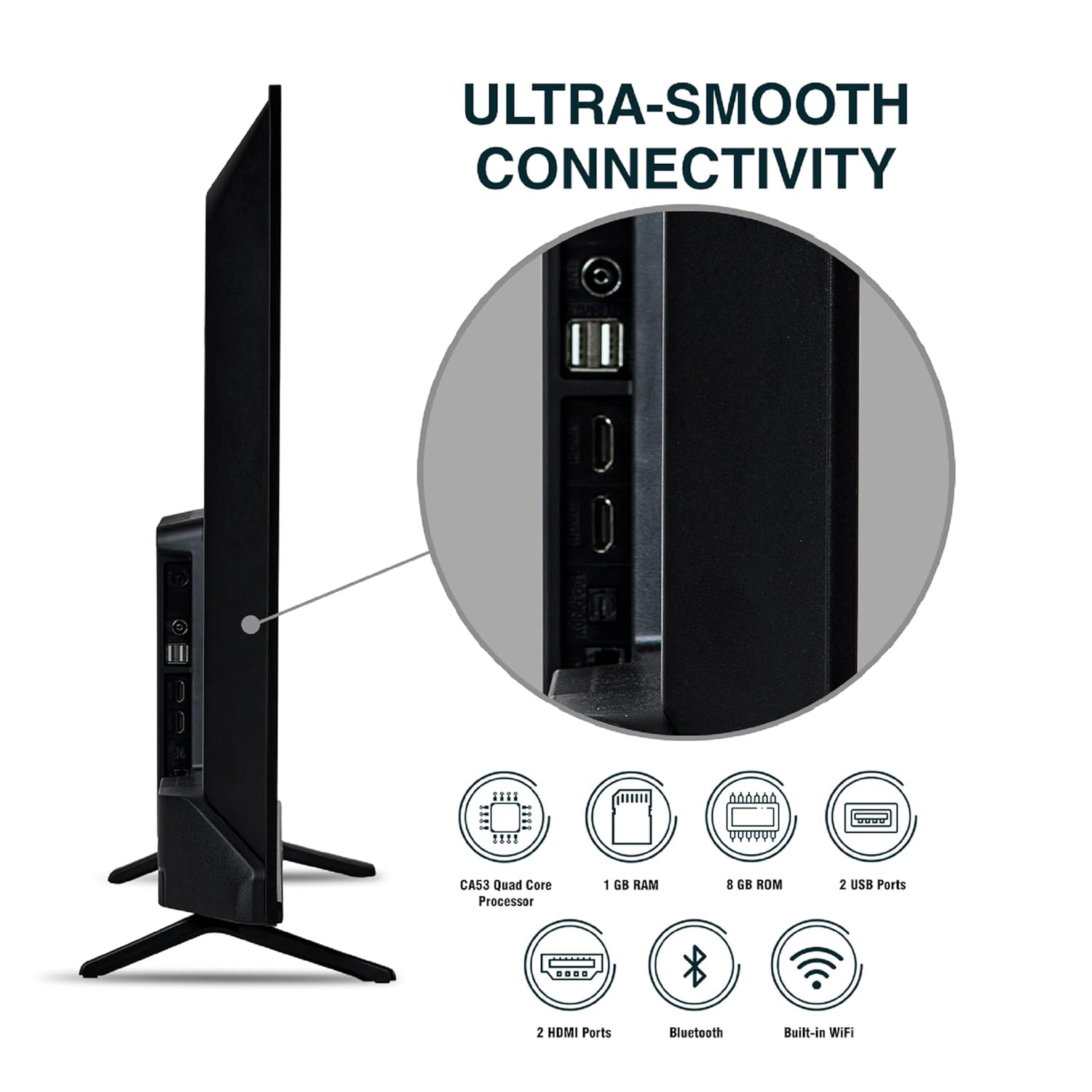
Figure 3.2: Ultra-Smooth Connectivity Ports
The TV offers a range of connectivity options including 2 HDMI ports, 2 USB ports, Bluetooth, and built-in Wi-Fi, powered by a CA53 Quad Core Processor with 1GB RAM and 8GB ROM.
3.3. Initial Power On and First-Time Setup
- Connect the power cord to the TV and then to a power outlet.
- Press the power button on the TV or the remote control to turn it on.
- Follow the on-screen instructions for the initial setup, which typically includes:
- Language selection.
- Network connection (Wi-Fi or Ethernet).
- Google account sign-in (recommended for full Smart TV features).
- Channel scanning (if connecting an antenna).
- Accepting terms and conditions.
4. Operating Your TV
4.1. Remote Control Functions
The included smart remote control provides easy access to all TV functions, including dedicated hot keys for popular streaming services and voice control via Google Assistant.

Figure 4.1: Smart Remote Control with Hot Keys
The remote features quick access buttons for Netflix, Prime Video, YouTube, and Google Play. Voice control is enabled through Google Assistant, allowing for hands-free operation and content search.
- Power Button: Turns the TV on or off.
- Number Buttons (0-9): For direct channel selection.
- Source Button: Switches between input sources (HDMI, USB, TV).
- Navigation Pad (Up/Down/Left/Right/OK): Navigates menus and confirms selections.
- Back Button: Returns to the previous screen.
- Home Button: Accesses the Android TV home screen.
- Volume Up/Down: Adjusts the volume level.
- Channel Up/Down: Changes TV channels.
- Google Assistant Button: Activates voice control.
- Dedicated App Buttons: Netflix, Prime Video, YouTube, Google Play for quick access.
4.2. Smart TV Features (Android 11)
Your Sansui TV runs on Android 11, providing a smart and intuitive user experience.

Figure 4.2: Android 11 Smart TV Interface
The Android 11 interface provides access to a wide range of applications including Netflix, YouTube, Prime Video, Disney+ Hotstar, and the Google Play Store for downloading more apps.
- Google Assistant: Use voice commands to search for content, control smart home devices, get answers, and more.
- Built-in Chromecast: Cast movies, shows, photos, and more from your phone, tablet, or laptop directly to your TV.
- Google Play Store: Download and install a vast array of applications, games, and streaming services.
- Pre-installed Apps: Enjoy popular streaming platforms like Prime Video, Netflix, Disney+ Hotstar, and YouTube right out of the box.
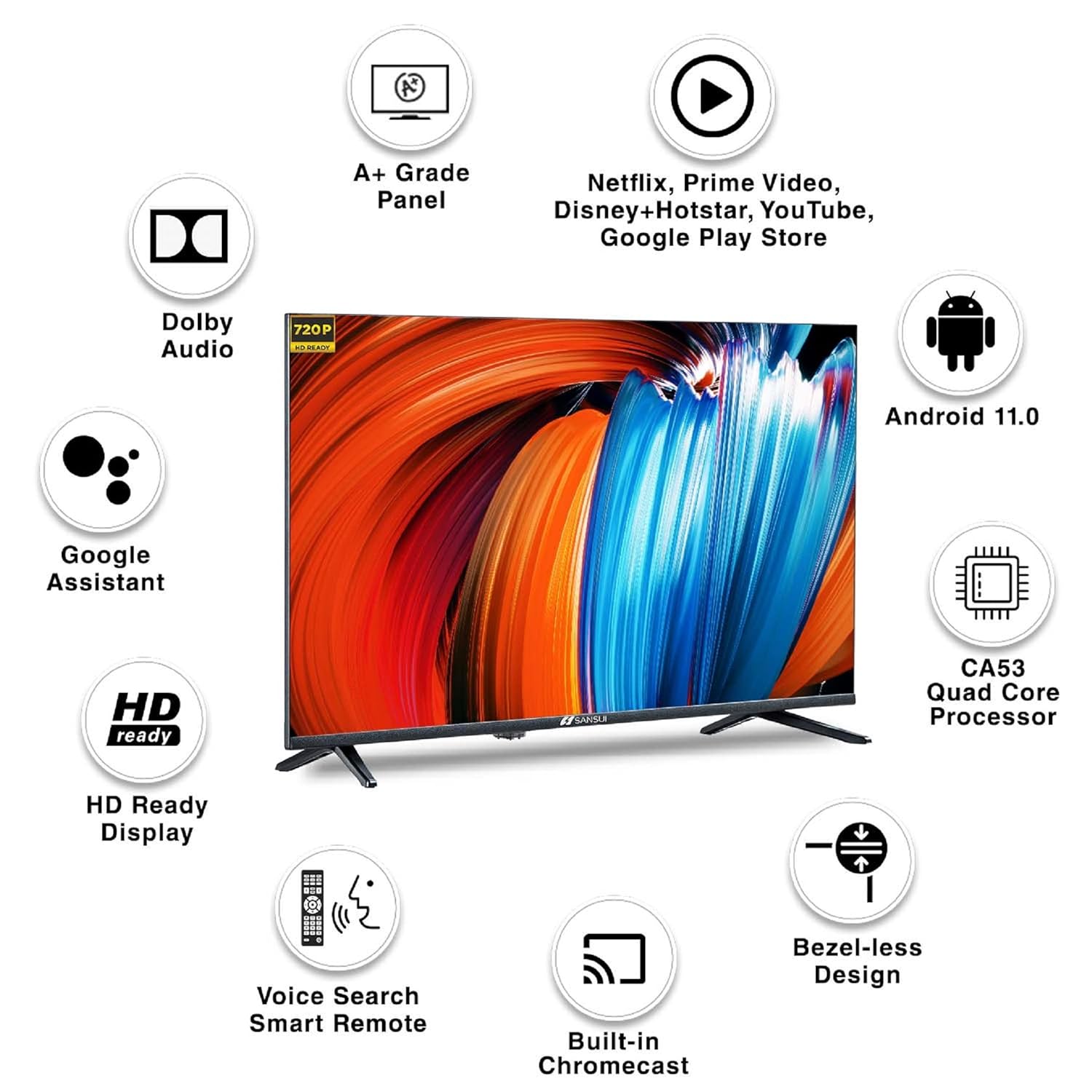
Figure 4.3: Key Features Overview
This TV boasts an A+ Grade Panel, Dolby Audio, HD Ready Display, Voice Search Smart Remote, Built-in Chromecast, Bezel-less Design, Android 11, and a CA53 Quad Core Processor.
4.3. Display and Audio Settings
- Resolution: HD Ready (1280x720 pixels) for clear and vibrant visuals.
- Refresh Rate: 60 hertz for smooth motion.
- Viewing Angle: Wide 178-degree viewing angle ensures consistent picture quality from various positions.
- Sound: 20 Watts Audio Output with Dolby Audio for rich and immersive sound.
- Display: Features an A+ Grade Panel with Wide Colour Gamut, Crystal Clear Display, Dynamic Contrast, High Brightness, and a Bezel-less Design.
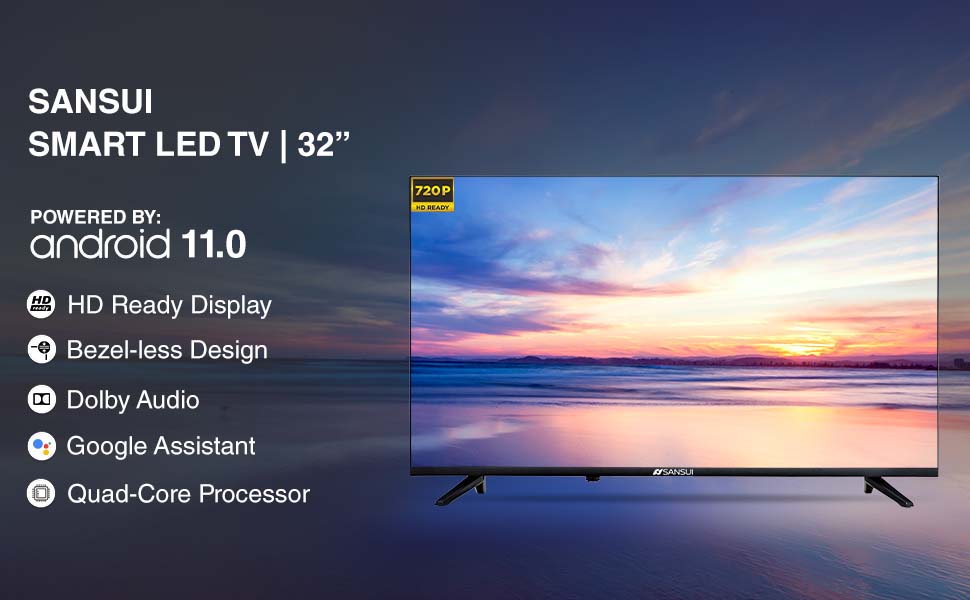
Figure 4.4: Sansui Smart LED TV Powered by Android 11
Experience HD Ready Display, Bezel-less Design, Dolby Audio, Google Assistant, and a Quad-Core Processor for superior performance.
5. Maintenance
5.1. Cleaning Your TV
- Always unplug the TV before cleaning.
- Use a soft, dry, lint-free cloth to gently wipe the screen and cabinet.
- For stubborn marks, lightly dampen the cloth with water or a specialized screen cleaner. Never spray cleaner directly onto the screen.
- Avoid using abrasive cleaners, waxes, or solvents as they can damage the TV's finish.
5.2. Software Updates
Your Android TV may receive software updates periodically to improve performance and add new features. Ensure your TV is connected to the internet to receive these updates. You can usually check for updates in the TV's settings menu under "About" or "System Update."
6. Troubleshooting
If you encounter any issues with your TV, refer to the following common troubleshooting steps before contacting customer support.
| Problem | Possible Cause | Solution |
|---|---|---|
| No Power | Power cord disconnected; Power outlet issue. | Ensure power cord is securely connected. Check if the power outlet is working by plugging in another device. |
| No Picture / Black Screen | Incorrect input source; Loose HDMI/AV cable. | Press the "Source" button on the remote to select the correct input. Check all cable connections. |
| No Sound | Volume muted or too low; Incorrect audio output setting. | Increase volume. Check if mute is on. Verify audio output settings in TV menu. |
| Remote Control Not Working | Dead batteries; Obstruction between remote and TV; Remote not paired (for Bluetooth). | Replace AAA batteries. Remove any obstructions. Re-pair the remote if it's a Bluetooth remote (refer to TV settings for pairing instructions). |
| Wi-Fi Connectivity Issues | Incorrect Wi-Fi password; Router issues; TV too far from router. | Double-check Wi-Fi password. Restart your router and TV. Move TV closer to router or use an Ethernet cable. |
| Apps Not Loading / Slow Performance | Insufficient memory; Network issues; App cache. | Clear app cache/data in TV settings. Ensure stable internet connection. Restart TV. |
7. Specifications
Detailed technical specifications for the Sansui JSW32ASHD LED TV:
- Brand: SANSUI
- Model: JSW32ASHD
- Model Year: 2021
- Screen Size: 32 Inches (80 cm)
- Display Technology: LED, A+ Grade Panel
- Resolution: HD Ready (1280x720 Pixels)
- Screen Resolution: 1366 x 768 pixels
- Refresh Rate: 60 Hz
- Viewing Angle: 178 Degrees
- Image Aspect Ratio: 16:9
- Image Contrast Ratio: 3000:1
- Audio Output: 20 Watts (Stereo)
- Speaker Surround Sound: Dolby Audio
- Operating System: Android 11 (Certified by Google)
- Processor: CA53 Quad Core
- RAM: 1 GB
- Memory Storage Capacity (ROM): 8 GB
- Connectivity: 2 HDMI Ports, 2 USB Ports, Wi-Fi, Bluetooth, Ethernet (RJ45), Antenna
- Special Features: Google Assistant, Built-in Chromecast, Voice Search Smart Remote, Supported Apps (Prime Video, Netflix, Disney+ Hotstar, YouTube, Google Play)
- Product Dimensions (LxWxH): 80 x 14 x 51.5 Centimeters (with stand)
- Item Weight: 3.85 kg
- Power Source: AC, 110 Volts
- On-mode power consumption: 45 watts
8. Warranty and Support
8.1. Warranty Information
Your Sansui JSW32ASHD LED TV comes with a 1 Year Warranty from the date of purchase. Please retain your purchase receipt and the warranty card for any warranty claims. The warranty covers manufacturing defects and issues arising from normal use. It does not cover damage caused by misuse, accidents, unauthorized repairs, or natural disasters.
8.2. Customer Support
For any technical assistance, service requests, or inquiries regarding your Sansui TV, please contact the authorized service center:
- Importer: Jaina India Pvt Ltd.
- Address: D170, Okhla Industrial Area, Phase-1, New Delhi-110020 INDIA
- Email: sansuicare@jainaindia.com
- Toll-free No.: 1800 419 3777
Please have your TV's model number (JSW32ASHD) and serial number ready when contacting support.
Ask a question about this manual
Ask about setup, troubleshooting, compatibility, parts, safety, or missing instructions. Manuals+ will review the question and use this page’s manual context to help answer it.