
Introduction
The WeMo Smart Light Switch provides comprehensive control over your home lighting without requiring a subscription or a separate hub. This device allows you to manage your lights directly from the wall switch, through the dedicated WeMo App, or using voice commands via compatible smart assistants like Apple HomeKit, Amazon Alexa, and Google Assistant. Designed for versatile installation, the new Light Switch supports 3-way circuits, making it suitable for various lighting setups, including porch lights, ceiling fans, and recessed lighting. Only one Smart Light Switch is needed per 3-way circuit. The WeMo Light Switch also enables easy scheduling and automation of your lighting, allowing you to set lights to turn off at sunrise or synchronize with sunset for enhanced convenience and security.
Product Features
- Control single pole and 3-way lights directly from the wall, the WeMo App, or via voice commands.
- Seamless integration with Apple HomeKit, Google Assistant, and Amazon Alexa for hands-free operation.
- Ability to easily set automatic schedules and timers through the WeMo App.
- Randomize light activity to simulate occupancy, enhancing home security when you are away.
- Group and control multiple WeMo devices simultaneously with a single 2-second press on the switch.
- Only one Smart Light Switch is required per 3-way circuit for proper functionality.
Package Contents
Your WeMo Wi-Fi Light Switch 3-Way 2-Pack Bundle includes:
- 2 x WeMo Wi-Fi Light Switches (Model: WLS0403-BDL)
- Installation Hardware (screws, wire nuts)
- Quick Start Guide
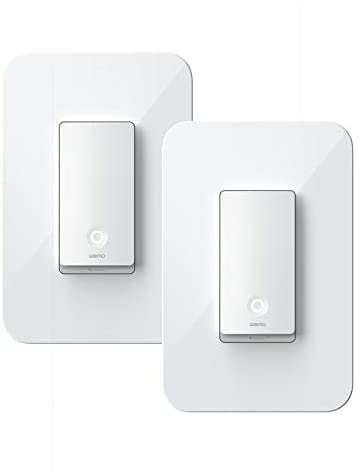
Image: The WeMo Wi-Fi Light Switch 2-Pack Bundle, showing two individual white smart light switches.
Safety Information
Before beginning installation, please read and understand all safety warnings. Failure to follow these instructions may result in electric shock, fire, or serious injury.
- WARNING: Risk of Electric Shock. Disconnect power at the circuit breaker or fuse box before installing.
- Install in accordance with all national and local electrical codes. If you are unsure about any part of the installation, consult a qualified electrician.
- For indoor use only.
- Operating temperature: 0-40°C (32-104°F).
- Ensure the switch is rated for the load it will control.
Setup and Installation
The WeMo Light Switch is designed for easy in-wall installation. Follow these steps for a successful setup:
- Turn Off Power: Locate your circuit breaker panel and turn off the power to the switch you are replacing. Verify the power is off by toggling the light switch.
- Remove Old Switch: Carefully remove the existing wall plate and unscrew the old switch from the wall box. Disconnect the wires, noting their connections (Line, Load, Neutral, Ground).
- Install WeMo Switch: Connect the wires from your wall box to the WeMo Light Switch according to the wiring diagram provided in the Quick Start Guide. Ensure secure connections. The WeMo Light Switch requires a neutral wire.
- Secure Switch: Gently push the WeMo Light Switch into the wall box and secure it with screws. Attach the new wall plate.
- Restore Power: Turn the power back on at the circuit breaker.
- Download WeMo App: Download the free WeMo App from the Apple App Store or Google Play Store.
- Connect to Wi-Fi: Open the WeMo App and follow the on-screen instructions to connect your WeMo Light Switch to your home Wi-Fi network.
- Complete Setup: The app will guide you through naming your switch and integrating it with voice assistants if desired.
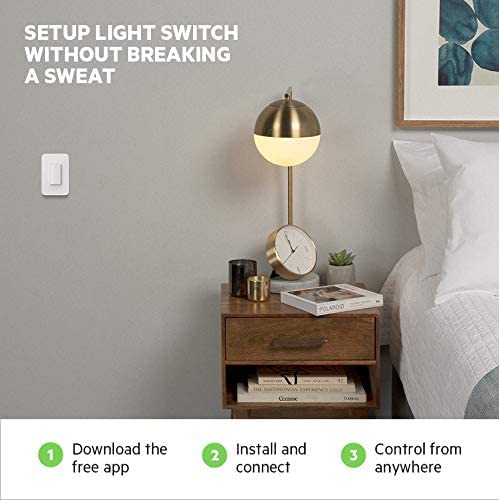
Image: Simplified setup process illustrating app download, physical installation, and remote control capabilities.
3-Way Compatibility
The WeMo Light Switch is designed to work in 3-way circuits, which are common in hallways and stairwells where lights are controlled from two different locations. For 3-way setups, only one WeMo Smart Light Switch is required per circuit. The other switch in the 3-way circuit can remain a traditional mechanical switch.
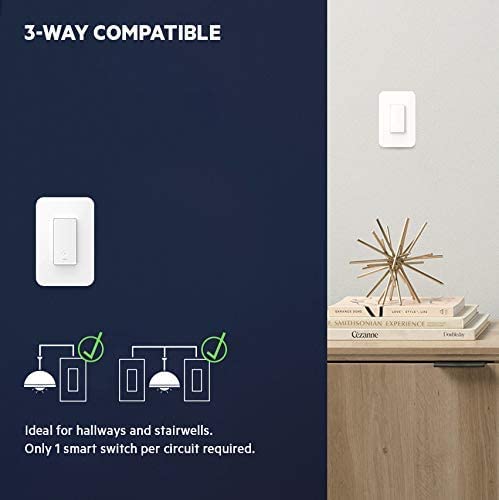
Image: Visual representation of a 3-way circuit setup, highlighting that only one smart switch is needed.
Operating Instructions
Manual Control
You can always control your lights directly from the wall switch by pressing the paddle. Press the top of the paddle to turn lights ON, and the bottom to turn lights OFF.
App Control
The WeMo App allows you to control your lights from anywhere with an internet connection. Open the app to see the status of your lights and toggle them on or off. You can also set schedules, timers, and group multiple WeMo devices.
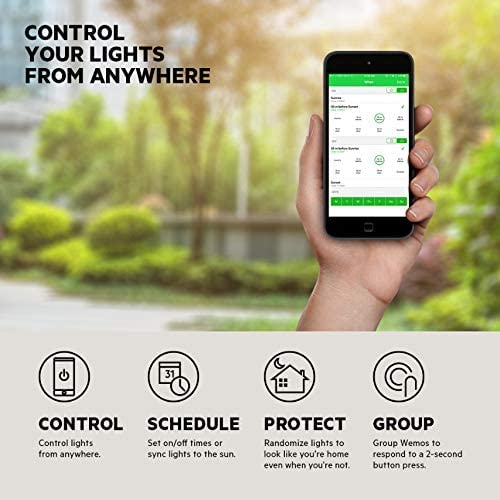
Image: A smartphone screen showing the WeMo app, demonstrating remote control capabilities and various smart features like scheduling and grouping.
Voice Control
The WeMo Light Switch is compatible with leading voice assistants. Once integrated, you can use simple voice commands to control your lights.
- Amazon Alexa: "Alexa, turn on the living room light."
- Google Assistant: "Hey Google, turn off the kitchen lights."
- Apple HomeKit: "Hey Siri, dim the bedroom lights to 50%."
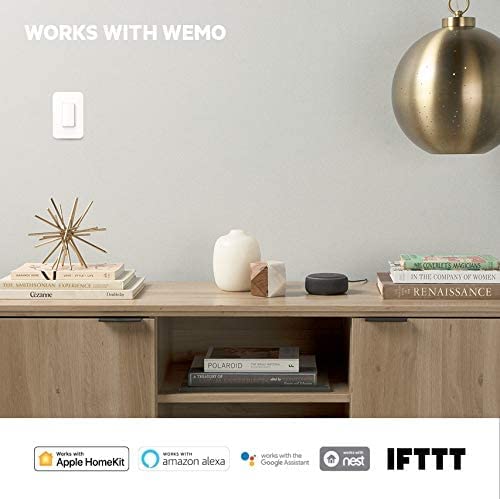
Image: The WeMo Light Switch shown in a home setting, emphasizing its compatibility with various smart home platforms.
Scheduling and Timers
Use the WeMo App to create custom schedules for your lights. You can set lights to turn on/off at specific times, or synchronize them with sunrise/sunset. This feature can also be used to randomize light activity, making it appear as if someone is home even when the house is empty.
Grouping Devices
If you have multiple WeMo devices, you can group them together in the app to control them simultaneously. Additionally, a 2-second press on any WeMo Light Switch can be configured to trigger actions for a group of devices.
Maintenance
The WeMo Light Switch requires minimal maintenance. To clean the surface, gently wipe with a soft, dry cloth. Do not use abrasive cleaners or solvents, as these may damage the finish. Ensure power is off before cleaning the switch or wall plate.
Troubleshooting
If you encounter issues with your WeMo Light Switch, try the following common troubleshooting steps:
- Light Switch Not Responding:
- Check if the circuit breaker is ON.
- Ensure the switch is properly installed and wired.
- If controlling via app, ensure your phone is connected to Wi-Fi and the switch has a stable internet connection.
- Cannot Connect to Wi-Fi:
- Ensure your Wi-Fi network is 2.4 GHz. WeMo devices typically do not support 5 GHz networks.
- Move the switch closer to your Wi-Fi router, or consider a Wi-Fi extender.
- Restart your Wi-Fi router.
- Perform a factory reset on the WeMo switch (refer to the Quick Start Guide for instructions).
- Voice Control Not Working:
- Ensure the WeMo skill/action is enabled in your Alexa, Google Home, or Apple Home app.
- Verify the name of your WeMo switch in the app matches the name you are using for voice commands.
- Check your internet connection.
Specifications
| Product Dimensions | 1.6 x 1.7 x 4.1 inches |
| Operation Mode | Automatic, Off |
| Current Rating | 10 Amps |
| Brand | WeMo |
| Circuit Type | 3-way |
| Mounting Type | Wall Mount |
| International Protection Rating | IP54 |
| Number of Positions | 3 |
| Controller Type | Amazon Alexa, Apple HomeKit, Google Assistant |
| Control Method | Voice |
Warranty and Support
For warranty information and technical support, please refer to the official WeMo website or contact WeMo customer service. Keep your purchase receipt for warranty claims.
Online Support: Visit the official WeMo support page for FAQs, troubleshooting guides, and software updates.
Contact Support: Refer to the contact information provided in your Quick Start Guide or on the WeMo website for direct assistance.


