
1. Product Overview
The LAMPAOUS Smart Under Cabinet Lighting Bar is a versatile LED lighting solution designed for various indoor applications. It features adjustable white color temperature (2700K-6500K) and over 15 million multi-color options. This lighting bar integrates with smart home systems like Amazon Alexa and Google Home, offering voice control and app-based customization via the Smart Life App. It is designed for easy installation and can be linked directly or with extension cords for flexible layouts.
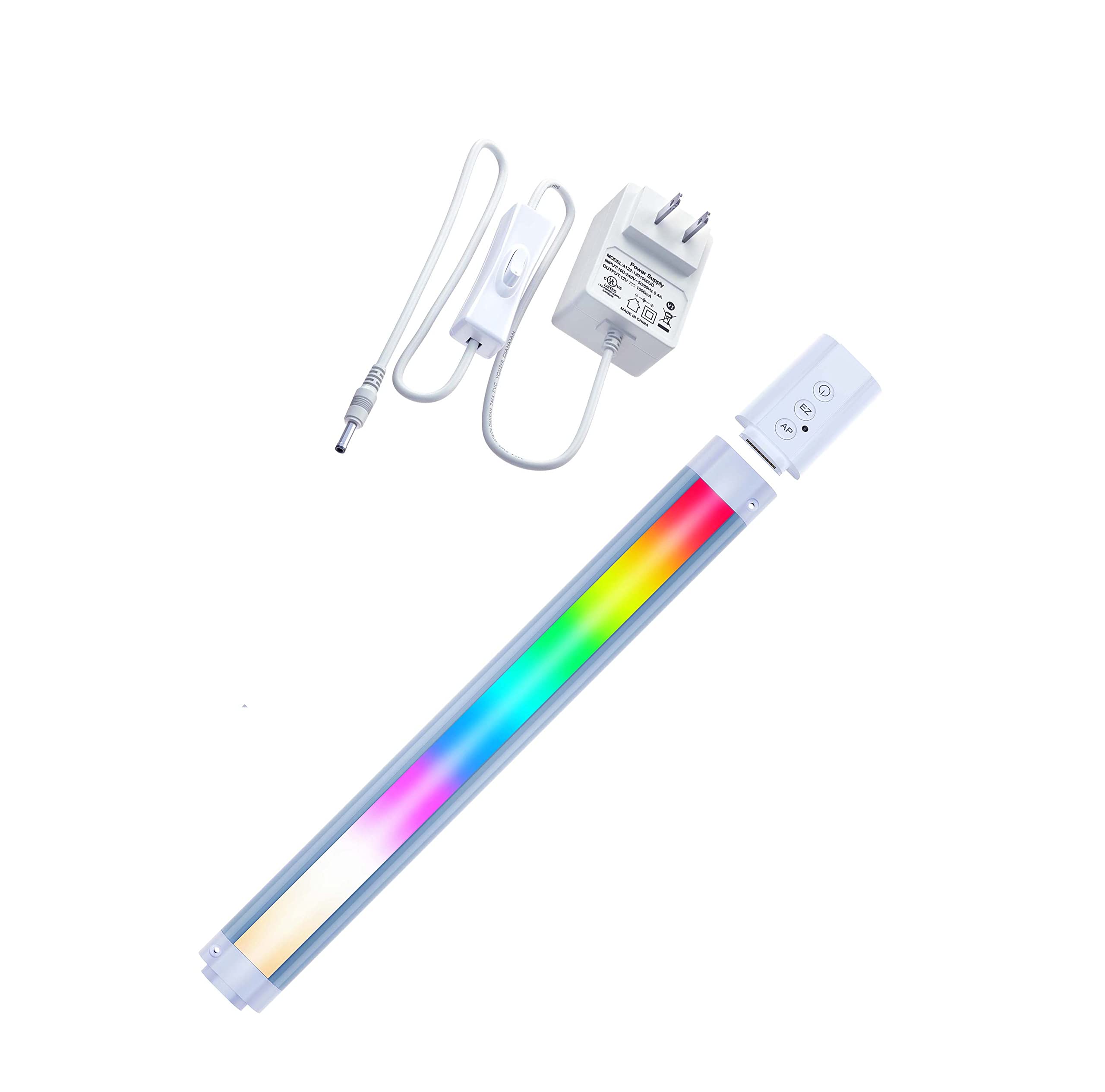
2. What's Included
Verify that all components are present in the package:
- RGBCW Lights Bar (1X)
- Smart Control Box (1X)
- UL Transformer (1X)
- Remote Control (1X)
- Double-sided Adhesive Tape (1X)
- Screws (2X)

3. Dimensions
The following diagram provides the dimensions of the lighting bar and control box:

4. Installation
The LAMPAOUS Smart Under Cabinet Lighting Bar is designed for easy, tool-free installation. It is a plug-and-play system.
4.1 Mounting the Light Bar
- Clean the Surface: Ensure the mounting surface (e.g., under cabinet, shelf) is clean, dry, and smooth.
- Choose Mounting Method: You can use the provided double-sided adhesive tape for a quick installation or the screws for a more permanent fixture.
- Apply Adhesive/Screws: If using adhesive, peel off the backing and firmly press the light bar onto the desired location. If using screws, mark the screw positions, drill pilot holes if necessary, and secure the light bar.
4.2 Connecting Multiple Light Bars (Optional)
The LED bar lights can be linked directly end-to-end or connected using extension cords (jumper cords, not included) for flexible layouts.

- End-to-End Connection: Align the connectors on the ends of two light bars and push them together until they click securely.
- Jumper Cord Connection: If spacing is required, connect a jumper cord (not included) between the light bars. Ensure the connectors are fully inserted.
4.3 Power Connection
- Connect the smart control box to the light bar.
- Connect the UL transformer to the smart control box.
- Plug the UL transformer into a standard 120V AC power outlet.
5. Operating Instructions
The LAMPAOUS Smart Under Cabinet Lighting Bar offers multiple control methods.
5.1 Remote Control
Use the included wireless remote control to operate the light bar.

- Power On/Off: Press the ON/OFF buttons.
- Color Selection: Choose from various preset colors.
- Brightness Adjustment: Increase or decrease light intensity.
- Color Show Modes: Select dynamic lighting effects.
5.2 App Control (Smart Life App)
Download the Smart Life App to customize your lighting experience.

- Download App: Search for "Smart Life" in your device's app store.
- Pairing: Follow the in-app instructions to pair your lighting bar. This typically involves putting the device into pairing mode (refer to the control box for specific button presses, usually EZ or AP mode).
- Customize Scenes: Create personal light scenes with preferred colors and brightness levels.
- Schedule On/Off: Set timers for the lights to turn on or off automatically.
- Adjust White Color Temperature: Select white light from 2700K (warm) to 6500K (cool).
- Multi-Color Selection: Access over 15 million color options.
5.3 Voice Control
Integrate the lighting bar with Amazon Alexa, Echo, Echo Dot, or Google Home for voice commands.

- Connect to Smart Assistant: Link the Smart Life App to your Amazon Alexa or Google Home account.
- Voice Commands: Use commands such as:
- "Alexa/Hey Google, turn on the kitchen lights."
- "Alexa/Hey Google, set kitchen lights to blue."
- "Alexa/Hey Google, dim the kitchen lights to 50%."
5.4 Music Sync
Synchronize the light colors with music through the Smart Life App.

- Open the Smart Life App and navigate to the music sync feature.
- The lights will respond to the rhythm and beat of music played through your phone's microphone.
6. Maintenance
To ensure optimal performance and longevity of your LAMPAOUS Smart Under Cabinet Lighting Bar, follow these simple maintenance guidelines:
- Cleaning: Gently wipe the light bar with a soft, dry cloth. Avoid using abrasive cleaners, solvents, or excessive moisture, as these can damage the finish or electronic components.
- Power Disconnection: Always unplug the power adapter from the wall outlet before cleaning or performing any maintenance.
- Environmental Conditions: This product is designed for indoor use only and is not water-resistant. Avoid exposure to high humidity, direct water contact, or extreme temperatures.
- Cable Inspection: Periodically check the power cord and connections for any signs of damage. If any damage is found, discontinue use and contact support.
7. Troubleshooting
If you encounter issues with your LAMPAOUS Smart Under Cabinet Lighting Bar, refer to the following common problems and solutions:
| Problem | Possible Cause | Solution |
|---|---|---|
| Light bar does not turn on. | No power, loose connection, faulty adapter. | Ensure the power adapter is securely plugged into a working outlet. Check all connections between the light bar, control box, and transformer. Try a different outlet. |
| Remote control is not working. | Battery depleted, obstruction, out of range. | Replace the remote control battery. Ensure there are no obstructions between the remote and the control box. Operate within the specified range and aim directly at the control box. |
| App control or voice control is unresponsive / Light bar is offline. | Wi-Fi connectivity issue, incorrect pairing, app glitch. | Check your Wi-Fi network connection. Ensure the light bar is within Wi-Fi range. Restart the light bar by unplugging and replugging it. Re-pair the device with the Smart Life App if necessary. Ensure the Smart Life App is linked correctly to Alexa/Google Home. |
| Lights are flickering. | Unstable power, loose connection, internal fault. | Check power connections. Ensure the power source is stable. If flickering persists, contact customer support. |
| Colors are not displaying correctly. | App setting error, internal issue. | Verify color settings in the Smart Life App. Try resetting the light bar to factory settings (refer to app or control box instructions for reset procedure). |
If these solutions do not resolve the issue, please refer to the Warranty & Support section for further assistance.
8. Specifications
| Feature | Detail |
|---|---|
| Brand | LAMPAOUS |
| Model Number | LAMPAOUS-24IC-SC |
| Size | 1-Bar Kit 24" |
| Material | Aluminum (fixture), Plastic (shade) |
| Light Source | LED |
| Light Color | RGBCW (16 million multi-color + 2700-6500K CCT adjustable) |
| Brightness | 1000 Lumens (Maximum) |
| Wattage | 8 Watt-hours |
| Voltage | 120 Volts (Input to transformer) |
| Power Source | UL plug-in transformer 120 Volt in 12VDC output |
| Control Method | App, Voice, Remote Control |
| Connectivity Protocol | Wi-Fi |
| Smart Home Compatibility | Amazon Alexa, Google Home, IFTTT |
| Indoor/Outdoor Usage | Indoor |
| Water Resistance Level | Not Water Resistant |
| Item Weight | 16 ounces |
| Item Dimensions (L x W x H) | 1.57"L x 12"W x 0.39"H (for a single 12" bar, note: product is 24") |
Note: The item dimensions provided in the product data (1.57"L x 12"W x 0.39"H) appear to be for a 12-inch bar, while the product is listed as a 24-inch kit. Please refer to the dimension diagram for the 24-inch bar's specific measurements.
9. Warranty & Support
LAMPAOUS states that it offers lifetime support for its products. For technical assistance, warranty claims, or any product-related inquiries, please contact LAMPAOUS customer service through their official website or the contact information provided with your product packaging. While lifetime support is offered, some users have reported difficulties reaching support channels; please be persistent if you encounter issues.

