
1. Introduction
Thank you for choosing the Bonsaii 3S30 Upgrade 20-Sheet Cross-Cut Paper Shredder. This manual provides essential information for the safe and efficient operation, maintenance, and troubleshooting of your shredder. Please read it thoroughly before use and retain it for future reference.
This shredder is designed for destroying confidential documents, credit cards, CDs, and DVDs, ensuring your personal and business information remains secure. It features a robust cross-cut mechanism, a high sheet capacity, and an extended continuous run time for demanding office environments.
2. Important Safety Instructions
To reduce the risk of fire, electric shock, or injury, always follow these basic safety precautions:
- Read all instructions before operating the shredder.
- Keep children and pets away from the shredder.
- Keep loose clothing, jewelry, hair, and other foreign objects away from the shredder opening.
- Unplug the shredder when not in use or before cleaning, moving, or emptying the wastebasket.
- Do not shred metal objects, wet paper, or adhesive materials as this can damage the cutting blades.
- Do not operate the shredder if the power cord is damaged. Contact customer support for assistance.
- Do not attempt to service the shredder yourself. Refer all servicing to qualified service personnel.
- Ensure the shredder is placed on a stable, level surface.
- Do not place the shredder near heat sources or in direct sunlight.
3. Product Features
The Bonsaii 3S30 Upgrade shredder is equipped with advanced features for efficient and secure document destruction:
- Extended Continuous Shredding: Operates for up to 120 minutes continuously with an efficient cooling system, allowing for large shredding tasks.
- High Capacity & Security: Shreds up to 20 sheets of 20lb paper per pass into 5/32 x 1-3/8 inches (4mm x 35mm) cross-cut particles, meeting P-4 security level standards.
- Versatile Material Shredding: Capable of shredding paper, credit cards, CDs, DVDs, paper clips, and staples.
- Advanced Anti-Jam System: Features automatic start/reverse functionality to prevent paper jams, along with overheating and overloading protection.
- Large Pull-Out Wastebasket: An 8-gallon capacity wastebasket reduces the frequency of emptying. Includes a separate 0.37-gallon bin for CD/DVD and credit card pieces.
- Quiet Operation: Engineered for low-noise operation, maintaining a sound level of 58dB or less, suitable for office environments.
- Mobility: Equipped with four casters for easy movement and placement.
- Safety Interlock: The shredder automatically stops when the wastebasket is pulled out, enhancing user safety.

Figure 3.1: The Bonsaii 3S30 Upgrade shredder can effectively shred various materials including paper, CDs, credit cards, clips, and staples.

Figure 3.2: The shredder provides P-4 security by cross-cutting documents into small particles, offering enhanced data protection compared to strip-cut shredders.
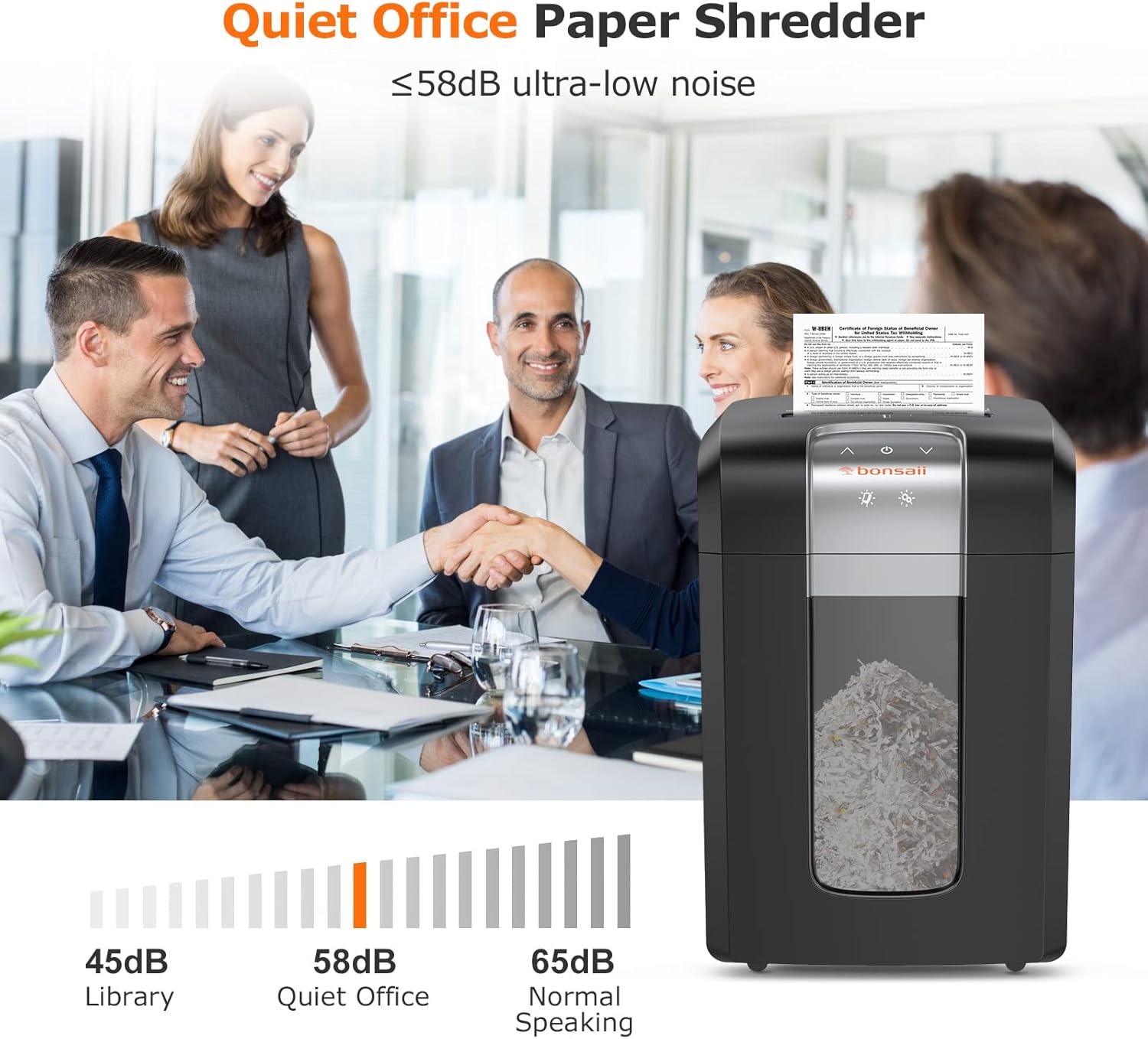
Figure 3.3: The shredder operates at a low noise level of 58dB, making it suitable for quiet office environments.
4. Setup
- Unpack: Carefully remove the shredder from its packaging. Retain packaging materials for future transport or storage.
- Placement: Place the shredder on a flat, stable surface near a standard electrical outlet. Ensure there is adequate space around the unit for ventilation.
- Caster Installation (if applicable): If the casters are not pre-installed, insert them firmly into the designated slots on the bottom of the shredder.
- Connect Power: Plug the power cord into a grounded electrical outlet.
- Wastebasket: Ensure the pull-out wastebasket is correctly inserted and fully closed. The shredder will not operate if the wastebasket is open or improperly seated.

Figure 4.1: The shredder features an 8-gallon pull-out wastebasket for easy emptying.
5. Operating Instructions
5.1 Control Panel
The control panel typically includes a power switch, function selection (Auto/Off/Reverse), and indicator lights for status (e.g., Overheat, Overload, Bin Full/Open).
5.2 Shredding Paper
- Ensure the shredder is plugged in and the wastebasket is properly closed.
- Set the function switch to 'Auto'. The shredder is now in standby mode.
- Insert up to 20 sheets of paper (20lb bond) into the paper entry slot. The shredder will automatically start and stop once the paper has passed through.
- For optimal performance and to prevent jams, avoid exceeding the maximum sheet capacity.

Figure 5.1: The infrared sensor automatically detects paper, initiating the shredding process.
5.3 Shredding CDs/Credit Cards
- Locate the dedicated CD/credit card entry slot, usually separate from the paper slot.
- Insert one CD, DVD, or credit card at a time into the slot. The shredder will automatically start and stop.
- The shredded pieces will fall into a separate compartment within the wastebasket for easy disposal.

Figure 5.2: Use the separate slot for shredding CDs and credit cards.
5.4 Overheat Protection
If the shredder operates continuously for an extended period (e.g., 120 minutes), it may activate its overheat protection. The shredder will stop operating, and an indicator light (often red) will illuminate. Allow the shredder to cool down for approximately 10 minutes before resuming operation.
5.5 Overload/Jam Protection
If too much paper is inserted, the shredder's anti-jam system will automatically reverse the cutting blades to clear the jam. If this occurs, remove the excess paper and re-feed a smaller quantity. An overload indicator light may flash.
6. Maintenance
Regular maintenance ensures the longevity and optimal performance of your shredder.
6.1 Emptying the Wastebasket
- When the wastebasket is full, the shredder will stop operating, and a 'Bin Full' indicator may light up.
- Pull out the wastebasket from the front of the shredder. The shredder will automatically power off for safety.
- Empty the shredded material into a suitable receptacle.
- Reinsert the wastebasket firmly until it clicks into place.
6.2 Lubricating the Cutting Blades
To maintain cutting efficiency and reduce wear, lubricate the cutting blades regularly, especially after emptying the wastebasket 2-3 times or after heavy use.
- Use a shredder oil sheet or liquid shredder oil specifically designed for paper shredders. Do not use aerosol lubricants.
- For oil sheets: Feed one sheet into the paper entry slot as you would with paper.
- For liquid oil: Apply a thin line of oil across the paper entry slot. Then, feed a few sheets of paper to distribute the oil.
6.3 Cleaning the Shredder
- Always unplug the shredder before cleaning.
- Wipe the exterior of the shredder with a soft, dry cloth. Do not use abrasive cleaners or solvents.
- Periodically clean the sensors in the paper entry slot to ensure proper automatic operation. Use a cotton swab or soft brush.
7. Troubleshooting
If you encounter issues with your shredder, refer to the following common problems and solutions:
| Problem | Possible Cause | Solution |
|---|---|---|
| Shredder does not start | No power; Wastebasket not closed; Overheat protection active | Check power connection; Ensure wastebasket is fully inserted; Allow shredder to cool down. |
| Paper jam | Too much paper inserted; Blades are dull/unlubricated | Use 'Reverse' function to clear; Remove excess paper; Lubricate blades; Feed fewer sheets. |
| Shredder stops during operation | Overheat protection; Wastebasket full/open; Overload | Allow to cool; Empty/close wastebasket; Reduce paper quantity. |
| Excessive noise | Blades need lubrication; Foreign object in blades | Lubricate blades; Unplug and carefully inspect/remove foreign objects. |
If the problem persists after attempting these solutions, please contact Bonsaii customer support.
8. Specifications
| Feature | Specification |
|---|---|
| Model Number | 3S30 Upgrade |
| Cut Type | Cross Cut |
| Security Level | P-4 (4mm x 35mm) |
| Sheet Capacity | 20 sheets (20lb paper) |
| Continuous Run Time | 120 minutes |
| Cool-down Time | 10 minutes |
| Wastebasket Capacity | 8 Gallons (main), 0.37 Gallons (CD/card) |
| Noise Level | ≤ 58dB |
| Shreds Materials | Paper, Credit Cards, CDs, Clips, Staples |
| Product Dimensions (D x W x H) | 41D x 32W x 62.5H Centimetres |
| Power Source | Corded Electric |
| Special Features | Automatic Start Stop, Jam Proof, Casters |
9. Warranty and Support
9.1 Warranty Information
The Bonsaii 3S30 Upgrade Paper Shredder comes with a 3-Year Warranty from the date of purchase. This warranty covers defects in materials and workmanship under normal use. Please retain your proof of purchase for warranty claims.
The warranty does not cover damage caused by misuse, neglect, unauthorized repairs, or normal wear and tear.
9.2 Customer Support
For technical assistance, warranty claims, or any questions regarding your Bonsaii shredder, please contact Bonsaii customer support. Refer to the contact information provided with your product packaging or visit the official Bonsaii website for the most up-to-date support details.


