
Introduction
This manual provides detailed instructions for the installation, operation, and maintenance of your Redlemon Monitor Stand, Model 82002. Please read this guide thoroughly before installation and use to ensure proper function and safety.
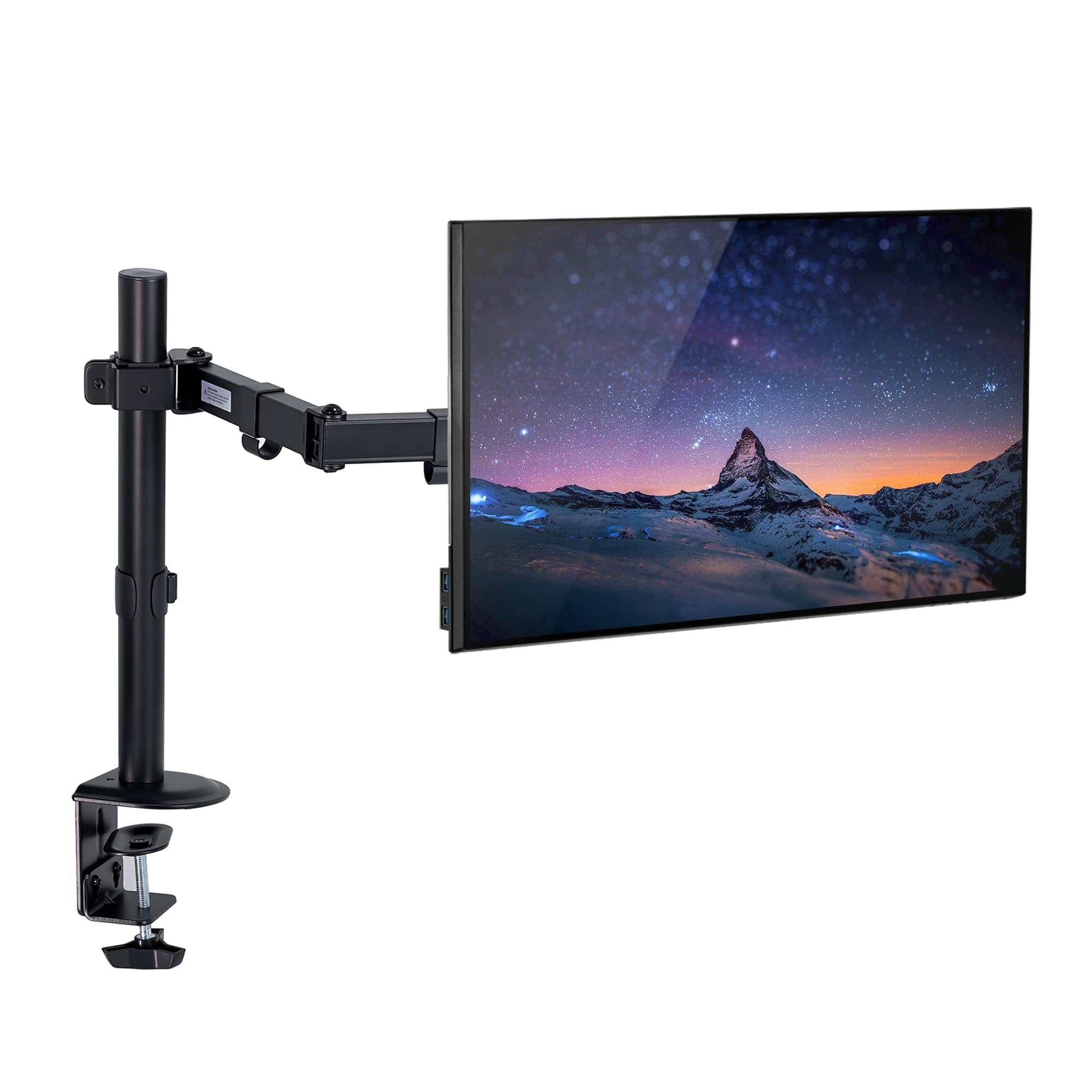
Image: Main view of the Redlemon Monitor Stand, showcasing its adjustable arm and desk clamp.
Safety Information
- Ensure all components are present and undamaged before installation.
- Do not exceed the maximum weight capacity of 9 kg (19.8 lbs) or the maximum screen size of 32 inches.
- Install the stand on a stable desk surface with a thickness between 1 cm and 8.5 cm.
- Tighten all screws securely to prevent accidental movement or detachment.
- Keep children and pets away from the installation area.
Setup Instructions
The Redlemon Monitor Stand is designed for easy installation. Follow these steps:
- Unpack Components: Carefully remove all parts from the packaging. Verify that all components listed in the included installation kit are present.
- Attach VESA Plate to Monitor:
Locate the VESA mounting holes on the back of your monitor. Attach the VESA plate from the stand to these holes using the provided screws. Ensure the plate is securely fastened.

Image: Rear view of a monitor with the VESA plate attached to the stand arm, demonstrating cable management clips.
- Mount the Desk Clamp:
Position the desk clamp on your desired desk edge. The clamp is suitable for desk thicknesses between 1 cm and 8.5 cm. Tighten the clamp screw firmly until the stand is stable and does not wobble. Ensure the clamp is fully secured to prevent damage to your desk or monitor.
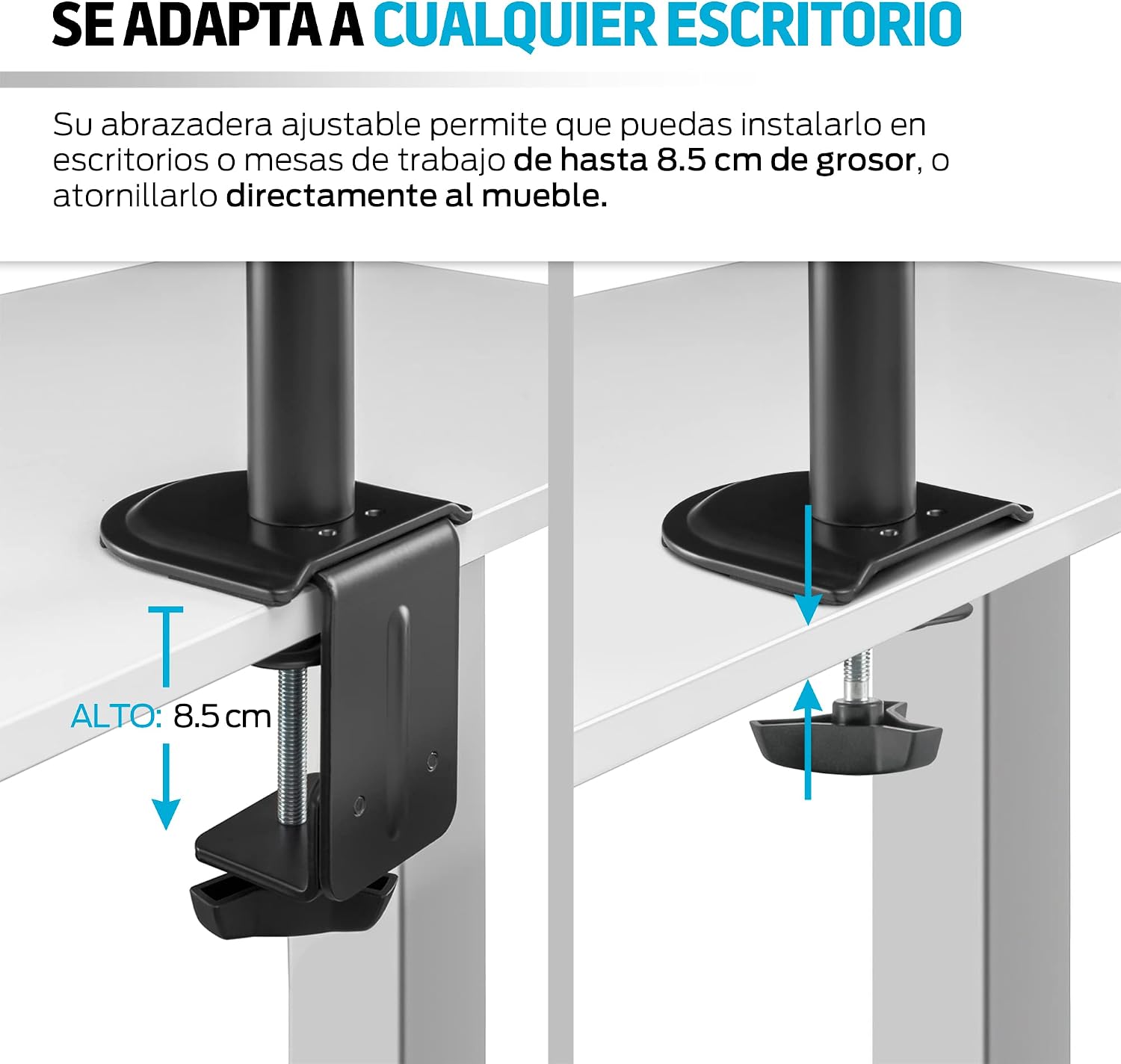
Image: Illustration showing the desk clamp installation method for the monitor stand.
- Attach Monitor to Arm:
Slide the VESA plate with the attached monitor onto the arm's mounting head. Secure it with the locking mechanism, usually a screw or clip, as indicated in the kit instructions.
- Cable Management:
Utilize the integrated cable clips on the arm to route your monitor's power and video cables. This helps maintain an organized and clutter-free workspace.
Operating and Adjustments
The Redlemon Monitor Stand offers versatile adjustments for optimal viewing comfort:
- Height Adjustment: Loosen the collar on the main pole to slide the arm up or down to your desired height. Retighten the collar securely.
- Tilt Adjustment: The monitor head can be tilted up or down by up to 15 degrees to reduce glare and improve viewing angles.
- Swivel Adjustment: The arm can swivel horizontally, allowing you to share your screen or adjust its position relative to your seating.
- Rotation: The monitor can be rotated 180 degrees, allowing for both landscape and portrait orientations.
- Arm Extension/Retraction: The articulated arm allows you to extend or retract the monitor closer or further from you.

Image: Diagram illustrating the tilt (±45°) and rotation (±180°) capabilities of the monitor arm, along with height adjustment.

Image: A workspace setup featuring the Redlemon monitor stand holding a monitor next to a laptop, demonstrating ergonomic positioning.
Maintenance
- Regularly check all screws and connections to ensure they remain tight.
- Clean the stand with a soft, damp cloth. Avoid abrasive cleaners or solvents.
- Do not lubricate any moving parts unless specifically instructed by the manufacturer.
Troubleshooting
| Problem | Possible Cause | Solution |
|---|---|---|
| Monitor arm sags or won't hold position. | Weight capacity exceeded; tension not adjusted. | Ensure monitor weight is within 9 kg limit. Adjust tension screws on the arm joints if applicable (refer to specific kit instructions). |
| Stand feels unstable on the desk. | Clamp not tightened sufficiently; desk too thin/thick. | Retighten the desk clamp screw. Verify desk thickness is between 1 cm and 8.5 cm. |
| Monitor does not attach to VESA plate. | Incorrect VESA pattern; wrong screws used. | Confirm your monitor's VESA pattern matches the stand (typically 75x75mm or 100x100mm). Use the correct screws provided. |
Specifications
| Model | 82002 |
| Brand | Redlemon |
| Material | Steel, Aluminum, Copper, Rubber (Stainless Steel components) |
| Color | Black |
| Mounting Type | Desk Clamp |
| Compatible Monitor Size | Up to 32 inches |
| Weight Capacity | Up to 9 kg (19.8 lbs) |
| Desk Thickness Compatibility | 1 cm to 8.5 cm |
| Movement | Tilt (up to 15 degrees), Swivel, Rotation (180 degrees), Height Adjustment |
| UPC | 631145844329 |
| ASIN | B09NF9J893 |
Warranty Information
Redlemon products typically come with a manufacturer's warranty. For specific warranty terms and conditions, please refer to the documentation included with your purchase or visit the official Redlemon website. Keep your proof of purchase for warranty claims.
Customer Support
If you encounter any issues or have questions regarding your Redlemon Monitor Stand, please contact Redlemon customer support through their official website or the retailer where you purchased the product. You can also visit the Redlemon Store on Amazon for more information.