
1. Introduction
Thank you for choosing the Detech EDS Gold Catcher Metal Detector. This professional gold prospecting system is engineered for exceptional sensitivity to small gold nuggets and offers impressive depth capabilities across various terrains. Operating at a frequency of 28 kHz, it is designed for both beginners and experienced prospectors. This manual provides essential information for the proper assembly, operation, and maintenance of your new metal detector.

Figure 1.1: The Detech EDS Gold Catcher Metal Detector complete kit, including the control box, shaft, two search coils, batteries, charger, and instruction manual.
2. Safety Information
Please read and understand all safety instructions before operating the metal detector. Failure to follow these guidelines may result in injury or damage to the device.
- Always obtain permission before detecting on private property.
- Be aware of your surroundings. Avoid detecting near active power lines, underground cables, or pipes.
- Do not operate the detector in thunderstorms or severe weather conditions.
- Handle batteries with care. Do not mix old and new batteries, or different types of batteries. Dispose of used batteries responsibly.
- Keep the detector away from extreme temperatures and moisture.
- Use only the specified charger and batteries.
3. Components Identification
Your Detech EDS Gold Catcher comes with several key components. Familiarize yourself with each part before assembly.
3.1. Search Coils
The detector includes two Double-D (DD) search coils for versatile performance.

Figure 3.1.1: The 6-inch DD round search coil, designed for pinpointing small targets and navigating tight spaces.

Figure 3.1.2: The 10-inch DD round search coil, optimized for maximum depth and broader coverage.
3.2. Batteries and Charger
The system includes rechargeable AA Ni-MH batteries and a compatible charger.
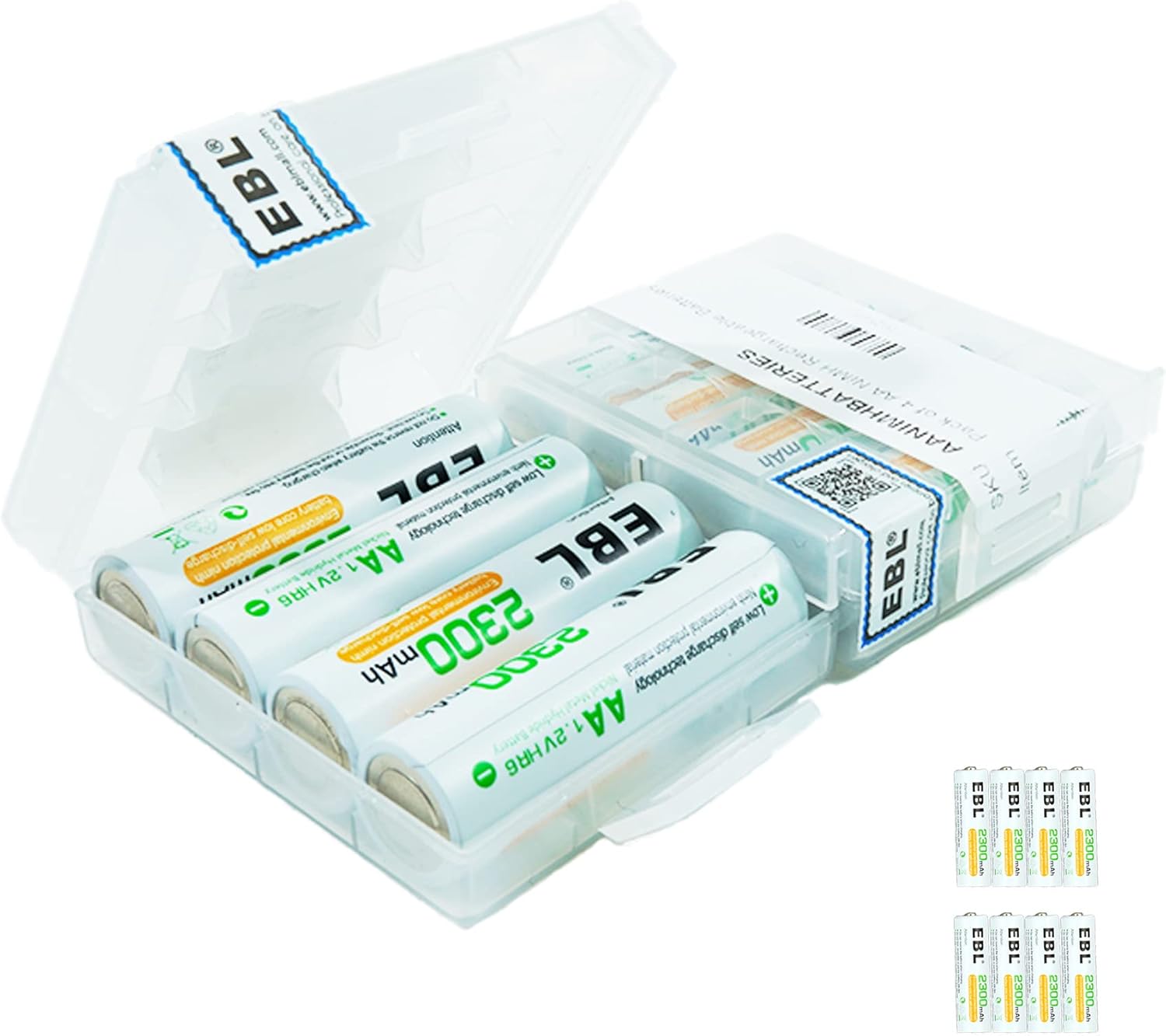
Figure 3.2.1: A pack of AA Ni-MH rechargeable batteries, providing power for the detector.

Figure 3.2.2: The battery charger, designed to recharge the included AA Ni-MH batteries.
3.3. Power Adapter
A power adapter is provided for charging the batteries.

Figure 3.3.1: The power adapter for connecting the battery charger to a wall outlet.
4. Setup and Assembly
Follow these steps to assemble your Detech EDS Gold Catcher Metal Detector.
- Attach the Search Coil: Select either the 6-inch or 10-inch DD coil. Align the coil's mounting tabs with the lower shaft and secure it using the provided bolt and nut. Ensure the coil cable is wrapped snugly around the lower and middle shaft sections.
- Connect the Control Box: Slide the control box onto the upper shaft. The control box features a super light 3-piece Carbon Fiber Straight shaft.
- Connect the Coil Cable: Plug the search coil cable connector into the corresponding port on the control box. Ensure a secure connection.
- Install Batteries: Open the battery compartment on the control box. Insert the 6 AA Ni-MH 2200mAh batteries, observing the correct polarity (+/-). Close the compartment securely.
- Adjust Shaft Length: Extend or collapse the 3-piece carbon fiber shaft to a comfortable operating length. The extended length is up to 57 inches, and collapsed is 35 inches. Secure the shaft sections using the locking collars.
- Adjust Armrest: Position the armrest for comfortable support during use. The genuine leather hand grip should provide a firm hold.
5. Operating Instructions
Understanding the controls and search modes will enhance your detecting experience.
5.1. Powering On and Off
To power on the detector, turn the main power knob clockwise. To power off, turn it counter-clockwise until it clicks.
5.2. Controls and Functions
- Frequency: Operates at 28 kHz, optimized for gold prospecting.
- Audio Frequency: Provides distinct tones for target identification: 550Hz (Simple tone), 250Hz (Low pitched tone), 1100Hz (High pitched tone).
- Discrimination: Use the adjustable discrimination control to filter out unwanted metallic junk. Higher discrimination settings will reject more ferrous targets but may also reduce sensitivity to very small non-ferrous items.
- Ground Rejection: The detector features both Auto and Manual Ground Adjust options. Proper ground balancing is crucial for stable operation and depth, especially in mineralized ground.
- Search Modes:
- All Metals: Provides maximum depth and sensitivity by detecting all types of metal. This mode is ideal for prospecting in areas with low trash.
- Manual Ground Adjust Enable: Allows for precise manual ground balancing.
- Target Identification: Utilizes a Dual Tone system (Low/High Pitch) to help differentiate between targets. Generally, low tones indicate ferrous targets, while high tones indicate non-ferrous targets like gold.
- Automatic Coil Recognition: The detector automatically recognizes the size of the attached coil and tunes for optimal operation.
5.3. Searching Techniques
Swing the search coil slowly and steadily, keeping it parallel to the ground and as close as possible without touching. Overlap each swing by about half the coil's diameter to ensure complete coverage.
6. Maintenance
Proper maintenance will extend the life and performance of your metal detector.
- Cleaning: After each use, wipe down the detector with a damp cloth to remove dirt and debris. Do not use abrasive cleaners or solvents. The control box is rated IP54, offering some protection against dust and splashing water, but it is not submersible.
- Coil Care: Avoid dragging the search coil directly on rough surfaces. Consider using a coil cover (if available) for added protection.
- Battery Care: Recharge the Ni-MH batteries when the low battery alert activates (automatic LED and audio). For long-term storage, remove the batteries from the detector.
- Storage: Store the detector in a cool, dry place, away from direct sunlight and extreme temperatures.
7. Troubleshooting
If you encounter issues with your detector, refer to the following common problems and solutions.
| Problem | Possible Cause | Solution |
|---|---|---|
| Detector does not power on. | Dead or incorrectly installed batteries. | Check battery polarity. Recharge or replace batteries. |
| Erratic signals or chattering. | Improper ground balance; electrical interference; highly mineralized soil. | Perform ground balance. Move away from power lines or other electronics. Adjust sensitivity. |
| Poor depth detection. | Incorrect ground balance; high discrimination setting; coil not parallel to ground. | Re-ground balance. Reduce discrimination. Ensure proper coil swing technique. |
| No audio response. | Headphones unplugged or faulty; volume too low. | Check headphone connection (3.5mm jack). Increase volume. Test with different headphones. |
8. Specifications
Detailed technical specifications for the Detech EDS Gold Catcher Metal Detector.
| Feature | Specification |
|---|---|
| Operating Frequency | 28 kHz |
| Audio Frequency | 550Hz (Simple tone); 250Hz (Low pitched tone); 1100Hz (High pitched tone) |
| Weight (inc. batteries) | 3.53 lbs (1.6 kg) |
| Length (Extended) | 57 inches (145 cm) |
| Length (Collapsed) | 35 inches (89 cm) |
| Standard Search Coils | 6" DD Round, 10" DD Round |
| Optional Search Coil | 12.5" DD Round (not included) |
| Headphones | Impedance 8 - 32 Ohms | Mono/Stereo Jack: 3.5mm (Optional: Wireless) |
| Batteries | 6 AA, Ni-mH, 2200mAh (Optional: 6 AA 1.5 V, Alkaline) |
| Ni-MH Battery Life | 20 - 30 hours |
| Low Battery Alert | Automatic LED and Audio |
| Ground Rejection | Auto/Manual Ground Adjust |
| Search Modes | Adjustable Discrimination, All Metals/Manual Ground Adjust Enable |
| Target Identification | Dual Tone (Low/High Pitch) |
| Material | Carbon Fiber (Shaft) |
| International Protection Rating | IP54 |
9. Warranty and Support
The Detech EDS Gold Catcher Metal Detector is backed by a 2-year warranty. For service or support inquiries, please contact the USA service center. Keep your purchase receipt as proof of purchase for warranty claims.
